

Unclaimed: Are are working at Cockpit CMS ?






Cockpit CMS Reviews: 4.1/5 — Solid Choice
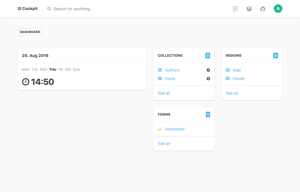
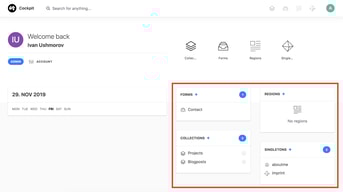
Cockpit CMS is a simple and lightweight headless content management system built for small and medium-sized businesses. It allows for a flexible and easy-to-use content management experience, allowing you to create custom content types and manage your website's content through a sleek, user-friendly interface. Cockpit CMS is perfect for those looking for a simple and efficient way to manage their website's content, without being bogged down by a complex CMS

| Capabilities |
API
OSS
|
|---|---|
| Segment |
Small Business
Mid Market
Enterprise
|
| Deployment | Cloud / SaaS / Web-Based, Desktop Linux, Desktop Mac, Desktop Windows, On-Premise Linux |
| Support | 24/7 (Live rep), Chat, Email/Help Desk, FAQs/Forum, Knowledge Base, Phone Support |
| Training | Documentation |
| Languages | English |

Compare Cockpit CMS with other popular tools in the same category.

Cockpit CMS allows developers to utilize their normal stack of web technologies (for me, Laravel and VueJS) while still allowing the client to have full control over content-managed areas of the site. This is different from most CMS applications (e.g. Wordpress, Drupal, Joomla!), where the developer must build the site, from the ground up, using the framework and programming languages available within the CMS. Cockpit can be easily dropped into any of my clients projects, to seamlessly allow them to update just the areas of the site they want to. This also prevents the common mistakes users of Wordpress and Drupal sites make; deleting or changing plugins and settings unintentionally. By only allowing changes to certain areas of the site, the worst case scenario will never render a website broken while using Cockpit.
Cockpit is a new project, which is currently being developed by a single developer. (https://github.com/aheinze) This makes updates and bug-fixes few and far between. Already, the project has gone silent for months at a time, only to return with a few bug fixes. The project is open-source, meaning developers can make their own additions to the project, but this one man is responsible for reviewing and correcting any and all code that enters the project. I don't suggest using Cockpit on anything requiring security and 100% reliability; bug fixes and security patches are not released fast enough for me to use this on anything other than small websites, such as local businesses.
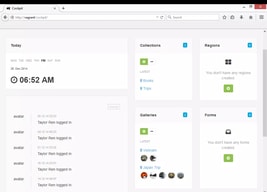
Cockpit saves me time when developing a website which requires a small amount of managed content. Normally, this content is a gallery or small blog. Cockpit is simply "imported" in some way (either through a server-side PHP API, a client-side Javascript API, or a simple HTTP API) into any project. I prefer to use the Javascript API, which is as simple as including: <script src="admin/index.php/rest/api-js?token=( API KEY )"></script> in a webpage, after placing the self-contained PHP scripts into a publicly accessible folder. That's it. The front-end can be accessed by navigating to "yourwebsite.com/admin". Here, you can set up galleries and "collections" (content with multiple entries, think blog posts or streams in other CMS's) which can be accessed by using the Javascript API: Cockpit.request('/collections/get/collection-name-here').success(function( data ){ console.log( data ) }); In this case, the "data" variable contains all the information the user has entered using the CMS for that collection, and most web developers will know exactly how to continue from this point using their own technologies, that they are familiar with. Keep in mind, Cockpit does not provide any front-end styling like Wordpress or Drupal will, Cockpit is simply an easy way to collect and manage data from a registered set of users. Cockpit only gives the data to developers, letting them work how they want to, instead of Wordpress (for example) forcing developers to play by their rules.