
( 50 )
Unclaimed: Are are working at Movavi Screen Recorder ?
Movavi Screen Recorder Reviews: 4.5/5 — Highly Rated
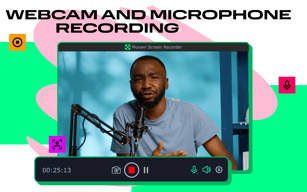
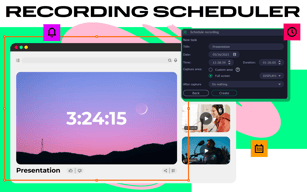
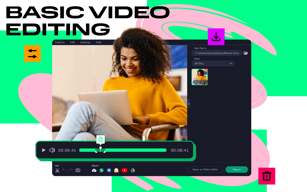
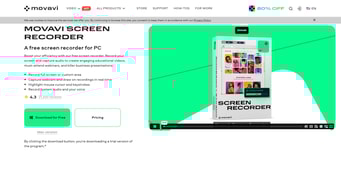
Movavi Screen Recorder is a video recorder with an intuitive and user-friendly interface. It lets users capture any area of their desktop, add webcam and microphone input, schedule recordings for the future, record the cursor movement and voiceover commentary, mark the areas requiring edits, add drawing directly on video etc. With Movavi Screen Recorder users can create high-quality tutorials or presentations that demonstrate software features. Save work in any HD or 4K format in AVI, WebM, MP4, FLV or WMV formats


| Segment |
Small Business
Mid Market
Enterprise
|
|---|---|
| Deployment | Desktop Mac, Desktop Windows |
| Training | Documentation |
| Languages | English |


Compare Movavi Screen Recorder with other popular tools in the same category.
Movavi Screen Recorder is a simple program I was able to use without a ton of training. I like software that is generally simple enough to use without reading instructions. All of the tools and functional items in Movavi Screen Recorder are as simple as possible to me. The quality of the screen recordings is fantastic. I can save videos for import and editing very quickly.
Movavi Screen Recorder has been excellent overall, but for those on a budget, it may not be the most cost-efficient. There are other completely free resources you can use for basic screen capturing.
I do lots of video editing and research, so Movavi Screen Recorder is helpful when I need to capture live streams or videos that aren't easy to download. It's a simple tool that doesn't take a long time to load and capture the videos in high quality. I can speed up my work and get projects done faster than if I didn't use Movavi Screen Recorder. Overall, it's a wonderful video editing extension that helps me to do all of my work with fewer steps.
I like the ease of use of this software. It provides lots of options from screen capture images to screen capture videos. You can highlight material, draw on the images, even put arrows on it. The program is always open as a tab on the side of your computer screen so it is quick to get to.
My only gripe would be that when I am capturing the screen the alignment of the arrow is a bit off. It just takes a bit of getting used to it, but it is not anything that would make this a program I wouldn't want to use. That's the least of my worries.
This was a replacement for using the snipping tool on my computer. That was not helpful when wanting to add an extra dimension to the captures. I also did not have the ability to record my screen outside of the powerpoint screen capture. That was using too many programs. Having Movavi recorder and the video editor makes things super easy.

Movavi makes easy to use products and their screen recorder is no exception. Throw in affordable pricing and great customer service, and the Movavi Screen Recorder is hard to beat!
Nothing really. This is a great product that you should definitely check out if you're looking for a screen recorder.
I use the Movavi Screen Recorder to record videos for my YouTube Channel.

The ease of taking screenshots; more importantly not having to save them. Copying them to the clipboard is a great thing.
nothing much I can think of as of now. All good.
I frequently share screen shorts. This relieves me of the problem of first taking a PrtSc and then pasting it to Paint, then saving it. All this just to share a screenshot. This has got much easy now.
Easy of use...just click and go. No need for lots of reading on how to use the product
sometimes the size of the video files produced are on the large size ..1-2 GB for an hour
being able to create Demo recordings and then editing out all the bloopers...perfect
Movavi Screen Recorder is easy to use, and has a convenient timer function so you don't have to wait by your computer; it automatically turns off when you request it to.
Sometimes on my old PC the software would use a lot of available system resources, yet on my new (upgraded) PC, it works just fine.
I watch a lot of free webinars, and Movavi Screen Recorder allows me to re-watch them at my leisure.
Functionality and easy to use. Good quality.
Video Editing is not incorporated on this software.
Having left behind with my tasks. I could always go back on my online video studies if I need to back track on the topic.

I love Movavi. I've been using their products for several years and use them to record webinars, make webinars and video commercials. It's easy to use.
Sometimes it's a little slow in loading, not really slow, I'm just impatient.
I find it easier to produce a Powerpoint presentation and then record it with voice over using Movavi.
Movavi Screen Capture is easy to use and can be set up in a minute, even during live conversations that I might be having on Skype or during a video that I may be watching. The recordings are high quality and suitable for editing down to core content.
I am using Movavi Screen Capture Pro on one device and if I jump to another screen say by referring to a web site, it records whats on my screen at the time, not the video I am recording.
I do many selling pitches to clients using Skype. These calls last for about 60 minutes. I record these using Movavi Screen Capture Pro. Movavi Screen Capture Pro allows me to fully concentrate on my conversation with my prospect, rather than taking copious notes. People like to see their own words in proposals and after the call I can go back to review the key words, processes and concepts to which the prospect gave a positive reaction. I incorporate these into the quotation I subsequently send the prospect. I also watch many educational videos that cannot be downloaded. Most of these videos have a few gems I would like to remember surrounded by a lot of fluff. I record these and fast forward to the bits that really interest me. The quality of the recorded video enables me to run the video through a video editor and keep the interesting stuff.

VERY familiar to use .............................
nothing to dislike..............................
screen recorder as video I need...its very helpfull


