

Unclaimed: Are you working at 4K Video Downloader?
4K Video Downloader Reviews — Pricing, Features & The Honest Take
4K Video Downloader is a platform that allows users to easily download and convert videos and music from various platforms such as YouTube, Vimeo, and Soundcloud. The software lets users download in 4K resolution, providing high-quality video content. It also allows for batch downloads and conversion, making it a convenient tool for users to quickly download and convert multiple files at once. Additionally, 4K Download is available for Windows, Mac, and Linux, providing a cross-platform solution.

| Capabilities |
CLI
|
|---|---|
| Segment |
Small Business
Mid Market
Enterprise
|
| Deployment | Cloud / SaaS / Web-Based, Desktop Linux, Desktop Mac, Desktop Windows |
| Support | 24/7 (Live rep), Chat, Email/Help Desk, FAQs/Forum, Knowledge Base, Phone Support |
| Training | Documentation |
| Languages | English |


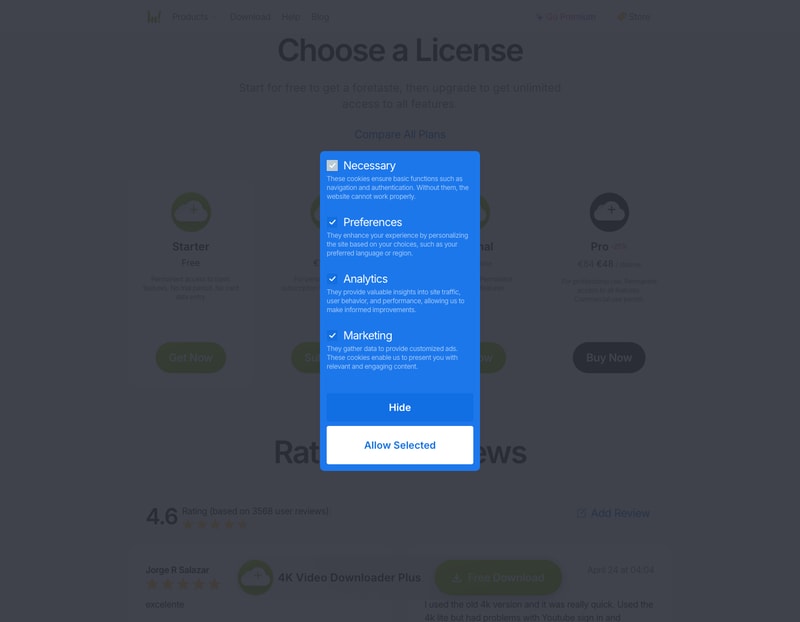
4K Video Downloader sells the same “main features” as both a €18-a-year subscription and a €30 lifetime licence — and the lifetime one pays for itself in 20 months. Unless you know you need the tool for less than about a year and a half, the annual plan is the wrong purchase. The page that ought to settle which tier you need is titled “Compare All Plans” and describes them only as “basic”, “main” and “all” features, without listing any.
- What it is: A desktop app for downloading video and audio from YouTube and other sites.
- Best for: People archiving playlists or channels they have a right to save.
- Pricing: Free tier, then €18/year, €30 lifetime, or €48 lifetime. Verified August 2026.
- The honest catch: Downloading from YouTube generally breaches its Terms of Service.
What Is 4K Video Downloader?
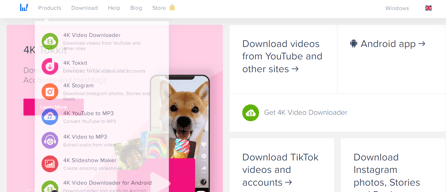
4K Video Downloader Plus is a cross-platform desktop application that saves video and audio from YouTube, Vimeo, TikTok, SoundCloud, Facebook, Twitch and Bilibili among others. The company reports 62+ million users, 10+ years of operation and a 4.6 rating from 3,568 reviews.
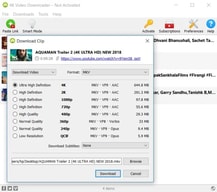
Its capabilities are more specific than most tools in this space. It downloads entire playlists, channels and search results in one action, including Watch Later, Liked videos and private playlists; saves in 720p, 1080p, 4K and 8K; extracts subtitles in SRT across 50+ languages for a whole channel rather than one video; handles Shorts, Gaming and Kids content and multi-language audio tracks; and includes AI audio processing to isolate or remove vocals, erase echo and strip background music.
Before any of that matters, one thing should be stated plainly: downloading content from YouTube is contrary to YouTube’s Terms of Service, except through features YouTube itself provides. The vendor advertises saving “YouTube Premium videos you’ve got access to” and private playlists. Whether a given download is lawful depends on your jurisdiction, the licence on the content and what you do with it — a personal archive of your own uploads sits very differently from redistributing someone else’s work. This review covers what the software does and what it costs; it is not a judgement that any particular use is permitted.
How 4K Video Downloader Works
- Desktop app, not a web service — Windows, macOS and Linux.
- Four licences, one free and three paid.
- Two of the paid tiers are lifetime, one is annual.
- Playlists, channels and search results downloaded in one action.
- Commercial use requires the top tier.
- Free tier is permanent, with no card required.
4K Video Downloader Pricing
Prices are in EUR as served to a European visitor.
| Tier | Price | Licence terms |
|---|---|---|
| Starter | Free | Permanent access to basic features. No trial period, no card details. |
| Lite | €18/year | Personal use. Annual subscription to main features. |
| Personal | €30 lifetime | Personal use. Permanent access to main features. |
| Pro | €48 lifetime (from €64, −25%) | Professional use. Permanent access to all features. Commercial use permit. |
What actually decides your cost:
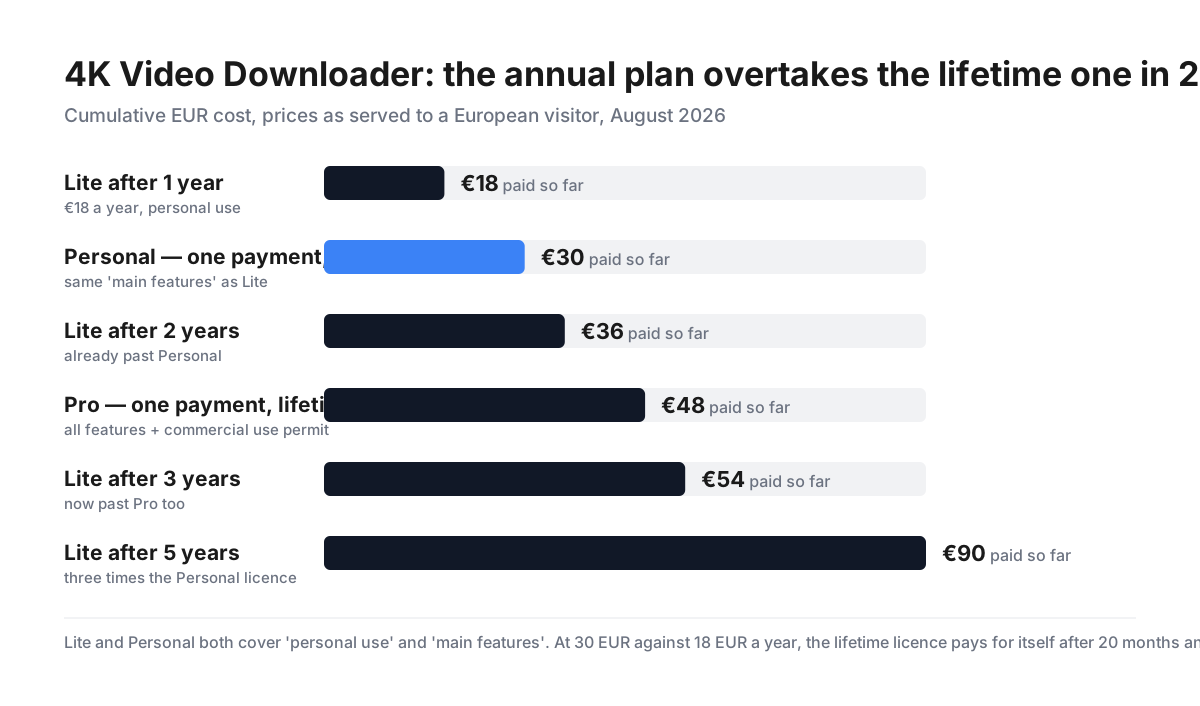
- Lite and Personal buy the same thing, and Personal wins after 20 months. Both are described identically — “for personal use”, “main features”. The only difference is that Lite costs €18 every year and Personal costs €30 once. €30 ÷ €18 = 1.67 years, so from month twenty onward the subscription is simply more expensive, and it keeps getting worse: €54 after three years, €90 after five, against a one-off €30. Lite is the right choice only if you are confident you need the tool for less than about eighteen months.
- The “Compare All Plans” page does not compare anything. Following that link produces the same four cards, distinguished only by the words “basic features”, “main features” and “all features”. No feature is named against any tier. So the practical question — what does €48 give me that €30 does not? — cannot be answered from the pricing page at all. That is a real gap, and it pushes buyers toward guessing or overbuying.
- Commercial use requires Pro, at €48. This is the one tier distinction stated concretely. Starter, Lite and Personal are all licensed “for personal use”; only Pro carries a “commercial use permit”. If you are downloading anything for a business — client work, marketing footage, internal training material — the other three licences do not cover you regardless of which features you need.
- The −25% on Pro is exactly 25%. €48 against a €64 list price is a precise quarter off. Small thing, but this review series checks every discount claim and this one holds.
- The free tier is permanent and requires no card. “Permanent access to basic features. No trial period. No card data entry.” Since the paid tiers are cheap and the compare page will not tell you what you are missing, the sensible route is to install the free version and find out empirically which limit you hit first.
- Lifetime means this version, in practice. Neither lifetime licence carries a stated upgrade policy on the pricing page. Software sold as a perpetual licence typically covers the major version you bought; whether a future 4K Video Downloader release is included is not addressed. Worth asking before assuming a €30 purchase is permanent in the sense of never paying again.
- Prices are geo-served. Figures here are the euro prices shown to a European visitor; buyers elsewhere will see different currency and may see different numbers.
-
The affiliate link tracks correctly.
/go/4k-video-downloaderreturns 200 and resolves to4kdownload.comwith theref=sohomediareferral parameter intact.
Who Should Use 4K Video Downloader
- Archivists of their own content. Bulk-saving your own channel or playlists.
- Researchers and educators working within their jurisdiction’s exceptions.
- People with poor connectivity. Offline viewing of content they may lawfully save.
- Anyone needing subtitles at scale. SRT extraction across a channel in 50+ languages.
It fits poorly for commercial users on the cheaper tiers, since those are personal-use licences; for anyone who wants to know what they are buying before they buy, given the compare page; and for users unwilling to assess the Terms of Service and copyright position for their own use case.
Honest Pros and Cons
Strengths
- Lifetime licences at €30 and €48, not subscription-only.
- A permanent free tier with no card required.
- The −25% Pro discount verifies exactly.
- Playlist, channel and search-result downloads in one action.
- Subtitle extraction in 50+ languages across whole channels.
- AI audio tools for vocal isolation and echo removal.
Limitations
- The annual plan is worse than lifetime after 20 months.
- “Compare All Plans” lists no features.
- Commercial use needs the €48 tier.
- No stated upgrade policy on lifetime licences.
- Downloading from YouTube breaches its Terms of Service.
- Legality varies by jurisdiction and content licence.
4K Video Downloader Alternatives and How It Compares
- Wondershare UniConverter downloads from 1,000+ sites and converts formats, at a higher price.
- CyberLink PowerDirector is an editor rather than a downloader, also sold perpetually.
- yt-dlp is free, open-source and more capable, if you are comfortable at a command line.
- YouTube Premium is the sanctioned route to offline viewing, and the only one that unambiguously complies with YouTube’s terms.
The Verdict
4K Video Downloader is a mature, capable tool, and its pricing contains one clear trap and one clear gap.
The trap is the Lite subscription at €18 a year. It is described in exactly the same words as the €30 Personal lifetime licence — personal use, main features — so what you are being offered is the same product on two payment models. The lifetime licence pays for itself in 20 months and pulls further ahead every year after: €90 versus €30 at the five-year mark. Unless you genuinely need the tool briefly, buy Personal and never think about it again.
The gap is that the “Compare All Plans” page compares nothing. It repeats the four cards and distinguishes them as basic, main and all features without naming one. A buyer cannot determine what €48 Pro adds over €30 Personal except the commercial use permit, which is the single concrete difference stated anywhere. Since the free tier is permanent and needs no card, the workable approach is to install it and discover the limits yourself — which is a poor substitute for a feature table, but it is what the vendor leaves you.
Credit where due: two of three paid tiers are lifetime licences, at a time when most software has moved to rent-only. The free tier is genuinely permanent. And the −25% on Pro is exactly 25%.
The larger consideration is not price. Downloading from YouTube is contrary to YouTube’s Terms of Service, and what is lawful beyond that depends on your jurisdiction, the licence attached to the content, and what you do with the file. Saving your own uploads, or content you hold rights to, is a different proposition from bulk-archiving someone else’s channel. The software makes both equally easy; deciding which you are doing is on you, and worth doing before you spend anything — including nothing.
FAQ
How much does 4K Video Downloader cost?
Four tiers, in EUR as shown to European visitors: Starter is free and permanent, Lite is €18 a year, Personal is €30 as a one-off lifetime licence, and Pro is €48 lifetime (reduced 25% from €64). Starter, Lite and Personal are licensed for personal use only; Pro carries a commercial use permit. Prices are geo-served, so buyers outside Europe will see different figures.
Should I buy the annual or the lifetime licence?
The lifetime one, in almost every case. Lite (€18/year) and Personal (€30 lifetime) are described identically — personal use, main features — so the subscription buys nothing extra. €30 ÷ €18 is 1.67 years, meaning Personal is cheaper from month 20 onward, and the gap widens indefinitely: after five years Lite has cost €90 against Personal’s €30. Choose Lite only if you know you need the tool for under about eighteen months.
What is the difference between the Personal and Pro licences?
The one difference stated concretely is that Pro includes a commercial use permit and Personal does not. Beyond that, Personal is described as “main features” and Pro as “all features”, and the vendor’s own “Compare All Plans” page does not name which features those are. If you are using the tool for any business purpose, you need Pro at €48 regardless; if you are not, the free tier will show you empirically what Personal’s limits are.
Is there a free version of 4K Video Downloader?
Yes, and it does not expire. The Starter tier gives “permanent access to basic features” with no trial period and no card details required. Because the paid tiers are inexpensive and the comparison page does not enumerate features, installing the free version is the most reliable way to discover which limitation actually affects you before paying.
Is it legal to download YouTube videos with this?
Downloading from YouTube is contrary to YouTube’s Terms of Service, other than through features YouTube itself offers such as Premium’s offline mode. Beyond that, legality depends on your jurisdiction, the copyright and licence attached to the specific content, and what you do with the file — saving your own uploads is a very different matter from archiving and redistributing someone else’s work. This review describes the software’s capabilities and pricing and is not legal advice; assess your own use case before purchasing.

Compare 4K Video Downloader with other popular tools in the same category.
Sorry, no reviews are available for this product yet.
Be the first one to review 4K Video Downloader !