

Unclaimed: Are you working at AutoCAD?
AutoCAD Reviews: 4.5/5 — Highly Rated
AutoCAD is a professional 2D and 3D CAD program used to design and create digital assets. The software offers drafting and design tools for 2D geometry and 3D models with solids, meshes objects, or surfaces. With AutoCAD, users can automate adding blocks, creating schedules, and comparing drawings ensuring better efficiency. AutoCAD also has a full suite of advanced features for both 2D drafting and 3D modeling. It also offers web and mobile application access for multiple device accessibility, cloud-storage connectivity, and access to the Autodesk app store if you’re looking for more specific extensions.

| Capabilities |
API
|
|---|---|
| Segment |
Small Business
Mid Market
Enterprise
|
| Deployment | Cloud / SaaS / Web-Based, Desktop Mac, Desktop Windows, Mobile Android, Mobile iPad, Mobile iPhone |
| Support | 24/7 (Live rep), Chat, Email/Help Desk, FAQs/Forum, Knowledge Base, Phone Support |
| Training | Documentation |
| Languages | English |

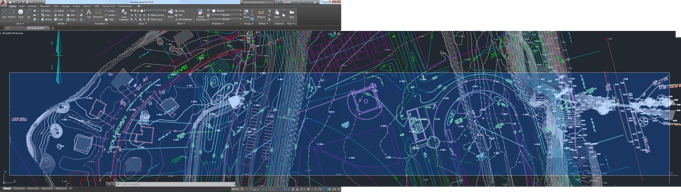
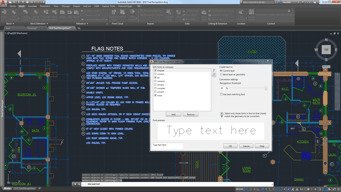

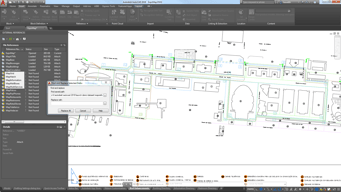
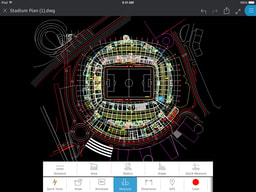

In our industry drawings are essential to built roads, infrastuctures, in manufacturing this is also used for plan. Autocad gives us the advantage to digitized these drawings ang recreate the old fasion way. It has complex tools that allow industry to select the best plan possible.
The downside is high cost, system requirements and learning how to do it.
Engineering architectures, 3D and 2d modeling features

Is widely accepted, files are compatible with most softwares, price and licensing options.
We used to have server licenses, not anymore.
Mostly compatible with any other software. Simple and complex drawings, great education and training resources available, updated every year and strong support
measurement dimensions, cnc manufacturing I have been using autocad since 2018 , it’s very easy to use for basic layout like foundation drawings and civil engineering works for any product installation.
If we made mistakes while making drawing then modification of drawing is hard then any other design software
Actual dimensions as scale of the line and page size. CnC work specially for sheet metal

The best thing about this tool is, its upgrading every year and getting better and more optimized to minimize your design and detailing tasks.
The price offering for this software must be reconsidered for Freelancers as well.
AutoCAD solves problems in creating accurate CAD designs of my ideas quickly, and since its one of the widely used software with unlimited features, I can easily communicate my design with anyone.
The most helpful for autocad is the software is user friendly and can be learn easily to do faster work and easy to use.
We need to remember some complicated commands.
Great software for 2d design of products and can also be used for planning and area calculations.

The software is the best for all types of civil works and it only has grown to fulfill all possibilities one can think about
The dark theme mode is something not many would appreciate.
I use AutoCAD to plot process flow schemes, P& ID's, 2D spatial planning and in all my works AutoCAD has never failed my expectations.
User Friendly, easy to use toolbar, easy type script and other
The annual license on the software means its use is limited periodically
drawing 2D and 3D simple and user friendly

This software help make the design of the plan, electronics component, etc. This software help create design either 2D &3D or Step File. that can visualize easily
In this software, any work completed in between power off this time project not save
In this software, the interface is updated or improved. Some hands-on session videos provide to the user. Rendering updater or improve

Measurement of areas and preparation of mock layouts
There isn't anything that I dislike. Most of the options are very much useful
It helps me in designing floor plans Calculate the areas and also split the floor plans as per requirement
The ability to build computer aided prototype designs upto the minutest detail for engineering projects.
The software license, albeit worth the price is a bit expensive for small scale organisations.
The 2D and 3D modelling for construction projects.

It can be super simple or super complex. Additionally, its compatible with tons of other softwares.
Not much, I would add more drafting command to the right click menu
Plant layouts, process flow diagrams, P&IDs
autocad is the best engineering software. helps to save time and resources
autocad requires high performance PC which makes expensive to use
autocad solves engineering problems, particularly civil engineering designing.

AutoCAD is easy to learn and use, very accurate. It is also free to qualified educational institutions, so students and faculty can make the best use of this software.
3D capabilities can be improved. License server administration / technical support should be improved. The license period for free licenses to qualified educational institutions can be increased from 1 year to 3 years.
Initially, we used manual drafting (using paper and pencil), but Engineering drawing has become fun and easy after moving to AutoCAD. It has increased productivity and accuracy. Now it is easy to make changes on the fly, making the task easy for the users.

Autocad is most abundantly used application for designing drafting and expressing products in a way that matters. It has a very simple and elegant user interface that allows the user to select appropriate selection of icon or by text shortcuts
It's a very heavy application that's consumes lot of storage, also application startup is very show, from the time you click to open the application to the time it's opening.
Autocad drawings with layer function help in understanding what part is too be used in which location what the data outlines large data's like a building drawings can be physically inspected and issues find be corrected

Very easy to use and very easy to customize commands
No such dislikes since the application is very user Friendly
2D Drawings can be made very easily.
Programa universal para el diseño, visualización y modelado 2D. Programa muy depurado con funciones sencillas e intuitivas. Compatibilidad entre ficheros de cualquier versión anterior o posterior.
En cuanto al diseño 3D AutoCAD aunque tiene ciertas posibilidades está muy lejos de acercarse a softwares específicos de diseño 3D. En este aspecto yo no lo recomiendo.
Revisión, medición comprobación de planos. Cualquier acotación o consulta se puede ver en AutoCAD. Así como pequeñas ediciones de planos creados con otros software 3D

I love that the software gives you so many tools that if I was able to know how to use all of them, I would be an Ace in Drafting! Can't get enough of all the possibilities.
Mainly the cost of the product. I wished it was more affordable for the common person to be able to own and use.
Being able to use the COGO and Survey portions of the program allows me to rectify Boundary Survey work.
Import and export from/to our most used software
Maintenance fees that keep our licenses limited
Converting DXFs into DWGs makes my life simple

AutoCAD's functions and design are intuitive. Even though I had no formal training in the use of AutoCAD, I was able to easily learn to draft engineering design in a matter of days. Its flexibility is unmatched as it allows me to draft a myriad of drawings and design with relative ease and precision.
Since it isn't particularly a mining software, it lacks the functions that are a staple for any mining software, like computation of grades from block models and such. To adapt to this problem, we have to use excel or other similar software for the calculations specific to mining.
It allows for ease and accuracy of drafting. I am able to compute for volumes and visualize plans before it can commence. With this information, I can easily optimize my designs and also seek the opinion of others by providing an easy to understand illustration of the plan or design.

AutoCAD for the artist, designer, drafter, modeler, etc. is a go-to tool. it is super user friendly. with all the different types of configurations over the years to execute a command, ie digitizing tablets, pallets, ribbons, etc., the one configuration that remains constant is the PULLDOWN MENUs. As with any app like Word, or excel, you will find along the top of the program FILE, EDIT, HOME, INSERT, DRAW, ETC. The exact pull-down tab title may vary per application but it's always there. if someone wanted to draw a circle. the obvious choice on the pulldown menu is DRAW. Then the secondary or sub-menu appears. then one has to ask themselves, draw what (circle)? the available options are LINE, RAY, CONSTRUCTION LINE, MULTILINE, POLYLINE, ARC, CIRCLE, DONUT, etc. Then CIRCLE is selected. then the tertiary menu appears. it begs the question:how do you wish to draw the circle.....CENTER, RADIUS.......CENTER, DIAMETER,........2 POINTS........3 POINTS, etc. and thats it. the inherent behaviour of the pull down walks you thru the command. genius.
I am not too keen on the subscription business model. also, for the over 20 years that I've worked with AutoCAD, I have always struggled to keep the drawing environment stable when dealing with solid models. crashes more frequently than I would expect.
without isolating one problem, in general, overall I have to give credit to Autodesk for consistently trying to improve the platform by engaging users with surveys and improvement groups. very detailed questions.

For AutoCAD 2D module, it is easy to learn, easy to use, a lot of shortcuts, and even easy to draw anything in our world in plain view. First of all, it is easy to format drawings with all kinds of lines for engineering use. Besides, the dimension function is straightforward and smooth to use. Moreover, the coordinate system in AUTOCAD is very convenient for importing survey data. Last but not least, you can program the AUTOCAD file to import into other software, such as ITASCA FLAC3D/ Surpac etc.
AUTOCAD 3D module is not as good as other 3D software, such as 3DSMAX and UG. Just nothing to dislike, actually. I don't have any dislike for this software as a 10+ years user.
AUTOCAD can solve most of the engineer drawing problems. For me, an underground engineer, AUTOCAD is the best value for money comparing other software, such as Surpac, Deswik etc.

Its a 2D Drafting software which enables users to draw a 2D sketch, a house plan, a construction site. Moreover it can also have the ability to design 3D Models. We can also print some layouts as pdf in order to show our designs to someone. we can also send these drawings within the software too. And AutoCad is BIM Software.
Though Autocad is the base software to learn 2D drafting but due to its too many commands one can easily forget which command is best to apply for a particular design or a sketch. Moreover a command contains a sub command too which makes it more difficult to learn.
One of the main advantage of this software is that we can draw to scale and editing these drawings are simple. For example last week I had a solar panel project for which I have to deliver the drawings as soon as possible and guess what i deliver at time but there are some mistakes which need to be correct and in no time I have managed to correct these drawings.
je l'utilise dans mon domaine plus essentiellenemt dans le dessin 2D et 3D mais j'ai une expérience dans plusieurs socèté sur le dessin de pipline ou meme le dessin des paroi de soutennement dans le tunnel.
en gros j'ai trop de probleme avec lui , par contre j'utilise une verison gratuite car sa licence est vraiment chere
sur mon job actuelle il m'a boucoup aider sur la cartographie sur les dessin des route est les trancant . je l'ai utiliser dans le domaine BTP et sur ma ancienne expérience dans le dessin pipline

It has strong 2D and 3D design sketch pad which also can be used isometrically. It has a great layout of the tools. The plot presentation option is also excellent.
Limited File Formats – As the leading CAD, it limits the number of file formats it can import or export. AutoCAD cannot freely edit lines and locations. Expensive start-up costs.
To design the electrical, mechanical, and layout for the installation of the new plant. To prepare mine plans and to interpret mine bench design & dump parameters.

AutoCAD is the most widely used software for drafting in 2D. User interface is simple and easy to use. Most of the commands that are used are visible on ribbons so no need to search. This makes this software very easy to learn and use
Many of the features are hidden and difficult to learn. 3D designing has to be done in different software. If the 3D can be integrated in the same software then it can be much better
AutoCAD has solved the problem of designing and drafting of complex mechanical components. AutoCAD has helped to simulate layouts, designing of building, etc...this has increased the productivity.
Best User-Friendly interface Easy to use Best 2D & 3D CAD Drawing Software
There is nothing to dislike about AutoCAD for me.
Preparation of Drawings by 2D/3D CAD Drafting

Versatility and detailed options to design any integrated floor plan, Single line diagrams, Schematics, or piping and instrumentation diagram. It can be used to create precise 2D and 3D drawings and models. The .dwg file format created by Autodesk provides the most efficient and accurate way to view and edit DWGs versus any CAD alternative. It can produce even large files with the same ease and accuracy. Commands like Grid Snap, Zoom and attach are used for accuracy in drawing.
It create drawing with only help of lines it does not use volumetric models as we use in Building Information Modelling (BIM). In case of 3D geometry it uses limited effects.
It can produce even large files with the same ease and accuracy. Commands like Grid Snap, Zoom and attach are used for accuracy in drawing. To make any desired drawing consumes much time but with invent of AutoCAD making a drawing is not a time-consuming task. Also, we can generate as many copies of the same drawing. The same drawing can be used in other drawings which also helps in saving time.
Very user friendly, editing functions are phenominal.
Sometimes the pick points can be a bit jumpy and my prints won't end up where I intended for them to.
Compared to the other options on the market Auto CAD is very much streamlined and leagues easier to use.
Ease of use and intuitive GUI. This is the software that first utilized the 'ribbon'.
Features have been removed and spun into other projects over the years/decades.
General 2d draftwork, plan views, electronic schematics. Worth every second.
It is very useful for drafting. We can make 2D layout of plant, isometric, general arrangement drawing. It is also useful for architech drawing, civil, electrical layout.
Not much to say. For 3D it can be improve.
All kind of 2d layout. We are making on AutoCAD. Isometric drawing as well. Piping general arrangement, support sketch we generate on AutoCAD. It is output for our clients.