

Unclaimed: Are are working at Autodesk Fusion 360 ?
Autodesk Fusion 360 Reviews: 4.3/5 — Solid Choice
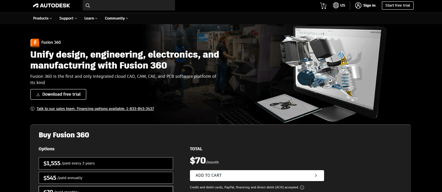
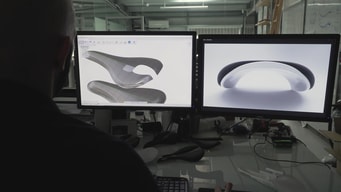
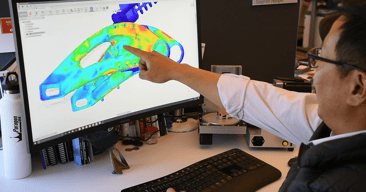
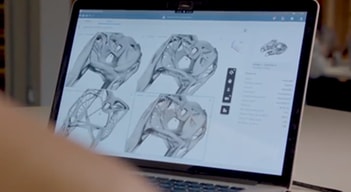
Fusion 360 is a professional cloud-based 3D CAD program that lets users design and manufacture products using CAD, CAM, and PCB software. The feature-rich 3D printing software offers tools that include simulation, assemblies, 3D printing, generative design, tools sculpting, and CAM. That platform is known for having numerous product design options and cross-cloud capabilities, making it perfect for remote team collaboration, especially for large-scale projects.

| Capabilities |
AI
API
|
|---|---|
| Segment |
Small Business
Mid Market
Enterprise
|
| Deployment | Cloud / SaaS / Web-Based, Desktop Mac, Desktop Windows |
| Support | 24/7 (Live rep), Chat, Email/Help Desk, FAQs/Forum, Knowledge Base, Phone Support |
| Training | Documentation |
| Languages | English |



Upchain has greatly improved our CAD handling. Our previous process involved a google drive folder. The ability to lock parts, revision control parts, and associate drawings/analysis/manufacturing files with a part in a way more elegant than a file tree has proven its use time and again. The cloud based system was very easy to stand up for a small team without dedicated information technology personnel. It supported our team members both locally and at remote sites. All other pain points aside, it's a powerful tool for ensuring everyone is working on the same models and isn't loosing work due to conflicts or disorganization. The online view and measurement tool is powerful, useful, and awesome capability.
Upchain has several rough edges still. Their provided tutorials are often outdated by the time you see them, and it is frustrating for the program to behave differently than expected. Upchain does not support some of our processes well (such as tying free-text to configurations in Solidworks) . It is also frustrating that not all functionality is available in all places, for example, moving a part back to development has to happen in the CAD plugin rather than on the web interface. It's occasionally frustrating as you need to be in certain views (Project vs cBoM, etc) to do certain activities. Doing in-house integrations with Upchain is proving difficult with limited documentation.
Upchain is providing revision and configuration control. Without a cloud based CAD solution our work from home engineers and representatives at conferences would be less effective.
The organization and checking in, checking out feature
The help page is not very helpful, and some of the buttons in the program do not work.
Lack of communication as to when something needs to be completed and by who. We are very early in our experience, so no real benefits have been realized yet, but i am sure this will happen once we start using Upchain more.

The high level of customization and 'you can pretty much do anything you want' vibe of the whole application. For instance, the way in which any team's workflows can be directly translated to a block diagram is very powerful, and the scripting engine allows for some pretty deep add-on customization. The robust API makes custom integrations easy for even an untrained programmer like myself. The admin module (workflow editor, item details editor, etc.) is very easy to use and overall a great user experience. This is often overlooked in systems like these. The concept behind workspaces and items and their relationships is easy to explain to just about any user, allowing them to cook up their own workspaces if they request them.
The entire document/attachment system. There's no bulk file imports, and everything is limited to a one-to-one item to file relationship. Large workarounds and scripts must be created to accommodate some very simple document management operations. Support has indicated that this is changing, but I've seen nothing in the last year. The sourcing tab is very limited, and bulk import/export are not easy to accomplish (e.g. BOM scrubbing). While attractive, the classification module is completely useless - the data cannot be exported, reported on, or displayed in BOMs. Generally, although the scripting module powerful, it's clear that it's being used overused (out of the box) to write in features that ought to be easier to administrate (e.g. workflow approvals, custom part numbering) It's also lacking out of the box integration with other Autodesk tools, even ones explicitly named Fusion!
BOM management, cross-team coordination, and rapid estimate generation for our entire prefab building system. The ability to write a custom integration with Revit API has allowed us to automatically keep BOMs up to date on a project to project basis, with the simple click of a button.
The support from the AD team. FLC has a great potential to drive a majority of company business processes as the de-facto business process engine, but the application really needs to be stable.
The modern UI version is buggy and unstable. The incorporation of cPDM with FLC is extremely flawed in security and relationships. The interfaces between cPDM, Autodesk Drive, and FLC are not consistent. The document viewer has multiple bugs and the UX can be cleaned up. The UI/UX while better than the classic can be much more intuitive. Why does it take so many clicks??? The mobile app does not allow you to view attachments so it is almost worthless. System speed is also an issue. Using the system in China and Europe can be challenging. Browser compatibility is limited.
Using this system as a single source of truth for the company. We have deployed document management, CAPA, MRB, Training, and certifications and are looking to deploy BOM and NPI. Benefits have been minor due to the amount of bugs in the system.
Once you get used to it, it is fairly easy to navigate. It allows the company to have all product information in one location instead of scattered through our shared drive.
When the sales pitch is that you can do everything yourself - you don't need to be in IT or need IT's help. Its not true. We needed help, lots of it, which ends up costing a lot of money. Might have well have invested the money up front to have it set up the way you wanted. However, that is not what was presented to us.
The main benefit we have found is being able to look up current product specifications and being able to look through the history of the item.
everything worked..I guess? You can add functionality, which is really nice. I went to a PLM meeting in Novi, MI which i thought was really helpful.
Its confusing, slow, non-intuitive. When I would search for one upper level SKU, I would get everything related to it, all the old revisions, packaging-everything. It was terrible. I get that filters help, but no way should it be that crazy
product development and supply management
The User Interface is nice and it looks like there are a lot of functionalities.
However, what they show in their training program only works smoothly on the program. Once one starts using the software, many of the features of the software are half-baked. Their customer representatives are also not very knowledgeable about the issues they try to solve, and it takes a few days until they reply.
PLM/PDM. I wanted my company to have file version control for 3D CAD.


