

Unclaimed: Are you working at Bitbucket?
Bitbucket Reviews: 4.4/5 — Solid Choice
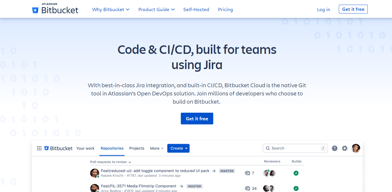
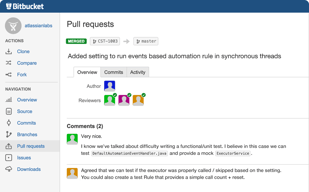
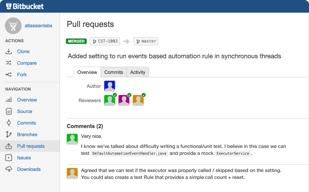
Bitbucket is a cloud-based version control platform for developers who want to collaborate on code as well as manage software projects. The software supports tools that focus on team collaboration through review tools, issue tracking, and continuous integration.

| Capabilities |
API
CLI
|
|---|---|
| Segment |
Small Business
Mid Market
Enterprise
|
| Deployment | Cloud / SaaS / Web-Based, Desktop Mac, Desktop Windows, On-Premise Linux, On-Premise Windows |
| Training | Documentation |
| Languages | English |

Compare Bitbucket with other popular tools in the same category.
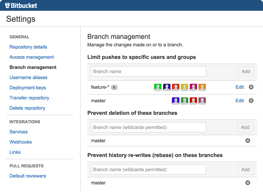
Bitbucket let's you manage private repositories with your colleagues. The platform offer some features. It is cheap to be used by small teams. The Pipelines can be used for Unit testing. Users (e.g. with credentials) and simple SSH keys can be used for each repo.
The good features are only available in paid plans, which are really pricy. The hosted service from atlassian is unbelievably slow and makes us (in the office) all angry. One should host the tool on own servers.
GIT user management and permissions. GIT workflow implementation. Documentation in Markdown in every repository. Users can give code reviews and pull requests online. Some of our team members integrated Bitbucket with SourceTree.
It is nice that it is easy to distribute and use widely across teams. And I have never experienced any glitches or bugs. And it is becoming the industry standard.
The commands and where to find things is not intuitive at all. And the help documentation is not good. And there seem to be overlap in functions.
Keeping a central repository of code.
I've used it in the past (I believe before github allowed some number of private repos for free) and it was only to submit a private repository for code review. I have used mercurial versioning with BB before, but I've come to terms with git at this point..
The UI is overly busy (like every other Atlassian product). I had to sign up for a "new Atlassian account" upon signing into bitbucket after some time... After doing this, it directs me to bitbucket and a tutorial on how to use the interface, but you can't exit without going through it. The main views are filled with useless information by default, etc etc.
I have only used it to send private code bases in school or for interviews. There are no business problems bitbucket solves that github doesn't already do 100x better. Since I don't use mercurial, darcs or svn and primarily use git, there is no story for bitbucket.
Provides free closed repositories, when on GitHub you can host only open sourced repositories for free.
Not big community compared to GitHub. More complicated UI. Basically it's not "social coding".
Code hosting for pet projects, which I don't want to be public available.
It used to have the advantage of giving free repositories but I can now get them on GitLab
It has no special features or reason to use it. If you are doing open-source use GitHub, if you have private projects use GitLab.
It offers Git hosting and that is it. There are far better alternatives.