

Unclaimed: Are are working at Descript ?
Descript Reviews & Product Details
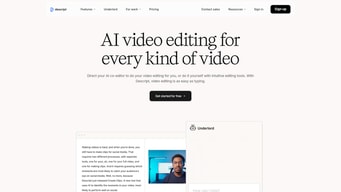
Descript is an AI-powered audio and video editing software that allows users to edit media files by editing text transcriptions. It offers features like screen recording, transcription, voice cloning, and AI-driven enhancements, making it suitable for content creators, podcasters, and educators.
Descript is also often used as Text to Speech of choice in Creator and Marketing tech stacks.

| Capabilities |
AI
|
|---|---|
| Segment |
Small Business
Mid Market
Freelancer
|
| Ease of use |
Beginner
Intermediate
Advanced
|
| Deployment | Cloud / SaaS / Web-Based, Desktop Mac, Desktop Windows |
| Support | Chat, Email/Help Desk, FAQs/Forum, Knowledge Base |
| Training | Documentation |
| Languages | English |
Descript Pros and Cons
- Intuitive text-based editing interface
- Powerful AI features like voice cloning and filler word removal
- High-quality transcription services
- Seamless integration of audio and video editing
- Collaborative tools for team projects
- Limited free plan with restricted features
- Higher pricing tiers may be expensive for casual users
- Some advanced features require a learning curve


Compare Descript with other popular tools in the same category.
I started using Descript with zero editing skills. I was intimidated by Premiere Pro in the past, and the YouTube studio editor always fell short of my needs. For a marketer looking to edit short video content for clarity and slice up webinar recordings to repurpose, Descript does everything I need. I like that I can edit right from the transcription, which feels more like editing a blog post, and the interface makes it easy (and dare I say.... fun??). I'm also loving the AudioGram feature which allows me to make promotional content for the longer format projects in a snap.
I do spend some time editing the transcriptions, but every time I update the software it improves.
Video editing is hard. Descript makes it easy for me to create video content that looks professionally edited in no time at all.
I love that Descript is constantly updating and improving its software. I also really like the gap fill with room tone. Also, removing the "ums" and "ahs" with one click is incredibly helpful.
The AI often gets confused when one speaker stops and another starts. This leads to mislabeling of speakers.
Using the gap fill with room tone allows me to stay in Descript and not bring my edit back to Audition. I also like being able to export my transcription as a subtitle file.
It makes the process of editing a podcast really easy. There are new helpful features being released all the time as well.
I'm a beginner and I struggle to understand some areas of descript. I have to use help a lot!
I'm a visual person so I find it very helpful to read and edit at the same time. I hope to use the script as a transcript but it still needs too many corrections for this to happen at the moment.
Speed of Transcription and AutoSave feature
Video Output seems to be compressed and not suited for post-processing.. large file sizes and more file formats can be compressed
Ease of Editing and helped a beginner like me get started on youtube
It makes great cuts from edits. Way smoother than when I was using Audacity and doing it all manually. It literally saves me so much time that I can just read the transcript and edit.
There's a small learning curve to it. But still love love love it!
It saves me so much time. And makes a much more professionally-sounding audio track. Also, editing the transcript in-line for capitalization, etc. is so easy.
I enjoy how Descript allows one to export their script edit as a timeline onto FCP. It is a paradigm shift of the concept of off-linning.
I can't use Descript on Media Composer. Descript seems to work with software like FCPX and Adobe Premiere.
The biggest thing with Descript is speed. When you have a tight turnaround time, Descript solves the speed issue. You off-line on Descript and online on your editing software, making the process more efficient.
I love it's Text based editor, short cuts, audiograms
Can be quite slow, there are so many features but they're hard to find
Making IG content, editing reels, editing posts, editing videos and podcasts
I can now record a video once and seamlessly edit to my liking. Before, I'd keep re-recording presentations if I made a mistake or had too many stop words.
there isn't really anythign that i dislike
Making it easier to create polished videos for async consumption and knowledge sharing. Descript makes it 100x easier to edit and perfect a video.
I love the transcription feature as I typically need to provide captioning and write-up to accompany the videos to assist with translations. This tool is so easy to use!
I currently don't have issues with Descript.
Descript allows me to create short videos for the teams I support. I've been able to churn out videos in a matter of minutes!
What I love about Descript is the ability to edit videos by reading and deleting parts of the transcript. The editing feature is super intuitive and aligns perfectly with how I think as a creator.
I'm willing to bet that there are so many features in Descript that would be useful to me, but I haven't made the time to learn about them. I feel like I have super powerful software at my fingertips, and I can't help but think that there is so much more for me to learn.
Descript makes it easy to edit video content for my online course, community, and more. I also love being able to review and edit the transcripts and use those to improve the captions when I share to platforms such as Facebook and YouTube.