
( 136 )
Unclaimed: Are you working at Termius?
Termius Reviews: 4.7/5 — Highly Rated
Termius is a cross-platform SSH client that provides secure remote access to Unix and Linux servers for software developers and system administrators. It offers a user-friendly interface with features like SFTP, Mosh, and port forwarding, enhancing productivity and efficiency in managing servers. Termius is available on various platforms including Windows, macOS, Linux, iOS, and Android, making it a versatile tool for remote server management.
| Company | Termius |
|---|---|
| Year founded | 2019 |
| Company size | 11-50 employees |
| Headquarters | San Francisco, California |

| Capabilities |
CLI
|
|---|---|
| Segment |
Small Business
Enterprise
|
| Deployment | Cloud / SaaS / Web-Based, Desktop Linux, Desktop Mac, Desktop Windows, Mobile Android, Mobile iPad, Mobile iPhone |
| Training | Documentation |
| Languages | English |

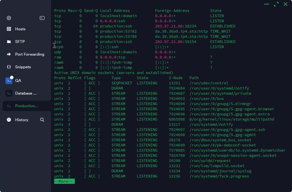
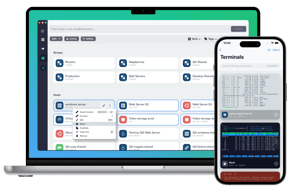
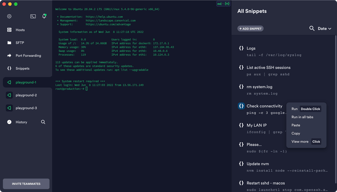
This is by far the best SSH/SFTP client portal and even has an Android application for on-the-go management. Termius is compatible across operating systems including WSL2 and puts PUTTY and other dated programs to shame.
The learning curve can be sharp, and the professional version is a tad pricey.
With Termius, I can just type any custom path and pull up any directory, locally, on the network, or on a remote server. I use Termius primarily to access my development files in order to upload them to the remote servers and domains which I manage, and sometimes use this feature 5-10 times per day, making Termius an invaluable asset in my development toolbox.

How you can manage all the connections and the users and passwords are the best, the possibility to execute macros and those things are very helpful
It would be very nice and helpful if you could view multiple tabs in different servers but view in the same windows, and you can execute the same commands to multiple terminal servers.
It used to close the connections but now it is solved

one of our clients was looking for a specific secure SSH that can help their engineering team and also infrastructure and many other teams which are working in various organizations so he has we have recommended them a Termius that would help them securely log in and they get things done and collaborate this is the best part of that the thermostat allows you have everything all engineers getting connected remotely to server and work in a parallel and also make a secure connection that would save time and enhance the productivity for any organizations that want a collaboration with the remote teams that are working from faraway teamss would be one of the best options Termius do have played a role in the innovation and being very pivotal in reducing the time and increasing our productivity
Termius message is great to work for such connections and also operation but they are few blind spots about a tourbus like you can't have a constant connection they're other glitches in communication and also they are blackouts when when we try to interact with other teams around the world maybe they do find me Thomas has failed to support us in our various functions when you are trying to share the information security or sharing the screen and the cost is very bit higher than compared to other a software so reduction of Austin enhance their products like UX features within the turners help there previous engineers and also coming up with innovative ideas that can be used through mobile and also not only mobile end should support various factors of mobile like they should have this iOS Android versions and then you're connecting to the servers they should be a secure connection and off time should be more for this app
Termius has been a tremendous help in solving various organizations' problem since it has since after the pandemic we have faced a lot of issues in collaborating with the different teams around the world and trying to discuss and innovate but when we are connecting with the server but Thomas has solved the problem of connecting collaborating and also to solve the problem as a team and it's a visual way of connecting with the servers and also information sharing has been one of the greatest things that we have solved in a turban and this has helped the organization by organization to reduce it time increase the productivity and being creative and meeting the market expectations were also great potentials that I have seen in Termius
I like the GUI and the user experience, especially the Group feature.
The only downside that I experience in my use case is the inability to save the user/password for an host, so that I can avoid retyping it at each access.
I usually run code on remote machines. By using termius, I don't have to carry my laptop. Instead, I can use my iPad to launch experiments.
The ability to manage SSH connections using different login strategies.
I don't dislike anythings from Termius, maybe add the ability to chose connections logos.
Be able to connect quickly to many servers and having multiple concurrent connections on many "tabs" in the same window.
I like the way you can group your sites/nodes; that's very convenient
What I miss the most is the ability to have parallel Termius processes running simultaneously, and one more thing is to be able to split the view.
to be able to reach all nodes from one central app

The interface and synchronization between devices gives me the faith that regardless of where I am, I can access the resources that are most important to me. The mobile interface with intuitive gestures has changed mobile ssh administration from a gimmick to a legitimate tool for configuration and troubleshooting.
A few features that I would like to see are custom icon packs (some icons are missing for common data types), and custom colour themes.
I work with a lot of different devices and operating systems and Termius has a native application for OSX, Windows, Linux, iOS and Android. For remote server/infrastructure management, being able to use what machine I have access to while having a unified platform makes for a charming troubleshooting experience.
It is very user friendly & light tool.You can make groups & use color theme to distinguish various hosts.
it doesn't offer the feature of not losing the job/process when VPN/ network connection drops
I am using on daily basis to connect to various Linux hosts
It can save the credentials, management of the hosts and groups
Search is not supported just like ssh terminal
ssh and analyzing the logs
Love the colors and layout, its responsiveness, and its cross-platform compatibility. Big fan of dark mode on iOS. Has all the features I expect from in an SSH client Overall, Termius is a super elegant tool that meets all my needs. It's also a great way to manage SSH keys.
A few of the navigation features could be simplified. The carrot menu at the top would be labeled better as a settings icon in my opinion. After long stretches of not using the program I sometimes forget how to access that menu, which contains your keychain and profile options.
Allows me to manage our VPS-hosted Wordpress site at a root level as well control my server back home. It's also become my primary SSH key manager.
the modern nice UI, no limit to the number of connections, the possibility to sync the hosts and share them with collegues
not enough split screen possibilities, I would like to be able to run a command on multiple shells at a time, I would like a button to easily collapse the left panel, I would like to be able to assign colors to the tabs based on the group or label
simple to use and nice ssh client
Termius is excellent & professional product - I extensively use SSH terminal, SFTP & Port forwarding features.
Product should focus 100% on usability, instead of advertising some features or asking for feedback in weird places. Split windows would be nice.
Manage all SSH connections in one place & sync with mobile for emergency work.
It's stable and simple. Works in all major platform and if you buy premium you have alle the connections synced across the devices
Glitchy on high dpi screens, some advanced features are implemented badly
We use it for simple SSH access, expecially for routine checks and maintenance
Termius gives you cross platform support - you can have the application installed on any of your devices be it Mac, iOS, Android, Windows or Linux. It works anywhere and is free .Once you have the account with termius and save your profile and hosts under it, you can access them on all your devices. It integrates with tools like GitBash, PowerShell, Command Line, etc . On top of it, provides a custom rich theme preferences panel which allows me to increase and change the font sizes, change the feel and colour the app according to your will. It allows me to customise my shortcuts for new tab , close tab as well. Being a left-hander this helps a lot, as most of the applications have shortcuts more easy to use for right-handers. Termius just serves the purpose for me in this case. It allows me to group my similar hosts under one group, which makes the life much easier i don't need to remember the set of IPs for an environment, I have just saved them under the name of testing environment once and use them .
The amount of features packed with free version of Termius are very less and basic , it misses down the advanced features coming with paid one like - Autocompletion, SFTP, agent forwarding, etc. The basic version could have been bootstrapped more and could have included some of these features in addition to SSH, Telnet and Port Forwarding.
I use Termius to connect to my testing environments for debugging purposes. It has helps me in grouping by hosts together and allows me to have a common setting for the group and specific setting for a host in the group. I don't need to remember the IP Addresses anymore. I connect with them in a click. It has improved the readability because of custom font sizes and colour themes. And the best part is it allows me to configure the setting for how long i want to keep the SSH session alive, so even if i forget to use the session my connection is not lost.
A very good multi-platform tool. Very good while working, An evolving application.It speeds up the work
Termius does not inform about the approaching end of the subscription. The screen just pops up while working and stops working. After paying, you still have to restart. Unfortunately they have some problem with paypal. After changing the method to the card, unfortunately, instead of counting $ 99, they charged me $ 12 + $ 108. For their problems with paypal I got paid $20 extra...
Transferring data between platforms. And synchronization accounts.

Great platform overall, some minor issues managing credentials and syncing profiles across various computers without sharing the underlying keys.
Horrible billing policies. Double billed our account. We spent a significant amount of time rectifying this. When we asked for a credit to our account which accounted not even partial yar free of the service they denied our request. The credit would have cost htem nohing to issue as we told them should they not issue the credit we'd cancel the service. The marginal cost for them to provide the credit to our account was minimal as it'd just be applied to our next invoice to them. This is what good customer service would have done to rectify an issue of double billing and the amount of time a customer spent rectifying the issue.
Managed SSH connectivity. We'll go back to other free services as we have not realised any additional benefits.