


The Best VPS for Coolify of 2026




Coolify’s documented minimum is 2 CPU cores, 2GB of RAM and 30GB of disk — and that figure gets the dashboard running, not your applications. Coolify itself consumes roughly 300–400MB before a single container of yours starts. Everything you then deploy comes out of what’s left.
This is why the most common complaint from people who followed the minimum spec isn’t that Coolify is slow. It’s that builds die. A Next.js compile is memory-hungry, and on a 2GB box the kernel kills it partway through — producing a failed deployment with an error that points at the build tool rather than at the server.
Size it as a budget instead:
- Panel overhead: ~400MB, always, before anything else.
- Per-app runtime: whatever each container actually needs, permanently resident.
- Peak build memory: the biggest single number, and the one people forget. Builds are spikier than runtime.
- Database headroom if Postgres or MySQL lives on the same box.
Add those up and the honest floor for real use is 4GB, with 8GB the comfortable number once you’re running several apps.
Quick comparison
| Provider | From | KVM | Best for |
|---|---|---|---|
| Hostinger | ~$5.84/mo | ✅ Yes | Best overall, template included |
| DigitalOcean | ~$12/mo | ✅ Yes | Docs and marketplace |
| Hetzner | ~$4.49/mo | ✅ Yes | Cost per gigabyte |
| Vultr | ~$6/mo | ✅ Yes | Build-heavy, CPU clock speed |
| Linode (Akamai) | ~$12/mo | ✅ Yes | Linux-native tooling |
| UltaHost | ~$5/mo | ✅ Yes | Budget always-on |
| Liquid Web | ~$3.50/mo | ✅ Yes | Managed option available |
Sizing Coolify properly
Work out the budget rather than picking a plan.
| Component | Typical RAM |
|---|---|
| Coolify control plane | ~300–400MB |
| Small Node/Next.js app (running) | 150–400MB each |
| Postgres (modest dataset) | 300–700MB |
| Redis | 50–150MB |
| Peak build (Next.js/Vite) | 1–2GB, briefly |
A worked example — three small Node apps and one Postgres:
Coolify panel        ~400MB
3 × app runtime      ~900MB
Postgres             ~500MB
OS and Docker        ~400MB
                     --------
Resident total       ~2.2GB
Peak build spike     +1.5GB
                     --------
Realistic need       ~3.7GB → buy 4GB minimum, 8GB comfortably
That’s why 2GB fails. The resident total alone nearly fills it, and the build spike has nowhere to go.
Two ways out if you’re stuck on a small box. Add swap — it won’t make builds fast but it stops the OOM killer, which is the difference between a slow deploy and a failed one. Or build elsewhere: push images from CI and have Coolify pull the built artefact rather than compiling on the server. The second is what most people end up doing at scale anyway.
Coolify’s own recommended pattern at scale is worth knowing early: a small control node running the panel, plus separate servers that actually run the applications. Coolify manages remote servers over SSH, so this isn’t exotic. If you expect more than a handful of apps, a 2GB control node plus a properly sized worker beats one large box — and it isolates the panel from a runaway build.
What matters in a host
Four things, from the criteria that experienced Coolify operators actually check:
KVM virtualisation with dedicated resources. Coolify is Docker all the way down, and containers on oversold shared virtualisation produce flaky builds and unpredictable performance. Every provider below is KVM — that’s not a coincidence, it’s the filter. Our Docker VPS guide covers why container-based virtualisation like OpenVZ can’t run Docker properly.
Fast provisioning and clean scripts. Installation is an SSH session and a script. Hosts that boot quickly and run provisioning cleanly save real friction, especially while you’re still rebuilding the box every few attempts.
Network throughput and simple firewalling. Coolify handles SSL automatically, so what you want from the host is solid I/O and firewall controls that don’t fight you.
Painless vertical scaling. You will outgrow your first estimate. A host where adding RAM is a plan change rather than a migration is worth a premium.
The 7 best VPS providers for Coolify
1. Hostinger — best overall for Coolify
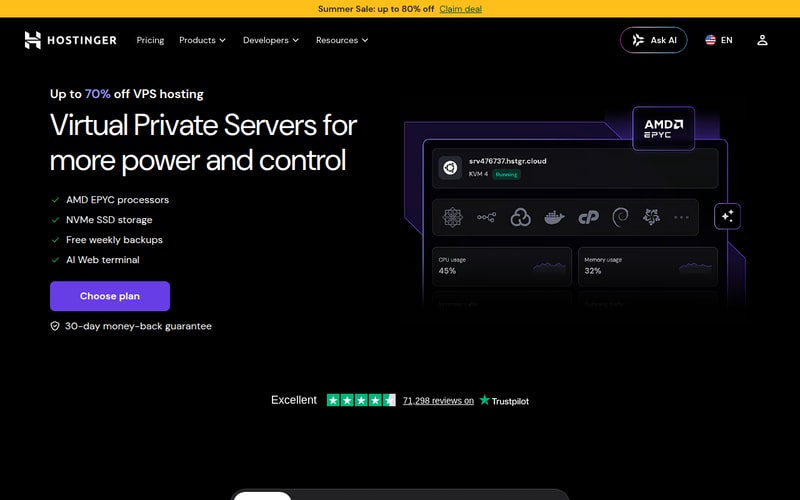
Hostinger takes this on the combination of a genuine one-click Coolify template, KVM virtualisation with dedicated resources, and — the part that matters most given the sizing maths above — 8GB of RAM at the tier most people buy.
That last point does most of the work. The single biggest Coolify failure mode is under-buying memory and hitting OOM-killed builds, and Hostinger’s entry pricing lands you on 8GB rather than the 2GB the documentation implies is sufficient. NVMe storage helps with build times too, since builds are I/O-heavy as well as memory-heavy.
The template removes the SSH-and-script step entirely, which is the point at which first-time self-hosters most often give up.
Pros: one-click Coolify template; 8GB at the tier people actually buy; KVM with dedicated resources; NVMe storage; free weekly backups; configurable firewall; 30-day money-back guarantee.
Cons: promotional pricing needs a long prepay term and renews higher; no GPU if an app needs one.
Who it’s for: most people, and especially anyone deploying Coolify for the first time.
Check Hostinger’s current VPS pricing →
2. DigitalOcean — best for developers

DigitalOcean is the developer default, and for Coolify the draw is the surrounding ecosystem rather than the instance. The documentation library is the best in the industry, the marketplace has images for most things you’d deploy alongside, and the API makes the whole setup reproducible from code.
Snapshots deserve specific mention here. Coolify manages a lot of state — deployments, environment variables, connected repositories — and being able to checkpoint a working configuration before an upgrade is worth more than it sounds.
The cost is value per gigabyte. Given that Coolify is memory-bound, paying DigitalOcean rates for RAM is the least efficient way to solve the sizing problem on this list.
Pros: best documentation anywhere; extensive marketplace; excellent snapshots and API; 99.99% SLA; global regions; strong firewall tooling.
Cons: most expensive RAM here, which is exactly what Coolify needs; backups add ~20%; no money-back guarantee.
Who it’s for: teams who want reproducible infrastructure and lean on documentation.
Check DigitalOcean’s current pricing →
3. Hetzner — best pricing
Hetzner is the cost-efficiency answer, and on a memory-bound workload that matters more than usual. Check availability first: its cost-optimized CX and CAX lines have been showing as unavailable since the June 2026 repricing, and the CPX line you’d fall back to is €19.99 for 4GB — the honest Coolify floor — with 8GB at €35.99.
For the control-node-plus-worker pattern, Hetzner is particularly good: two modest servers cost less than one mid-tier instance elsewhere, and private networking between them is available. Attachable volumes mean growing storage doesn’t mean migrating.
No Coolify template — this is the SSH-and-script route. Backups cost extra, signup verification can be slow, and there’s no published SLA.
Pros: best RAM per pound, which is the binding constraint; cheap enough to run separate control and worker nodes; private networking; volumes; hourly billing with a spend cap.
Cons: no template; backups extra; signup verification friction; no published SLA; no Asia-Pacific region.
Who it’s for: cost-focused deployments and anyone running the multi-server pattern.
Check Hetzner’s current pricing →
4. Vultr — best for build-heavy workloads
Vultr’s High Frequency instances run faster clock speeds, and Coolify has one workload where that genuinely shows: builds. Compiling a front-end bundle is largely single-threaded CPU work, and a faster core finishes it sooner.
If your deployments are frequent and your build step is the slow part of the cycle, this is the provider where that improves. If you deploy weekly and the apps mostly idle, it’s a premium for nothing.
The global region list is broad, which helps if you’re deploying apps that serve users directly from the Coolify box.
Pros: fastest single-core option here, which directly shortens builds; wide region choice; KVM with NVMe; competitive entry price.
Cons: no Coolify template; no money-back guarantee; the CPU premium is wasted if builds aren’t your bottleneck; blocks automated traffic aggressively.
Who it’s for: teams deploying often, where build time is the friction.
5. Linode (Akamai) — reliable and Linux-native
Linode has been serving Linux developers longer than most of this list, and it shows in the tooling: a clean API, solid CLI, good documentation, and predictable instances. Now part of Akamai, it also has serious network capacity behind it.
For Coolify it’s a straightforward, dependable choice with high-memory plans available if you’re consolidating a lot of apps onto one server. Nothing about it is Coolify-specific, and nothing about it gets in the way.
Pricing sits nearer DigitalOcean than Hetzner, so it’s not the value pick.
Pros: mature Linux-focused platform; good API and CLI; high-memory plans available; strong network via Akamai.
Cons: no Coolify template; pricier per gigabyte than the budget options; no money-back guarantee.
Who it’s for: Linux-native teams and anyone consolidating many apps onto one large instance.
6. UltaHost — best budget always-on
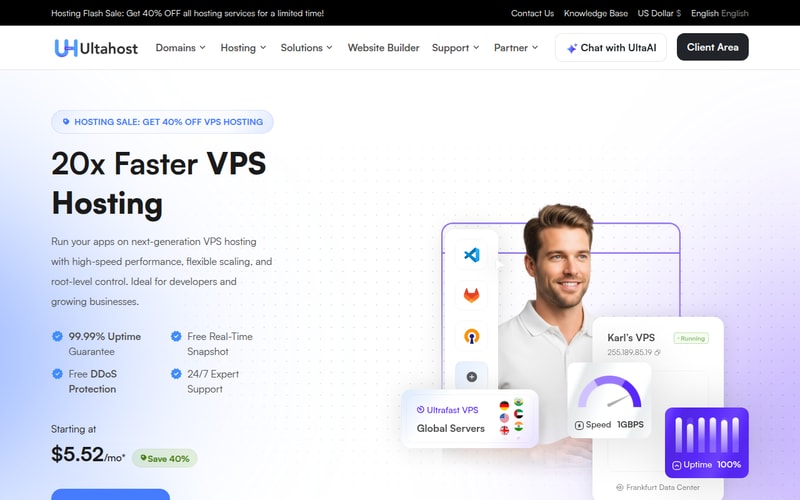
UltaHost covers the case where Coolify is running a handful of small internal apps and the priority is keeping the monthly cost down. KVM plans with root access and NVMe storage at budget pricing — everything Coolify needs, nothing it doesn’t.
The honest framing: at this price you’re buying the 4GB floor rather than the 8GB comfort tier, so plan to build off-server or add swap if your apps have heavy compile steps.
Pros: very competitive pricing; KVM with root access; NVMe storage; reasonable scaling range.
Cons: no Coolify template or documentation; thinner support; entry plans need care around build memory.
Who it’s for: internal tools and side projects where monthly cost dominates.
Check UltaHost’s current pricing →
7. Liquid Web — best when you want it managed

Liquid Web is the option for teams where Coolify is running something the business depends on. You get a clean, well-specified VPS with full root access — and, unusually here, the option of a managed tier where someone else owns OS patching, monitoring and incident response.
That’s a real consideration for a self-hosted PaaS. Coolify replaces Heroku or Railway, and part of what you were paying those platforms for was somebody else being responsible at 3am. Self-hosting hands that back to you. A managed VPS underneath gives some of it away again.
Self-managed pricing starts low; managed tiers cost considerably more. There’s no money-back guarantee.
Pros: managed and self-managed options; strong support reputation; solid hardware; full root access on self-managed.
Cons: no Coolify template; no money-back guarantee; managed tiers are a significant step up in price.
Who it’s for: teams running business-critical deployments who don’t want to own the server layer.
Check Liquid Web’s current pricing →
Running Coolify in production
Four things worth doing before you put anything real on it.
Treat backups as mandatory. Coolify holds your deployment configuration, environment variables and often your databases. Back up both the Coolify instance and your application data, and test a restore at least once — an untested backup is a hypothesis.
Harden the server. Coolify’s dashboard is a control plane for everything it deploys. Key-based SSH only, no root login, firewall everything except what you actually serve, and consider putting the dashboard itself behind a private network rather than the public internet.
Monitor container health. Coolify will restart failed containers, but it won’t tell you a container has been restarting all week. Watch memory in particular — creeping usage is the early warning for the OOM problem this article opened with.
Keep operational discipline. Pin versions, upgrade Coolify deliberately rather than automatically, snapshot before upgrades, and keep the number of things running on the control node small.
How we picked
We ranked on what determines whether Coolify runs stably: KVM virtualisation with genuinely dedicated resources, memory available at realistic price points, storage speed for build performance, ease of vertical scaling, and whether a deployment template exists. Memory is weighted most heavily because it’s the binding constraint and the cause of the most common failure.
The sizing guidance is a component budget rather than a single number, because a single number is what causes the problem — the official 2GB minimum is accurate for the control plane and misleading as a purchase recommendation. Pricing is each provider’s published rate at the time of writing. Two of the seven providers here earn us nothing.
How to choose
- Add up your budget — panel, app runtimes, database, and peak build. Buy for the peak, not the average.
- Where will builds run? On the server means more RAM. In CI means you can size for runtime alone.
- One server or two? More than a handful of apps favours a small control node plus a worker.
- How often do you deploy? Frequent deploys make Vultr’s faster cores worth the premium.
- Who fixes it at 3am? If the answer isn’t you, look at Liquid Web’s managed tier.
For most people it’s Hostinger — the template removes the setup step and 8GB at the entry tier is the correct answer to Coolify’s actual sizing problem. Hetzner if you’re cost-focused or running control-plus-worker, DigitalOcean if you value documentation and reproducibility, Vultr if builds are your bottleneck, Linode for a mature Linux platform, UltaHost on a tight budget, and Liquid Web if you want someone else on call.
FAQ
How much RAM does Coolify need?
The official minimum is 2 cores, 2GB and 30GB of disk, but that runs the control plane only — Coolify itself uses about 300–400MB before your first container. For real use, 4GB is the honest floor and 8GB is comfortable once you’re running several apps. Budget separately for peak build memory, which can spike 1–2GB on its own for a Next.js or Vite compile.
Why do my Coolify builds keep failing?
Almost always the out-of-memory killer. Builds are far spikier than runtime, so a server that comfortably runs your apps can still fail to compile them — and the resulting error usually points at the build tool rather than at memory. Add swap as an immediate fix, move builds into CI and deploy prebuilt images as the proper one, or size up.
Can I host multiple applications on one Coolify VPS?
Yes, and it’s the normal way to use it — that’s the point of a self-hosted PaaS. Size for the sum of the resident containers plus the largest single build spike. Once you’re past a handful of apps, Coolify’s own recommended pattern is a small control node running the dashboard plus separate servers running the workloads, managed over SSH.
Is Coolify a good replacement for Heroku or Railway?
For cost and control, yes — a $6–12 VPS replaces a platform bill that scales per app, and you keep full access to the underlying server. What you take on is the operations: backups, upgrades, monitoring and being the person who responds when something breaks. That trade works well for side projects and internal tools, and needs deliberate thought for anything customer-facing.
Related Blog Posts
