


The Best VPS for OpenClaw of 2026




The single number that decides which OpenClaw server you need is RAM, and almost every guide quotes it wrong. A text-only OpenClaw agent is genuinely happy on 4GB. The moment you enable browser automation — the headless Chromium or Camofox instance that lets your agent actually click things — you need roughly 2GB more, and the $5 box you just bought starts getting killed by the kernel’s out-of-memory reaper at 3am.
That one distinction reorders the entire market. Here’s what matters before you spend anything:
- 4GB RAM is the floor for a headless OpenClaw agent handling messages, files and API calls. 8GB is the real floor if you want browser automation. Undersize it and the failure is silent — the kernel kills the agent with no application-level error, which is why an agent that vanishes mid-task is so often misread as a bug.
- Your hosting bill is not your bill. The VPS is $3–12/month; the LLM API tokens behind it run $2–15/month for typical personal use and can go far higher. Most comparisons ignore this entirely.
- One-click deployment is worth paying for if you have not set up Docker on a Linux box before. It compresses a ~40-minute manual install into a few minutes.
- Security is not optional here. OpenClaw holds credentials for your messaging apps and can execute shell commands. There have been real incidents, and they were caused by default configurations.
Quick comparison
| Provider | Entry price | RAM at that price | One-click OpenClaw | Best for |
|---|---|---|---|---|
| Hostinger | $6.49/mo | 8GB | ✅ Yes | Fastest path to a working agent |
| Bluehost | $3.85/mo (3-yr) | 2GB | ✅ Yes | Beginners who want a panel |
| Kamatera | $6.00/mo | 2GB | ❌ No | Hourly billing and scaling |
| Verpex | $10.00/mo | 4GB | ❌ No | Dedicated, non-shared vCPU |
| Hetzner | $3.49/mo | 4GB | ❌ No | Price-to-performance |
| DigitalOcean | $12.00/mo | 2GB | ✅ Yes | Security defaults and tooling |
| Oracle Cloud | Free | 12GB | ❌ No | Paying nothing, if you’re patient |
| IONOS | $3.00/mo | 2GB | ❌ No | Cheapest lightweight always-on |
Prices are provider list prices at the time of writing and several are promotional rates tied to multi-year terms — the renewal section below covers where that bites.
Weighing a VPS against a Raspberry Pi or a Mac mini on the shelf? Where should your AI agent live does the 24-month arithmetic — the Pi is no longer the cheap option it was.
The RAM question, answered properly
OpenClaw is an orchestrator — if you are still working out what OpenClaw is and how it differs from a chatbot, start there. On its own it is not especially hungry: it holds conversation context, talks to an LLM API over the network, reads and writes files, and shells out to tools. That baseline runs comfortably in about 1.5–2GB of resident memory, which is why “it runs on a $5 VPS” is a claim you’ll see everywhere and why it’s technically true.
The trouble is what you attach to it.
Browser automation is the expensive one. The moment your agent needs to log into a site, scrape a dashboard, or fill a form, it launches a headless browser. A single Chromium instance with a couple of tabs open will take 1–2GB on its own, and the anti-detection browsers used for sites that block automation are heavier still. Add that to the OpenClaw baseline and the operating system’s own overhead and you are past what a 2GB or even 4GB box can absorb without swapping.
Local models are the other one, and they change the category entirely. If you point OpenClaw at a hosted API — Claude, GPT, Gemini — the model runs on someone else’s hardware and your server barely notices. If you want to run the model yourself with something like Ollama, you need 8GB for a 7–8B parameter model and 16GB or more for a 13B, and you are no longer shopping for a VPS so much as for inference hardware. That is a different budget, and we cover the API-versus-local split across every framework in our guide to the best VPS for AI agents.
So the honest sizing table looks like this:
| What you’re running | Working minimum | Comfortable |
|---|---|---|
| Headless agent, hosted LLM API | 2GB | 4GB |
| Everyday use with a few integrations | 4GB | 8GB |
| Browser automation | 8GB | 8–16GB |
| Local LLM (7–8B) | 8GB | 16GB |
The practical advice: buy 8GB if you can afford it. The gap between a 4GB and an 8GB plan is usually two or three dollars a month, and it is the difference between an agent that works and an agent you spend weekends debugging. If money is genuinely tight, start at 4GB with swap configured and upgrade when you turn browser automation on.
Narrowed it to two clouds? Hetzner vs DigitalOcean for OpenClaw explains why the usual DigitalOcean verdict inverts for a single-purpose agent box.
The 8 best VPS providers for OpenClaw
1. Hostinger — best for easy and quick deployment
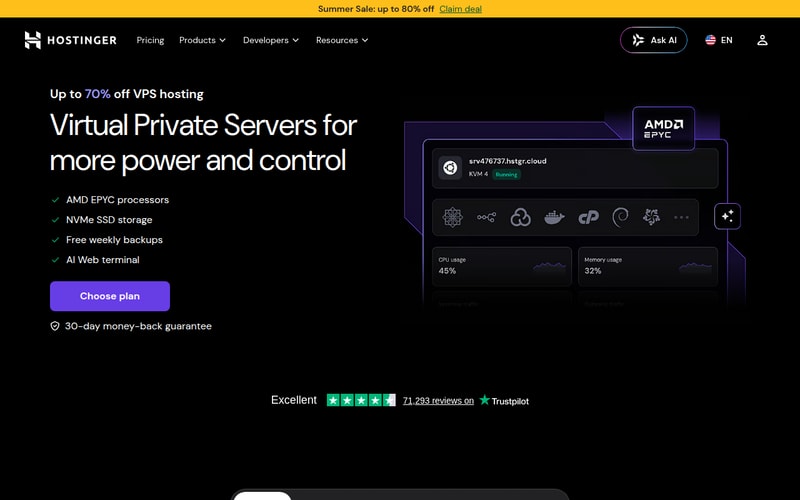
Hostinger has done the thing none of its competitors bothered to do: it built an actual OpenClaw product rather than a tutorial. Its VPS Docker Manager ships a pre-configured OpenClaw template, so deployment is a few clicks rather than a shell session, and you connect the agent to your messaging channels afterwards by scanning a QR code or pasting an API token.
The entry plan is the reason it leads this list. At $6.49/month you get 2 vCPU, 8GB of RAM and 100GB of NVMe storage — which is to say you land directly on the specification that actually supports browser automation, rather than discovering you need to upgrade a fortnight later. Storage being NVMe matters more than it sounds: an agent writes logs and state constantly, and faster disk shows up as a snappier agent.
Hostinger also bundles inference through its Nexos AI integration, which lets the agent work without you separately signing up for an Anthropic or OpenAI key. That is genuinely convenient for a first deployment. It is worth knowing that convenience carries a margin — buying tokens through a reseller costs more than buying them from the model provider directly — so once you know your usage, plugging in your own API key is usually cheaper.
Pros: one-click OpenClaw template; 8GB at the entry price; free weekly backups and manual snapshots; NVMe storage; configurable firewall and DDoS protection; 30-day money-back guarantee.
Cons: no phone support; the headline price requires a long prepay term and renews substantially higher; bundled inference costs more than bringing your own key.
Who it’s for: anyone who wants a working agent today and would rather not learn Docker first. It is also the only provider here where the entry plan is correctly sized out of the box.
Check Hostinger’s current VPS pricing →
2. Bluehost — best one-click OpenClaw VPS for beginners
Bluehost added one-click OpenClaw deployment to its self-managed VPS range, installing the containers, dependencies and configuration for you. It sits behind a Portainer-based container manager, which gives less command-line-inclined users a visual way to see what is actually running — genuinely useful when an agent misbehaves and you need to know whether the container restarted.
The VPS plans use allocated (not shared) vCPU, DDR5 memory and NVMe storage, which is a better foundation for a process that runs continuously than any shared-hosting plan could be. Role-based access control is a real differentiator if more than one person will touch the setup.
The catch is the entry specification. The cheapest OpenClaw-capable plan gives you 1 vCPU and 2GB of RAM — enough for light testing and a headless agent, not enough for browser automation. And the advertised price depends on a three-year commitment; the honest monthly figure at that tier is $3.85/month, and only if you pay for three years upfront.
Pros: one-click deployment; Portainer container management; unmetered bandwidth; role-based access control; 24/7 support; 30-day money-back guarantee.
Cons: 2GB and 1 vCPU on the base plan is under-specified for real use; best pricing needs a three-year term; you will likely need to size up immediately.
Who it’s for: beginners who want a control panel and hand-holding, and who are willing to buy a larger plan than the advertised one.
Check Bluehost’s current VPS pricing →
3. Kamatera — best for scalable, pay-as-you-go OpenClaw hosting

Kamatera is the one to pick if you would rather tune the machine yourself than accept a fixed plan. You compose the server — vCPU, RAM, storage, network — and change it from the console as your needs shift, billed hourly. For an agent whose workload is genuinely unpredictable, that elasticity is worth more than a low sticker price.
The entry configuration runs about $6.00/month for 2GB RAM, 20GB NVMe and a generous 5,000GB of monthly traffic, with full root and SSH access. Its 20+ data centres across North America, Europe, Asia and the Middle East mean you can put the agent near whatever it talks to, which matters for latency-sensitive interactions.
There is no one-click OpenClaw install, so budget time for a manual Docker setup. There is also no conventional money-back guarantee — instead you get a 30-day free trial, which for testing purposes is arguably better.
Pros: hourly billing and instant resizing; 20+ global locations; full root/SSH; 5,000GB traffic; 30-day free trial.
Cons: manual setup required; no money-back guarantee; 20GB of storage is tight for an agent that logs heavily; the console is aimed at people who already know what they want.
Who it’s for: technically confident users who want to scale resources up and down rather than commit to a plan.
4. Verpex — best dedicated-resources VPS for OpenClaw

Verpex’s pitch is that your agent gets its own slice of hardware rather than competing with neighbours for it. The entry VPS is 2 dedicated Xeon vCPUs, 4GB of dedicated RAM, 80GB NVMe and unlimited traffic for $10.00/month.
That is more expensive per gigabyte than most of this list, and the argument for paying it is consistency. Shared-vCPU plans can throttle under sustained load, and an always-on agent doing periodic bursts of work is exactly the profile that runs into it. If your agent has felt inexplicably sluggish on a cheap box, dedicated resources are the usual fix.
Root access is standard, with optional cPanel/WHM if you want a panel. The money-back window is only 7 days, which is short for something you need to live with for a fortnight before you know whether it works.
Pros: genuinely dedicated vCPU and RAM; 80GB NVMe; unlimited traffic; root access with optional control panel.
Cons: priciest entry point relative to specification; only a 7-day refund window; manual setup; no OpenClaw-specific documentation.
Who it’s for: people who have been bitten by shared-CPU throttling and want predictable performance.
5. Hetzner — best according to the OpenClaw community

Ask in a self-hosting forum where to run an agent and someone will say Hetzner within about ninety seconds. The reason is arithmetic: $3.49/month buys 2 vCPU, 4GB RAM and 40GB NVMe, which is more machine per euro than almost anyone else offers, and the hardware is good.
It bills hourly, so deleting an instance mid-month costs you only what you used, and you can set a monthly spending cap — a small feature that prevents the classic cloud horror story. Traffic allowances are generous in the EU (20TB) and much tighter in the US (1TB), with overage at about $1.20 per additional TB. Backups and snapshots are charged separately, so the real monthly figure is a little above the headline.
There is no one-click OpenClaw install. Hetzner’s documentation is excellent and the community has written extensively about running agents on it, but you should budget around 40 minutes for a first-time manual setup — our step-by-step guide to self-hosting OpenClaw on a VPS walks through exactly that path. Signup also involves an identity verification step that some people find slow.
Pros: best price-to-performance here; hourly billing with a spendable cap; GDPR-compliant across all locations including the US; strong docs; Cloud Console, REST API and CLI.
Cons: no one-click setup; backups and snapshots cost extra; account verification friction; no Asia-Pacific locations.
Who it’s for: anyone comfortable in a terminal who wants the most hardware for the money.
Check Hetzner’s current pricing →
6. DigitalOcean — best for reliable hosting

DigitalOcean is the default for a lot of professional developers, and for OpenClaw it offers the widest choice of deployment paths: a bare Droplet if you want to build from scratch, a 1-Click Application that handles the whole install, or App Platform for a managed, production-shaped deployment.
Its real advantage is security posture. The 1-Click setup ships hardened firewall rules, Docker container isolation and private direct-message pairing so strangers cannot talk to your agent — defaults that most providers leave you to configure yourself. Given what OpenClaw has access to, that is worth real money. Snapshots are quick and obvious in the interface, so if an update breaks the agent you can roll the whole server back in minutes.
The pricing is the weak point for this specific workload. The $12.00/month entry gives 1 vCPU, 2GB RAM and 50GB SSD — twice the price of Hetzner for half the memory. Backups add up to another 20%. Per-second billing softens the blow for experimentation, and new accounts typically get a substantial credit for the first couple of months.
Pros: strongest default security of any provider here; three deployment paths including 1-Click; excellent snapshots and interface; per-second billing; large new-user credit.
Cons: clearly the worst value per gigabyte on this list; backups cost up to 20% extra; no money-back guarantee.
Who it’s for: developers who value hardened defaults and mature tooling over price, and teams heading toward a production deployment.
Check DigitalOcean’s current pricing →
7. Oracle Cloud — best free tier

Oracle’s Always Free tier is the most generous in the industry by a wide margin. Oracle’s documentation puts the Ampere A1 allocation at 1,500 OCPU hours and 9,000 GB-hours per month — “for Always Free tenancies, this is equivalent to 2 OCPUs and 12 GB of memory” — plus 200GB of storage and 10TB of monthly egress, for nothing. Many articles still quote 4 OCPUs and 24GB; that is not what you get. Even so, 12GB free is more than the paid entry plans on this page, and it costs zero dollars.
Two things stop it from ranking higher. The first is that free Ampere capacity is frequently unavailable — people wait days or weeks, retrying, before an instance provisions in their home region. The second is that Oracle Cloud’s console is built for enterprise infrastructure teams; the networking model alone (VCNs, security lists, route tables) will take a newcomer an afternoon.
You are also locked to the home region you chose at signup for free resources, and anything beyond the basics — GPUs for local models, faster block storage — is billed normally.
Pros: genuinely free forever; 12GB RAM, more than any paid entry plan here; 200GB storage; 10TB monthly egress; $300 in credits for the first 30 days.
Cons: capacity often unavailable; steep learning curve; not beginner-friendly; free resources locked to one region; no support to speak of.
Who it’s for: patient, technical users optimising for cost above all else. Not a first server.
8. IONOS — best cheap hosting for lightweight use
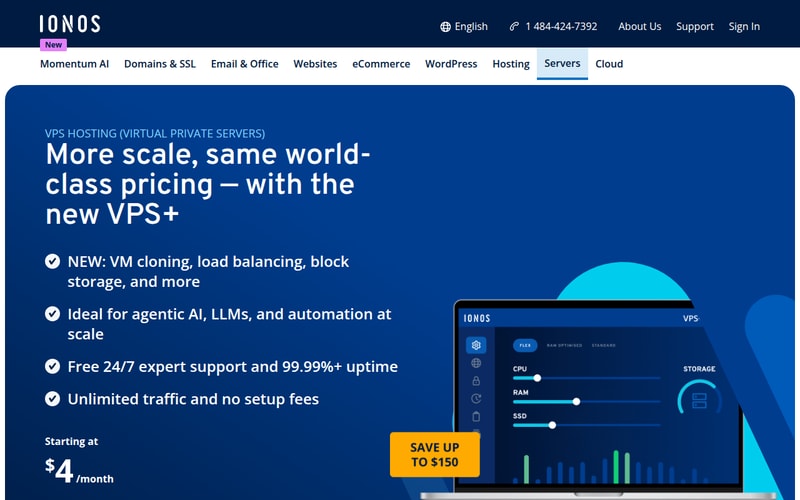
IONOS competes on price and mostly wins. $3.00/month gets 2 vCPU, 2GB RAM and 80GB NVMe — note that the storage allocation is larger than plans costing three times as much. Unlimited traffic at up to 1 Gbit/s is included, as are a configurable firewall and DDoS protection.
The genuinely unusual feature at this price is 24/7 phone support, which essentially no budget VPS provider offers. Data centres in the US, UK, Germany and Spain let you pick something close to you.
The compromises are what you would expect. There is no OpenClaw-specific documentation, so you are doing a manual install from general VPS guides. Backups, recovery and snapshots are all sold separately, which for an always-on agent holding state you care about is a cost you should assume you will pay. And 2GB puts you firmly in headless-only territory.
Pros: cheapest credible always-on option; 80GB NVMe is generous; unlimited traffic; 24/7 phone support; 30-day money-back guarantee.
Cons: 2GB rules out browser automation; backups and snapshots cost extra; no OpenClaw documentation; manual setup.
Who it’s for: a lightweight, text-only agent where the monthly cost is the binding constraint.
Check IONOS’s current pricing →
What OpenClaw actually costs to run
Every comparison of OpenClaw hosting quotes a hosting price and stops. That is roughly like pricing a car by its tyres. Here is the whole bill.
The server: $3–12/month. Anywhere on this list, at a sensible specification. Call it $6 for a 4GB box or $9 for 8GB if you are not chasing promotional terms.
The model: $2–15/month, and this is the variable one. Every message your agent processes, every tool call it makes, every document it reads costs tokens. A personal assistant handling a few dozen interactions a day sits at the low end. An agent polling inboxes, summarising documents and running scheduled workflows can pass the hosting cost several times over. If you use a frontier model for everything rather than routing simple tasks to a cheaper one, expect the higher end.
Backups: $0–3/month. Free on Hostinger, extra on Hetzner, IONOS and Verpex, up to 20% of the instance cost on DigitalOcean. For a system holding your credentials and state, treat this as mandatory rather than optional.
Bandwidth overage: usually $0. Every provider here includes enough traffic for an agent. The exception is Hetzner’s 1TB US allowance if you are moving significant data.
So a realistic all-in figure is $10–25/month for a personal agent, and $30–60 if it is doing serious work with a frontier model. The hosting decision, in other words, is the smaller half of the budget — which is an argument for buying the better server rather than saving three dollars on the worse one.
The one exception is running a local model to eliminate API costs. That trade only makes sense at high volume, because the hardware needed to serve a decent model quickly costs far more than the API bill it replaces for typical personal use.
Securing an OpenClaw server, briefly
This deserves more attention than it usually gets, because OpenClaw is not a normal web application. It holds credentials for your messaging accounts, it can execute shell commands, and it acts on your behalf. Both of the notable failure modes so far have come from default configurations rather than exotic attacks: agent credentials stored in plaintext where the agent’s own tools could read them, and instances left exposed to the internet without authentication, complete with live API keys and chat history.
The short version of getting this right:
- Never run it as root. Create a dedicated user for the agent. If something goes wrong, you want the blast radius to be one account.
- Do not expose it to the public internet. Put the agent behind a private network — Tailscale or WireGuard — and allow inbound traffic only from there. This single step eliminates the entire class of “exposed instance” incidents.
- Harden SSH. Key-based authentication only, password login disabled, and something like fail2ban to blunt brute-force attempts.
- Scope the API keys you give it. Use the narrowest permissions that let the agent do its job, and rotate them on a schedule. An agent with full account access is an agent that can do full account damage.
- Turn backups on before you need them. Snapshot the server once it works, so a bad update is a five-minute rollback rather than a rebuild.
DigitalOcean’s 1-Click deployment handles more of this by default than the alternatives. On every other provider it is your job.
How we picked
We compared every provider on the specification that actually governs this workload — memory at the entry price — rather than on general hosting reputation, then weighted one-click deployment availability, included backups, billing model and data-centre locations. Pricing and hardware figures are the providers’ own published rates and configurations, verified against their pricing pages at the time of writing; promotional rates tied to multi-year terms are flagged as such rather than quoted as the monthly cost.
Resource requirements come from OpenClaw’s documented minimums and from consistently reported community experience with browser automation, which is where published minimums and real-world usage diverge most. The security section reflects publicly disclosed incidents affecting self-hosted agent deployments. Where a provider is a poor fit we say so, including for providers we have a commercial relationship with — our affiliate arrangements do not change the running order, and three of the eight providers here earn us nothing.
How to choose
Work through it in this order:
- Will it use a browser? If yes, buy 8GB and stop optimising for price — that decision dominates everything else. If no, 4GB is fine and 2GB will work.
- Have you set up Docker on a Linux server before? If not, the one-click providers (Hostinger, Bluehost, DigitalOcean) are worth the premium. If yes, Hetzner is the value pick and the setup will take you under an hour.
- Where does it need to be? EU data residency points to Hetzner or IONOS. Asia-Pacific rules out Hetzner and points to Kamatera.
- What happens when it breaks? Included backups, easy snapshots and real support matter more for an always-on agent than for a website. This is where the cheapest option stops being the cheapest.
- Check the renewal price, not the promotional one. Several headline figures here are multi-year prepay rates. Work out the three-year total before committing.
For most people the answer is Hostinger, because the entry plan is the only one on this list correctly sized for browser automation out of the box and the one-click template removes the part where people give up. If you are comfortable in a terminal and want the most hardware per dollar, it is Hetzner. If you are building something other people will depend on, it is DigitalOcean.
FAQ
How much RAM does OpenClaw need?
4GB is the practical minimum for everyday use with a hosted LLM API, and 8GB is the real requirement if you enable browser automation, because a headless browser adds roughly 2GB on its own. A stripped-down headless agent will run in 2GB, but you will hit the ceiling quickly. If you plan to run a local model instead of calling an API, budget 8GB for a 7–8B model and 16GB or more for a 13B.
Can I run OpenClaw on shared hosting?
No, and you should not try. Shared hosting does not give you root access, persistent background processes or the ability to run Docker containers — all three of which OpenClaw needs. A VPS is the minimum viable product here, which is why every provider on this list is a VPS or cloud instance rather than a shared plan. We’ve since set out the structural reason in full: Docker can’t run on shared hosting because the daemon runs as root and a shared account never gets it, and Node.js support doesn’t rescue it either because shared hosts run Node per request rather than as a resident daemon. OpenClaw needs both.
Is it cheaper to run OpenClaw on a Raspberry Pi?
Eventually, yes. A Pi 5 with 8GB costs roughly $100–120 once and about a dollar a month in electricity, so it pays for itself against a $6 VPS somewhere between six and twelve months. The trade-offs are that you own the uptime problem — power cuts, home internet, SD card wear — and a Pi will not run a meaningful local model. For a single always-on assistant it is a reasonable choice; for anything you depend on, a VPS is less work.
Do I need a GPU to run OpenClaw?
Not if you are using a hosted model API, which is how most people run it — the model executes on the provider’s infrastructure and your server only orchestrates. You need a GPU only if you want to run the model yourself at usable speed, and at that point per-hour GPU cloud instances are usually more economical than a dedicated GPU server.
Related Blog Posts
