


NVMe VPS Hosting: Why the Label Tells You Almost Nothing




“NVMe SSD storage” appears on essentially every VPS pricing page written in the last three years. It has become the hosting equivalent of “fast” — technically true, commercially meaningless, and no longer a way to tell providers apart.
Here’s the number that shows why. A single modern NVMe drive delivers somewhere between 400,000 and a million random 4K IOPS. DigitalOcean’s Block Storage Volumes are capped at 10,000 IOPS (bursting to 15,000) and 450 MB/s, and that cap doesn’t change with volume size.
That is not DigitalOcean being stingy — it’s how shared infrastructure has to work, and every provider does some version of it. But it means the drive underneath is 40 to 100 times faster than the product you’re allowed to use. When a pricing page says “NVMe,” it is describing the hardware in the rack, not the performance in your VM.
So this article is about the two things that actually determine your disk performance: whether your storage is local or network-attached, and what your provider caps you at. Plus a command you can run in thirty seconds to find out what you’re really getting.
What NVMe actually changes
The protocol difference is real, and worth understanding before dismissing the label entirely.
SATA SSDs inherited AHCI, a protocol designed for spinning disks. It gives you one command queue, 32 commands deep. NVMe was designed for flash and connects over PCIe: up to 65,535 queues, each up to 65,536 commands deep, with roughly 2.5 microseconds of command overhead versus about 6 for SATA.
That parallelism is the point. A single-threaded workload reading one file at a time barely notices. A database serving many concurrent queries — lots of small, simultaneous, random reads — notices enormously.
Realistic figures for the media itself:
| Storage | Random 4K read IOPS | Sequential read |
|---|---|---|
| HDD | ~100–200 | ~150 MB/s |
| SATA SSD | ~50,000–90,000 | ~550 MB/s (interface limit) |
| NVMe (PCIe 3.0) | ~400,000–600,000 | ~3,500 MB/s |
| NVMe (PCIe 4.0) | ~1,000,000 | ~7,000 MB/s |
You will see articles claiming SATA SSDs manage “500–1,000 IOPS.” That’s wrong by roughly two orders of magnitude — it’s HDD territory. The honest NVMe-over-SATA gain is about 5–10× on IOPS and 6× on sequential throughput, which is a large and genuine improvement without needing exaggeration.
The catch is that none of these numbers survive contact with a shared hosting platform.
Local vs network storage: the distinction that matters
This is the single most useful thing to work out before buying, and providers rarely state it plainly.
Local NVMe means the drive is physically in the machine running your VM. You get low latency — often double-digit microseconds — and performance close to the raw hardware, minus whatever your neighbours are consuming.
Network-attached storage means your “disk” lives in a storage cluster reached over the network. Every read and write makes a network round trip. Latency is typically an order of magnitude higher, and throughput is governed by the provider’s caps rather than the drive. It may still be NVMe-backed, and the marketing will still say NVMe.
Network storage isn’t a scam — it buys you real capabilities. Your data survives the host failing, you can snapshot and resize it, and the provider can live-migrate your VM. Those are valuable. They are simply not speed.
How to tell from the pricing page
You can usually work it out without asking support:
- Can you resize the disk independently of the plan? Network storage. Local disks come in fixed sizes tied to the instance.
- Are volumes a separate product with their own price per GB? Network storage, explicitly.
- Does the provider advertise live migration or “your data survives host failure”? Network storage — that guarantee is impossible with a local disk.
- Do they publish an IOPS figure at all? Publishing a cap means there is one, which means network storage or a throttled local volume.
- Is the storage size oddly specific and non-round — 320GB on a 16GB plan, say — and does it scale in lockstep with RAM? Usually local.
Hetzner, Contabo and Hostinger’s VPS ranges are local-disk models. DigitalOcean’s Droplets have local storage with optional network Volumes alongside; the Volumes are what carry the 10,000 IOPS cap.
Test it yourself in thirty seconds
Rather than trusting anyone’s benchmark table — including one we might publish — measure the box you’re actually paying for. Install fio and run this:
sudo apt install -y fio
fio --name=randread --ioengine=libaio --direct=1 \
    --bs=4k --iodepth=64 --size=1G --numjobs=4 \
    --runtime=30 --group_reporting --rw=randread
Swap --rw=randread for randwrite to test writes. The number to read is IOPS, and the one people forget is clat percentiles — specifically the 99th. Average latency hides the stalls that make an application feel slow; p99 is where a noisy neighbour shows up.
For database work, also test fsync latency, because that’s what a commit waits on:
fio --name=fsync --ioengine=sync --fsync=1 --direct=1 \
    --bs=4k --size=512M --runtime=30 --rw=write
Run it twice at different times of day. On oversubscribed shared hosting the variance between runs tells you more than either number does.
We have not run these benchmarks across every provider ourselves, and you should treat any article claiming to have done so at scale with real scepticism — it requires paid accounts on every host, and results drift constantly with hardware refreshes and neighbour load. The command above is worth more than someone else’s stale table.
What the published data shows
Where independent benchmarking exists, it’s worth citing rather than paraphrasing.
Contabo’s Cloud VPS with NVMe has been benchmarked at roughly 2.1 GB/s sequential read, 1.4 GB/s write, and around 45,000 random 4K IOPS on the 8GB tier. Those are respectable local-NVMe numbers — well below a bare drive’s ceiling, which is what virtualisation and sharing cost you, and far above any network-attached volume.
That 45,000 figure is a useful calibration point. It sits roughly four times above DigitalOcean’s Volume cap and roughly ten times below the raw media. That band — tens of thousands of IOPS — is where most real VPS storage actually lands, regardless of what the pricing page claims.
Who to buy from
Since the label doesn’t differentiate, buy on the storage model and the amount, not the acronym.
Local NVMe, generous allocation
Contabo gives the most NVMe per pound at every tier — 200GB on the 8GB plan, 400GB on the 16GB plan — with published benchmarks confirming genuine local NVMe. The trade is variance: heavily shared vCores mean your throughput depends partly on your neighbours, and results differ noticeably between customers.
Hostinger puts NVMe across the entire VPS range with 100GB on the 8GB plan and 200GB on the 16GB plan, local to the instance, and pairs it with a managed panel and weekly backups. For a database-backed application on a single box, this is the straightforward pick. Note that the disk size is tied to the plan and scales with RAM — one of the tells for local storage described above. Check Hostinger VPS pricing → · Read our review
IONOS offers the largest allocations of the mainstream hosts — 240GB on its 8GB plan, 320GB on the 16GB — with unlimited transfer. Check IONOS →
Hetzner is fast and consistent but the stingiest on capacity: 80GB on the CX33, 160GB on the CX43. Excellent disks, not much of them, and adding volumes means moving to network storage. Note also that the cost-optimised CX line runs on older hardware generations. Its pricing at the 16GB tier spans a 5× range depending which line you buy, which is worth understanding before you compare disk sizes. Check Hetzner →
Network storage, bought deliberately
DigitalOcean is the clearest example of the model done well: Droplets with local storage, plus Volumes as a separate product with a published, honest 10,000 IOPS cap. The fact that they publish the number is a point in their favour — most don’t. Buy Volumes when you want data that outlives the Droplet, not when you want speed. Check DigitalOcean →
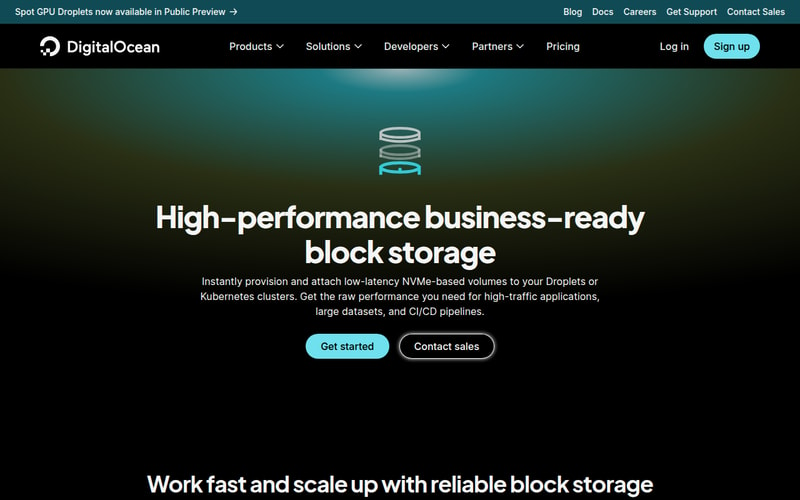
This is the language to learn to read. “Low-latency NVMe-based volumes” is accurate — and these are the volumes capped at 10,000 IOPS. The drive is NVMe; the product is a network volume.
Cloudways sits on top of DigitalOcean, AWS, Google Cloud, Vultr or Linode, so your storage characteristics are inherited from whichever you pick — worth knowing that the choice is yours to make and matters. Check Cloudways →
ScalaHosting runs managed cloud VPS on NVMe with SPanel included rather than a per-account cPanel licence, which matters more to the bill than the disk does at this tier. Check ScalaHosting →
Does your workload even notice?
Worth asking before paying a premium for storage.
Disk-bound, will notice immediately: databases under concurrent load, anything doing many small random reads, search indexes, busy mail servers, CI runners checking out large repositories, and any application whose working set exceeds RAM — which is the common case on 8GB boxes, as we covered in the 8GB VPS guide.
Barely notices: static sites, cached WordPress, an API that reads from memory, a Discord bot, most low-traffic applications. If your site is slow and your disk is idle, faster storage changes nothing.
The diagnostic is one command:
iostat -x 1 5
If %util sits near 100 and await is climbing, you’re disk-bound and storage is worth money. If %util is in single digits, your bottleneck is elsewhere and a faster disk is a waste.
How we picked
We ranked on storage model — local versus network — and on allocation size and published caps, because the NVMe label itself no longer separates providers. Specifications and caps were taken from provider documentation and pricing pages in August 2026, and the DigitalOcean Volume figures come from its published volume limits.
We did not run our own fio benchmarks across these providers; where we cite performance figures they’re from published third-party benchmarking and attributed as such. That’s why the article gives you the commands instead — on shared infrastructure, a measurement of your own instance beats anyone’s table.
Several links here are affiliate links. That doesn’t change the storage architecture, which you can verify from the pricing pages using the tests above.
FAQ
Is NVMe worth paying extra for on a VPS?
In 2026, you rarely have to — NVMe is standard across most mainstream VPS ranges, so it’s not usually a paid upgrade. Where a provider charges a premium for “NVMe” over “SSD,” check whether the faster tier also has a higher IOPS cap. If the cap is the same, you’re paying for a label.
What’s the difference between NVMe and SSD hosting?
Both are flash storage; the difference is the connection. SATA SSDs use a protocol built for spinning disks with a single 32-deep command queue. NVMe connects over PCIe with up to 65,535 queues. In practice that’s roughly 5–10× the IOPS and about 6× the sequential throughput — most visible under concurrent load, least visible on single-threaded work.
Why is my NVMe VPS still slow?
Most likely one of three things. Your provider caps IOPS well below the drive’s capability. Your storage is network-attached, adding a network round trip to every operation. Or your bottleneck isn’t disk at all — run iostat -x 1 5 and check whether %util is actually high before blaming storage.
How do I know if my VPS uses local or network storage?
The clearest tell is whether you can resize the disk independently of the plan, or whether volumes are sold separately per GB — both mean network storage. Live migration and “your data survives host failure” also imply it. If in doubt, measure latency: local NVMe typically shows double-digit microsecond latency, while network storage is usually an order of magnitude higher.
What IOPS do I actually need?
Far less than the marketing implies. A typical WordPress site is comfortable in the hundreds. A busy database might want 5,000–20,000. Very few workloads on a single VPS genuinely need six figures — which is part of why providers can cap at 10,000 without most customers noticing.
Does more disk space mean more IOPS?
On some platforms yes, on others no, and it’s worth checking. AWS EBS scales IOPS with volume size on certain types. DigitalOcean explicitly does not — performance is the same regardless of how large the volume is. Never assume buying more space buys more speed.

Related Products
