Canva vs CorelDRAW Graphics Suite
Take a look at how
Canva
and
CorelDRAW Graphics Suite
stack up against each other across pricing, features, and support
using feedback from real users like yourself.
Canva
scores
4.7
out of 5 from
4508
reviews, while
CorelDRAW Graphics Suite
has been rated
4.3
out of 5 from
506
reviews.
Advertising disclosure: Findstack offers objective, editorially independent comparisons to
help you find the best software. Some links on this page are affiliate links — we may earn a commission when you
visit a vendor through our links, at no additional cost to you. Affiliate relationships never influence our ratings,
rankings, or reviews. Disclosure policy |
Methodology

CorelDRAW Graphics Suite
4.3
( 506 )
Also worth a look: Adobe Photoshop

Adobe Photoshop
AI
API
4.6
(8,911)
Starting at $19.99/month
Arguably one of the best-known graphic design software tools used today, Adobe Photoshop is currently ...
Learn more about Adobe Photoshop
At a Glance
Overview

Canva is an easy to use graphic design and video editing platform that lets users create, design, and publish original artwork using a simple drag-and-drop editor. The platform comes with thousands of design templates and layouts for numerous projects, including social media posts, presentations,... Learn more
Capabilities
- AI Enabled
- API Available
- Open Source
- CLI Available
Images

View 5 images
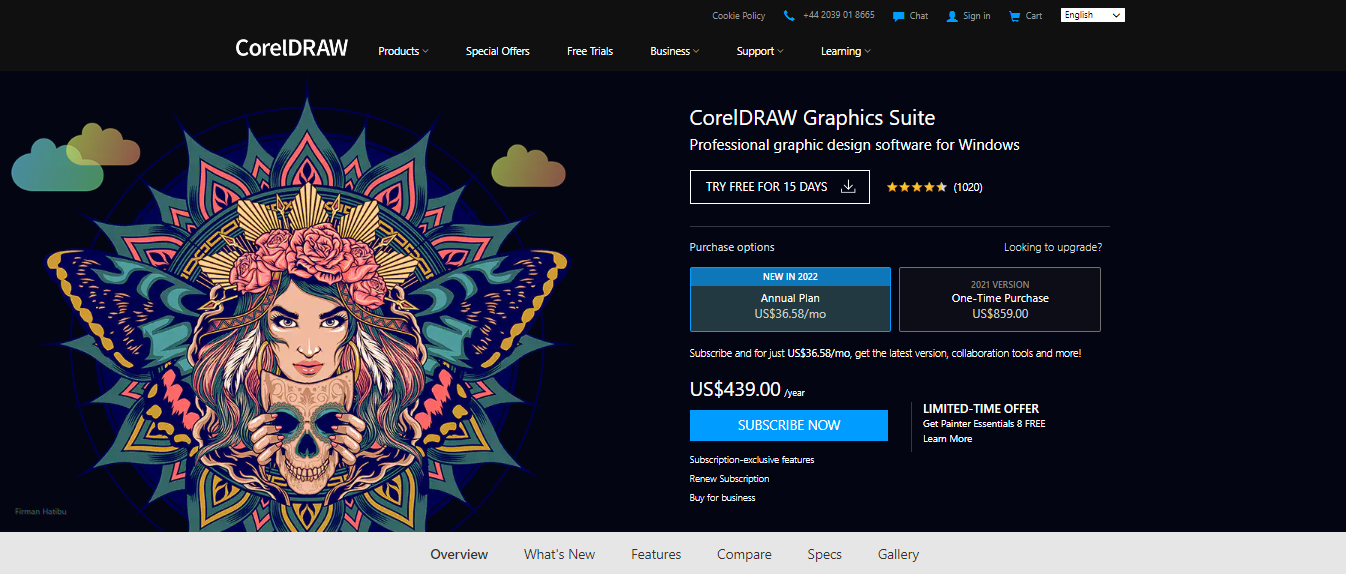
CorelDRAW Graphics Suite is a full-featured design toolkit that lets users create vector illustrations and layouts as well as tools that support photo editing, and typography projects. The platform is offered via a budget-friendly subscription platform that provides incredible ongoing value with ... Learn more
Capabilities
- AI Enabled
- API Available
- Open Source
- CLI Available
Images
View 5 images
Exclusive Deals
Discover Amazing Software Deals on Findstack
Get access to up to $900,000+ in savings on the best software to scale your business.
Pricing
Free trial available
Free plan available
Billing type
Recurring Subscription
Canva Free
$0.00
/ month
Canva Pro
$12.99
/ month
Canva for Teams
$14.99
/ month
Free trial available
Free plan available
Billing type
Perpetual License
Subscription
$439.00
one-time
Pros and Cons
- Simplicity: Canva is delightful to use. You can search for stock images and videos in seconds, drag and drop elements into place, and experiment with a huge range of filters and effects.
- Free plan: If you’re not sure how many visual assets you need yet, you can start with the free plan and work your way up.
- Versatile: You can create a lot of different kinds of graphics easily with Canva, including logos, Facebook posts, email marketing templates, and landing pages.
- Convenient easy-to-use environment for beginners
- Thousands of templates, icons, photos, fonts and other assets
- You don’t get the full control with Canva that you get with more advanced marketing tools. There aren’t as many layers as possible and advanced features to explore.
- Can be a little slow as a browser-based product.
- Very limited editing options
- No layering or re-adjustment options
- Great for productivity: The collaborative and productivity features on Corel Draw aren’t just there for show. This software really does make it easier to get connected and make progress on a shared project.
- Versatility: You can use Corel Draw on virtually device, including smooth drawing surfaces, laptops, and desktops.
- Tons of exporting options: You can export up to 48 different file types with Corel Draw, including PNG, JPG, and even CAD for 3D content.
- Huge community collection of assets: The collection of assets available is incredible. You can access fonts, templates, frames, photos, vectors, and brushes. Plus, there’s a full organized library system for keeping everything in the right place.
- No app for your smartphone if you’re working on the move
- Does require a lot of initial learning due to the wide range of features
Reviewer's Segments
Small Business
66.06%
Mid Market
23.16%
Enterprise
10.78%
Small Business
66.8%
Mid Market
22.53%
Enterprise
10.67%
Deployment
- Cloud based
- Desktop based
- Mobile based
- On-premise
- Cloud based
- Desktop based
- Mobile based
- On-premise
Support
- 24/7 (Live rep)
- Chat
- Email/Help Desk
- FAQs/Forum
- Knowledge Base
- Phone Support
- 24/7 (Live rep)
- Chat
- Email/Help Desk
- FAQs/Forum
- Knowledge Base
- Phone Support
Training
- Documentation
- Documentation
Integrations
Total integrations:
33
- Adobe Acrobat
- Adobe Illustrator
- Adobe Photoshop
- Affinity Designer
- AppSumo
- Blender
- Box
- Buzzsprout
- Clip Studio Paint
- Coffee & Contracts
- Constant Contact
- Corel PaintShop Pro
- CorelCAD
- Deposit Photos
- Flocksy
- GIMP
- GoDaddy
- GoDaddy Website Builder
- HubSpot
- HubSpot CRM
- HubSpot Service Hub
- Inkscape
- Jibble
- Kahoot!
- Kittl
- Later
- Lindy
- Looka
- Murf AI
- Planable
- Prezi
- Promo.com
- Slite
- SocialBee
- SocialPilot
- SysTools IMAP Migration Tool
- Tube Buddy
- Uniqode
- Vecteezy
- Vista Social
- WhitePress
- ZBrush
- Zesty.io
Total integrations:
11
- Adobe Acrobat
- Adobe Illustrator
- Adobe Photoshop
- Affinity Designer
- AppSumo
- Blender
- Box
- Buzzsprout
- Clip Studio Paint
- Coffee & Contracts
- Constant Contact
- Corel PaintShop Pro
- CorelCAD
- Deposit Photos
- Flocksy
- GIMP
- GoDaddy
- GoDaddy Website Builder
- HubSpot
- HubSpot CRM
- HubSpot Service Hub
- Inkscape
- Jibble
- Kahoot!
- Kittl
- Later
- Lindy
- Looka
- Murf AI
- Planable
- Prezi
- Promo.com
- Slite
- SocialBee
- SocialPilot
- SysTools IMAP Migration Tool
- Tube Buddy
- Uniqode
- Vecteezy
- Vista Social
- WhitePress
- ZBrush
- Zesty.io
Top Alternatives
Categories
Common categories include: Photo Editing Software.
Company Details
- By Canva Pty Ltd
- Located in Sydney, New South Wales, Australia
- Founded in 2012
- By Corel Corporation
- Located in Ottawa, Ontario, Canada
- Founded in 1985



Popular Comparisons