- How to Make a Podcast Website in 7 Steps
- Do You Need a Podcast Website?
- Podcast Website Builders Compared
- Can You Host Podcasts on Your Own Website?
- How to Build a Podcast Website with WordPress (Step by Step)
- What Pages Does a Podcast Website Need?
- Podcast Website Best Practices
- Podcast Website Examples to Inspire You
- Frequently Asked Questions
- Let’s Get Podcasting
How to Make a Podcast Website in 2026: Builders, Steps & Examples





Table of Contents
- How to Make a Podcast Website in 7 Steps
- Do You Need a Podcast Website?
- Podcast Website Builders Compared
- Can You Host Podcasts on Your Own Website?
- How to Build a Podcast Website with WordPress (Step by Step)
- What Pages Does a Podcast Website Need?
- Podcast Website Best Practices
- Podcast Website Examples to Inspire You
- Frequently Asked Questions
- Let’s Get Podcasting
It’s time you knew how to create the perfect podcast website.
Podcasting is crowded. Listen Notes tracks at least 3.8 million podcasts and nearly 198 million episodes (November 2026), so being “on Spotify” isn’t enough to stand out. A podcast website gives your show a home you own, where new listeners can find you on Google and fans can subscribe, support you and get in touch.
The good news? You don’t need to code. Most podcast hosts now include a free website, and tools like WordPress, Squarespace and Podpage can get you live in an afternoon.
How to Make a Podcast Website in 7 Steps
Here’s the short version. We go deeper on each step below.
- Pick a podcast host. Your audio files and RSS feed live with a podcast hosting provider, not your website.
- Choose your website platform. Use the free site from your podcast host, a podcast-specific builder like Podpage, or a general builder like WordPress, Squarespace or Wix.
- Register a domain name. Ideally yourpodcastname.com.
- Pick a theme or template that fits your show’s branding and works well on phones.
- Connect your podcast. Add your RSS feed or a plugin so new episodes appear on the site automatically.
- Create your core pages: homepage, episodes, about, subscribe and contact.
- Launch and promote it. Add the link to your show notes, social profiles and directory listings, then submit a sitemap to Google.
Do You Need a Podcast Website?
Strictly speaking, no. You can publish to Apple Podcasts, Spotify and YouTube without one. But podcasting is mainstream now: 58% of Americans aged 12 and older listened to or watched a podcast in the last month, an estimated 167 million people (Edison Research, 2026). That’s a lot of competition for attention inside the apps.
Platforms that are popular today can lose their appeal, change their algorithms or shut down features. A podcast website ensures you’ll always have a “home base” for your show, no matter what changes in the marketplace.
A podcast website:
- Builds a brand reputation: Your listeners can learn more about you and the things that make you interesting. That’s how you build a community that actually trusts you.
- Improves SEO: Episode pages, show notes and transcripts give Google text to index, so people searching for your topics can find you. You’re not relying only on a directory’s search algorithm.
- Opens the door to new opportunities: Sell merch, memberships or courses, collect donations, and give sponsors a media kit.
- Grows an audience you own: An email list on your site keeps working even if an app changes its rules.
- Strengthens your image: In a directory, your show sits next to hundreds of alternatives. A website is unique to your brand.
Want more numbers on listening habits? See our roundup of podcast statistics.
Podcast Website Builders Compared
There are three main ways to build a podcast website. Here’s how the most popular podcast website builders compare. Prices are the cheapest paid plan on each provider’s official pricing page in November 2026, in USD.
| Builder | Type | Free option | Cheapest paid plan | Custom domain | Hosts your audio? |
|---|---|---|---|---|---|
| Buzzsprout | Podcast host with built-in site | Free plan: 2 hours of uploads/month, episodes kept 90 days | Audio, $15/month billed annually | Yes | Yes |
| Podbean | Podcast host with built-in site | Free account | Unlimited Audio, $12/month billed annually ($17 monthly) | Yes | Yes |
| Transistor | Podcast host with built-in site | 14-day trial | Starter, $19/month | Yes | Yes |
| Captivate | Podcast host with built-in site | 30-day trial | Personal, $17/month paid yearly | Not stated | Yes |
| Podpage | Podcast website builder | 14-day trial | Basic, $12/month billed annually ($19 monthly) | Yes, all plans | No |
| WordPress + plugin | Open-source CMS | Software and plugins are free | Pay for web hosting, e.g. Bluehost Starter at $3.99/month on a 36-month term | Yes | Optional |
| Squarespace | General website builder | 14-day trial | Basic, $19/month billed annually ($25 monthly) | Yes | Yes, up to 160MB per episode |
| Wix | General website builder | Free plan | Light, $17/month billed yearly | Paid plans only | No |
Sources: Buzzsprout, Podbean, Transistor, Captivate, Podpage, Bluehost, Squarespace and Wix pricing pages. Promo prices change often, so check at checkout.
1. The free website from your podcast host
This is the fastest route, and often free. Your host already has your episodes, so the site updates itself every time you publish.
- Buzzsprout lets you put its podcast website on your own custom URL, and its paid Audio plan lists a premium website.
- Podbean offers a “free, professional podcast website” with templates and an option to use your own domain.
- Transistor includes its website builder with every plan, with themes, a custom domain, an About page and subscribe links.
- Captivate includes Captivate Sites on all plans.
The trade-off is control. Host-built sites are simple, and you can’t add much beyond episodes, a few pages and links. If you switch hosts, you’ll need a new website too.
Comparing hosts first? Our guide to the best podcast hosting platforms breaks down storage, stats and monetization.
2. A dedicated podcast website builder (Podpage)
Podpage builds a site from your RSS feed and keeps it in sync. All plans include a custom domain, templates, SEO basics, schema markup and a sitemap, and the Pro plan adds a blog, transcripts, a newsletter, voicemail and memberships (Podpage pricing, November 2026).
Podpage isn’t a podcast host, so you still need Buzzsprout, Libsyn or similar to store your audio. The upside is that your website stays put if you ever change hosts.
3. A general website builder (WordPress, Squarespace, Wix)
Pick this route if your podcast is part of a bigger brand, business or blog.
- WordPress is the most flexible option and powers 38.5% of all websites (W3Techs, November 2026). The software is free, you pay for hosting, and podcast plugins handle the RSS feed and player.
- Squarespace lets you publish each episode as a blog post with an audio block, and it generates an RSS feed for Apple Podcasts. Each audio block has a 160MB upload limit, and the feed shows your most recent 300 episodes. If you host audio elsewhere, you’ll have to add new episodes by hand.
- Wix has a Wix Podcast Player app that reads your RSS feed and generates an episodes page plus a page for each episode. Wix doesn’t host your audio, and you need a paid plan to connect your own domain.
For more options, see our lists of the best website builders and best free website builders.
Is there a free podcast website builder?
Yes. The cheapest route is a podcast host with a free plan. Podbean advertises a free, professional podcast website, and Buzzsprout has a free plan too. Just know the limits: Buzzsprout’s free plan only keeps episodes for 90 days and caps uploads at 2 hours a month (Buzzsprout pricing, November 2026).
Wix also has a free plan, but you need a Premium plan to connect your own domain. WordPress and its podcast plugins are free too, though you’ll still pay for hosting and a domain.
Can You Host Podcasts on Your Own Website?
You can, but you usually shouldn’t. Here are your three options.
- Embed a player from your podcast host (recommended). Your audio stays with a podcast host built for big files and heavy downloads. You embed its player or connect your RSS feed, and your site shows the episodes.
- Self-host the audio with a WordPress plugin. PowerPress or Seriously Simple Podcasting can build an RSS feed from audio files you upload to your own site. It’s possible, but large MP3s and download spikes can slow down or overload a regular web hosting plan.
- Upload audio to your website builder. Squarespace can host the audio and the feed itself, within its 160MB per-episode limit. That works for audio-only shows with short episodes.
Whichever you choose, the RSS feed is the key. It’s the file Apple Podcasts, Spotify and other apps read to find new episodes. Most people let their podcast host generate the feed, then point their website at the same feed so everything stays in sync.
How to Build a Podcast Website with WordPress (Step by Step)
WordPress takes more setup than a host’s built-in site, but it gives you full control. Here’s how to do it.
Step 1: Choose Your Website Hosting Provider
The first thing you need to build any website is a host. That’s the company that makes your content available online. There are dozens of web hosting providers, including SiteGround, WP Engine and Bluehost.
One point to keep in mind: your website hosting provider is not the company responsible for hosting your podcast audio files. You need a separate podcast host for that, and you connect the two with a plugin or your RSS feed.
To choose the right hosting provider:
- Consider your bandwidth: The more traffic you expect, the bigger your package needs to be.
- Understand server types: Shared servers are cheapest, but you may prefer something private.
- Decide how much help you need: Managed WordPress hosts handle updates, backups and security for you.
We’d suggest a host that specializes in WordPress, since most offer one-click installs. If you’re just starting out, Bluehost is beginner-friendly. Its Starter WordPress plan is $3.99/month on a 36-month term and renews at $9.99/month, with a free domain for the first year (Bluehost, November 2026).
To compare more options, read our guide to the best WordPress hosting.
Step 2: Pick Your Domain Name
A domain name is the address for your website, such as google.com or amazon.com. The easiest way to get one is often during your hosting signup, since many hosts include a free domain for the first year. After that, remember to renew it every year.
Your domain should usually match your podcast’s name, so it’s easy for listeners to remember. We’d recommend sticking with .com if it’s available. A few other tips:
- Make your name unique. Avoid anything too close to another brand’s name.
- Avoid hyphens, numbers and difficult spellings.
- If your exact name is taken, try adding “podcast,” “show” or “radio.”
Your domain name is the first part of your brand that makes a lasting impression. Make sure you get it right. Our list of the best domain registrars can help you find a good deal.
Step 3: Install WordPress
Most WordPress hosts offer a one-click installation button, so you just tap that when you’re ready. If a button isn’t available, the process is still simple: download WordPress, create a database on your web server and upload the files. Here’s a step-by-step guide from WordPress themselves.
Make sure you’re using self-hosted WordPress (WordPress.org), which is free. You already picked a hosting provider, so you don’t need a site builder that bundles hosting too.
Step 4: Choose Your WordPress Theme
Once WordPress is installed, you can start the fun part: customizing your podcast website. The easiest way to start is with a theme, a ready-made design you can tweak with your own colors, fonts and logo.
To browse free themes, go into your WordPress admin area and click Appearance, then Themes, then Add New Theme. Search for “podcast” or use the feature filter to narrow results. Pick one that’s fast, mobile-friendly and puts your latest episode front and center.
If you want something truly unique, you can hire a freelance WordPress developer to customize a theme for you.
Step 5: Install Your Podcast Plugins
Plugins add podcasting features to your WordPress site, such as an RSS feed, a player and subscribe buttons. To add one, go to Plugins, then Add New Plugin, and search for it by name.
Here are the top options.
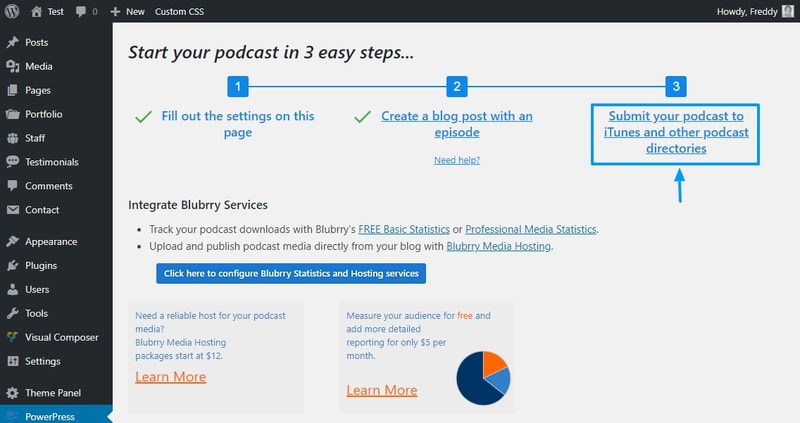
PowerPress
PowerPress by Blubrry is a free podcasting plugin with 20,000+ active installs (November 2026). It builds your podcast RSS feed, supports Podcasting 2.0 tags like transcripts and chapters, and includes audio and video players plus subscribe tools for Apple Podcasts, Spotify and others. It can also import an existing podcast feed.
Seriously Simple Podcasting
Seriously Simple Podcasting from Castos also has 20,000+ active installs and says it “will always remain, free to use.” It generates a feed for Apple Podcasts, Spotify and Amazon Music, adds a customizable player, and works with any podcast host. If you host with Castos, episodes sync automatically.
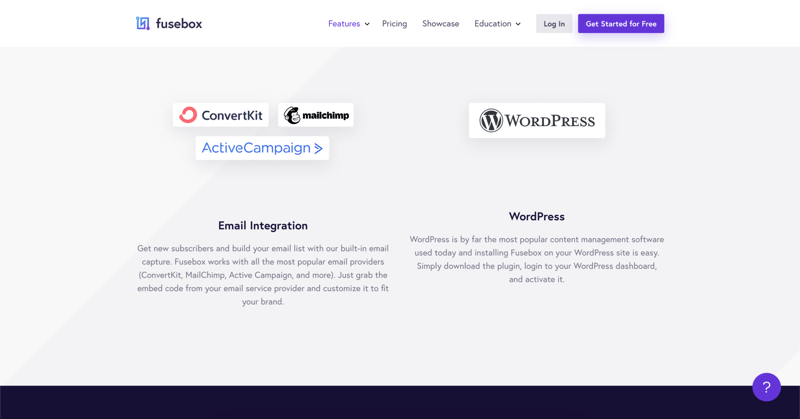
Fusebox
Fusebox is known for its podcast players. It offers a Track Player, Archive Player and Sticky Player with custom colors and email capture, which are handy if your website is where you grow your audience. Fusebox now offers podcast hosting too, with a 14-day free trial. See our Fusebox reviews.
It’s also worth installing plugins that aren’t just for podcasting. An SEO plugin like Yoast SEO helps your episode pages rank, Jetpack adds security and sharing tools, and an email marketing integration lets you tell subscribers when a new episode is live.
Step 6: Publish Your First Episode Page
Create a post for each episode, with the player at the top. Separate episode pages give Google more to index and give listeners something to share.
On each episode page, include:
- A clear title and a short description of the episode and guests
- Show notes with links to everything you mentioned
- A transcript, if you can (great for SEO and accessibility)
- Subscribe links to Apple Podcasts, Spotify, YouTube and other apps
- Social sharing buttons
- Links to the previous and next episodes
Still working on the show itself? Our guide on how to start a podcast covers formats, equipment and recording.
What Pages Does a Podcast Website Need?
Whatever builder you use, these are the pages most podcast websites need:
- Homepage: What the show is about, who it’s for, and your latest episode with a play button.
- Episodes page: A searchable archive, ideally with categories or a “start here” list for new listeners.
- Individual episode pages: Player, show notes, transcript and subscribe links.
- About page: Who you are and why listeners should trust you.
- Subscribe or listen page: Links to every app your show is on.
- Contact page: For guests, collaborators and listener questions.
- Sponsor or media kit page: Audience size and ad options for potential sponsors.
- Email signup: A form on every page, so fans hear about new episodes first.
Optional extras include a shop for merch, a memberships page, a blog and a voicemail form for listener questions.
Podcast Website Best Practices
Once your site is live, keep an eye on it. Tools like Google Analytics and Google Search Console show which episodes bring in visitors and which pages people leave from.
As you learn more about your audience, optimize accordingly. To begin with, remember these rules:
- Simple is better: It shouldn’t take more than a few seconds for someone to find an episode and press play. Put your latest episode on the homepage.
- Design for phones first: Many visitors arrive from social media on their phones. Test your player and menus on a small screen.
- Get the aesthetics right: Match your colors and fonts to your cover art, and make sure text is easy to read.
- Make it easy to subscribe: Put subscribe links in the header or on every episode page, and add an email signup form.
- Optimize your content: Write show notes that answer the questions your episode covers. Transcripts give search engines even more to work with.
- Add social elements: Social sharing buttons, comments and a voicemail form help listeners engage with you.
Podcast Website Examples to Inspire You
Still not certain where to start? A little inspiration helps. We checked that each of these podcast websites was live in November 2026.
1. Twenty Thousand Hertz
The Twenty Thousand Hertz site, which appears to run on Squarespace, puts the latest episode right at the top, followed by a short list of “classics” for new listeners. It also has a shop, a newsletter, a sponsors page and a form for pitching story ideas.
2. 99% Invisible
99% Invisible treats its website like a magazine. Alongside a dated episode list, it publishes articles, a weekly newsletter, a store and a “Ways to Listen” page that links to every major app.
3. Song Exploder
Song Exploder keeps things simple. Each episode on the homepage has its own Apple, Spotify and Amazon listening links, so visitors can subscribe wherever they listen, and an episode index helps people find older shows.
4. The Beerists
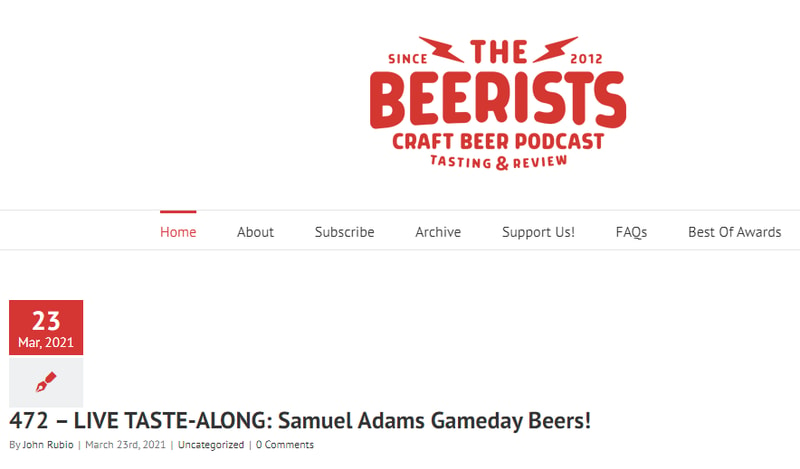
The Beerists is a craft beer podcast that has been publishing since 2012, and its blog-style site shows it. Every episode post lists the beers tasted, and the site includes subscribe links, a Patreon for bonus content, social links and a monthly archive.
5. The Friday Habit
The Friday Habit is a good example of a podcast that supports a business. Its site leads with the host’s pitch, then offers a free guide and workbook in exchange for an email, along with popular episodes, a host bio and testimonials.
Frequently Asked Questions
What is a podcast website?
A podcast website is a dedicated site for your show. It’s where your episodes, show notes, subscribe links and information about you live in one place, on a domain you control.
Can I create a podcast website for free?
Yes. Some podcast hosts, such as Podbean, include a free podcast website with a free account. Wix and WordPress are free too, but you’ll need a paid plan or hosting to use your own domain.
What is the best podcast website builder?
For most new podcasters, the website built into your podcast host is the easiest choice. Podpage is a strong pick if you want more features and a site that doesn’t depend on your host. WordPress is best if you want full control or plan to run a blog and shop.
Can I host my podcast on my own website?
You can, with a WordPress plugin like PowerPress or a builder like Squarespace. Most podcasters still use a dedicated podcast host for the audio files, because it’s built to handle large files and download spikes, then embed the player on their website.
Do I need a website for my podcast?
You don’t need one to publish to Apple Podcasts or Spotify. But a website helps people find your show on Google, gives you an email list you own, and makes it easier to land sponsors and guests.
How much does a podcast website cost?
It can cost nothing if you use your podcast host’s built-in site. Paid options we checked in November 2026 start at $12/month billed annually for Podpage Basic, $17/month billed yearly for Wix Light and $19/month billed annually for Squarespace Basic. A WordPress site costs as little as your hosting and domain.
Let’s Get Podcasting
Podcasting platforms are great for spreading your reach and connecting with new listeners. But they’re not enough on their own.
A podcast website you can build and customize gives your show a home you own. It shows you’re invested in your podcast and gives fans a place to learn more about you, subscribe and support the show.
As you saw above, creating a podcast website doesn’t have to be a headache. Start with the free site from your podcast host, and upgrade to Podpage or WordPress when you’re ready for more.

Related Products