

Unclaimed: Are are working at Adobe Audition ?
Adobe Audition Reviews & Product Details
Adobe Audition is a complete audio workstation that allows students, teachers, and businesses to create, mix, edit, and restore audio. Available separately or as part of the Adobe Creative Cloud ecosystem, the platform includes audio editing tools designed to enhance music, podcast, and other sound effect designing projects.

| Capabilities |
AI
|
|---|---|
| Segment |
Small Business
Mid Market
Enterprise
|
| Deployment | Cloud / SaaS / Web-Based, Desktop Mac, Desktop Windows |
| Support | 24/7 (Live rep), Chat, Email/Help Desk, FAQs/Forum, Knowledge Base, Phone Support |
| Training | Documentation |
| Languages | English |

Compare Adobe Audition with other popular tools in the same category.

Adobe makes great software. Period. The interface is super easy to use, but yet not oversimplified as this is an audio tool for serious users. I like having the ability to take audio files that i've recorded from a shoot and have the ability to edit them in super detail before putting them into a project. I use audition often to strip vocals from music and it does it quite well.
With any adobe software there is a bit of a learning curve. but they have plenty of online materials and tutorials to help you learn it. You won't hear too many people complain about audition. it's good stuff.
I'm in a field where we need to design and produce several different flavors of marketing and promotional material in the form of video, animation, and audio. When dealing with professional voice-over, having the tools audition provides to edit and fine tune the audio for production is worth it's weight in gold.
Audition is a revamped upgrade of an old program I used years ago called CoolEditPro. I have grown to use it for quick edits to noisy film or footage from my iPhone as well as to record sounds and sound effects for fun.
I don't like some of the controls even though I am quite accustomed to them from years of Cool Edit Pro and Audition use. My biggest problem is that I use the software once every couple of months and then forget my workflows. (I am a web designer first and sound is a hobby).
I have solved the need for cleaning up rough sound in homemade property listing videos for a client of mine in Key West. I have realized that noisy footage is ANNOYING on Youtube and buyers want to buy a house they feel good about.

Adobe has once again outdone themselves regarding the balance of functionality and how easy the software is to use. Everything is easily accessible and is organized very neatly while maintaining plenty of features.The software also adapts very common features found in similar audio editing software such as Audacity which is a free program. The User Interface is also a wonderful experience as it is designed to be very modern and still maintains full overview.
The software is almost perfect and lacks only minor features such as a search function for certain features or the explanation of other features for users that are new to the software. The software is a bit pricey, especially for those who will not use it to it's full extent, and I would recommend Audacity to those who won't use it in that way in that case. However, for those who do use Audition and all of it's features, the price is fully justified.
I mainly used Adobe Audition for audio editing, ranging from raw editing all the way to manipulating tracks with effects and clipping
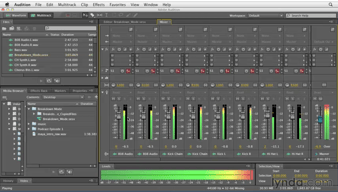
As with all Adobe products, Audition provides excellent customisability of the software's layout, which is essential for creating an efficient workflow. The plethora of powerful audio processing tools, coupled with the virtual rack system, allow for quick and effective audio editing. Furthermore, the inclusion of a multitrack editor makes this product perfect both for audio manipulation and production of soundscapes, music and other complex audio products. The simplicity of the multitrack editor and the multitrack mix down process is very important when using this product. You can very easily cut and mix your audio, applying effects to each track and exporting many different products (e.g. stereo, 5.1 or more).
The file system of Audition is, in some ways, lacking. The file pane shows a linear list of files included in the project. There is often confusion when files need to be conformed to the project parameters, leading to either destructive editing of the original files or needless duplicates.
Solving the problem of requiring well mixed and well edited sound effects. The benefits of this product include a shallow learning curve, powerful exporting tools for any situation and a familiarity if you've ever used Adobe products before.
Audition has a relatively intuitive interface that makes it easy to record and edit sound files. It works great for capturing voice overs and instrument samples. Many of the filters are excellent and really improve the over all end product. I especially enjoy the ability to edit sound along side a finished video. The paramatic EQ in particular is astoundingly good.
There are some filters and features that are available only if you edit or duplicate the original file. Most of my editing is done using the multitrack model. However, occasionally for more sophisticated filters I occasionally need to use that feature, which can throw off the workflow. Additionally, the midi integration is not as good as some others. I don't use audition for composition, which is fine. This is much better for just doing recordings or samples than trying to create original compositions.
I mostly use audition for doing voice over and sound mixing for video. It is excellent to be able to import the video file to do edits. I frequently will use the Multiband compressor, paramatic eq, and some of the other enhancers in order to bring greater clarity to my voice. This saves a lot of studio time and exctra editing.
Great layout that utilises the whole screen effectively.
The software may be less intuitive than the others like Logic Pro due to the fact that the interface is mainly text and not much skeuomorphism is applied. Plugins are not as easy to find as those in Premiere Pro as they are hidden in cascaded menus and not searchable through any search bar.
Cleaning audio, normalise audio and create multitrack session to produce an audio track for video

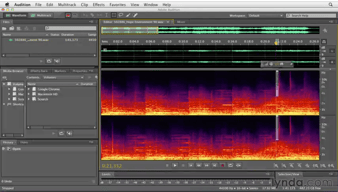
I love that spectral display feature. Makes it easier to see waveforms in a different way
The file handling. It seems like too many files are made outside of the project file. makes things a bit messy.
I use Adobe Audition to smoothen vocal audio as well as adding scores. I realized by sounding designing my projects that I make my audience feel and hear climactic impacts through visuals
Near- seamless integration with adobe premiere. It works very well most of the time and file management has only a few opportunities for improvement.
It could use more efficient noise reduction and better file management control when working in tandem with premiere.
Ease of use, rapid service to clients, quality control.
I'm Audition user for 2-3 years now. I switched from Adobe Soundbooths which is more basic version of audio editor from Adobe. Audition has everything that you might need. I like and often use noise reduction. Noise reduction from Adobe Audition in my opinion is way better that from other softwares. Audition has intuitive interface and at the same time it has many options and plugins.
I think Adobe could improve multitrack section. I really can't say bad word for Audition. It is really good software.
I'm using Adobe Audition mostly with audio editing for video. I use it with Adobe Premiere Pro and often I use noise reduction from Adobe Audition. I really helps improve audio quality for video.
I love the simplicity of Audition. It's fairly easy to learn and use, and works really well. One the best things about Audition is that it's apart of the Adobe family, and with that comes easy cross editing between programs. If you're using Premiere Pro and need some more comprehensive audio editing options, you can quickly and easily open the videos audio in Audition, edit it, and plop it back into Premiere.
It's fairly silly, but I dislike the new default work space, only a little bit though. However it's very easy to customize it so it's not the biggest of deals.
We recently had some radio interference during a call for a show, I was able to remove the noise completely without losing audio quality. Saved the episode! I've also shown people how to record with it, a feature that many newcomers to the program might not know about. Saved them from using other programs and saved them time with editing because they were already using Premiere.