

Unclaimed: Are are working at AutoCAD ?
AutoCAD Reviews: 4.5/5 — Highly Rated
AutoCAD is a professional 2D and 3D CAD program used to design and create digital assets. The software offers drafting and design tools for 2D geometry and 3D models with solids, meshes objects, or surfaces. With AutoCAD, users can automate adding blocks, creating schedules, and comparing drawings ensuring better efficiency. AutoCAD also has a full suite of advanced features for both 2D drafting and 3D modeling. It also offers web and mobile application access for multiple device accessibility, cloud-storage connectivity, and access to the Autodesk app store if you’re looking for more specific extensions.

| Capabilities |
API
|
|---|---|
| Segment |
Small Business
Mid Market
Enterprise
|
| Deployment | Cloud / SaaS / Web-Based, Desktop Mac, Desktop Windows, Mobile Android, Mobile iPad, Mobile iPhone |
| Support | 24/7 (Live rep), Chat, Email/Help Desk, FAQs/Forum, Knowledge Base, Phone Support |
| Training | Documentation |
| Languages | English |


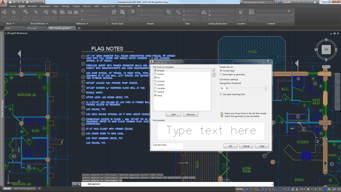

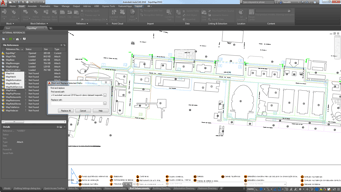
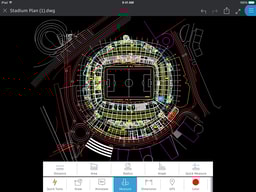
The software is the panacea for any kind of architectural problem.( Not counting Revit) 2D to 3D, this software can draw whatever your hearts wishes to design. So many options to choose from and it delivers everytime.
Very very very expensive. Very steep learning curve. Not for the average Joe. Definitely need a course or a series of YouTube videos to just understand the layout
AutoCAD lets us design 3D printer models to create wireframes, architectural building blueprints.
AutoCAD is primarily used in industry for creating design and structure or real world project, without actually creating them.Your can draw almost anything weather 2D or 3D using AutoCAD. Its Drawling meaturement are very accurate.
You need to join a dedicated training course before actually starting to use AutoCAD for designing.
You can create Engineering designs for your projects using AutoCAD
Autocad makes every figure be visualized even more understandable and detailed.
At first, it was difficult to navigate because there are so many commands to use.
By using AutoCAD, you can visualize each product that we want to do.
The different functions and purposes offered. Can do anything from 2D to 3D modeling andcan incorporate 2020
The time it takes to load and open. The program file is very large
Creating designs that help the customers to see the proposals visually
Awesome product to use. Has amazing accuracy for The electrical engineering we do. The pdf import feature is very useful to use.
It can be very laggy at times with an older computer.
Electrical engineering
Ease of use. Accuracy. Speed. Cleanliness
Commands. Having to still type. Why not voice activated? Cost
Speed to market. Accuracy.
I like the fact that everything is drawn in scale and then easily translated to paper space. I like the referencing that is possible to help expedite workflows.
Usually if you run into a bizarre issue, you have to spend a lot of time digging to find out what is causing it.
Collaborating with Architects, Electricians and our internal techs
Fast Detailing and Sketching of projects
3d and rendering take too long AND NOT WORK PROPERLY
shop drawings, detailing and presenting my projects to my client.
I love the strait and rigged nature of of the software. 90 degree angles are my favorite and they're so easy to make.
Some of the tools needed are hidden in menus that may not be easy to find when you're starting out.
I draw wiring plans and building and room layouts.
Complete set of tools useful in the design process, very friendly software.
It would be great to incorporate flattening tools into the software.
Streamline the design process allowing better products at minimum cost. excellent for prototyping.
