

Unclaimed: Are are working at Crazy Egg ?
Crazy Egg Reviews: 4.2/5 — Solid Choice
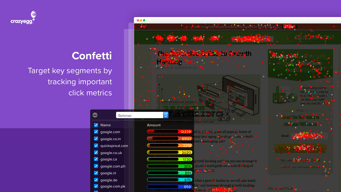
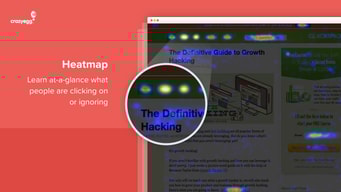
Crazy Egg is a software well-known for helping businesses optimize their websites by improving user experience and helping boost conversion rates. The platform is best known for its heat mapping feature, which is combined with A/B testing tools, and user recording that helps deliver insightful data and lets businesses understand user behavior better.

| Capabilities |
API
|
|---|---|
| Segment |
Small Business
Mid Market
Enterprise
|
| Deployment | Cloud / SaaS / Web-Based |
| Training | Documentation |
| Languages | English |

Very easy to setup and implement on my sites, a very fast and efficient customer support and ever improving with us, customers, in mind.
I dislike absolutely nothing. Love it and recommennd it quite alot.
Adjusting the UX/UI to better suite customers' needs.

I found the variety of reports really helpful to understand how users interacted with my pages. Definitely helped our team improve user experience and optimize conversions.
I didn't like that I had to set up new snapshots anytime I made a change on one of my pages that was included in the live test.
Crazy Egg helped us improve our content and conversions.
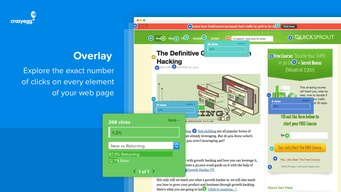
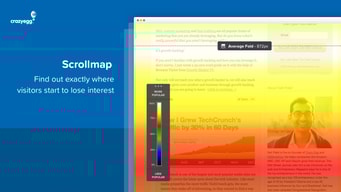
The heat maps are awesome to understand users behaviour
there is nothing that i can remember now that i do not like
resolving cases with users difficulties

Crazy Egg throughly offers all the necessary tools to experiment around and then analyse the data. On top of that, they have the best support that are always responsive & helpful to say the least. All in all, one of the best experiences that we have had with any of the marketing analytics tools.
Lower pricing would be much appreciated, but then again they are definitely in line with the completion & as said its definitely worth the buck.
Testing diffferent kind of landing pages.

The heat mapping is super easy to set up and analyze. Gives us exactly the information we are looking for.
Not really much of a downside. Doesn't have all of the bells and whistles that other solutions have but we didn't need those either.
Analyze web pages and user experience and make changes accordingly. We have been able to do just that.
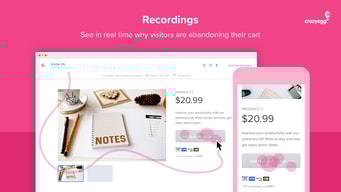
The crazy egg software is invaluable if you are serious about online marketing. You need to be able to see inside the funnel and visualise what's going on rather than making assumptions. I particularly found the videos useful when evaluating if a page is working or not. I can highly recommend it. 5 stars!
There is nothing that I dislike about the crazy egg software at this point in time.
The benefiits are seeing the reality of how people move around the page vs assumptions.
I like the fact that CrazyEgg is very easy to use.
There is nothing I dislike about the tool.
With CrazyEgg we solve the problem of not knowing whether our website visitors click where they need to click in order to get them to the next step in their journey on our website.
Simple integration. Fast results that are easy to understand by all partners. Affordable service. User friendly experience - limited learning curve.
Native app options are not available. Video download would be a nice feature. A/B testing is not that easy to use. High level reporting would be a nice to have. Best practices newsletter would be a plus. User flows would be a life changer - see AppSee
Testing the success of new features. Validating customer or client requests.

Super easy to use tool, requires little to no technical chops. Lots of features and easy to navigate and find everything I need. Great support center and customer service.
No major gripes. Not as robust as some of the more enterprise CRO solutions, but also a lot cheaper.
Inspiration to find new testing opportunities, understand how users interact with the website, and even run A/B tests within the platform.
The Crazy Egg interface is super easy to use, and the snapshots it generates are powerful. They provide actionable insights by showing us what's important to our users so that we can help give them more of what they want and less of what they don't. We've been using this tool for over eight years and continue to find value in it!
The main downside is that setting up snapshots is a manual process. Pages that are viewed by users aren't automatically tracked and stored, so you have to set up each page you want captured. We've had our interns work on this though, which has helped with the amount of time and effort a program manager would have to spend on setup.
Crazy Egg snapshot results help us quickly and easily identify what's most important to our users because they are so visual, and we often use it in conjunction with our web analytics tool. For example, when we've noticed in the past that our search bar is red hot in a Crazy Egg heatmap, we look in our web analytics tool to see what they're searching for from that page, and then we adjust the page content/creative to include what they're looking for.


