

( 71 )
iSpring Learn Reviews: 4.6/5 — Highly Rated
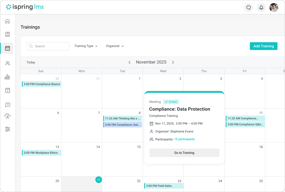
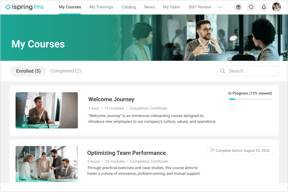
iSpring LMS is a learning management system that supports the full employee development cycle, from onboarding to continuous skill growth. It allows businesses and organizations to create and deliver eLearning content as well as launch training quickly and efficiently on a single platform, backed by award-winning 24/7 support.
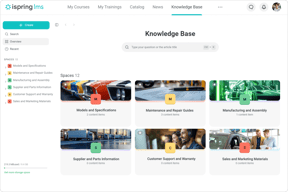
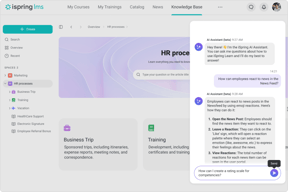
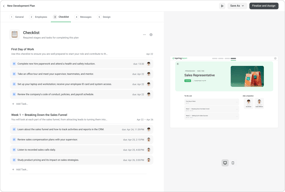
Companies can create and scale targeted learning programs with individual development plans, onboarding checklists, and interactive courses. The bundle with iSpring Suite AI, a powerful authoring tool with a wide range of capabilities, makes course development fast and simple even for those without instructional design skills. Internal knowledge base supports resource sharing and SME collaboration, while 360° feedback helps evaluate employee skills and make informed promotion decisions. On-the-job training allows managers to assess and improve hard skills through real-life job tasks.
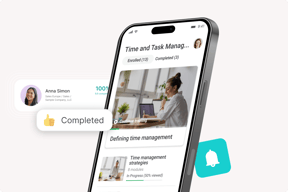
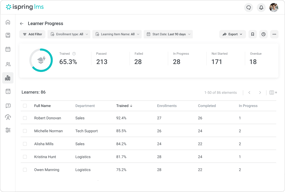
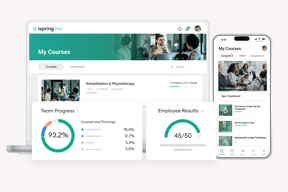
Detailed analytics helps leaders and trainers identify and address skill gaps. Gamification mechanics increase learner engagement and completion rates. Trainees can also learn on the go online and offline, thanks to the native mobile app. iSpring LMS is a secure and customizable platform with cloud and on-premise hosting configurations.
| Company | iSpring Solutions Inc |
|---|---|
| Year founded | 2001 |
| Company size | 201-500 employees |
| Headquarters | Alexandria, VA |
| Social Media |

| Capabilities |
API
CLI
|
|---|---|
| Segment |
Small Business
Mid Market
Enterprise
|
| Ease of use |
Beginner
|
| Deployment | Cloud / SaaS / Web-Based, Mobile Android, Mobile iPad, Mobile iPhone, On-Premise Linux, On-Premise Windows |
| Support | 24/7 (Live rep), Chat, Email/Help Desk, FAQs/Forum, Knowledge Base, Phone Support |
| Training | Documentation, In Person, Live Online, Videos, Webinars |
| Languages | Arabic, Azerbaijani, Catalan, Chinese, Croatian, Czech, Danish, Dutch, English, Finnish, French, German, Greek, Hungarian, Indonesian, Italian, Japanese, Kazakh, Korean, Mongolian, Norwegian, Polish, Portuguese, Romanian, Russian, Spanish, Swedish, Ukrainian, Uzbek |



Compare iSpring Learn with other popular tools in the same category.

iSpring learn is a great Application and the way of implementation is very simple and easy to use. Way to teaching is great and easy to learn. this is having a very good customer support there are many features which makes learning interesting and helpful and these features make us use this application frequently. Integration of this iSpring is next level
ISpring features are great nothing to dislike Ispring learn have effective training that provides effective solutions for complex problems. And create own material and automated internal training
Using this for learning ethics and compliance helping me understanding more about ethics and compliance with very good examples and real time scenarios. Benefiting in learning many things. Ispring learn have effective training that provides effective solutions for complex problems. And create own material and automated internal training

iSpring has a very user friendly interface. It is designed with a ease of implementation.So as a user I can say that we can use it atleast twice in a week. Having a good customer support is the best advantage of this app. Having a lot features makes it having a excellent ease of integration over other .
Nothing as of now. There nothing to dislike about this app.
It is very usefull. Everyone can use it.
Ispiring learn was excellent application, effective teaching techniques was impressive and easy to grasp. The implementation setup was great, they have very good customer support. The options in ispring learn makes me a best choice. The application easily integrate with various tools and makes me convient to use. All features in ispring makes me to use frequently
Everything was great. no dislike as of now
Ispring learn have effective training that provides great solutions for complex problems. It empowers me to create own material and automated internal training process effectively
iSpring learn has great user friendly interface which makes me easy to interact and create elearning content .The implementation setup was very cool make it accessible even for beginners too Additionally, the app's exceptional customer support consistently provides effective assistance, resolving queries promptly.I frequently utilize iSpring learn which helps me to resolve all my queries. Easy of integration and the features in iSpring learn make me a better choice.
So far, everything has been excellent , expect same positive experience in future too
Even with no prior experience, I can effortlessly create and publish courses using iSpring Learn. Its user-friendly interface facilitates seamless course creation, enabling me to automate internal learning processes with ease.
It is easy to learn and use to set up courses in a LMS
There are not enough fields for learners. It's based on a company using it to train employees
I wanted to find an affordable LMS for me to use for certification courses in my field of expertise - Lean Accounting. I now have certification courses for sale.
Having only the Starter level of iSpring Learn and iSpring Suite Max, I can still say that iSpring Learn has a ton of capabilities. Between gamification, reports, user management, learning material storage and organization, and creating learning tracks for various departments, iSpring learn has changed the path for our organization - and just in time for expansion. This will be an invaluable tool for our growth. My favorite feature is the easy and fast creation of lesson pages right from the online portal for both macro and micro learning. The drag and drop functionality paired with the sleak and visually appealing UI is wonderful. Integrating new trainings into our onboarding and recurrent training processes is now easier than ever. The Account Executive and Customer Support team have been invaluable in the implementation process. They are incredible friendly, quick at replies, and extremely helpful every step of the way. The platform is so easy to use that I use it every day, and my organization has plans to integrate it into every facet of our company.
I haven't discovered any downsides to using iSpring Learn so far.
iSpring Learn is helping solve problems with employee standardization and learning that is not customized to our SOPs, learners, employees, or nuances of the local environment. Implementing iSpring Learn is providing benefits by way of compliance, clarity, communication, tracking, employee and customer engagement, and transparency.

iSpring is our corporate LMS and using it has been intuitive and effective. I use it every day as an administrator. The number of options to execute training are incredible and have given me many thoughts and ideas on where to steer our Learning Program. Any time I do have an issue, effective support is available within a matter of minutes.
As an administrator, I want the ability to administor my program from a mobile device.
The solutions that our company provides are pretty complex and there are many of them. iSpring is helping us make sure that our customer-facing team is the local experts we say they are. We are also using it to shorten our ROI timeline for new hires. So far we've been able to improve that by 16%!
Simple, easy-to-use interface. I have been a customer in the past and have had great experience with the product.
Some of the permissions are clunky, e.g., who can do what within an org
24/7 on-demand customer education and training on how to use our proprietary portal. THere is no ned for our customers to call us for 1:1 instruction when they have an issue or need to complete a task that they may have forgotten how to do or perhaps have never had to do previously.
I'm pretty comfortable using the tools of PowerPoint so making the transition to iSpring Learn to assign my courses to my team was incredibly intuitive and fun to use. If you ever have questions, the Help Desk people are patient and helpful.
I'd like to be able to replace documents easily without having to delete and reload.
I can assign onboarding classes to new hires automatically so this saves me time.
Their willingness to listen to their customers and tailor their offering to their needs.
Sometimes the response it a little slow, but not unmanageable.
This provides a great way to not only teach our employees and customers from remote locations, but we can also track progress!

