

Unclaimed: Are you working at Loom?
Loom Reviews: 4.7/5 — Highly Rated
Loom is a video-making platform that is designed to help businesses facilitate better and more efficient workplace communication through video and screen recording. It empowers users to use a web-based interface that supports screen recording and screen capture, shared via a link for easy viewing.

| Segment |
Small Business
Mid Market
Enterprise
|
|---|---|
| Deployment | Cloud / SaaS / Web-Based, Desktop Mac, Desktop Windows, Mobile Android, Mobile iPhone |
| Support | 24/7 (Live rep), Chat, Email/Help Desk, FAQs/Forum, Knowledge Base, Phone Support |
| Training | Documentation |
| Languages | English |
Loom Pros and Cons
- Dedicated mobile apps for Android and iOS
- Quick screen recording with handy webcam overlay
- UI is clean and easy to navigate
- Loom Chrome extension has multiple recording options
- Transcripts aren’t always accurate
- The free version restricts videos to five minutes


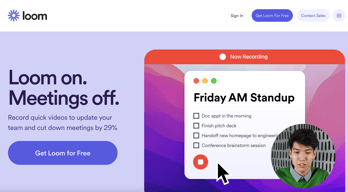

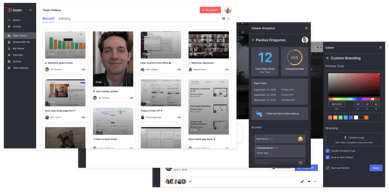

With remote and hybrid work now standard across industries, the way teams communicate has fundamentally shifted.
The distributed nature of the workplace today means companies need to invest in new tools to keep their staff aligned and connected. Whether you’re sharing messages in Slack, or video conferencing in Microsoft Teams, you’re probably already investing in tools that will support the change landscape of work.
Loom is quickly emerging as one of the most valuable platforms in remote and asynchronous work. It focuses on allowing users to capture video content, screenshots, and other information for recipients to watch whenever they choose. This can be a lot easier for teams looking to communicate when other staff members aren’t available for a real-time video call.
Today’s Loom review will explore everything you need to know about leveraging this video and screen-capture tool for the age of asynchronous and remote work.
Loom Pros and Cons
Loom Features
Loom is the leading video communication platform for asynchronous work. In October 2023, Loom was acquired by Atlassian, expanding its integration with tools like Jira and Confluence. Designed for speed and simplicity, the solution allows you to record, share, and interact with videos. Millions of users across hundreds of thousands of companies use Loom to work more collaboratively.
The primary features of Loom include:
- Screen recording: Record your camera, screen, or both simultaneously to share useful insights with your colleagues wherever they are.
- Chrome extension and desktop app: You can record videos with up to 4k quality with a desktop app, or leverage 1080p recording with the Chrome extension.
- Video stitching: If you need to record multiple videos for a tutorial or guidance for another employee, you can stitch them together into a full video.
- Screenshot: If videos aren’t necessary to share contextual information with a co-worker, you can take a simple screenshot and share that through the cloud instead.
- Automatic transcriptions: Using AI technology, Loom can transcribe your video, making it easier to access to a wider range of viewers.
- Filler word removal: If you’re worried about the number of “uhs” and “umms” included in your video content when sharing with a manager or supervisor, remove them with one click.
- Video hosting: Cloud-based video hosting is included with Loom, so you can store your content in an easily-searchable place. This is ideal for sharing the same video with more people, or checking back over previous videos.
- Backgrounds and frames: Add some personality and branding to your looms with custom backgrounds and designs. This can be a great way to make your videos more fun.
- Comments and reactions: Your colleagues can react to your looms with emojis, or leave comments and annotations to keep the conversation going.
How to Get Started with Loom
One of the things that makes Loom so compelling to modern workforces is how easy it is to use. It only takes a few seconds to sign up with Loom using your Google, Slack, or Apple ID. You can also create an account with an email address or SSO.
Once you’ve created an account, you can simply install your application onto your device. Downloads are available for Windows and Mac, and you can get the iOS or Android app directly from respective app stores. There’s also a Chrome extension for Loom.
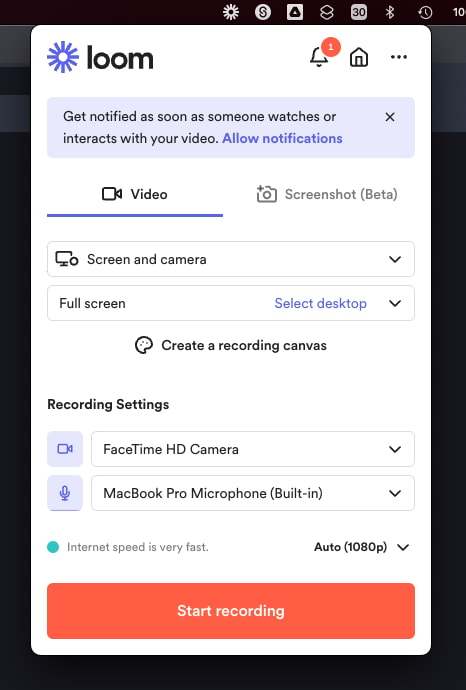
Mac OS app allows to record videos straight from the menu bar
After installing the application, you’ll have to make sure you enable permissions for recording from your microphone, webcam, and screen. The desktop application will appear in your system tray or menu bar, so you can start recording with one click. There’s also the option to set up keyboard shortcuts.
When you’re fully setup, you can start recording your videos instantly. By default, the app records your screen with a webcam overlay, but you can also choose to record your face or screen individually. The iOS version of Loom does not allow for recording both your webcam and your screen at once, however.
Before you begin recording, you’ll be able to reposition and resize the webcam overlay, and choose whether you want to capture a portion of your screen or the whole thing. You can also decide whether to record system audio alongside your voice.
When you’re done recording, the entire video will automatically upload to the Loom cloud environment, and be accessible through your account. Here, you can edit the video in various basic ways, such as stitching different pieces of content together, cutting out the parts you don’t need, and adding “call to action” buttons which popup for users after the video finishes.
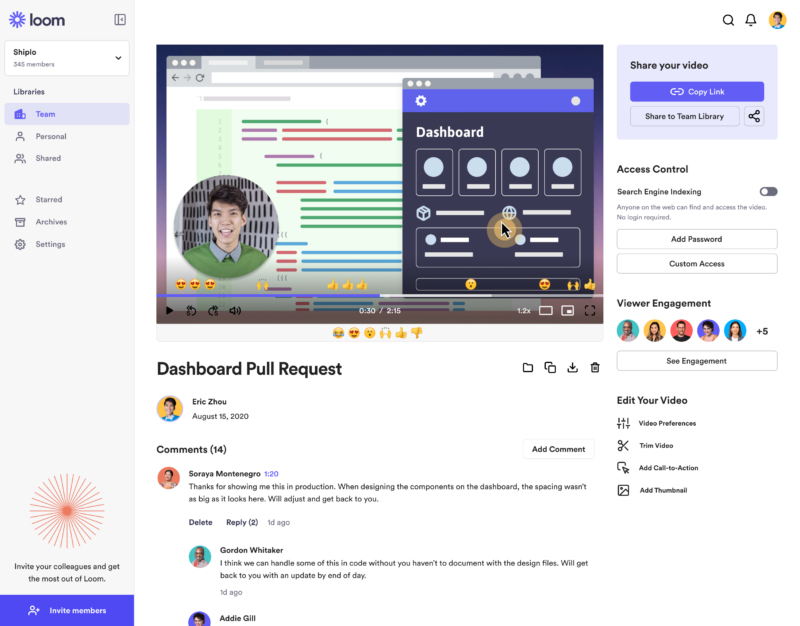
‘Looms’ are stored in the cloud making them easily available for your team
Notably, every video created with Loom is automatically made “public”. You can share the link to anyone, and they’ll be able to watch it without signing up for an account. The share button also offers one-click sharing for social media, and access to code for embedding videos on a website. The Chrome Extension will also automatically convert videos into embedded content for Google Doc, JIRA, Gmail, and GitLab.
Users viewing your video can speed up playback, react with emojis throughout the viewing process, see an automatic transcript, and leave comments.
Get started with Loom for free
Loom Pricing
Loom’s pricing structure is relatively straightforward. There are multiple plans to choose from, starting with an attractive free package. Visit Loom’s pricing page for current rates.
Starter
Loom offers a free plan with basic recording capabilities, including screen recording, cam bubbles, privacy controls, viewer insights, and unlimited transcriptions.
Business
The Business plan comes with all the free features of Loom plus unlimited creators and recording lengths. You also get high-def recording up to 4k, drawing tools, custom branding, filler word removal, engagement insights, closed captions, and security features.
Enterprise
Designed for companies with specific recording needs and privacy requirements, the Enterprise plan gives you more advanced admin and security settings, including SSO, SCIM, custom data retention policies, activity log reports, and priority dedicated support.
Loom for Education
If you’re a teacher in the digital world, you can access a specialist plan specifically for education. Loom offers qualified educators access to premium features and unlimited recordings for free.
Loom Alternatives: Your Other Options
Loom is an excellent tool for rapidly creating and sharing video content and screens with your colleagues. It’s easy-to-use, packed full of useful features, and relatively affordable compared to some other options. However, there are other solutions out there.
Some of the most compelling alternatives include:
Slack Clips
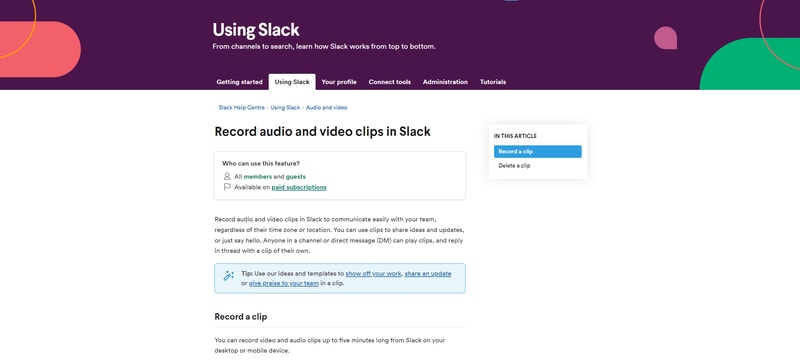
Slack Clips is the native screen recording feature built into Slack. If you’re already using the Slack service for asynchronous collaboration, it might make sense to choose this product over Loom. With Clips, you can not only capture screen information, but also add voice overs to something, and implement your webcam too.
The Slack Clips feature doesn’t work outside of Slack, so you will need an account to start using the service. Clips can also only be shared in channels or through Slack direct messages. There’s also a five minute limit with no way to increase your recording options.
You’ll also need a paid account with Slack to access this service. Clips is not included as part of the Slack free package.
Dropbox Capture
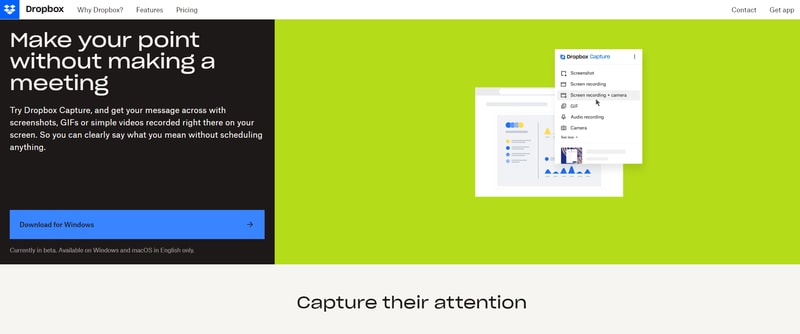
If you’re using Dropbox for storing and managing files in the remote working world, you can also tap into one of the most recent features introduced by Dropbox. “Dropbox Capture” automatically uploads the videos you create directly into your Dropbox folder, which makes it ideal for sharing with distributed team members.
Though still relatively new to Dropbox, the Capture function offers many of the same features as Loom, including the option to take a screenshot, record your screen, or combine your screen recording with a view of your webcam. You can also record audio, or make a gif this way.
All of the content you produce will be saved to the Capture folder in your Dropbox account. You’ll also be able to hover over the capture to collect an URL to share with colleagues. The “Markup” feature allows you to draw on your content and add annotations.
Asana
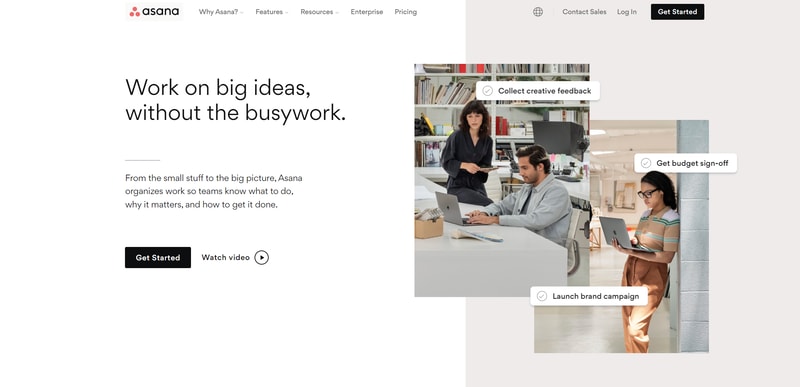
Another option for those who already have a dedicated productivity and collaboration tool in place with their team, Asana comes with a range of “add-on” features for screen recording and video. One of the most common options is the “Coview” service, which allows you to create detailed videos and screen recordings with a couple of clicks.
You can also use Coview as part of your customer service strategy, allowing customers to capture information and code-level insights into any problem they’re having. All of the content is stored to your Asana account, where you can export screenshots and recordings as Asana tasks.
While the features aren’t exactly the same as the ones you’ll get from Loom, they’re pretty straightforward, and ideal for customer service teams.
Mac and Windows Screen Recording Tools
If you want to avoid adding any more apps to your workplace, or you need to keep your budget as low as possible, Mac and Windows devices also have some of their own screen capturing options. You can capture an entire screen, window, or portion of a screen on a Mac by pressing shift, command, and 3 together on your device.
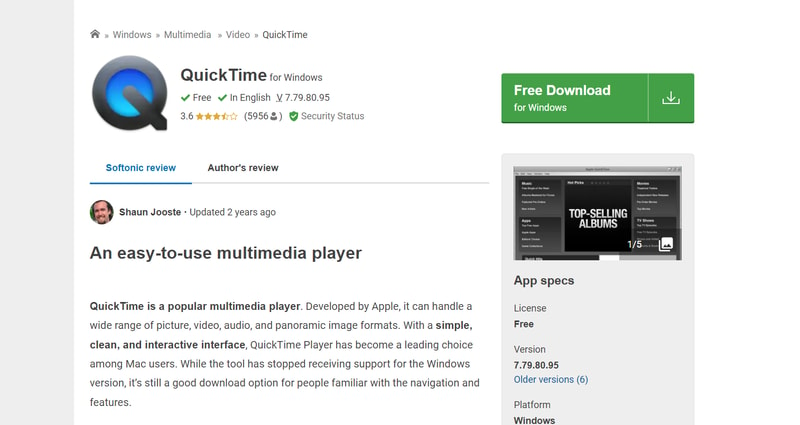
The QuickTime player on Mac also allows you to capture video recordings of your computer screen. Simply open the QuickTime player, then click on “File”, then “New Screen Recording”. You’ll be able to control exactly which portion of the screen you want to record, and decide whether you want to include your pointer in the recording.
On Windows, the best way to capture screen recordings is with the “Game Bar”, built for Xbox consoles. You can access this feature by going into “Settings > Gaming > Xbox Bar”. From there, enable the Xbox Game Bar, and you’ll be able to start recording videos or taking a screenshot with the click of a button. You can also trigger the game bar with shortcuts.
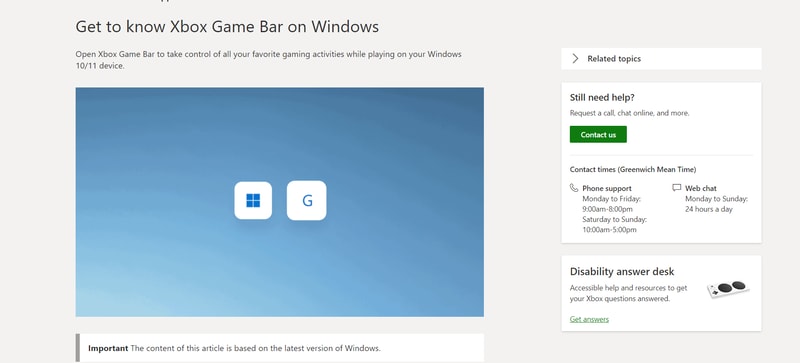
You should be able to record activity in most windows and applications with Game Bar, and there are various tools for allowing you to adjust your recordings, adding audio, and reducing the size of your screen.
Loom Review: Finishing Thoughts
For capturing asynchronous video messages, screenshots, and screen recordings, Loom is one of the simplest tools on the market. It’s ideal for beginners who want to be able to capture quick videos to share with colleagues in an instant. The fact that other people don’t need an account to watch your videos can make it much easier to collaborate with Loom.
Share your experiences with the Loom app in the comments below, and let us know if you prefer any of the alternative options available today.

Loom is a great tool to collaborate and archiving videos also it's easy.
Maybe desktop app could be improved but can't think anything now.
Design Feedbacks
1. Screengrabs that can be embedded on Slack, Notion, and also on webflow. I use it almost every week. 2. I don't have to export the videos - That's a big one for me as I like to document my learning and create a mini knowledge center on Notion. (useful for me and others in my team) 3. content folks and product marketers would insanely benefit from it—massive benefits for collaborating with multiple teams and stakeholders. 4. Ai editors help me leave out the funky bit so I don't seem like a dingus in the loom videos, either. 5. Super easy to get starting- can implement in minutes! Great stuff, honestly.!
Genuinely nothing! loom is an excellent product and any working professional not using is straight up missing out.
Documentation -- it's instant. Easing collabs with teams--saving time and mental bandwidth.
Loom is awesome! It's a user-friendly platform for creating and sharing videos. With easy screen recording, annotations, and integrations, it's perfect for remote work and online learning. Give it a try!
There are technical issues,and privacy concerns around sharing which makes it frustrating.
It improve ours efficiency and turn around time for completing projects by eliminating the need to touch base with a meeting and instead provide updates with loom.
this is a great tool for video communications and educations, I really like to avoid alots of meetings.
Nothing negative everyhting i found is valuable for educational purpose.
to explaining the problems to my collegues in a very efficient & easy manner

I work with many tools, each with a helpdesk support department. It is sometimes very difficult for me to explain with words what it is that I need help with regarding the tools. Loom allows me to record my screen while I am using any tool and explain what I am doing and what is not working, step by step.
I have not found anything that I dislike about Loom. It is a very user-friendly tool that does exactly what it is meant to do. There are still some functionalities I haven't used.
I can send a screen recording to the helpdesk department so they understand precisely where the problems are. It allows me to capture my screen easily and share a link where the video recording can be accesed.
- Very simple to use - Focus is on Screen sharing - Video transcripts are great and readily available - You can trim and edit videos - Integration with Tawk and Slack
- Background filters - challenging to record self videos - if you aren't using screen share
- Training videos - Video communication with tech team
It is super easy to use and allows me to quickly make a video and send it. I had to do one this morning and in under 3 minutes I had made and sent the video. Part of my job involves using sign language, so this is a huge plus!! When I have to show how to do a sign I can send a 3o second video instead of trying to describe it in an endless phone call, text, or email.
I can't remember anything at the moment that was a direct issue with Loom.
Easily record my screen and send a video.
High quality video creation for my product tutorials and easy to use
Sometimes audio and video motion mismatch.
I am able to record video for my web based products for the tutorials.
We utilized Loom to record Async Meetings such as code-reviews, test reviews... Anything review related are all transformed into async meetings via Loom. Also, knowledge sharing and how to articles can be created in Confluence with written instructions and recorded with a Loom. This is a must tool for any 10x team looking to improve on their collaboration, efficieny and documentation.
When you have multiple tabs (~50), Loom canvas seems to stop working for me. I'm not sure if it is because of the number of multiple tabs or the fact I need switch between different Loom accounts.
Async Meeting and documentation.
Time saver with the AI capabilities. Make us stand out from the crowd!
When the webcam is on full screen the image of myself disappears and doesn't function correctly as I move the cursor.
Time - Creating more time spend on the business.
It's great for doing a quick video for clients to show them how to do something rather than trying to explain over a phone call or scheduling a Zoom Call. It's a time saver.
Sometimes it's tricky to choose the correct option for what to film on your computer.
Save time when needing to explain or answer questions that clients have about tech.
My clients love video reviews of their tax returns and it saves me time by significantly reducing random questions.
Mine defaults to crazy title names, and I wish that didn't happen.
Improves client satisfaction and saves time.
It saves so much time. It saved so much time for us
Nothing! i just love everything..............
Example: If you are not very good with english and need to explain to customer service or someone what your problem is LOOM solves that problem. Now i dont need to spend an hour explaining to people and praying they will understand i just show them.
Loom features the simplest way to express advanced reviews on desktop.
There is no feature I would improve, it works just great as it is.
Loom allows for asynchronic reviews, saving time slots mutual availabilities.
I love how easy it is to use Loom: practical, simple, fast. Available as an app, chrome extension and on the website.
Sometimes the app didn't work (even after restarting it). I just used the chrome extension instead.
I use Loom to send personalized videos to prospects as part of cold mailing. This allows me to show prospects how I can help them with their digital business. So being able to show my face while recording my screen is very useful.
Very easy to use, very rich in functionalities, very high quality output, excellent customer support
Innovation is somewhat stagnant at the platform. They add new features but at a slow pace
I do a lot of educational videos around apps and tools, Loom has served me great for years to do it quickly and easily. Also everything is integrated so I don't have to worry about video hosting.
It is so convenient, instead of sending a long message I can just send a recording over of exactly what I want to show. It especially helps when trying to communcate with external support teams.
I don't have a reason to dislike Loom as my reasons for using it is very simple. Perhaps if I were using it for editing or in replacement of meetings I would require more features.
Instead of having to email external customer support, I can show exactly what is happening on my website by sending a Loom video. It is so easy to pause and record, plus accessing the videos that people send to me are very easy as well. I find Loom intuitive and there was no learning curve.
It's easy to provide feedback with loom and the viewer don't need to create account to view the video too.
For some reason cant download the videos now with free account?
It's easy to provide feedback via screen share
Loom is all upside. There is no downside whatsoever. It's a fantastic time saver, and also a HUGE confusion reducer, especially for people working remotely and/or using lots of different software.
There is nothing I dislike about Loom. As a freebie user, the only thing I'd change is the limit of videos, but I understand where Loom is coming. This is a business, not a public service. But maybe it should be a public service down the road ;-)
I've spent the past year deep into learning marketing automation software, and the software itself is a new release, so communicating with both the dev and customer service teams has been crucial. Loom makes that whole process a lot smoother. It cuts down the back and forth by a country mile.
It has been a game-changer in the way I communicate and collaborate with my clients and partners. As someone who values efficient communication, Loom has exceeded my expectations. Using Loom has significantly improved the efficiency of our team communication, allowing us to focus more on our tasks and less on the logistics of sharing information. Also, I love that there's no need to wait for large files to upload or download. The cloud-based platform ensures that my videos are instantly accessible, streamlining collaboration and keeping everyone on the same page.
While my experience with Loom has been positive, it's important to note one limitation that may affect users, especially those on the free plan. The free version of Loom imposes a restriction on recording duration, capping it at 5 minutes. For those primarily relying on the free plan, it's a factor to take into account when evaluating whether Loom aligns with their specific communication requirements.
Loom has been a time-saving marvel for me as it eliminates the need for lengthy meetings. The ability to convey information through concise, recorded videos allows for efficient communication, freeing up valuable time for focused work rather than prolonged discussions.
easy to use, Ease of Implementation Ease of Integration
app consumes quite a bit computer memory
saving time on meetings

Loom is the excellent tool which i personally used several time to record the videos if my collegues have any confusion to understand any concept as well as i also use this tool for my presentation's live demonstration.
There is no as such any thing which i dislike overalll it is good.
Recently i faced problem in my presentation's live demonstration so i came to know this tool and honestly it is my personal experience it is overall great tool and help me alot. Highly recommend this tool.
Whenever we need to skill transfer something and have it archived we always use Loom. You need to document a process? Just record it with Loom and it's there for everyone joining the company
It can be quite laggy at times and the crop feature is really hard to use.
Whenver we need to document a process to be used by other employees joining the company we record it for them using Loom. Instead of doing useless calls
Loom has a well organized and attractive UI that allows for smooth navigation of the software. It has a ton of functional and robust features that support video creation, editing etc. Loom has proven that it is well compatible with all devices from PC's to web browsers without issues. Can't forget to talk about how reliable and responsive the customer support team was during and after deployment.
I have not encountered any dislikes worth addressing at the moment. Loom is still by far the best product.
I generally use loom to create videos both for official and recreational purposes and it has been good so far.
To be able to show the errors I get from platforms, websites, apps, etc
It is very good, nothing dislikes me, maybe it should be free
It is easier when I need to show something, to demonstrate how something works, etc
Easily to reduce the volume of meeting with clients and an easy product to be handled, besides that I love the fact that after you make your loom recordings it's saved in a high resolution. Just love it.
I don't have any complaints so far. I am enjoying the experience I have while using loom services
Reduce the meeting request by the customers Provide a better explanation while helping customers to troubleshoot something Better experience while watch a small explanation than reading a paragraph through chat channel support.
How easy it is to start a video with the plug in. Its super helpful to be able to have your video on or not and which screens to choose.
Once you start a recording , you can minimize the video screen and controls but you cant move them to another spot on the screen. So if you are showing someone something on the bottom left of your screen it can be hard to see.
none at this time
It's simple and user-friendly. I can easily produce content for my team and training videos within a matter of minutes.
I'm not sure I've found anything to dislike so far. It does what it needs to do. I guess if there were some additional editing capabilities that would be cool, but it's a pretty great tool.
Helping train team members. Also, efficiently and effectively delivering communication to a board span of team members at our comapny.
simply, and easy to use, cheap and the cloud feature
love everything about it and will considere paying standard plan
Cloud saving
It's been so easy to send a video to explain or walk through an example. I've easily implemented this service in my business. It has added more value for unique videos and provides better connection/communication. Before, I didn't have anything to offer this type of communication. I added this to my current systems/programs without any trouble at all. I plan to use this more and more as my business grows. I love the use of AI for titling videos and also for creating a timetable with helpful keywords.
When recording a different screen, I haven't figured out how to see the count down which I fumble with starting the video and have to edit/start over. If there was a small icon like there is on the Loom dashboard, that would be so helpful!
Saving time by eliminating unnecessary meetings. Providing top-level, customized, customer service to clients.