

Unclaimed: Are you working at Loom?
Loom Reviews: 4.7/5 — Highly Rated
Loom is a video-making platform that is designed to help businesses facilitate better and more efficient workplace communication through video and screen recording. It empowers users to use a web-based interface that supports screen recording and screen capture, shared via a link for easy viewing.

| Segment |
Small Business
Mid Market
Enterprise
|
|---|---|
| Deployment | Cloud / SaaS / Web-Based, Desktop Mac, Desktop Windows, Mobile Android, Mobile iPhone |
| Support | 24/7 (Live rep), Chat, Email/Help Desk, FAQs/Forum, Knowledge Base, Phone Support |
| Training | Documentation |
| Languages | English |
Loom Pros and Cons
- Dedicated mobile apps for Android and iOS
- Quick screen recording with handy webcam overlay
- UI is clean and easy to navigate
- Loom Chrome extension has multiple recording options
- Transcripts aren’t always accurate
- The free version restricts videos to five minutes



With remote and hybrid work now standard across industries, the way teams communicate has fundamentally shifted.
The distributed nature of the workplace today means companies need to invest in new tools to keep their staff aligned and connected. Whether you’re sharing messages in Slack, or video conferencing in Microsoft Teams, you’re probably already investing in tools that will support the change landscape of work.
Loom is quickly emerging as one of the most valuable platforms in remote and asynchronous work. It focuses on allowing users to capture video content, screenshots, and other information for recipients to watch whenever they choose. This can be a lot easier for teams looking to communicate when other staff members aren’t available for a real-time video call.
Today’s Loom review will explore everything you need to know about leveraging this video and screen-capture tool for the age of asynchronous and remote work.
Loom Pros and Cons
Loom Features
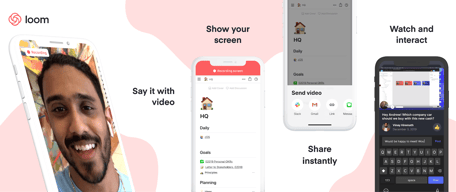
Loom is the leading video communication platform for asynchronous work. In October 2023, Loom was acquired by Atlassian, expanding its integration with tools like Jira and Confluence. Designed for speed and simplicity, the solution allows you to record, share, and interact with videos. Millions of users across hundreds of thousands of companies use Loom to work more collaboratively.
The primary features of Loom include:
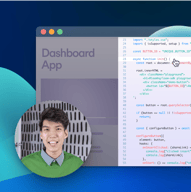
- Screen recording: Record your camera, screen, or both simultaneously to share useful insights with your colleagues wherever they are.
- Chrome extension and desktop app: You can record videos with up to 4k quality with a desktop app, or leverage 1080p recording with the Chrome extension.
- Video stitching: If you need to record multiple videos for a tutorial or guidance for another employee, you can stitch them together into a full video.
- Screenshot: If videos aren’t necessary to share contextual information with a co-worker, you can take a simple screenshot and share that through the cloud instead.
- Automatic transcriptions: Using AI technology, Loom can transcribe your video, making it easier to access to a wider range of viewers.
- Filler word removal: If you’re worried about the number of “uhs” and “umms” included in your video content when sharing with a manager or supervisor, remove them with one click.
- Video hosting: Cloud-based video hosting is included with Loom, so you can store your content in an easily-searchable place. This is ideal for sharing the same video with more people, or checking back over previous videos.
- Backgrounds and frames: Add some personality and branding to your looms with custom backgrounds and designs. This can be a great way to make your videos more fun.
- Comments and reactions: Your colleagues can react to your looms with emojis, or leave comments and annotations to keep the conversation going.
How to Get Started with Loom
One of the things that makes Loom so compelling to modern workforces is how easy it is to use. It only takes a few seconds to sign up with Loom using your Google, Slack, or Apple ID. You can also create an account with an email address or SSO.
Once you’ve created an account, you can simply install your application onto your device. Downloads are available for Windows and Mac, and you can get the iOS or Android app directly from respective app stores. There’s also a Chrome extension for Loom.
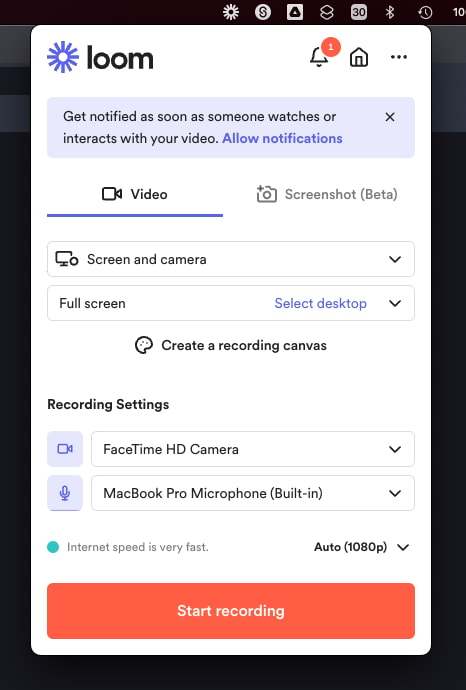
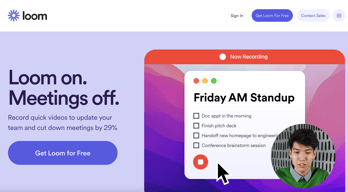
Mac OS app allows to record videos straight from the menu bar
After installing the application, you’ll have to make sure you enable permissions for recording from your microphone, webcam, and screen. The desktop application will appear in your system tray or menu bar, so you can start recording with one click. There’s also the option to set up keyboard shortcuts.
When you’re fully setup, you can start recording your videos instantly. By default, the app records your screen with a webcam overlay, but you can also choose to record your face or screen individually. The iOS version of Loom does not allow for recording both your webcam and your screen at once, however.
Before you begin recording, you’ll be able to reposition and resize the webcam overlay, and choose whether you want to capture a portion of your screen or the whole thing. You can also decide whether to record system audio alongside your voice.
When you’re done recording, the entire video will automatically upload to the Loom cloud environment, and be accessible through your account. Here, you can edit the video in various basic ways, such as stitching different pieces of content together, cutting out the parts you don’t need, and adding “call to action” buttons which popup for users after the video finishes.
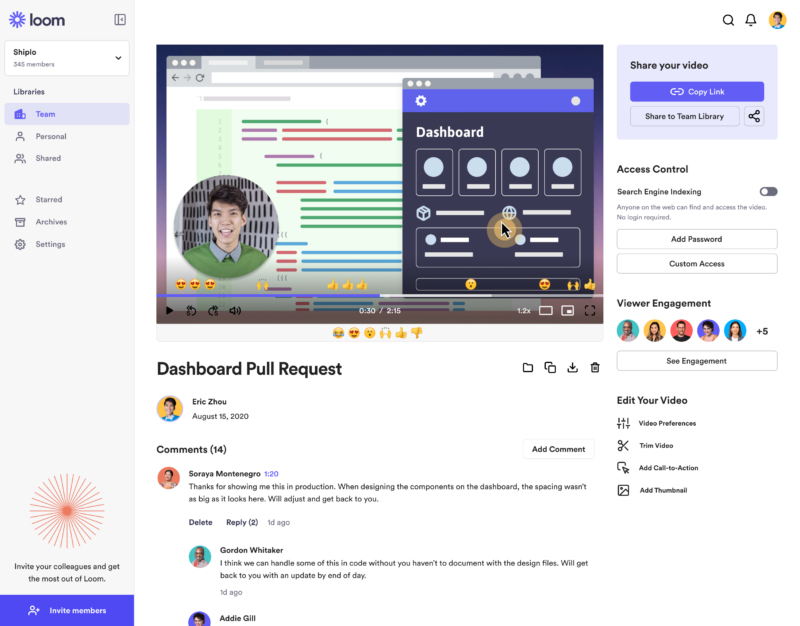
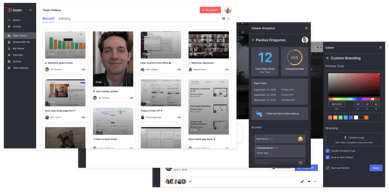
‘Looms’ are stored in the cloud making them easily available for your team
Notably, every video created with Loom is automatically made “public”. You can share the link to anyone, and they’ll be able to watch it without signing up for an account. The share button also offers one-click sharing for social media, and access to code for embedding videos on a website. The Chrome Extension will also automatically convert videos into embedded content for Google Doc, JIRA, Gmail, and GitLab.
Users viewing your video can speed up playback, react with emojis throughout the viewing process, see an automatic transcript, and leave comments.
Get started with Loom for free
Loom Pricing
Loom’s pricing structure is relatively straightforward. There are multiple plans to choose from, starting with an attractive free package. Visit Loom’s pricing page for current rates.
Starter
Loom offers a free plan with basic recording capabilities, including screen recording, cam bubbles, privacy controls, viewer insights, and unlimited transcriptions.
Business
The Business plan comes with all the free features of Loom plus unlimited creators and recording lengths. You also get high-def recording up to 4k, drawing tools, custom branding, filler word removal, engagement insights, closed captions, and security features.
Enterprise
Designed for companies with specific recording needs and privacy requirements, the Enterprise plan gives you more advanced admin and security settings, including SSO, SCIM, custom data retention policies, activity log reports, and priority dedicated support.
Loom for Education
If you’re a teacher in the digital world, you can access a specialist plan specifically for education. Loom offers qualified educators access to premium features and unlimited recordings for free.
Loom Alternatives: Your Other Options
Loom is an excellent tool for rapidly creating and sharing video content and screens with your colleagues. It’s easy-to-use, packed full of useful features, and relatively affordable compared to some other options. However, there are other solutions out there.
Some of the most compelling alternatives include:
Slack Clips
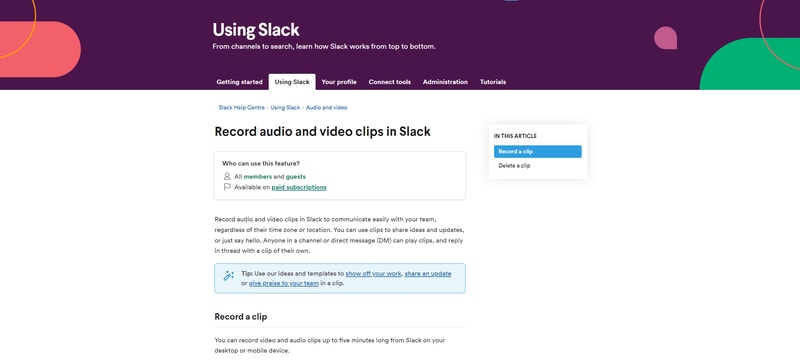
Slack Clips is the native screen recording feature built into Slack. If you’re already using the Slack service for asynchronous collaboration, it might make sense to choose this product over Loom. With Clips, you can not only capture screen information, but also add voice overs to something, and implement your webcam too.
The Slack Clips feature doesn’t work outside of Slack, so you will need an account to start using the service. Clips can also only be shared in channels or through Slack direct messages. There’s also a five minute limit with no way to increase your recording options.
You’ll also need a paid account with Slack to access this service. Clips is not included as part of the Slack free package.
Dropbox Capture
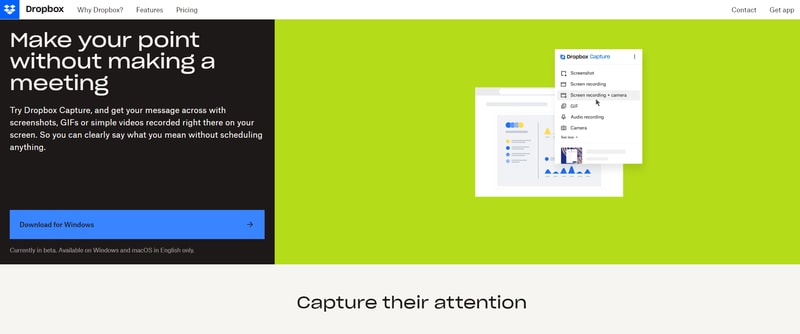
If you’re using Dropbox for storing and managing files in the remote working world, you can also tap into one of the most recent features introduced by Dropbox. “Dropbox Capture” automatically uploads the videos you create directly into your Dropbox folder, which makes it ideal for sharing with distributed team members.
Though still relatively new to Dropbox, the Capture function offers many of the same features as Loom, including the option to take a screenshot, record your screen, or combine your screen recording with a view of your webcam. You can also record audio, or make a gif this way.
All of the content you produce will be saved to the Capture folder in your Dropbox account. You’ll also be able to hover over the capture to collect an URL to share with colleagues. The “Markup” feature allows you to draw on your content and add annotations.
Asana
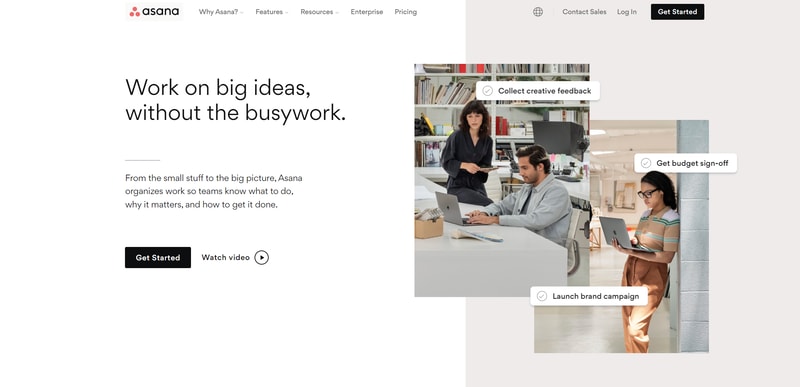
Another option for those who already have a dedicated productivity and collaboration tool in place with their team, Asana comes with a range of “add-on” features for screen recording and video. One of the most common options is the “Coview” service, which allows you to create detailed videos and screen recordings with a couple of clicks.
You can also use Coview as part of your customer service strategy, allowing customers to capture information and code-level insights into any problem they’re having. All of the content is stored to your Asana account, where you can export screenshots and recordings as Asana tasks.
While the features aren’t exactly the same as the ones you’ll get from Loom, they’re pretty straightforward, and ideal for customer service teams.
Mac and Windows Screen Recording Tools
If you want to avoid adding any more apps to your workplace, or you need to keep your budget as low as possible, Mac and Windows devices also have some of their own screen capturing options. You can capture an entire screen, window, or portion of a screen on a Mac by pressing shift, command, and 3 together on your device.
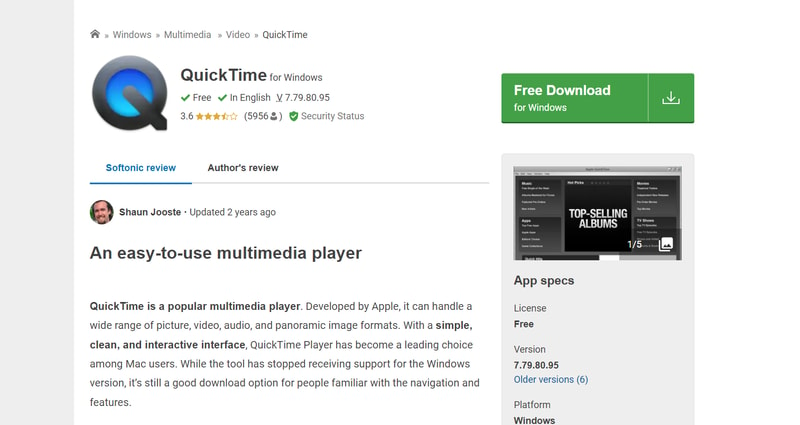
The QuickTime player on Mac also allows you to capture video recordings of your computer screen. Simply open the QuickTime player, then click on “File”, then “New Screen Recording”. You’ll be able to control exactly which portion of the screen you want to record, and decide whether you want to include your pointer in the recording.
On Windows, the best way to capture screen recordings is with the “Game Bar”, built for Xbox consoles. You can access this feature by going into “Settings > Gaming > Xbox Bar”. From there, enable the Xbox Game Bar, and you’ll be able to start recording videos or taking a screenshot with the click of a button. You can also trigger the game bar with shortcuts.
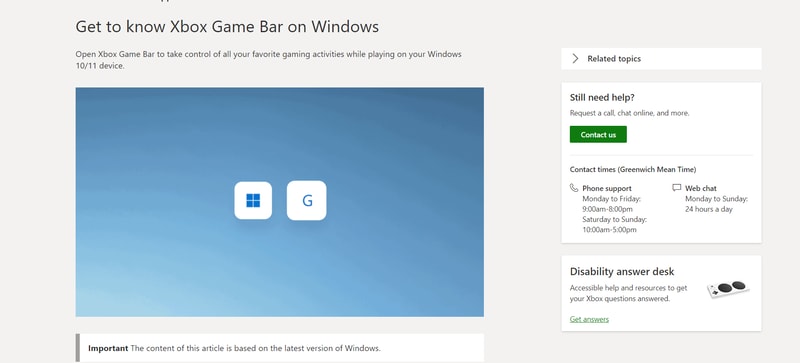
You should be able to record activity in most windows and applications with Game Bar, and there are various tools for allowing you to adjust your recordings, adding audio, and reducing the size of your screen.
Loom Review: Finishing Thoughts
For capturing asynchronous video messages, screenshots, and screen recordings, Loom is one of the simplest tools on the market. It’s ideal for beginners who want to be able to capture quick videos to share with colleagues in an instant. The fact that other people don’t need an account to watch your videos can make it much easier to collaborate with Loom.
Share your experiences with the Loom app in the comments below, and let us know if you prefer any of the alternative options available today.

I love recording my screen, editing and adding captions to my videos, embed them in my client communications, and the new automatic titles are so spot on!
Sometimes the desktop app glitches out, and I have to force shut it down and re-open it, but it's a rare occurrence.
Instructions can get lost in translation when typing emails, especially with less tech-savvy clients, but Loom makes it easy to SHOW our client's what to do and break down problems with visuals and the ability to show our personality.
What I like best about Loom is that I am able to train lots of people in just 5 minutes of my time by doing a video that they can then review as needed!
There are no downsides to Loom. I love having the app on my phone so I can record anytime, anywhere!
Training multiple people through video and screen capture that can then be watched wherever, whenever. I record a 5 minute video and that provides ongoing training!
Loom is super practical for asynchronous work and updates. It's super easy to use, super easy to share, and it doesn't take space on your device because it's stored online. I love it!
However, sometimes the app (Mac) lags and slows down my computer speed. As if it was too heavy to run it with other apps opened at the same time? Sometimes I wonder if it's not better to only use the chrome extension, thereby it wouldn't affect my computer speed?
It helps with work updates, Loom allows us to work asynchronously but yet efficiently. Also, it is useful to illustrate some issues or to send how-to's videos. All my clients love it.
I usually work for remote companies that prefer asynchronous communication, we work throughout all the time zones, and it's tough to find an overlap for us all. I like to use Loom to demo my work or send any questions with recorded interactions to my colleagues so that they can watch the videos in their own time.
I don't dislike anything, it's very easy to set up, use, edit and share.
I engineer applications - Loom makes it very easy to record my screen, share my work and create demos that can be viewed at any time. It also makes for easier bug reporting, as I can just record my screen and share the video to my colleagues.
The most helpful aspect of Loom is the organized app! I appreciate the new summary feature, it really does sum up what my video is about. I can't choose one thing to call the best in Loom! It's all really awesome! I've never actually used any other video-recording apps. I started using Loom because my teacher used it to give us weekly updates, I liked the videos she made and the app so I started using it too! I will stick to Loom. :)
Everything works perfectly in Loom, and if there was I'm sure Loom would fix it right away. I just don't like the 5-minute recording limit and the fact that you need to upgrade your plan and pay to have unlimited videos to record and unlimited time to record those videos.
There are no issues and no need for Loom to work on any. So, I haven't seen any benefits because there are no problems. I am more productive because videos save time instead of writing long emails. I don't have a business. I only use Loom for school.
It's really very simple to get started with Loom. Recording a pre-meeting video has been a great way of setting an agenda. Much more effective than an email or Slack.
Not really a platform dislike, but it can be a challenge to get others on board with using Loom. Loom does offer some recorded webinars that deal with this- they've already thought ahead.
Our org currently only houses other video conferencing platforms, which aren't necessarily great for screen recording. Your screen and your face are separate, and the video quality doesn't always turn out great. When we're making recorded training content, having a higher level of polish is important. Loom makes great quality prerecorded video that can be accessed easily online for access anytime.
Loom allows me to share quick tutorials with my students that help them more quickly and easily understand tasks I'm asking of them. It saves me time since I don't have to create PDF docs with screen captures and typed explanations.
I guess the only downside is that sometimes I need 6 minutes to share what I'm trying to teach. But that just means it forces me to be more concise. I wouldn't change anything.
It helps me share detailed info without having to write a long email. It means I don't have to do a bunch of explanatory screen shots which is a huge benefit. It's increased biz performance.
I like that loom offers a browser extension that I can easily record my screen and also the new features that were recently added such as blur and Canva is great.
I don't have any dislikes but more suggestions to make available would be the ability to combine videos that were previously recorded with ones that were recently recorded.
It makes my life easier to explain something to someone rather than just writing an introduction. I can actually record what I want them to do step by step and that is always a win for me.
- Loom is intuitive and easy to use - I can easily show others on my team how to do a task, so delegation / documentation of processes is smooth on both sides - Everyone can access the video via the link, so it is also easy to share looms externally. Sometimes I make looms for our customers to show them how to make the most of our (online) product. I love that I don't have to fuss around with permissions or downloads/attachments; I can just send them a loom link.
I don't feel there are downsides. Sometimes I need more than 5 minutes for my videos, but I could upgrade my plan for that.
Loom helps me cut down on meetings and delegate tasks with ease through recording them for my colleagues to watch at their convenience. I don't have to reexplain processes to new hires; they can watch my loom instead of booking a meeting. I also quickly update my managers and show them systems I've created and keep them in the loop with a loom instead of trying to book them for a meeting at the end of a busy week. They can watch whenever they're ready, and rewatch if they've forgotten how something that I've created works.
So quick to get started, and creates instant cloud based link to a professional looking screen grab explainer vid.
Only that my organisation haven't upgraded me to pro yet, so I can use more freely... but I still think the free service is generous and excellent.
Saves scheduling and taking zoom calls and gives receiver flexibility to watch at their own convenience, Having the video capture of my face in the bottom corner really adds a personal touch whilst leaving the main screen free to show the issue I am helping to solve.
Having it as an extension in chrome, and it so easy to start recording And that it upload the fike automatically
The 5 minutes limitation... Which is mostly more than enough.... I suggest allowing more than 5-minutes videos, with deducting the extra time from the allowed video count.
Describing a web page behavior or problem to a user or a developer.
Easy and simple extensions in my browser and tool bar.
There was a lot of bugs recently but they seem to have been fixed. The only thing I don't like about this is when it doesn't work as intended. OH you must turn auto copy of the link after you have finished recording back on. I keep pasting the last thing in my clipboard as I am so used to it. So people on my team are getting random links and messages lol not ideal.
Communicating over video instead of text, is better than other tools.
My favorite thing about Loom is -> it significantly reduces the number of meetings I have in a week. I started using Loom to make training videos for new hires. After seeing how useful and easy it was to communicate via Loom, I now use it for everyday communications with folks - answering questions, explaining processes and programs, sending new ideas, etc. I use Loom way more often than I expected. I also consistently get positive feedback from those I communicate with... who wants to read a long email when you could watch a video?
Sometimes the product glitches. I've had to reinstall the app a few times. But I'm not aware of any glitch-free products out there, so it doesn't bother me too much. :)
replaces client meetings, and helps with onboarding new hires - saves me time and money
We can get our message across quickly and clearly. There is no unintended voice inflection like might happen in an email.
Very little. When I change the title, it automatically jumps to the end of the words.
Demonstrating where problems are in our new app to developers; demonstrating to our clients, how to use our app; team, meetings, and messages; clarity to vendors.
I worked for a creative marketing agency. Before the pandemic, we worked in an open office space and had a culture that thrived on collaboration. That changed when we went remote during and after the pandemic. As a project manager, I struggled to communicate effectively with the graphic designers on projects. Then I found Loom! It made it so much easier to communicate and collaborate remotely. No more long-winded emails with lots of screenshots, no more trying to find a time for Zoom.
It's a little bit difficult to navigate the different workspaces and teams. My boss had a paid workspace that I could use, but I was still limited in the amount of videos and length of videos.
When we switched to remote work, I had a hard time collaborating with my creative team. Loom helped us communicate more efficiently and effectively.
I can use Loom to replace a Zoom meeting or email full of screenshots. Defining and recording a process, then sharing it multiple times internally or externally, makes my life a lot easier. More people work remotely than ever before and Loom makes communicating with my teammates across the world simple.
My usual issues are around making sure it's picking up all of my necessary screens or windows, but not ruining the quality of the video. Usually my resolutions are hidden in settings that I need to turn on/off. I like the idea of being able to cut my videos and splice them together, but I think that feature could use some work; it's not clear what section you're removing, so there's a bit of time spent editing because it's hard to get the correct section selected.
I'm repeating myself far less than without having Loom. If I said it once, I don't actually have to say it again - I can send the video! It helps clarify steps for my customers too, they're able to pause and rewatch whatever they need.
Loom is extremely easy to use as a creator and as a viewer! I will go so far as to call it delightful! I use Loom to communicate asynchronously with my engineering team and cross-functional stakeholders.
There is honestly nothing I dislike about Loom!
I work with people all over the world. It isn't easy to try to find time to meet together. Loom helps us communicate asynchronously. Also, as a product manager, I spend a LOT of time explaining things to people in meetings. This can often be replaced with a quick loom!
I like everything, it's simple. The Chrome extension is very practical. You can even download the videos and that's great!
I don't know... The price for the paid version. If the price was less than 3/4€ per month, I would be a customer of the paid version. ;)
Tutorial vidéo are very very simple and i can cut the video: it's fantastic!
The interface for both the creator and the user is pretty intuitive. Users can easily rewind, fast forward and pause. Loom automatically transcribes videos and removes filler words.
After editing my videos with the "Trim and Split" feature, my transcriptions would disappear.
Loom is solving the problem of increased misunderstandings when teams are remote. While video conferences and sharing your screen in real-time help somewhat, loom saves everyone time by getting everyone on the same page first. Oftentimes Loom prevents extraneous meetings from happening.
I use Loom to train writers on our software, and I love how instead of scheduling a Zoom, I can send a quick video demonstrating exactly what the wrier needs. It's a huge timesaver.
Can you make me look younger? Honestly, I can't think of any downsides. Upgrading to paid Loom is worth every penny.
Instead of meeting on Zoom to train a writer, I can create a quick 2-minute video they can watch at their leisure. It's a HUGE timesaver.
It's the best way to replace corporate dread - meetings and emails
Paid plans are a bit inconvenient. Would prefer fully free plans
It replaces meetings and emails which saves times, helps me deliver clear feedback, and makes sure people are productive.
Loom makes it super easy to record screensharing to share instructions with my sales team. They are more compliant with requests sent via Loom than traditional written job aids. I also love how it removes my um's.
Nothing so far. It is very intuitive and easy to use.
Getting compliance for internal action items. I can also save it for new employee onboarding instructions.
I like how easy it is to record and share videos with anyone. Commenting at specific timestamps is also helpful in breaking down conversations and building a product backlog with references tagged in the video. Searchable transcripts can help find particular mentions within the video.
- Sharing videos is very flexible, but it would be good to be able to set sharing settings at a folder level. - It is sometimes cumbersome to navigate to videos you haven't seen for a while, as there is no list view of videos you can sort and filter.
Asynchronous communication or communicating complex ideas with team members in different time zones can be difficult. Loom has helped me manage product backlogs for geographically diverse teams easily. I can record user story descriptions and acceptance criteria, mockup reviews, sprint demonstrations, and test cases. We needed a place to centralize recordings of lessons and onboarding materials to create a self-service learning system. As a result, I use Loom to record learning materials and onboarding videos for employees and customers. I can see who viewed the videos and get a sense of the overall engagement so I can aim to improve. Lastly, we needed a way to share meeting recordings with internal and external stakeholders easily. Loom allows us to upload video recordings from other meeting platforms and securely share the videos.
Great way to send interactive videos to answer questions from clients.
Sometimes the Loom recording icon is in an inconvenient spot on my page. I'm sure I can move it but haven't had time to figure it out.
Quick interactions with clients to workshop projects or to explain a new feature.
Loom has changed the game by clearing my schedule of unnecessary meetings set up only to answer one question or share a piece of information that could've been a Slack. I love sending out quick 30 second intros to customers + new team members.
The trim + edit could be more advanced, in my opinion. I would love the ability to add timestamps in videos on creation without having to comment manually at the correct times.
Instead of hosting a 30-minute meeting for all new onboarding team members, I can introduce myself via Loom + give them context ahead of our first call. It speeds up cross-functional communication on technical issues by enabling a live-time screen record + voice-over.
I like how easy it is to record a video quickly. Right within my web browser, the extension is right there.
Sometimes with Macbook permissions are limiting and make it hard to record a video quickly.
Showing clients how to do something for themselves (Walk-through videos)
Easy of use, very fast to record and upload is automatic. Really love this tool. I use it almost every day since our team is distributed in different time zones.
Sometimes if the connection is unstable the upload will not work and I will lose the work that I've done recording. Somehow the recording needs to be stored locally if the connection is bad. Otherwise, the upload won't work.
Firstly, Loom allows me to record and share videos of myself or my screen, which makes it easy to explain complex ideas and provide visual demonstrations to colleagues who are not in the same location. This is particularly useful when working with international teams across different time zones, as it enables us to communicate more effectively without having to schedule multiple meetings.
I like that this program allows for people to explore ways to create lessons, and collaborate on ideas which help further execute a task/goal.
I don't have any downsides to this program.
With distance learning, this enabled me to connect with learners and with teachers on how to use materials we wouldn't ordinarily use.
So efficient - I love being able to explain something by voice with my screen in the background, it's much easier for the recipient to understand and follow and much quicker for me than typing.
Editing can be a little fiddly, but I suspect that's the case with all video editing!
Communicating with colleagues and customers in a remote first environment
How intuitive it is to use. I did a time analysis, and short videos of 2-to-3-minute product videos saved me an average of 20-30 minutes of meetings. Longer videos (10-30 mins) saved me from having to have multiple meetings with my developers, which are usually 1 hour long each.
I wouldn't call it a dislike as it makes it easy to access the app, but it would be cool not always to have the loom widget hovering on top of my browser.
Product walkthrough and feedback, meeting recordings.