
Unclaimed: Are you working at Miro?
Miro Reviews: 4.8/5 — Highly Rated
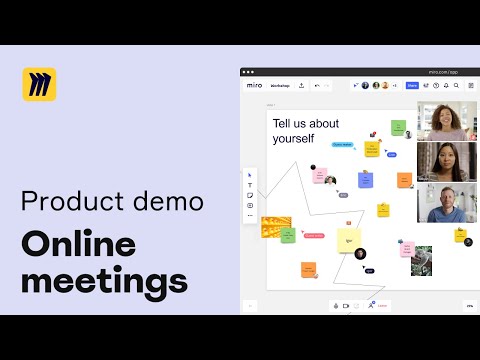
Miro is a whiteboarding platform online that facilitates collaboration in real-time. The platform allows teams to work together seamlessly and gives them access to customizable templates and supports integrations with tools such as Slack.

| Capabilities |
API
|
|---|---|
| Segment |
Small Business
Mid Market
Enterprise
|
| Deployment | Cloud / SaaS / Web-Based, Desktop Mac, Desktop Windows, Mobile Android, Mobile iPad, Mobile iPhone |
| Training | Documentation |
| Languages | English |


The graphic i so good, the app is awesome in usability. I'm a manager of UX and UI design in my agency, I write note, and in my working worflow Miro help me so much. I change my way to takes notes and develo idea.
Nothing, in Miro is not good. I dislike the people don't use it:) I use UX template and other template form make notes and all is good and simply to use. Thanks Miro Team!
I organize mind concept, UX designer path and notes. Take notes for meeting. Develop Idea process, Notes Archive. Share Idea and concept with collaboratos. Best way to take notes, for me is more helpfull than use simple write notes.

Miro helps us get in touch without being in the same room. The remote whiteboard is perfect for working sessions or just to gather all the ideas in one place. The video chat and integrations are awesome and they should be adding more and improving them. There's no one perfect platform to do everything, but if you can connect all your tools this comes pretty near.
The new history feature is useful but a lot of our team members are using the kanban board. That just has to be improved, regarding task tracking, start and end date, and progress of each task. Also people get confused and suddenly they want to do everything in Miro, We still have to make the differentiation between an open workings space, a task manager and a calendar manger.
Not being in the same room is not a problem anymore, actually is more convenient.
Miro allows for awesome visual flow documents to be created and updated in real time amongst multiple users
There has been no issue with Miro to date
Miro brings remote teams together to replicate our older ways of working in one office

Mega straight forward tool. Very friendly UI Made to colaborate.
not the cheapest solution once you go Enterprise.
It's a perfect tool to draw workflows and diagrams during the team online meetings. You can connect it with Smartsheet that is widely used in our Company.
We used Miro for a project management course for 16 people at the time. It was extremely easy to have an overview of each day and each module. Every team had their own discussion space where they could draw mind maps or add post its to express their opinions. See each other's cursors while working was the most fun :D
Sometimes it got a bit slow since it had to load the content for the full course.
We were introduced to Miro as the best colaboration tool for the online training Then I started using it most for mind mapping and process drawings in the field of process optimization.
Creative freedom and ability to scale the use scenarios, from individual brainstorming and idea dumping, to huge collaborative online/in person workshops.
Only minor, and not a huge thing, but confusion with filing/storing and finding files across teams. Probably user error on that one though.
Roadmapping Virtual whiteboarding A log of workshops to keep track of ownership, accountablilty

It helps you clear your mind, organize your thoughts, move forward, and get more productive. The fact that it is post-it based, because that's what I use on my desk.
I did not explore all the features that Miro offers, but It would be awesome if I can link my calendar to it and in a way all get synchronized together tasks,reminders.....
I am a designer and I am launching my start-up, a lot to do as I am juggling between a lot of tasks. I discovered that on Miro you have the option to write, modify, and thought/idea/task anytime, easily, and most importantly write them in your own logic! Furthermore, there are templates such as Eisenhower Matrix that you can explore and adapt.
The possibilities with Miro are endless. I use Miro from a wide variety of perspectives - planning, strategising, designing, reviewing and of course collaborating. I can design my own template, or I can dive into the "Miroverse" (a library of templates from others ranging from agile practices, to workflows and more) to allow me to get things done. I don't even have to worry about saving anything - it does it all automatically, which is so helpful when I'm in the platform 90% of my day!
I truly don't have anything that I dislike about Miro, other than big boards can be slightly glitchy on mobile!
Miro is helping me with collaboration and documentation in a hybrid, agile workspace. I no longer have UX'ers working on Sketch and having to share their screens to get my feedback - but instead they bring this into Miro so I can add comments, mark things up and more. This makes everything a whole lot more efficient. On top of this, I can quickly and simply plan out my work for the quarters and even link things with Jira, so I can share this quickly with leadership.

There are so many tools at our disposal - all are easy to use. My favourites are, notes, shapes, connectors, tables, voting.
No way to create reusable Patterns, so for example if I styled a text box and used this element 20 times. If I decide to change the style, i'd need to copy that style across and paste to all elements.
Team collaboration, mapping, visual aids when on calls and general team alignment. It also gives everyone on the team a voice and way to express ideas.
An beginner can use this tool and look like an expert presenter. Allows you to collaborate real time. Can be access easily on any browser I generally use. Can login easily and integrates into work I do on other problems because its eary to extract various file formats. I use this daily with no issues.
Nothing much. Most features allow me to be efficient with the work I do.
Quickest way to make a professional looking visual.
As a cloud system handler, I have discovered Mirro to be a critical collaboration tool. I find the interface to be intuitive so that navigating to various sheets and getting the information I need fast is quite easy. This has changed the way we run whiteboard sessions as a team and it provides us with the opportunity to brainstorm and run workshops with no limits of distance. The canvas is large enough to comfortably accommodate elaborate diagrams or detailed presentations. Miro’s real-time collaboration makes it appear like we are all inside the same room, working on a single sheet.
Nevertheless, I think Miro has the potential to enhance this service by improving the video capabilities that are currently available for live discussions and adding even more sophisticated features such as smart groups or data clustering. It would also be helpful to include plugins tailored to DevOps needs.
In my profession, this means Miro has made it much easier for us to effectively plan and solve any problems associated with ongoing projects. It’s cut down on the round-tripping of emails and replaced it with a more interactive form of communication and documentation. The time efficiency gain in this way also makes sure our whole department has the knowledge of all activities taking place leading to a unified approach to our operation department.
Miro is a very useful tool for business analysis. I can create board for all the process of agile project management.
It would be great if we have more shapes.
visuliazing processes and thoughts
Miro is a fantastic tool for idea creation, project management and interactive planning. I am a Learning Experience Designer and the possibilities for idea creation and coming up with scenarios, animations, team brainstorming are endless. We plan out whole learning experiences in Miro it's amazing!
Nothing, Miro is one of my favourite tools.
Our company is diverse in the way we work. Some of us are in the office, some hybrid and many work from home. Miro is amazing at bridging us all together to work collaboratively as well as with our stake holders and clients.
I really love how easy and intuitive the software is (+ that is available for web, app, and browsers). I use most of the templates, and their variety is outstanding.
I sometimes dislike the presets and default navigation tools, they come to be a bit confusing for first-time users, and sometimes settings aren´t that clear, but overall it is great.
Simultaneous teamwork is one of the problems that miro solves; I get a massive benefit from how easy it is to connect with people and how every feature falls in place when working along.
Its very to use and the provides decent product service
Nothing in particular, it would be great if Miro allows to move work from personal account to work account. Some of the worked items gets lost when you switch accounts due to change in organization.
Product Development & Strategu
Miro has been a tool that I use daily. Miro provides ample space which is excellent for arranging the research stuffs and most importantly during the audit phase. The arrangements of the boards in a flowing fashion allows one to create connections amongst the various components. Working with fellow colleagues has been made easier because we both work in one board where any additions or alterations are made.
At times, when am on the board while invisible, it feels like one of my teammates is watching me. The second issue is that when the board has a lot of stickies and links, it tends to slow down and sometimes appear in low res, making it difficult for the team to understand the details quickly.
During the audit, Miro has helped me arrange complicated financial information in a simple to comprehend manner. My team and I work better together. It is easier to share and update documents, which makes our workflow smooth and effective.

As a User Experience Architect Miro has basically become my default tool for everything I need to do. I use it almost all day everyday. From planning and documenting user research, planning and facilitating design workshops and presentations, doing mindmaps, creating user journeys, IA and site maps, and even creating basic wireframes. The plethora of templates that are avaiable make getting started on a board inspiring and easy. There so many features in the tool that make it indespensible it is hard to narrow to only a few. The features I use most regulaly would be; the wireframe library, meeting features like timer, notes and voting, cards, diagramming shapes, and obviously stickie notes. The new AI features are a really great start too. Customer Support is fantastic also, with both a well supported community where you can post feature wishlists and Miro regularly update with progress on those features. Through to Miro supported advocate communities such as the Enterprise Advocate community. Additionally the 'Miroverse' is great for templates and ideas on how others are using Miro.
I would love to see the wireframing tools expanded exponentially; the inclusion of more components and icons (say outlined ones not just solids) and be more flexible in their editable features, like colours and fonts. I'd like to see better integration of Miro into Microsoft Teams; it's there currently and it works wonderfully, its only shortfall is that it currently doesn't record the video in Teams of the onscreen activity (I understand that might be a Microsoft issue and not a Miro issue though). For businesses and enterprises, I would love to see an expansion of company templating to include being able to have company-wide fonts and company-wide colour palettes so you can easily be on brand in your organisation.
Any and all customer and user experience needs and problems are solved using Miro. It's our design team's default tool, which is beneficial because it means we are consistent in our approach and we know roughly what to expect as deliverables.
This tool is very easy to use, easy to set-up and is one of the best tool for collaborative work. The best approach is the real time collaboration of board. Create different links for your board to show case your progress. This made us to make the tool our daily routine. Response of the customer support is quite good.
It becomes slow when a lot of people add their stuff at a time. Re-arrangement of tasks for new user is tricky.
It's simultaneous collaboration feature is nice. It solves our project tracking problem very efficiently especially in work from home situation. People can update their stuff from anywhere. It solves our individual tracking of resources.
Miro lets me easily illustrate my thought process and map my customers processes. Miro has served as a great tool to keep virtual conversations structured and organized. The visual guides and templates have made my conversations with businesses of all industries very impactful.
I may not be fully aware of integrations like connections to salesforce for example.
Miro makes it easier for me to have complex process oriented conversations with my customers. It makes it easy to keep a large group of people (5-12) on a call on track and organized.
I've used Miro almost since its launch and nothing comes even close for what it does. It's easy to dive into (I can get new users up to speed in a few minutes, and did in a recent fast-paced requirements gathering workshop) , allows every to collaborate in the easiest way possible, and makes it genuinely fun to throw out ideas, build structures and plan. The final results can be pulled straight off into a presentation. Couldn't do without it.
Licenses can be confusing, particularly understanding how users on a board with different licenses can interact and what the limitations are.
Remote training and collaboration with staff of different levels of technical expertise, putting together plans and designs under tight time constraints.
Some people consider it only as a tool for online workshops. Let me tell you it's a shortsighted view since Miro is : - a personal and productive tool to prepare, plan and execute any project (from personal matter to professional and complex projects) - a collaborative (really collaborative) tool to share and exchange with your team, not only synchronously but more interestingly asynchronously. Anyone being able to modify and introduce contents at anytime from anywhere - a rich community of board producers that will free up your time and allow your team to magically build on others; should it be a kanban, an ice breaker, a design template, ... And you can print in PDF any of your production (I tend to prefer miro to devise our Inspiration boards [usually 90cm x 150cm] over Illustrator these days). This is the tool I use every signle day in my worklife. I'am also using it for somer personal projects. I think I spend 4h a day on miro. Finally, I don't know if it's a good thing but I can't say a word about customer support: I never had to contact them (really). Plenty of ressources on the Internet (boards) and the service has no glitch in operation.
A single tool can't do everything (otherwise it's poor in all fields). So you may be frustrated using tables in Miro: they do not intend to compete with a spreadsheet (aka excel). They do the job to display (various font sizes and colors of course) information, not to "play" with data into the cells. In the same vein, it's not a word processor (do we still use this name to say Word?). Using text boxes, you may end-up with limited text lengths (there is a number of characters limitation, but it's high enough not to prevent most of usages)
Collaboration within an innovation team, design project delivery, online workshops with external clients, research, presentation

Miro.com is an amazing online tool for collaboration, which allows users to work together seamlessly, irrespective of their location. It provides a virtual whiteboard, which can be used to perform numerous functions, including brainstorming, wireframing, and designing workflows. Miro.com also has strong collaboration features that enable different users to work simultaneously on the same project, in real-time. Overall, Miro.com is a highly recommended tool for teams who want to work efficiently and effectively, and Ondrej Papanek's templates add even more value by providing pre-designed visual tools to get work started quickly.
Sometimes is slow when a lot of users are participating in the same templates. It gets better. Miro already improved last month. This issues is almost not existing.
It improves collaboration in colocated teams. Bring all people together to find a solution to a problem. An excellent tool for designing mock-ups and getting feedback fast. Everyone is included and has a good time.
The ability to collaborate with people virtually. I use Miro for workshops, agile ceremonies, visualisation and a space to think alone. There are many pre-built applications and templates and the miro-verse is a treasure trove of insipration. I use Miro every day!
The table function needs improving - it is very basic. Miro users would also benefit from being able to store data in databases with the ability to link across databases - this would make it the ultimate tool for me
Miro is intuative for people to start using on day one - this makes it a great collaboration tool. It has good functionality making it quick and easy to create all sorts of design related artefacts. You can also export individual objects, frames and even pages as a PDF for easy sharing outside of the tool.
As a project and product manager, Miro has helped me collaborate, make decisions, plan, execute, and report products and projects. It's an excellent source with communal templates to support a team's way of working in the environment!
Overwhelming functionality + lagging: With many features and tools, I've had several stakeholders find and experience Miro's interface confusing, leading to a steep learning curve for newcomers and slow performance with over a certain amount of users within a board.
Miro provides an inclusive visual workspace for me to post up all the resources I need to work and mind dump. Practicing this with new and evolving projects, it helps me see the gaps of what our teams will need to fulfill and make informed decisions and arguments for project support and needs.
Collaboration and ability to add my messy thoughts to an area to organise them quickly and effectively. It's easy to fire over a Miro link to members of the business to showcase business information in that rough draft view.
The current password function isn't great. As the creator of a board, I should be able to view the password I set for the board a couple of months later. I'm likely not using the same password for every board.
Currently, it's helping me manage my team with onboarding and planning their workload. I'm able to centralise all of the links to important areas as projects grow and I'm able to host an onboarding area for introducing new members to the team. I'm able to strategise my team's workflow and dictate what they work on next whilst planning how long a task is likely to take them and how it might affect the product roadmap. I've also been able to use AI to run quick research analyses to gain quick insights to iterate or validate designs effectively. This has rapidly moved a project starting point without relying on a full detailed analysis. Whilst the sentiment analysis isn't 100% correct, it speeds up the process and I only need to adjust about 30% of the stickies.
Web and fast. Apps for tablet and desktop that sync.
Nothing. I don't think there is anything that I dislike currently
Planning and scheduling for an engineering project.
An endless whiteboard space to effortlessly capture all of our team's thoughts and inspiration. I use it weekly for project collaboration and planning.
There's a bit of a learning curve, but the instructional videos are very helpful.
Many team members are visual learners. Miro provides an avenue for the team to turn their vocal explanation into a visual representation.

The tool is always reinventing itself and bringing new functionalities. They truly listen to the customer feedback and improve every day.
I hear some people complaining about zooming in and out
Workshops
The ease of use and integrations with your favorite everyday platforms, like Google Meets. There are many more integrations to help you get the very best out of Miro! Whether it's facilitating a workshop or mapping out your next big project, Miro has the tools to help you succeed! I use it often and daily! The more you do in Miro the more you'll learn how to use the platform. And they have many ways to learn and grow!
Sometimes people are intimidated by the many features and complexity of Miro. There are many boards to help new users get acquainted with the features and navigation. It takes some encouragement and hand-holding, but once people see how easy it is, they are sold on it.
There are several problems that Miro helps me solve, mind-mapping, diagraming, meetings, and workshop facilitation. I use it in a variety of ways. It's my go-to for documentation and project alignment. It's my tool for diagrams, documenting processes, and understanding workflow and complex tasks. Miro is my go-to for designing and connecting the dots on projects and planning.
Miro is an excellent space for collaborating with others. With a wide range of capabilities, finding something that compares and offers so much capability is hard. Miro has a strong community where many upload templates of 'boards' that they have created/used. A lot of these are great and can aid your meetings/collaboration spaces. Miro enables my team to have more asynchronous conversations and meetings and offers asynchronous design spaces. We use a multitude of different boards for topics, ranging from planning spaces, Retros, shared note-taking, and software design spaces. It is integral to our everyday work.
There are a lot of templates in the 'Miroverse' that can be hard to sift through - it can take time to find good templates that are useful for your situation. Board admin can be hard on larger boards, especially as the admin capabilities are limited for specific boards.
Asynchronous/remote collaboration is the name of the game. Software teams are highly collaborative, which can be hard to get right when working remotely. Miro enables our team to work together across the country without needing to be in the same space. This means we can plan/discover/design as frequently as we want, rather than needing to wait until we are all together.