

Unclaimed: Are you working at OptinMonster?
OptinMonster Reviews: 4.3/5 — Solid Choice
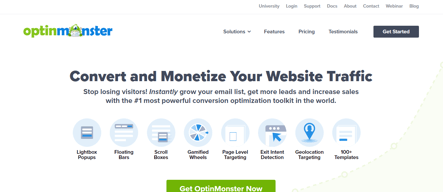
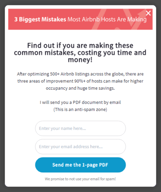
OptinMonster is a cloud-based software for lead generation and marketing automation that lets users create and A/B test a range of custom opt-in forms. OptinMonster users can build a variety of form types, including slide-ins, floating bars, inline forms, scroll boxes, lightbox popups, slide-ins, and more, fully customizable for their needs. It employs a drag-and-drop form builder that allows users to tailor form branding, messaging, images, and colors, without requiring any coding.

| Capabilities |
API
|
|---|---|
| Segment |
Small Business
Mid Market
Enterprise
|
| Deployment | Cloud / SaaS / Web-Based |
| Support | 24/7 (Live rep), Chat, Email/Help Desk, FAQs/Forum, Knowledge Base, Phone Support |
| Training | Documentation |
| Languages | English |





Compare OptinMonster with other popular tools in the same category.

OptinMonster is an extremely powerful tool that is great for driving leads or increasing conversions. It is so versatile and offers many display tools to customize your user's experience. Also easily integrates into many popular CRM's.
Honestly haven't found anything particularly bad about this software. We had some trouble at first getting my campaigns to show up, but once we got that all figured out, it was easy. A more technical onboarding could have solved that.
We are using OptinMonster on our blog to drive signups to our email list. We have also used the exit-intent functionality in the past on our cart to offer discounts to customers who are about to abandon their cart.
Great flexibility to create different types of optin pop-ups.
Monsterlinks can be a bit difficult to configure into a WordPress menu item.
I use OptinMonster on client sites to engage site visitors. Often clients use Optins to sign visitors up to their newsletter or capture their name before they download an item.
I have no dev experience and setting it up is incredibly simple.
I wish there was more customizable ways to edit form fields. There is an option to custom code in form fields however some more built in ones in the platform would be appreciated.
This has helped us grow leads for several of our clients immensely.

I found OptinMonster by chance, it turns out it can be used for free when you get the plugin directly from WordPress and I didn't know that when I was looking for an option for getting subscribers from my website. It turns out to be a great choice for building great subscriber boxes. What I love about this plugin is the easy way to install and set up on WordPress, besides the fact that can be used for free with a lot of things offered inside. If you use the pro version you can get the most out of it, especially when comes to data and analytics which is extremely useful in any online business.
I didn't like how to customize the pop-up, turns out to be not too friendly for someone who hasn't used this tool before. But it's all about learning the tricks and finding a way to make it cool for you.
I like that I can see how the pop-up looks on mobile and on the website because it allows me to change anything that I need based on how it looks for the customer.
Was amazingly easy to setup and implement. Highly recommended for small businesses establishing a website using wordpress.
Implementing somesort of logic on exit like do this if... and then do this ...
Giving a professional engagement opportunity with visitors
Their new custom fields feature was much needed and works nicely. Quite happy with it and styling fields is also much easier and intuitive now. Support is quick to answer and helpful too.
I haven't had much success with location targeting display rules to be honest. It would be nice to show a different form to users depending on their location, but we couldn't get it to work reliably. Editing forms can also be quite annoying, with the text editor box getting in the way quite often. Wish they would fix that.
We use OptinMonster for lead capture, specifically to create fixed forms and exit pop-ups. We also experimented with HubSpot forms, but OptinMonster's look and feel better.
The templates are easy to set up and the display rules are straightforward. I really like how it integrates with Constant Contact, our email service. Once a user opts-in, they get a customized email right from us! Support is great, too!
Our company has the OptinMonster Growth Yearly plan and it is enough for us, but we don't get all the features as with other plans like advanced reporting and analytics. Using the Page Builder is also a bit more detailed than using the Drag and Drop feature. It is pretty expensive, too.
We are getting a lot of conversions using the opt-ins for Cart Abandonment and Exit-Intents. This has allowed our sales to increase tremendously! We love how we can really target the pop-ups based on so many different display rules.

Easy to design and create compelling banners. Has a lot of great templates
A bit cumbersome to figure out how to connect the web platform with the wordpress implementation,
Ability to direct traffic to high value assets. Keep people on the site.
What's best is they provide a bunch of templates (and a code base) to work off of. You don't need a web developer and designer to start using OptinMonster. It's a great tool for capturing blog subscribers and sending out alerts for news/events/product releases.
As you want to use OptinMonster for more advanced tactics, it requires a web developer to make sure everything is tracked appropriately. We did have some trouble with cross-domain tracking.
lead capture for blog subscribers and content downloads. It's a great tool for mentioning events and contests as well.

OptinMonster is easy to install and set up. They also offer a host of customizable themes to help your optin boxes stand out.
Some of the controls could be easier to use.
Building your email list on your blog or website.
Working Remotely, slack makes it super easy to communicate, stay connected and share ideas and documents with the rest of my team
Honestly...nothing. It suits my needs just fine.
Communication
The best thing about OIM is how easy it is to create split tests and see the results. There are a lot of options at a really good price and it's been driving a decent amount of leads for us. If only one person becomes a customer from this, it pays for itself.
There is no way to export data from the interface. The only reporting is in their UI.
There is a part of our website that has historically not resulted in any leads/customers. It's the largest traffic source for the site, however, so we're using OIM to leverage that traffic.
Easy User Experience in building optins.
Sometimes have a hard time getting them to display as I intend.
Building our lists. Grown over 20k in last 6 months.

Integrations with Marketing Automation are extensive. Optinmonster plugs the gap in lead capture on site that some marketing automation software doesn't handle well. Integrates with more than some of their competitors I've tried which was pleasing
Triggers/Rules are not very flexible. Being able to use simple AND/OR/NOT logic would greatly enhance Optinmonster. The present "Display Rules" is not very clear about whether a rule is AND or OR or XOR. Better rules system with good Regex or Logic would be a massive improvement.
Softer and easier lead generation in areas that a full form would not suit. Timely pop ups for events. Very flexible on how we can use it.
I believe that OptinMonster is of the best in how many products it offers in one platform. There are a ton of ways you can use this platform to effectively gain customers and create the most conversions. You do all the hard work to get people to your website, let OptinMonster make do the work to get conversions to the people that do come to your website
I wish their customer support was more available, responsive and able. I had an issue and it felt like I was asking a rock for help over and over again. I have been apologized to and have been contacted again, but it felt terrible knowing I couldn't get someone to help me when I needed it. I actually couldn't get OptinMonster to work at all during the trial period and had to cancel it completely and unplug it from my website as a result of terrible customer service. I, however, recognize the asset that OptinMonster can be to my business and have decided to give this platform another chance.
I need to create campaigns to grow my contact list. I need a platform to give away prizes. I also need to successfully track users who abandon their carts. I want to make sure I'm capturing every sale I can.
Cool product features like exit intent campaigns, interstitials, website banners, etc. Much easier to use than Google Optimize.
Not always clear or straightforward how to implement/launch. Doesn't always operate as expected and support can take a while for respond.
Helping reduce website bounce rate with exit intent campaigns. Also helpful when redirecting traffic through website sticky banners.
There are so many integrations that make it helpful for blogs of many sizes. We used the WordPress, Google Analytics, and HubSpot integration the most, but there are many others. The tool offers lots of templates and ways to get started quickly, but there's also a lot of availability to customize your opt-ins and track their success. The A/B testing feature was also really helpful for us to constantly iterate and improve with ease. The analytics in the dashboard are also pretty helpful, and we were easily able to see the success in Google Analytics, too with how we used the tool and UTM tagged our content even in instances when we didn't use the information capture function.
It can take quite a bit of time and learning to feel really ramped up with the tool and efficient with building opt-ins and adding them to your site.
We wanted an easy, dynamic way to capture more leads and offer relevant opt-ins based on our blog content like topics, tags, specific URLs, etc. It increased our conversion rate the more we were able to customize our CTA/opt-in based on the topic or specific post or page.
Great API with SharpSpring for easy setup of optin form tracking.
doesn't always work properly and doesn't tell you why it doesn't work.
Lead capturing and automation of lead management.
It does its job by providing many customizable options for adding various blocks to your site and blog aimed at converting users. A/B testing and analytics are good too.
User experience might be better as the visual editor is not that intuitive and it takes time to get used to it when creating campaigns. Sometimes it can conflict with your website/Worpress blog.
We were looking for a solution to add custom CTAs to our blog in order to convert its readers. Now we are running different campaigns both on the website and blog and they work fine.
The customization possibilities are very wide. You can customize the look and feel of your popups, forms and optins in many ways through colors, fonts, css and much more. Furthermore, the embedding process is very easy. It's integration with Hubspot helps us combine our lead acquisition efforts with our lead nurturing strategies by funnelling every lead into the correct nurturing path. It also helps us categorizing the lead in terms of interest, language and level of quality.
I can sometimes be buggy. Referring to the management dashboard being slow or not showing some data properly sometimes.
I am supporting and increasing my company's lead generation strategy though our content marketing assets by converting our simple visitors into actual leads.
i like that optinmonster allows you to create beautiful overlays.
actually setting up the overlays are really difficult. the user interface is not up to snuff
it increases lead generation and keeps people in our papers for longer
The interface is very user friendly and you can create your first campaign in a matter of minutes!
The form fields have a limit to how they integrate with Marketo.
Lead Generation. We are able to generate leads without having to lift a finger other than the set up of a campaign.
The Google Analytics integration is amazing. It makes it so much easier to keep track of how my lead gen popups (and bars) are performing.
The testing process is a bit cumbersome. I have to set it up on my website, put it live and only after I can actually test it "properly". there should be some sort of draft mode.
It helps me be more targeted and granular in my list building activities. I can show the right CTA and the right time to the right person (thanks to OptinMonster's targeting options).
I have found the setting up of the templates quite good, though the moving of blocks into the template doesn't always work Integrating to mailchimp easy as was analytics, and i do like the different options that are given for the when the popus display.
Being a first time user of mailchimp, the customer service is quite non existent. I get 1 email in 24 hrs, where that won't ever be enough to get things done. Squarespace has there live chat down very well, and optinmonster could learn from this, considering how many people are with them. I am glad i signed up for the 1 month, not the 1 year, and i highly recommend this to see how it works for you.
Am looking to increase sales
This is a great tool to collect email addresses that doesn't really extend much beyond that.
It is practically impossible to disable the ability to collect email addresses.
I am trying to increase conversion by collecting email addresses.
It was easy to implement the tool using Wordpress since it had a plugin. I was able to get it up and running in a day. They offer a lot of display options so you can do some really targeted pop-up ads.
It is really difficult to set up the form especially if you're using the Hubspot plugin. If you use their forms then the design is all set and looks great, but then you have to manually add the contacts into your CRM system. If you use the Hubspot forms then it automatically adds the contacts into the CRM system, but it's hard to design them so they match the template. I had a hard time figuring out how to preview the pop-up ad before going live. I also thought it was hard to understand the analytics on the yes /no pop-up ads. I really don't know if it helped abandonment on the page or not.
Trying to increase conversions on the contact us form as well as throughout the website. It is challenging to understand the analytics provided since they are so limited. So I don't really know whether or not we are getting an ROI from the tool.
The support. Some really good people in that team. Exit Intent popups are the second.
Everything else. - Form fields: They ONLY allow you to collect Fullname, Email, Phone. That's it. I've never worked at any SaaS firm that would accept that. You can't even add custom fields. If you do, you NEED to know how to code. Also, once you add custom fields, NONE of the other features you paid for work. so, you can't use a success screen, you redirect on form completion.
We were trying to migrate from Marketo landing pages to a simple form embed. OptinMonster's exit intent tech was something we wanted to scale up to but the tool doesn't even offer basic necessities.
I have been using OptinMonster for a little over a month. First, the service has worked. It has almost tripled my email opt-ins. It's easy to use and customize to how you want it to look. Simply put, it works.
HOWEVER, I've had major issues with the billing. They do nickel and dime you for every little feature. Which is annoying, but a common feature these days in companies. But my big issues are with them charging me a different amount then what was agreed too. When I upgraded my account the total was listed as $146.64 after some promos they were running. I clicked agree to complete the checkout. Later I went to my billing history to see they instead had charged me $225.60... Substantially more than what I agreed to. I thought it might be a one off mistake. I contacted them and within a day or two it was corrected. About a month later I need to add some more page views (one of those nickel and dining gimmicks). It was listed as $29 a month that would be charge monthly until cancelled. I clicked agree. I went over to my billing and say that I was charged $989. WHAT?! That's not even close to what we agreed too. I'm not sure how a company can get away with these kinds of egregious practices. I would avoid this service. Or if you decide to go with it be VERY careful that they charge you the correct amount.
Increasing my opt-in rate of visitors.
I have been using OptinMonster for over 5 year. Great value on because of no limit on sites. I paid $29 a month and was happy.
BUT this ended then they changeed my pricing to $199 a month. No warning in-app. No change in my subscription. They just started billing me $199 a month. WHAT!! I contacted them and explained the issues. They told me they had changed the terms and now I would be billed for the number of sites on my account. I told them only 2 sites were active - having a popup running. But still, I should pay for a service I did not use. I thought this could not be right. I expected Option Monster to care about customer experience. I asked to check with a manager if this could be right... They did not care. No refund. No understanding. Optin Monster are just thinking on short-term profit. Now I'm moving to Sleeknote.
Turning visitors into leads.
Easy to build forms. Also liked the number of integrations and ease of publishing
No iframe embed codes or internal database tool also
Embedded forms.