

Unclaimed: Are are working at Visme ?
Visme Reviews & Product Details
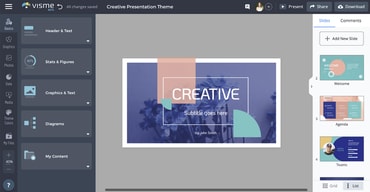
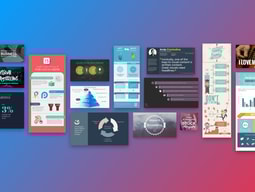
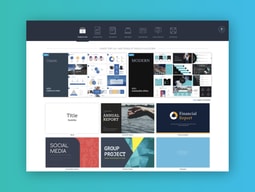
Visme is a comprehensive online graphic design software that’s perfect for creating visuals for presentations. It lets users create charts and infographics, social media content, and digital artwork, even with little design experience. The platform is simple to use, user-friendly, and intuitive, and provides users great guidance as they attempt to create their designs. You get access to numerous templates that simplifies creation and templates are also categorized by industry. Visme’s real-time collaboration features are also notable, making it perfect for teams.

| Segment |
|
|---|---|
| Deployment | Cloud / SaaS / Web-Based |
| Support | 24/7 (Live rep), Chat, Email/Help Desk, FAQs/Forum, Knowledge Base, Phone Support |
| Training | Documentation |
| Languages | English |
Visme Pros and Cons
- Easy to use
- Wide variety of features and templates
- Great for creating visual presentations that stand out
- Slightly more expensive than other online graphic design tools
- Lower-priced plans are a bit restrictive
- Does not support guest collaborators



Compare Visme with other popular tools in the same category.
This is the most user-friendly and powerful design tool for content creators that are not graphic designers.
Nothing that I dislike or can think of. Maybe the AI Image generator can do with some work to improve images.
Creating banners for social posts, landing pages and blogs is now so easy for me. The presentation templates are also great and makes my presentations stand out.
Visme has allowed untapped creativity and flexibility to design, create, and administer various types of documents, presentations, guides etc., to many people across our organization without the complexity of Adobe products.
Some of the innovation updates tend to break existing files and require some editing to correct the issue. However, support has been instrumental in resolving the problems once they arise as they are pretty active in responding to incidents.
The ability to create in-depth documents, manuals, plans, guides etc., without the complexity and price associated with Adobe products that requires a specialized skillset.
Visme is super-intuitive and easy to use for someone with little to no background in graphic arts. It has a great library of images and cool templates to get started for all of my projects.
The only thing I would wish to add is the ability to apply a soundtrack to an entire presentation rather than having songs restart with each slide.
With Visme, I'm able to easily apply a central look and feel to all of our presentations and collateral. It has all of the graphics, fonts, colors, and templates in a single place, as well.
The interface is easy to use, but also enables very precise control over elements.
There are a few bugs that need to be worked out. Sometimes a text field can't be edited without first refreshing the page. The thumbnails for different projects sometimes have the wrong picture. Text inside of a table looks different than text in a text box, despite the font settings being identical.
It's making the creation of large volumes of content fast and consistent. This saves me time and gives the sales team the content they need to do their job.
We use this to create posters and social media posts. Very easy to use and have plenty of functions. Definitely recommended for business or people who are interested in making creative contents.
A little hard to start. Some more specific instructions or a supoort chat would be nice.
Create ads for our social media, as well as stationary editing.
Visme has content for whatever project you are taking on, and it's easy to use!
I like everything about it! There isn't anything I dislike.
Visme helps us create marketing content, trainings, and course materials.
I love that Visme's platform has a ton of templates for different formats and lesser-known project types.
I wish there was an easier way to present the animated content online without the need to keep it hosted on Visme's platform.
It's taken a lot of the difficulty out of creating larger projects like playbooks or technical presentations. The templates are easy to use. They've made it easy to import individual pages from similar presentations. I also Iike I can take a template and tell Visme to apply my brand colors, which are adjusted accordingly throughout.
We love the variety available to create all types of materials. We have used Visme to develop sales and marketing materials, create presentations, and, most importantly, use it for operations support - creating comprehensive guides by utilizing Infographics with jump buttons to navigate to different areas of the guide. We use these guides in internal and client-facing scenarios, and everyone loves them. We also love the available branding which we recently started using, the automatically created branded templates are great, and they pull in your logo and colors automatically. Finally, the team collaboration and ability to share what we create in so many different formats are great.
The only thing we dislike at this point is some of the "buggy" behavior inside the editor and during the presentation of items, specifically infographics. While in editor mode, it is difficult to modify large blocks of text where you want some things to be formatted differently than others - it takes a few tries to get it to respect your decisions. Copy/pasting sometimes doesn't work well either, especially with images. During editing and viewing, the zoom/scroll functionality can sometimes act a bit funky. Overall, though, we have been able to work around these issues with minimal impact to creation/end-user viewing.
Visme allows us to create standard branding across all mediums, which has been difficult in the past. With our entire team on the platform, we can all see everything being created and design our own content accordingly. Visme also helps get the creative juices going with all of the templates that can be used as a jumping-off point, and different font/graphic pairings to do the same. The web sharing also allows us to post links to content where our staff and clients can access them so everything is always Live and can be edited real-time.
It eases creating quality visual content. The service always works. The one time I had a problem, it was easy to connect readily with someone for resolution. I've used other content-development services, but really appreciate the variety of templates and graphics at Visme.
My company serves nonprofits, many of which work with low-income people of color. The available images at Visme do not include a great enough representation of Black people. This really needs to improve.
My company saves time and money, not having to farm out for creative design and presentation.

Visme is an easy to use, intuitive and professional grade design tool for everything my marketing team needs. I can easily get inspiration from the prebuilt templates, use what I need, change things to fit my brand and message, and it's so easy. Lots of options for sharing and downloads, easy to duplicate and share projects, and I think it cuts design time in half because it's so easy to use.
The video editor feature could use some improvements to make it easier to edit clips - but it's still great. I don't often find myself saying "Oh, I can't do that in Visme" which means there's not a lot to dislike.
It keeps all our design work consistent and in one easy to access place for my team. We can easily collaborate and make beautiful designs in a fraction of the time it would take to use Photoshop or other applications. It has so many easy to use design features, love all the stock video and photos and icons, and we love that it's versatile to be able to create from scratch, or build off templates for everything from videos, to web graphics, email designs and social posts.