

Unclaimed: Are you working at Zoho Analytics?
Zoho Analytics Reviews: 4.2/5 — Solid Choice
Zoho Analytics is a business intelligence tool that allows users to transform raw data into meaningful insights and visually appealing reports. It stands out from the competition with its intuitive interface, flexible data modeling capabilities, and seamless integration with other Zoho apps. With features like data blending, advanced calculations, and customizable dashboards, Zoho Analytics makes data analysis accessible and actionable for businesses of all sizes.
| Company | Zoho Corporation |
|---|---|
| Year founded | 2000 |
| Company size | 10,001+ employees |
| Headquarters | Chennai, Tamil Nadu |
| Social Media |

| Capabilities |
AI
API
|
|---|---|
| Segment |
Small Business
Mid Market
Enterprise
|
| Deployment | Cloud / SaaS / Web-Based, Desktop Windows, Mobile Android, Mobile iPad, Mobile iPhone, On-Premise Linux |
| Training | Documentation |
| Languages | English |

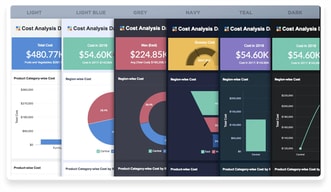


Compare Zoho Analytics with other popular tools in the same category.
I like how easy it is to share reports with colleagues to view the same data. It is also easy to add/edit information to an existing report.
Can be slow at times with a lot of data processing.
Zoho helps us quickly view data and stay on top of existing reports to manage trends throughout the company.
The opportunity to filter and explore different elements of the data.
It can be difficult to sort out how to filter or organize.
Collecting user use and engagement of product.
It helped us manage and analyze our data in a fast and effective way.
There was nothing in particular that we dislike.
Zoho helped our users connect, prepare and analyze our company's data. It gives us a window into new insights.
It's very flexible and usable within the Zoho Suite of products. Integrates very nicely especially if you understand Zoho Deluge.
I think some of the visualization and charts could have a slightly smoother interface. Also, for "geomapping", it does not leave me completely fulfilled.
Visualization of data across all the functions of my marketing channels. Most of the data is then used to gather insights about our impact across the channels.
Easy to use interface Multiple data sources Data visualization
Limited customisation Data processing Pricing
Fragmented systems. Manual processes. Lack of insights. Communication and collaboration.
A wide range of tools are available, the price is fair compared to competitors, and the customer service team is exceptional
Limited capabilities associated with integrations which only allow limited functionality
In-depth data analysis has helped us to generate accurate reports, which in turn guide decision-making and budgeting in line with the organizations growth objectives ad goals

Versatile data integration capabilities, Advanced analytics features, such as predictive analytics and machine learning, Customizable and interactive dashboards and reports , affordable pricing plans
The steep learning curve for beginners, Limited customization options for some features, Some users have reported issues with slow performance or glitches
Zoho Analytics solves several problems for users, including data integration, data analysis, and collaboration and sharing. By providing a centralized platform for data management and analysis, Zoho Analytics saves users time and effort in data processing and analysis, improves the accuracy and reliability of insights, and enables businesses to make more informed decisions based on real-time data. The platform also facilitates team collaboration and communication, allowing team members to share reports and dashboards and control access to data and features. Ultimately, by addressing these challenges, Zoho Analytics helps businesses gain a competitive edge in the market and achieve their goals more efficiently and effectively.

Best tool to analysis financial data which helps in business plans
No dislikes about zoho analytics till now
It helps in analysisng the data which helps to find errors of make future business plans

connecting the entire database in the same software for a broader analysis has never been so easy with Zoho Analytics, each data implemented to perform the analysis that is needed at the moment provides a detailed report where the variety of graphs, widgets, tables dynamics and view components make a visualization much easier to understand and to know what are the problems that can appear and to be able to act more quickly
the prices of the plans, the more tools they have, the more expensive it is, but I consider that the most expensive plan increases its price a lot because it is the most complete
Business data is much easier to analyze because the detail that your analysis shows makes it possible to make more accurate decisions.

What I like best about Zoho Analytics is its ability to integrate with different data sources, allowing me to efficiently consolidate and analyze information in one place. In addition, its interface is very friendly and easy to use,
Creating custom reports can be a bit tricky at first, especially if you don't have much experience in data analysis. Also, at times I have noticed that the data upload speed can be a bit slow,
Zoho Analytics solves several important problems for my business. First, it allows me to efficiently consolidate and analyze data from different sources, helping me gain a more comprehensive view of my business.
The platform allows you to collect, organize, and analyze data from a variety of sources. I am impressed with the user-friendly interface that allows to easily create and customize reports and dashboards, without needing any technical knowledge.
API connections to non-Zoho sources are not reliable
Sales process is now seamless that was earlier difficult to manage
It can connect with different data sources using SQL as well, so if traditional tools do not have analytics but if you have SQL access, you can use this one
Like an analytics tool such as Power BI, it does not offer so many visualizations as well as not an ability to define relationships between tables. Also not very good with big data (more than 1 million records
The biggest problem we had was that the legacy tools did not have analytics capability and we had to employ a data team just to pull reports on a regular basis. With Zoho analytics we are able to get reports on a regular basis without intervention.
Zoho analytics is a great tool to analyze large datasets, easy to understand because of it's user friendly interface. Coming from a non technical background I was able to use it with ease. Highly customizable, wide range of features like data visualization, dashboard creation, data integration and much more.
One potential downside of Zoho Analytics is that its extensive feature set and range of customization options may be overwhelming for some users, particularly those with limited technical expertise. However, this can be seen as a positive aspect for businesses that are looking for a robust analytics platform that can grow with their needs and provide a wide range of options for data analysis and visualization.
I'm learning business analytics and I use Zoho for analyzing large datasets and do my assignments.
It is fantastic to record and visualize the records; It is helpful to create Good dashboards
Sometimes it gets slow, Difficult to find the data
To analyze the sales performence

1. Easy to get started with. Pull data from nearly any source automatically: your CRM, your accounting software, your CRM, vendor supplied data 2. Simple to build reports. Pivot tables, charts, etc. Slightly more complicated to put these into a dashboard but still straightforward. 3. Easy to get data out into useful format. Export spreadsheets, automate emailing of reports, create graphics for slides.
1. No way to automatically share a report to Zoho workdrive, google drive, FTP, or dropbox. This would be a really useful feature. Rather than email reports I'd rather share them to cloud storage and I wish that were automatic. 2. Sharing with external parties doesn't have good access-control methods, unless you pay for your recipients as users. I wish there was a way to share to external users with a login that was unique to each user. 3. Integration with Zoho Flow is really minimal. I wish that there were triggers and actions that would allow me to use Zoho Flow to automatically generate and send reports on a schedule or in response to a particular trigger.
We run a high intensity sales and marketing operation and have to integrate data from many different sources (leads, prospects, client data) with our internal data. Using a BI analytics package like ZOHO Analytics allows us to perform analysis with all these sources without having to integrate external data with our own databases. Zoho Analytics is also our preferred solution for creating client dashboards that can show clients our progress on projects and results.

ZOHO Analytics help understand the business more effectively and efficiently, and the way data is presented helps in boosting productivity of business as well as the employees.
There can be more options for flowcharts and graphs, but nonetheless, the available options shall be available with more customisation features as per the user usage.
It helps the business to identify the key contributing areas/products of the catalog. It also helps in highlighting the slow-moving utilities held by the organinsation.

It is a great platform that is easy to use, Can merge reports in a single dashboard which is easy to share and anyone can pick it up and integrate with any applications such as Salesforce or Google sheets.
It takes time to run some reports, Rest everything is up to the mark.
It helps to analyze business data and create reports which are easy to share. Multiple reports can be created and merged on a single dashboard with a lot of amazing features such as graphical representation.
we can find the main platform connectors on the market for data extraction
the need for knowledge in sql to join data sources is a little laborious, in other tools I was able to join data in a simpler way
sql was a big hurdle for me, the controls are little confusing initially.
Here, we can create the widgets easily. The comparison and analysis feature also plays a vital role in providing analytics. The data capturing and visualization by images is convenient and easy compared to other alternatives. Apart from that, we can create datasheets, charts, reports, pivot tables, etc. the syncing of data is good and connects with the CRM. The UI is mind-blowing, and UX is also fantastic.
The first-time setup of this tool by any beginner is quite hectic. It takes a lot of time and permission for its initial use. Also, the formula configuration tool works not according to the needs and is sometimes misconfigured. Apart from that, everything is pretty well.
Our operations team and internal IT team are well connected with this tool to capture data quickly. Here, we can collect data from various sources rapidly and create the dashboard in just a few clicks. Also, it provides customized reports and other functionalities as per the user's demand. Overall, the performance is above expectation, and it performs very well.
It has multiple features, a good ability to merge reports in a single dashboard, easy report sharing.
It has a greater learning curve compared to other software, otherwise I did not see any.
It helped in customizing the views and what reports I like to see on my dashboards which helped me to easily and effectively predict results that were required for my project.
It is easy to handle many functions in Zoho analytics
It is impossible to change the axis of the graphs.
You can forecast in Zoho analytics easily with your database.
I really like the flexibility of Analytics to be able to create custom queries.
Analytics falls short when scheduling data exports, unable to schedule hourly. The SQL interface lacks refinement.
Analytics has solved data access issues to our backend legacy systems through queries, exports, and automation. We no longer have to guestimate how we are doing; we have the facts.

Zoho provides an excellent daily snapshot into our most important metrics.
The effort in setup requires some time and energy. However, once you have the system running, it performs well.
Our current CRM doesn't provide clear analytics on all of the metrics we like to track in our sales team. Zoho allows us to pull the data we want from our CRM to provide insights into demo rates, close rates, etc.
It is helping to keep on eye on daily, monthly profit and loss, increase and decrease in sales.
As I observed till no issues have been found.
We are checking, tracking of all daily, weekly, monthly sales. it is helping to do create new targets and fulfil

This reporting tool is very customizable and powerful. My company uses it as a data warehouse and it serves to connect different systems that otherwise don't talk to each other. You can create super user-friendly interfaces with it and embed them in other websites. I also like that you can drill down as much as you want (and customize the drill-down for client-facing applications) and create all kinds of different charts and tables.
It was pretty difficult to figure out how to use. I have a little bit of background in mySQL and creating reports but a lot of this was lost on me. Luckily I had other people to explain it and help me out, but it's not very user-friendly to those who don't already have some prerequisite knowledge.
It's extremely helpful to be able to take data from different sources, dump it all into Zoho, and then draw correlations. It helps us track performance, revenue, and more. The primary way I use it is through a survey view that has customized filters and colors. I can toggle the view and then export the data as an Excel file, PDF, etc.
The fact that ZOHO reports is user friendly makes my job easier. I can now have automated reports and can schedule emailing which comes in very handy. It provides powerful data visuals for dashboard presentations and these are easy to design. The sync between ZOHO Reports and ZOHO CRM helps the organization to do analytics on sales providing indicators on time and thereby helping in decision making. Business intelligent is now easier and the executive committee is now in a better position to produce meaningful strategies based on the results.
There are some elements which still need to be developed in order to come up with a better analysis. The threshold provides useful comparisons but I would also prefer if you worked on how one can add a trend line or a line of best fit on scatter plots. This will make it less rigid or confined to one measure.
Meaningful dashboards Scheduled emailing Automated Daily Stats reports and the link with ZOHO CRM is just amazing.
The ease of importing from a large list of data sources local and cloud based
Sometime the autogenerated reports are not as appropriate as I would like
Analytics and Charts based on database data that enhance or act in place of spreadsheet data
Very easy to use but powerful at the same time, I really like the integration with Zoho CRM which makes it a powerful combination. I also like the google analytics integration so I can view all data directly from within the same browser window.
By mistake I deleted a query table and all views associated I wasn't able to undo... guess it's my fault but having a cached view window to roll back to would help.
Analysing data directly from the CRM and imported historical data at the same time.
I like that I can tune into my work database from any location through the Zoho app!
The app speed seems to be pretty low but works fine on my laptop.
I am solving my issue of not being home when documents are uploaded that need to be looks at on a timely matter. Now I can access it from my mobile device.
Ease of creating reports. Everything is very Simple.
Sometimes not everyone I talk to sounds like an expert. I sometimes have to speak to multiple people to get my question answered.
We are easily tracking important information.
