

Unclaimed: Are are working at Adobe Audition ?
Adobe Audition Reviews: 4.4/5 — Solid Choice
Adobe Audition is a complete audio workstation that allows students, teachers, and businesses to create, mix, edit, and restore audio. Available separately or as part of the Adobe Creative Cloud ecosystem, the platform includes audio editing tools designed to enhance music, podcast, and other sound effect designing projects.

| Capabilities |
AI
|
|---|---|
| Segment |
Small Business
Mid Market
Enterprise
|
| Deployment | Cloud / SaaS / Web-Based, Desktop Mac, Desktop Windows |
| Support | 24/7 (Live rep), Chat, Email/Help Desk, FAQs/Forum, Knowledge Base, Phone Support |
| Training | Documentation |
| Languages | English |

Compare Adobe Audition with other popular tools in the same category.
the remix feature is just a life saviour, as somebody who knows so little about sound mixing and design, using this feature helped me adapt longer music tracks to shorter mixes to fit my short videos better
It is very hard to adjust pitches there and gets super confusing. for ex: getting a high pitch on a male voice to make it more female is super tricky and super hard and I was never successful in doing so
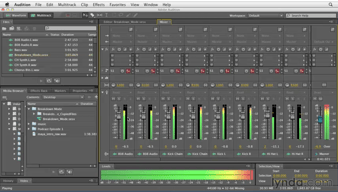
It helps creative agencies mix sound design when they are dealing with low-budget briefs, since we have no budget to hire a supplier, it is easy to do those things in-house.
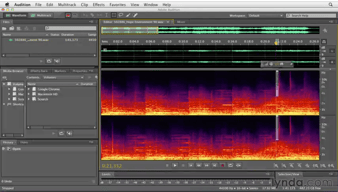
I like the Adobe Audition strip silence feature. I can strip silence from inactive regions in my recorded clips, without losing sync in multitrack audio, perfect for fast cleanup for advertisement videos, podcasts, and other multitrack recordings. Strong audio-restoration, sound-removal, and noise-reduction tools are some good points that made me keep using this Adobe software.
The software lacks MIDI support and is only available via an expensive monthly subscription. Beginners will find it challenging to use as its interface is not beginners friendly. Indeed it is the best tool to improve the quality of audio but it is not the right choice for music production.
I used Adobe audition to improve the audio quality of videos to post on the Khatabook youtube channel and their social media platform. Adobe audition solved my problem of uneven volume level, hiss sound, and errant bump.
The fact that I can do basic audio edits quickly or more detailed edits when necessary in one program
There was a slight learning curve for some of the more detailed edits, however the Adobe tutorials are fabulous and show me exactly what I need
My focus is primarily video and audition allows me to quickly clean up mistakes or issues with recording
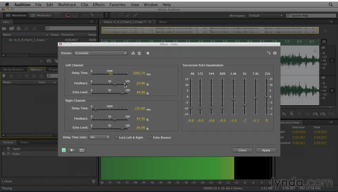
I really like that I can add both types of audio tracks including mono and stereo. We can apply professional editing effects like Delay, Echo, Modulation, Noise Reduction, Reverb, and more.
I am honestly speaking that I edit my own songs on a professional level without any technical issues. Therefore if you ask me to mention any negative points, so my feedback is that Adobe Audition is without negative points and cons.
As I mentioned I record and prepare my own songs in Adobe Audition. Even when I edit my videos, I also edit the sound and audio of my videos using Adobe Audition.

I use this software for editing audios which are further added to youtube videos to avoid any copyright claims. We also use these audios while putting Instagram stories and setting custom notification alerts using these audio tracks. I like the User interface and the features that help us reduce unwanted background noise, recover parts of the audio and increase the stability of the audio track. It gives us the flexibility to export the audio in the desired format from different formats available. Another amazing feature is that Adobe Audition works well with Premiere Pro, this lets me directly import my audio track from the timeline and export it after working on it.
While creating music for youtube videos and other posts, I find it lacking in MIDI devices and other music-specific tools. Apart from this, I am happy and satiated with the services it offers.
Adobe Audition is the must-have software for audio editing as it supports the import and export of multiple formats of audio tracks, making it super versatile and use-worthy for any audio scenario. It also helps me fix corrupted audio files and remove minor errors or background disturbances from audio tracks.
Adobe Audition works really well with Premiere Pro. I have CC via school and it works amazing! I use Audition for all my projects, even if I use another DAW, my first go to is Audition. If what I need isn't in Audition I go to my second favorite DAW.
I don't like that Audition doesn't have loops like Logic Pro X. This is a major drawback. Even MIDI devices is a major drawback! I use a MIDI keyboard and I wish that Audition had the elements to support it!
Audio editing is much easier with Audition as it connects with Premiere Pro. Whenever I mix with Audition, I hate exporting the audio as one file as I would like control over individual tracks in my video editor even though I mastered it in Audition. Audition has a feature where you can import directly to Premiere

The learning curve on Audition was remarkably short. I hadn't used a DAW in several years, so I was uncertain as to what to expect, but Audition was shockingly easy to use.
My biggest complaint with Audition is that if you don't have your shortcut keys configured, it is easy to accidentally lose a window or menu if you are clicking through things too fast.
Like most Adobe software, Audition is designed to work seamlessly with other titles. This has made it possible to create high-quality voiceover tracks and mixed soundtracks for videos I am working on in Premier. I can update those files easily on the fly with no loss of quality.
Audition is user friendly, easy to learn, and has lots of features for pro editing.
Sometimes it' s difficult to locate certain tools in the edit suite.
I have been successfully editing podcasts for 5 years on the outside of my corporate job as well as the benefits of using Audition on my day to day work at my corporate position.
Adobe users will find the interface easy to pick up and comprehensive against other adobe products. I use premiere & after effects and can seamlessly work between all three. I also know Avid Protools and given that my audio tasks are not incredibly complicated, Audition is all that I need and helps me not have to go through Avid's pay model to access great audio tools.
I wish there was a way to not have to edit destructively on tracks or be able to go back to prior versions after those effects have been added. Sometimes the program crashes out of nowhere with work lost.
Streamlining my editors within Adobe Suite and getting to pay one subscription. I also appreciate that it does not take a long time to pick up if you have experience with other audio editing programs.

Easy manipulation of sound. It can easily add effects and enhance sounds in several ways.
Adobe Audition has a bit of a learning curb for those not used to working with sound on this level.
Creating new media, editing media, syncing up voiceovers, and all sound-related editing.