

Unclaimed: Are you working at BigMarker?
BigMarker Reviews: 4.7/5 — Highly Rated
BigMarker is a browser-based platform designed for seamless learning and sharing through webinars and conferences. It can provide webinar hosting for up to 1,000 attendees and doesn’t require any downloads to use. The platform is a fully customizable virtual and hybrid event software that offers an impressive selection of interactive video experiences. Its user interface is simple and straightforward, allowing the platform to simplify online meetings for businesses and effectively help build their brand.
| Capabilities |
API
|
|---|---|
| Segment |
Small Business
Mid Market
Enterprise
|
| Deployment | Cloud / SaaS / Web-Based, Mobile Android, Mobile iPad, Mobile iPhone |
| Support | 24/7 (Live rep), Chat, Email/Help Desk, FAQs/Forum, Knowledge Base, Phone Support |
| Training | Documentation |
| Languages | English |
BigMarker Pros and Cons
- Provides custom live video experiences perfect for online events
- Support integrations with popular apps such as Hubspot, Zapier, and Salesforce
- Offers industry standard SSL and HTTPS encryption
- Webinar funnel pages feature various layouts
- Extensive audience interaction tools are available
- Trial period is too short and only allows for 10 attendees
- Mobile experience is clunky
- Online customer support is limited to chatbots
- Pricier than other alternatives
- Support only chatbot customer support feature


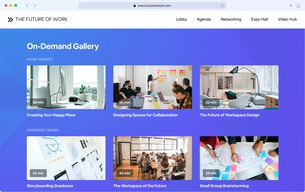
Compare BigMarker with other popular tools in the same category.
- Easy to use interface, intuitive, attractive UX - Lots of opportunities to customize the design: could add our logo, colors, images, etc to the webinar waiting rooms, landing page, and in the live webinar room, along with link backs to our site; when a webinar ends, you could redirect attendees to any website as well - Ability to pre-upload polls and presentations helped everyone feel prepared when they entered the room - Ability to download slides right in the platform - Post-event analytics and stats were valuable and detailed (see #s for unique visitors, attendees, engaged participates, and can download the transcripts from chats/ polls/ and Q&A)
- You can only test the webinar room if you are an admin. They don't provide a "test link" for presenters to go in and experience the software, they also don't have a go-to demo walkthrough for people who would just be presenting; this caused some trouble for our presenters unfamiliar with the platform - Customer service support was just OK, they do not have a number you can call or dedicated resource to contact get quick answers; any email inquires usually took anywhere from 12-24 hours to get a response; However, that is pretty typical with the current climate and we did not have many customer service questions - Webinars do not record automatically, they require pressing a button, if the button is pressed more than once for any reason, the webinar will not record - this happened to us on accident because a computer froze which was disappointing.
Moving events to virtual! I love that the platform doesn't require downloads.

BigMarker is very user friendly. Love that you can copy webinars so you’re not constantly entering the same info over and over again for a series. It also saves presenter info which is helpful when we use the same speakers across multiple projects. The built-in reminders are great and the templates are clean and professional.
I wish I could format the text a little more. For example, it would be nice to do simple things like bold, italicize, or underline certain text. This hasn’t been a deal-breaker yet, considering the overall ease of use, but would be a major improvement.
Our speakers and attendees love that they don’t have to download anything to participate in a webinar. We love how fast and easy it is to set up a webinar. The reporting is great, too! Definitely a major improvement over what we were using before, which was flipping back and forth between Adobe Connect (not user friendly) and Zoom (not very polished).

When making the inevitable switch to more virtual events vs F2F, I was tasked with exploring many different option for a simple webinar service. I ran the gambit. Fortunately found Big Marker which has a clean interface, many attributes and features we need, and is fairly easy for presenters to figure out how to use. Exceptional value for the price.
You can tell Big Marker is learning and growing. They have a lot of features, but are lacking a lot as well. I've also been running into instances where an available feature has a bug and isn't working properly. When I first started using Big Marker 2-3 months ago, their support line was top-notch. If they couldn't answer my question or bug immediately, they'd be great about updating me when they could shortly after. Within the past month, customer service is more frustrating than helpful. Every email seems to be answered with a "by the way, we have a "submit new feature" link on our website." Except, I'm not submitting a new feature, I'm asking for help on a broken one. More recently, the customer service reps I've worked with (all seems to be only allowed via email, btw) don't even bother to understand the question asked and reply with something along the lines of "Our team is working on this and will have an update shortly that will fix." Again, not helpful when I'm asking a question which I need them to confirm or answer. I don't know if they're growing so much that they are struggling to keep up with customer service, but it needs a serious improvement.
We needed a user friendly simple webinar tool, and Big Marker fills that gap. Big Marker is not a replacement for an entire virtual event with sponsors, exhibit halls, breakouts, etc. But has great options for various types of speaker led webinars.

One of the best things that I like about Big Marker is it is integrated with other social software like face book and YouTube, this has provided us great edge what we design on BigMarker , we can share on these tools, for better engagement of the audience. It is also integrated with Mailchimp, Salesforce, drip, Hubspot etc that helps in capturing the data properly and launching them in multi dimensions. It has positively impacted our marketing and lead generation, our pipeline never gets empty, due to its drive fast results which pushed the data in our loop, its ever green webinars are helping us to manage our CRM effectively.
It requires a steep learning curve and you have to train your employees for its effective use. More over it is not at all affordable by small or medium size business setups. On large organizations can get much benefit from it. It has really high pricing and long terms of licensing.
BigMarker is a professional application that will definitely enhance the marketing strategy so that you can convert your plans into actions. It is a great marketing platform that has helped us to automate our essential and important tasks, through webinars. We are capable of launching the extra ordinary campaigns by embedding the videos, for our brand description. With this amazing tool we are better engaging our audience by providing them offers, lead forms, polls, and interact with them by asking the questions, so that when they reach us we can have their information which we use to approach them and in providing them exactly what they want.

The audio quality in BigMarker is very good, even with low internet quality. At conferences the images are really crisp. I like the option to share the screen. Meetings can be viewed in the browser, so there is no need to install applications. BigMarker has many webinar options, for example, Live Webinar, On-Demand Webinar, Live Stream, and more. I can send notifications to my colleagues by email.
I have had problems with the mute button, which sometimes has to be clicked several times to return the audio. When updates are carried out, the platform cannot be used correctly.
BigMarker contributes greatly to remote communication between my team members. There are colleagues who work remotely and present the progress of their projects through this platform. It also has a critical role in recruiting.
I like that you don't have to download this application. Very convenient for us.The links can also remain active as long as we'd like.
Users have experience a few software crash when using cross platform but the IT are good and very responsive.
Setting up and using this tool via the web and easy distribution for others to access.
I love the fact that this platform continues to evolve and improve. With BigMarker nothing ever stands still and they are always tring to make things better and cater for users needs.
I cannot think of anything that I do not like or lets the platform down. I wish other platforms had the same ethos where users of the platform both as presenters and attendees are considered to be important and matter.
This platform enables me to effectively communicate with a wide audience. This has enabled me to deliver my message to build my brand and authority
BigMarker is a great product for when you're trying to quickly set up a webinar platform with features that help you collect data about your attendees. We jumped to BigMarker in the early days of the pandemic and the process of creating and distributing your webinar sessions was amazingly straightforward. We had a very smooth experience onboarding coworkers who would be using the platform. Their support has always been very helpful.
BigMarker has lagged behind the other competitors in webinar platforms. For instance, accessibility has been poor for some time, and best features (like breakout rooms) are locked to Enterprise accounts. They've recently updated their platform which helps in some respects, but there are other, more innovative ways to deliver webinars out there.
Delivering webinar sessions of our training to external participants. The ability to digitally deliver our content became very important when the pandemic started and in-person learning wasn't an option.

It is relatively simple to setup, use and to get attendees to understand the platform is also very easy. It allows for RTMP streaming and is very value for money in terms of the features you have such as the polling,Qna, private and public chats etc.
Unfortunately, since we started using it more than one year ago until now, it hasnt really leveled up very much considering how many other alternatives have popped up since. Our feel is that it sitll easy to use but thats about it. Its not visually captivating, the interactives are very dry such as the display fo the polls etc. Theres is not enough branding elements for sponsors and clients. and the themes are rather limited. After so long some new features would have been great especially since cheaper alternatives such as even zoom, are coming out with cool features.
Easy clean to use platfrom. its a step above the standard zoom or teams calls people are used to so it helps fight that fatigue, its ability to act as a one hall platform is great.

What I like the most about bigmarker is the feasibility, its tools and all the functionalities. Above all, the whiteboard tool is ideal for teaching online classes or courses and even meetings
I have not had a big problem with bigmarker but the cost of membership is quite high even the cheapest plan costs twice as much as some of the competition and if you do not get 100% of it you can feel a waste.
bigmarker was used for online classes to large groups, and seminars since thanks to its tools and functionality everything can be organized very well

One of the most amazing things that bigmarker has is that it has technical support in many languages which makes troubleshooting very easy since there is a technician in your native language facilitating communication one of the features that bigmarker has is transmission live on Facebook since I can share my transmission on Facebook and advertise or reminders for the seminars the video transmission has a lot of quality which I love because I have no problems besides the ease of use for both the participants and us presenters
We have not had a major problem with bigmarker, it has been very efficient once we wrote to support for a minimal problem and they solved the problem in less than an hour
We use bigmarker to do weekly and monthly seminars to train our employees in other locations. It helps us to reach all our employees live and that they can access the information without having to move.

I love all the different types of webinars that can be created. You can also do FB lives and have meetings.
Takes FOREVER to get a recording of your video...Zoom is instant since it's recording locally. Also the video quality is nothing to write home about. I also don't like the inconsistency of the service...some people love it, some people hate it.
BigMarker is another system that replaces several softwares in one. In my case, I've replaced Zoom
The platform is very straight forward, simple to use, and has all the features you could need for hosting your first webinars. The slack integration for automated webinar chat engagement is great. The hosting panel inside of webinars is intuitive and to the point. Their customer support team through the chat box inside the system allows for quick and on the spot help when ever you run into an issue or have a question.
There are some bugs here and there, but their team is quick to fix them. The biggest complaint we have is that automated webinars aren't reordered automatically so unless you go in and trigger the recording, the audience won't get emailed a copy to watch back on their own time later. We solved this issue but uploading the webinar to Vimeo and including the link for it in their automated follow up email. Not ideal, but works for now.
We're able to host live and recorded training sessions for new customers and old customers on new products. We're also able to host larger sales demos and pitches to prospects easily. Being able to provide webinars has opened a lot of doors for us. We haven't used the platform for 1:1 meetings yet, but if the quality is anything like their webinars, then it's probably a great tool for that.
Super feature-rich, fast support that dives deep to solve problems
Some trouble connecting in the early stages
Having meetings and webinars for clients and with colleges
They're doing a lot of development and adding a good amount of features. We've done pretty extensive research into webinar platforms and this one has one of the easiest admin interfaces of the bunch with a ton of very useful functionality including easy integration with Zapier, cloud-hosted videos and presentation files, easy to use and customizable landing pages and presenter profiles. We're big on cloud hosted platforms and this one's excellent at it. Or, aside from the video quality. But you can clone existing webinars with a click of the button so it's super easy to spin up a new webinar. We don't use the functionality but they've built the system so you can run a pre-recorded webinar and automate certain aspects of it so that it APPEARS someone's running the show. Cheeky!
Their video compression is unimpressive. We don't have super powerful internet--often hovering around 12Mbps - 15Mbps--and the quality is often pixelated. When you bring up a slide, poll or any real feature, the quality takes a hit, sometimes with participants saying they aren't seeing things. Basically, it's a bandwidth hog.
We host 100 active participants in monthly webinars easily and smoothly with BigMarker. It's the best webinar platform we've tried! Webinars are easy to manage and build with Bigmarker and they've shown they're just getting started building this out!
BigMarker is a free web conferencing service that provides the tools needed to plan a conference, easily manage your meeting, record the exchange in completeness, and then share the conference with the public. BigMarker users are also able to connect conferences, replay previous, and promote their future conferences.
We have been using this technology for many weeks now, and granted our people are not in the IT industry, but we always have major problems getting everyone on to hear and be heard. Add the video and we lose them regularly. They reboot and return, and sometimes we have a better connection. Now we've started or tried to use it for new groups and still major problems. the first class had to be rescheduled. Not optimistic. Not trilled with the platform. Not sure I want to invest in the monthly fee.
Some great features that BigMarker brings are listed below: Connects servers in 190 countries The ability to track your attendance and participation Able to use PayPal to charge memberships to your conferences Brand your conference community with your other businesses Connect from any device: desktop, laptop, tablet, or smartphone 5GB of cloud storage is free with each community to keep your recordings No one is required to download anything to participate (must have Java) Uses SSL & HTTPS Security to ensure the security of your conference Customer support via email and customer chat
Não é necessário que os participantes instalem qualquer coisa para participar de seminários on-line Se você puder responder a perguntas sobre o seu evento, isso é tudo que você precisa É muito fácil configurar um seminário on-line e, especialmente, webinars eternos são ótimos recursos
- O espaço na tela não é otimizado quando você tem compartilhamento de tela e os apresentadores aparecem ao mesmo tempo Precisa de conexão de internet de alta velocidade Bem, no início, ele não oferecia o que alguns concorrentes tinham em relação aos estilos de webinar e recursos evergreen , Series
Eu principalmente usá-lo para reuniões de clientes e para isso, tem sido maravilhoso eu amo a facilidade dos webinars automatizados Estável, interface utilizável para webinars e reuniões de vídeo junto com RTMP. Mas com o BigMarker, minhas Ofertas de Treinamento do Grupo, bem como minhas Ofertas de Suporte Corporativo, realmente cresceram.
I've used, trialed, implemented a few different software types during my time as a board of directors member in order to find the best video conference software for my team members to use. The nature of our industry is that we're spread out through various universities around the country. This software allowed us to communicate with each other when we needed to.
This software isn't free. And considering that we eventually had to pay for a subscription, I was disappointed in how the support and quality of the video streams were. I would not use this software over something like Google or Zoom, which offer the same services and features to us, but for free.
We have students from all over the USA that need to be able to communicate with each other for the roles they fulfill in residence life and housing organizations. We need to be able to use video conference software to keep everyone up to date on professional development opportunities.
The platform had great reporting capabilities, there is promise of a widely useful platform for many needs beyond just webinars.
The overall performance for both attendees and presenters was unsatisfactory beyond 100 attendees.
We wanted to find a platform that gave greater flexibility for presenters during our training webinars. The ability to share slides, embed videos, and launch sales promotions was ultimately the deciding factor in going with BigMarker. There were longer term plans for onDemand training webinars, Evergreen sales webinars, and internal onboard webinars as well as a virtual platform for an annual customer conference.
The ease-of-use and the design of the interface is good. It looks very nice, both in the webinar and in the interface with a few exceptions.
Where do I start... Integration issues that say "they'll be fixed asap", I mean the whole reason you pick a software is so it will talk to your CRM or CMS and we constantly have to manually update it. The software literally sent unwanted emails to our entire database when we created new test webinars, and it wasn't a user error... 3 times! I can't get anyone to pick up the phone and call me. Every time I have an issue I'm asking to send a video or a link and then don't hear back from the same person. It's also probably a week before support gets back. Very poor customer service and lots of bugs. Also if you're trying to livestream - forget about it. The video quality is compressed so hard
Trying to solve integration, livestream, widget display, and other issues currently. The benefits are that it works like it should as far as basic functions go. Registration, list recording, reporting and displaying correct info. Forget about it if you want to get fancy with your marketing with this software though. The hard part is there seem to be no others that do all you need. We're tired of paying money for a software and support and getting no real support or quality care.
The customization options are plentiful and gives you an abundance of settings for webinars, emails, design, including the ability to put metatags and search graph descriptions for SEO purposes.
First of all, horrendous customer service. Not only does it take a long time to get a response, but once you get a response, your questions are not even addressed. I've received links to multiple help articles that barely scrape the surface of what I want to achieve, but the support staff makes no effort whatsoever to look at what I want to achieve and address it in a conversation. They seem to be scored based on the numbers of email replies, not actually solving any issues. It gets expensive, and fast. As a small company that wants to own the brand experience, to host the software on a custom domain, you would need to be on an enterprise plan. The number of attendees on the entry tier is low.
Hosting webinars, with lots of options in terms of staying on-brand design-wise.
We used Bigmarker for the better part of a year, and while the backend was user friendly enough, we found ourselves having issues across multiple events.
Unstable, we had issues during multiple events with new features not working and overall stability of the platform
We needed a virtual platform for events.
Nothing, it's bloated with unnecessary features that take up too much space on the interface. It's way too complex for a standard presenter to administer smoothly compared to Zoom screen shares.
Anytime I try to use multiple Chrome profiles, drag and drop different tabs into the screen share monitor, or transition from one Chrome window to another on the screen, it completely freezes and crashes, ruining the entire experience for the audience. This has happened numerous times during my showcase demonstrations leading to a frustrating experience for all involved. The only reason we use this tool is that it has a native integration to one of our products for marketing. I would much prefer to use Zoom for webinars, period.
It's supposed to be used for administering large audience demos of our products. It brings more problems than it solves IMO. I do not see any benefit. It makes presenters look incompetent due to its bugs.
Very little. We chose the platform as a solution for our virtual events at around $15000 a go
We were promised so much, so often. Deadline after deadline was missed and it was only when we managed to get hold of the founder (who appears to be the head of tech) that we got any kind of results. Huge amounts of stress to our staff, systems not working correctly after months of preparation.
Very few benefits - we have wasted thousands and have had huge (bad) knock on effects with clients being unhappy.
Big Marker looks great on the surface, nice design polish, long list of features.
The buying experience is really poor- you can't talk to someone on the phone- they expect you to understand everything from their trial account. They read the product lead growth book, but they didn't reconcile it with the complexity of their product or their buyer's needs. The problem is that the management UI is so poor, you can't tell how to turn on features or grok how the thing works. Advanced features promised in marketing are really just a complex duct taping of basic features in there. They provide a lot of landing page customization and that's one of their selling points but it falls short quickly- with all kinds of limitations on those landing pages. The end users have to jump through too many hoops to join a basic event and the templates for emails, landing pages etc don't provide enough context for a marketer to understand how to do things well. The dashboard reporting is really poorly designed- the only way to get to the most important information is by downloading an excel file. It's really as if the back end was designed by someone who has never marketed, produced or reported on an event. All of this might be forgivable but the company has lots of technical issues. We put our biggest seasonal event on the platform and the day of it's launch Big Marker started having outages. I contacted support repeatedly- and they never got back to me. After the event, big marker's reporting is missing any data about who did and didn't attend the event. It has been weeks and support hasn't been able to find my data.
BigMarker had the opportunity to be our event platform of choice, but it merely checks the boxes on its most touted features. The reality is, it isn't very good at any one thing.
The pricing is great - but it rarely worked as intended.
Slow customer service, snail-like speed for fixing bugs.
Needed a webinar service for group training for our SaaS
Has many options and when working, their very nice!
Rarely working "properly" and support is just terrible, still waiting over seven days for a resolution.
Registration driven webinars.