

Unclaimed: Are you working at Box?
Box Reviews: 4.2/5 — Solid Choice
Box is a file-sharing and content management platform that runs on the cloud. The platform lets users store, share, and collaborate on files, regardless of where they are, through the use of workflow automation, security controls, and various integrations with business applications. Using Box, businesses can help their teams streamline internal processes and boost team productivity.


| Capabilities |
AI
API
|
|---|---|
| Segment |
Small Business
Mid Market
Enterprise
|
| Deployment | Cloud / SaaS / Web-Based, Desktop Mac, Desktop Windows, Mobile Android, Mobile iPad, Mobile iPhone |
| Training | Documentation |
| Languages | English |

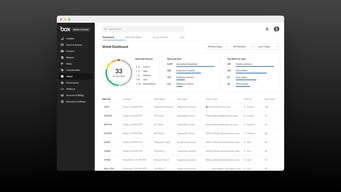
Compare Box with other popular tools in the same category.
THe fast of downloading and uploading file
not user friendly I think It is built for more technical work
I think stoarage data

Easy enough to use, decent amount of storage, and decently collaborative.
Nothing stands out to make this better than Dropbox. Sometimes confusing when trying to share a folder or document.
Nothing really. We didn't notice a different between this and Dropbox.
Like the simplicity of use allows us to be up and running quickly
Licensing fees affected us and we chose another solution.
We are sharing files in real time basis.
For simple file storage purposes, Box gets it done.
The collaboration features are not as clear as they could be and lead to a lot of confusion and excess versioning among team members.
File storage across a company with multiple locations and departments. Benefits of having a uniform, consolidated storage space where all company documents are accessible.
Ability to share confidential files with both internal and external vendors
Not the easiest file sharing service to use
Confidential file sharing primarily with outside vendors.
I like that I am able to upload files and access them anywhere through the internet.
Box has a lot of trouble uploading a folder that has many folders within it. Often times you have to upload things file by file.
Storage for files and file sharing.
Box is super seamless with our products dashboard and therefore it is super easy to use from one widget to another.
I am not sure off the best use case for Box when I tend towards Google Drive.
Compository for documents and spreadsheets.
This software is similar to google drive and provides a database to store and edit documents. I like how more than one person can edit a document at the same time.
This software is a little tough to navigate and is not as intuitive as google drive.
Our company uses this software to store and track company processes.
all conference participants could upload their presentations. Has a decent storage capacity.
Not an attractive interface. For storage I would prefer dropbox compared to Box
Collaboration of conference attendees and conference program details sharing
Box allows us to store all relevant team documents in one cloud-based platform, giving all team members quick access to all files from anywhere in the world.
Personally I don't see the value add of Box. Is it a Business Dropbox? Is it a Google Drive Replacement? What makes this different to the countless other competitors? For me box is rather slow, unintuitive and if like us, you have thousands of folders, it can be extremely hard to find anything in the "universal" search bar. It feels as though Box is trying to give you access to too many files at once, always missing what you are really looking for. Personally, I don't not see any advantage of using Box over Google Drive, which is not only FREE but also cross compatible with a HUGE range of services.
Box allows us to all access company files from one decentralised cloud-based solution. This makes it easy to have team specific folders for anyone to access without requesting permission from colleagues or other teams.
I like the quickness and easiness of being able to upload the files to box. As well as numerous ways I can upload files (Eg. desktop application as well as through the browser). You can share files externally regardless of whether someone has a box.com account or not.
They need to upgrade the interface and include a few features like live preview of images instead of showing an icon. As well as overall performance of the site (speed)
Easily able to share files across teams and businesses. This includes internal and external design teams, vendors etc. working on design assets or collaborating on documents as well as project collateral.
really enjoy the convience I think it is a great feature to the community
sometimes hard to get started sometimes really complicated
collaboration
Box is a safe hub to store resources and important documents needed for my day to day work.
You must be signed into Box in order to use it. At times, the log in no longer works. It is inconvenient when you are in a rush.
We are using Box as a centralized hub to house all of our important documents.
I like best that it is not as clunky as drop box
the UI isn't my favorite and I don't like the overall scheme
Organizing and archiving records is the primary way it is used
The mobile app is very simple to use and intuitive. I like that out of all of my document sharing apps I have on my mobile device, it is the one that takes up the least amount of storage space on my device.
In order to edit a collaborative document I have to download it. To see other people's edits I have to download it again.
We have simplified the files and folders that we are required to carry with us when we travel for work. There are a few documents that we are required to have hard copies of, but everything else we keep in Box. This allows us the ability to view documents on mobile devices on the road or if necessary print at a hotel or business center.
When it comes to cloud storage, I personally enjoy using drop box. However, I chose Box for business because of its strong privacy features and that it is HIPAA compliant. So the privacy control comes in handy when we are dealing with PHI.
While it is nice to have the privacy control features, they get too complicated to use. It makes navigating the web panel confusing and difficult.
Team projects dealing with PHI.
Easy to use, lots of plug ins. Interface has been updated recently.
They change subscription levels on the fly and move features into higher priced levels AFTER you have been using the app for some time. Noteable examples: when we signed up for a business level account they included customer shares. They decided to move that to "business plus" for $10 per user /mo additional. The business level also used to include SSO which enables many of the integrations. That now is in the Enterprise level which is $25 per user more. Also, the support has tanked in the past few years. Its now offshore and they no longer publish a support number. you have to request a call back which many times does not happen.
File sharing, storage.
I like that I have easy access to all of my files from just about any device. This is incredibly convenient when on the go and you need to review or look at a document when you are away from the office or your desktop.
Box doesn't have as broad of an install base as Dropbox it's leading competitor. This makes it difficult for the end user base to quickly and easily share documents with those outside of the industry as people have a tendency to confuse Dropbox with Box. Another dislike with Box is that when we went to do a renewal with them they wouldn't take and budge one bit in coming down on price. With Dropbox coming in at half the cost of Box with a comparable and in some cases superior feature set a company would be stupid to not look at other cheaper competitors.
Weeding out of legacy desktop backup systems. The benefits that we have realized are end users ability to access those files quickly and conveniently from almost any device.

My company provides the "bones" so I don't to think too much about it. I hated it when I first started using it, but I'm warming up now.
It's not intuitive...and it's really easy to get your files all mixed up. Also, unless the person is "in your group" they won't be able to see everything you see!
Centralized file sharing is critical to my job so this solves the problem of mulit-location task force sharing well. We love single sign on (a benefit provided by my company) and we love the unlimited storage!
its easy to use for everyone in our office
it slows down my computer alot by running it
syncs everyones data and backiupi
Box.com offers great features like versioning, comments, tasks, shared permalinks, group management, access control, and more. We especially like that we can set up a folder where partners without Box can email attachments that get saved the folder. Use
Box Sync is horrible, and Box seems to have no intentions of actually being a Dropbox competitor. Syncs are memory hogs that often take days to sync just a few files -- our international users on slow connections have all gone back to Dropbox, despite Box being our institutional solution. Box has not responded to our years of requests that they divert some of their funding to this key tool; it has only gotten worse, and Sync 4 did little to improve things. It's also crazy that you can't reorganize folders into your own preferred folder structure once you have been invited to them. (For instance, if the company keeps a top-level folder called Deals and then invites certain employees to specific Deal subfolders, that employee has no choice but to have a ton of top-level folders called Deal 45, Deal 128, Deal 300, etc.) Subfolder syncs are nice, though. Reports take a very long time to generate, and are often very unhelpful. They don't do basic things; for example, the report on user activity tells you in which which subfolder the activity has occurred, but not the top level folder, making for very specific and unhelpful reports. User and folder management is clunky. Institutional users who are "deleted" to make space for new users after their departure lose all history, with files showing up as "Someone" having worked on them. Really defeats the purpose of an institutional knowledge management system, and at a high price.
File collaboration with both internal and external collaborators.
The storage capacity was cool and could store a lot of docs
Multiple steps to get to the final step. it was a tedious process to store the documents and extract the data
storing documents in salesforce
Box.net was the first "cloud" service I ever used and it was great at the time. But today, there are many other and better solutions, including DropBox, which is hands down the best of the bunch.
Failure to innovate.
Not provided
Box has a very nice interface and enables for quick and easy collaboration.
The more advanced functionality gets very expensive for a larger team and alternatives from the larger software companies become very viable. The system is priced right for a single user but not a company with 20+ employees.
Not provided

The ability to send anyone a link to share a file regardless if he/she is inside or outside our organization.
When receiving a link, if I need to know (within my team) where this file resides, I cannot locate it. I then have to search Box by filename if I want to access other documents related to the link I was sent. I also do not like that I need to lock the copy I am working on, so there can't be joint collaboration on a larger document like a presentation.
We like being able to share docs with team members without the need or cost of an onsite server.
integration with tools and other deployments
not flexible across the devices or platforms , laptop or mobiles
nothing specific
I suppose the only advantage fro me was the security and safety of storage of documents
Very bad for working collaboratively, versions of the document
Storing documents
it's easy to use, it's simple, it doesn't have storage limits, it can store files of varying types
it doesn't have many functionalities beyond literally a digital box for files, there's no simultaneous editing, it isn't really easy to navigate, icons don't give much details
sharing and storing large files is much easier with box, it can be used as a DAM
I like that the storage on Box is essentially unlimited, and that I could use it as a place to store all of my files. I also liked that I could easily share files with my colleagues/coworkers.
I dislike that it was sometimes difficult to find what I needed. The search function seemed to search my entire organization rather than just my files or files directly shared with me, which made it difficult to find a specific file that I was looking for at times. It was also difficult that you could not access a file if someone else had locked it for editing - this could be frustrating at times.
We are able to solve the problem of having multiple people edit/have access to the same document, rather than sending it multiple times via email. A benefit is that it is online and you can share files with multiple people so that they can also access it (and edit, if needed). I also like that I can download files and add them to my computer, if needed.
That I no longer have to use Box in my current place of employment. It was very complicated to try to work with especially because the company I was working for at the time didn't train us very well on how to use it.
It's a complicated program and myself nor my teammates were trained very well, if at all on how exactly to use this system/ how it works. Which lead to a ton of issues trying to figure out how exactly Box worked. Without training, non-tech people will struggle.
My coworkers and I were not solving any problems, we simply used box as part of our training to get to texts online that the company didn't want readily available. No real benefits to be found... used it once and it was complex.