

Unclaimed: Are you working at Box?
Box Reviews: 4.2/5 — Solid Choice
Box is a file-sharing and content management platform that runs on the cloud. The platform lets users store, share, and collaborate on files, regardless of where they are, through the use of workflow automation, security controls, and various integrations with business applications. Using Box, businesses can help their teams streamline internal processes and boost team productivity.


| Capabilities |
AI
API
|
|---|---|
| Segment |
Small Business
Mid Market
Enterprise
|
| Deployment | Cloud / SaaS / Web-Based, Desktop Mac, Desktop Windows, Mobile Android, Mobile iPad, Mobile iPhone |
| Training | Documentation |
| Languages | English |

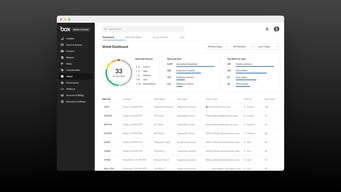
Compare Box with other popular tools in the same category.
Great way to share documents internally with colleagues
I do not dislike anything, I think box is great for document shairng
Sharing information with others quicker and more effectievely
It's really easy to upload files, and share them with people outside our organization.
There are really no downsides so far. Sometimes the site is a little slow to refresh automatically.
We can share many files with clients, people outside the organization, etc. Box allows us to keep everything more organized, as opposed to sending files one at a time over email. The file organization and interface are also really intuitive and easy to use. This helps with project management and onboarding people quickly.
Easy to use and couple options for the client - Box Sync, Box Drive.
I hope Apple can allow backup to other clouds.
We use Box to collaborate, backup files, and manage some workflow

We can easily uploaded up to 10 files in one attachment.
Sometimes it is so many times open the tab of upload.
No.its ok.

I have found that Box allows acceess too it from any device, there are no limitations when it comes to developing the work, customer support is always attentive and attends 24/7 my doubts, provides high training for the tools to be used in an excellent manner in its entirety. It allows me to have a more centralized work management, create plans and projects and edit my files if necessary. I like being able to collaborate with my co-workers, where it is possible to interact on planning and work presentations and brainstorming to expand the creativity system much more and make everything exactly as it is needed. It has great tools that allow us to maintain a rermotee work, I value it, even morre in this situation.
It provides us with the necessary security, enough storage space, the tools and management features are just right for the work we require, so I have nothing to complain about.
The best benefit Box has given is is that it does not limit our work capacity, it expands in many aspects the management of files in any format, project planning and collaboration between work teams. Communication has become really good, it has been a direct link to provide our clients with the best service.
All our important documents remain securely stored in the cloud and can be easily be accessed using any device. I love using the mobile app that helps me access, share, and edit documents even when away from the office. Box provides unlimited online storage with tons of features and capabilities that enable us to manage the lifecycle of documents.
Occasional gitch with the system which is usually resolved after contacting the support team.
With an increasing amount o data with different formats in our organization, Box delivered what we needed. We can effortlessly collaborate on content using any device while it keeps all our content secure. The user experience has been great with an easy o use interface that lets us use the system with ease. It has enabled us to stay organized and have full visibility and control of all our content.
It can be managed by security groups allowing an easier way to provide access to folders to several users who are going to share documents related to the same subject. In addition, retention policies can be configured, SSO can be configured, among others. By the way, the support in case you need help is very good, and they respond quickly to find a solution.
When a user has already registered with their corporate e-mail to use it as if it were a personal Box account, when I add them to the group with which I have configured the SSO, the system does not synchronize the user as it sees them as existing, and they have to be added manually.
Share files between departmental employees and vendors, who only need to receive the files for review quickly and securely, and then delete the files. All limited with different types of access that they themselves can then continue to manage without my intervention.
I love being able to run the box app, and have it live sync selected folders to the cloud (50GB!!)
I signed up for a free 50GB promo a while back and they dropped it to 10GB inexplicably
Live backup is incredible. Never lost a working document since switching to box
Versatile and effective collaboration tool
I can’t say there’s anything to dislike about box because it’s very user friendly overall
It’s an efficient collaboration tool because you can have five both editors and viewers access to your folders so helps especially now when many things need to be done remotely rather than in person.

It is my primary apparatus to impart to colleagues all my non-office related records, one thing that saves me a ton of time is that it's not difficult to add individuals to one innovation stripe as a proprietor of an envelope and individuals from another innovation stripe as the proprietor of another organizer so each understands what they are answerable for and they can in any case see all the project and team up depending on the situation, it is really simple
Synchronizing is alright more often than not, I truly like the element to turn it on and off however it is irritating that occasionally it is required as a "sync now" button in the event that you press it twice, else, it is conceivable that I have an old rendition of the report in my nearby machine. It would be truly pleasant in the event that it could allow you to pick a sync span
My Google drive stockpiling was practically full so I needed to locate an elective assistance to store my documents. I'm happy that I discovered Box.
Box.com is so easy to navigate and very easy to use between companies, timely and efficient!
The only issue I've had is accessing the system through my companies firewall. once that issue was solved, it has been easy to use.
Data integrity connection is solved through using this platform. We're able to work with a partner company/vendor by using this platform.
Ease of use and you can sync to to the fav. folders
Syncing sometimes is delayed also if we need to share the folder then we have to sign in to website
Sharing files with team . Ease of use and do not have to send emails,
I like the most about Box is, its Content management functionality and file sharing. apart from this, I use the Box to sharing files withing team as and when needed and do give access and revoke as per the need.
I do not find anything in box to share that i really dont like.
It is solving a lot of problem at organisation level includes, sharing files to teams and giving its access and revoking it as per the requirement. Also to manage the project documents at team level.
i love how easy it is to save things to the box app on my phone and access it from my computer either saved in the box program or on the web.
I haven’t had any problems! The box website is a little clunky looking but not bad.
organizing files, saving files to the cloud, sharing team folders

It's user friendly way to allow multiple users to view and edit the same document.
I have not found any issue while using box as of now.
Same view of document even if someone updates it.
The security at each file and folder level when sharing
Nothing much to dislike. The app provides all the required features.
The file level security is solved'

Box helps us to share files and store personal information very easily and safely.
No disliking in box. Everything is good in box
Helps us take backup and store personal information and project related information

It's easy to use with a simple interface in which I can store all my files and be able to find them later no matter how old they are. Search function works great. I also like that there's unlimited storage so I don't have to worry about saving storage or having to delete files.
I don't think I dislike anything as this is a really simple software that does what it has to do: secure my data.
With Box I am able to share my files through Slack and easily do any backups through the desktop app. I think that it has worked as a method to make my communication easier by being able to access and share data anytime. I am also happy with the Box sync feature.
It is my main tool to share with coworkers all my non-office related files, one thing that saves me a lot of time is that it's easy to add members to one technology stripe as an owner of a folder and members of another technology stripe as the owner of another folder so each knows what they are responsible for and they can still see all the project and collaborate together as needed, it is pretty self-explanatory
Syncing is ok most of the time, I really like the feature to turn it on and off but it is annoying that sometimes it is needed as a "sync now" button if you press it twice, otherwise, it is possible that I have an old version of the document in my local machine. It would be really nice if it could let you choose a sync interval
Syncing files that need to be shared across teams.
We use Box in every department of my organization to keep all our files safe, organized and accessible from anywhere. I love the ease with which I can store, share and access files from any computer thanks to the easy and efficient synchronization of all files between the cloud and Internet-connected devices allowed by Box.
Regarding the navigability within Box there are several things that could be improved and the functions in the document editors could be added.
Box has helped us to make the exchange of information more viable in our organization. Box provides me with a platform with everything I need to upload, share and organize files/information that my colleagues and I can access simultaneously no matter where we are, it has been useful for us to collaborate as a team, especially in the development of tasks and projects.

It is very good app for file sharing and storing in cloud.it's cloud content management is awesome I love it.
It should also come up with new features right now it has some limitations.
We are using for file sharing purpose as well as remote access to cloud files,cloud content management etc.
The application graphical interface is very easy to understand and use and works very efficiently and the best file syncing storage application and it can be access from web and application both.
In free version the user only gets 10Gb of cloud storage
Sharing files, folders and other important documents with the internal and external users. Backing up the important data so that it can be access from any where at any time.

We don't need more space in local machine if have BOX account. That provides us a securing saving and sharing of contents on cloud. Best way to store date in organized manner.
There is an occasional outages, something BOX web access will not be working and also photos for display metadata.
Ease of sharing and ease of accessing stored data. Uploading files is very easy and supports drag and drop. Data syncs across quickly to devices.
Can upload big files in GB's which can be used overseas instead of sending data in hard drive. Plastic waste can be saved as we can send data just by upload.
Photo previews should be of high quality. Previews are not of high quality. But as per as data are is concerned it's best
Transferring high quality document to colleagues situated overseas. Data transfer with hard drive have alternative option and cost effective

Its a great clod saving tool, that is proficient in storing documents, images, videos and lots more with ease.
Its free storage capacity is low when compared to some other cloud-based tools
It has really helped me to store and share heavy files to friends and colleagues
I like the security provided by this tool, it ensures that my files are completely safe. Also, the tool is very easy to use unlimke other storage solutions.
The paid version of Box gives less storage for same price in comparison to tools like Google drive.
I run a bangle manufacturing unit and I use Box to store all the important documents related to my business. I can share the data with other employees easily through Box.
Box allows us to seamlessly collaborate with all our teammates, customers, partners and vendors and gets everyone on the same page .It provides one place to work together easily. Box lets us automate the repeatable workflows and makes it simple for end users. Box protects our sensitive files by allowing us to tweak security controls
Box can be slow when uploading very compressed large files. It's not always easy to edit a pdf.
Talix has a myriad of applications and app integration is very important for IT. Box allows us to centralize our content and improves employee efficiency and speed while working on content by helping connect the dots. Compartmentalization of data by role based restrictions makes data privacy a breeze.
Simple drop and leave for anyone needing to access your files.
Not being able to monitor who actually accessed your files.
Allowing outside vendors to access our data without over complicating on how to grab data.

* One-stop solution for having multiple point of contact applications for your daily use. * It is a floating hard-drive that's connected to all your devices. * Its native support to Google applications and Office 365. * Healthy mix of strong app integrations. * The note-taking app and the built-in task manager is a super benefit. * Security and safety are top-notch. * Box for business accounts is a separate entity that can leverage a host of well-tuned specific applications under its own umbrella.
* It is a bit costly and expensive. * Paid feature of private key management is a real bummer. * The storage capacity for the other paid account is really low. * Sometimes too much is too messy too. Desktop app options are numerous and unclear. * When compared to other cloud options, DropBox and Sugarsync, offer 20 times as much storage. * Pricing and plans need to be better managed to gain user base.
* My online classes need me to have all my documents ready and easily upgraded or downloaded by other shared party users. The documents can be on box and the other shared user just has to use the credentials and finish up the work. * File previewing, editing file, Google docs, Mobile Apps. * Python libraries integrated allows easy code updates and code runs. * Zoom feature allows user connectivity for doubts sessions and online classes.
It is a good software that will help you have all your data in one place in a safely manner. The locking mechanism for files which is used while collaborating with other people is something that is being liked the most important feature of it.
Something is confusing that is the number of versions of the same file you might get. There is no way you can see online the changes that are being made by somebody else. History should be maintained
There are options to extend your storage which obviously costs some bucks but I am a free user so I liked the service despite it being free. The customer support is awesome.