

Unclaimed: Are you working at Box?
Box Reviews: 4.2/5 — Solid Choice
Box is a file-sharing and content management platform that runs on the cloud. The platform lets users store, share, and collaborate on files, regardless of where they are, through the use of workflow automation, security controls, and various integrations with business applications. Using Box, businesses can help their teams streamline internal processes and boost team productivity.


| Capabilities |
AI
API
|
|---|---|
| Segment |
Small Business
Mid Market
Enterprise
|
| Deployment | Cloud / SaaS / Web-Based, Desktop Mac, Desktop Windows, Mobile Android, Mobile iPad, Mobile iPhone |
| Training | Documentation |
| Languages | English |

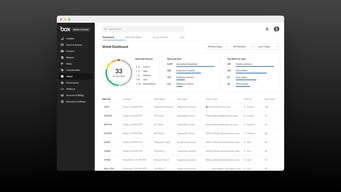
Compare Box with other popular tools in the same category.
Very easily accessible, you can share files securely, you can share with multiple people
There is nothing I dislike about this platform.
Sharing files securely, able to share files with multiple people at the same, very user friendly
I like that I can easily work collaboratively on files with colleagues, share files easily, and organize my files with easy syncing between box and my desktop
The only downside is when editing excels online, not all the functionality of excel is usable. For example certain formulas and shortcuts that I normally use in Excel are not usable when working online.
Box allows my peers and I to share files easily, work on projects together without relying on emailing the latest versions to each other, and sharing certain access with people outside my company with appropriate privacy settings
Easy to share the data with others . Access management
Checking about the current storage plans and available space.
Backup of data and sharing it with friends and family.
What I like most about Box is that I am able to not just store pictures, but I can also store documents, I can share documents with colleges, I can create sharable folders with colleagues, and it interacts well with my corporate VPN network.
What I dislike the most about box, is that it is not easily findable as a shared platform on all operating systems. When I am using my iPhone and want to share a picture or document, especially if it something I need to share so I can access it from my work computer later, Box is never one of the Cloud platforms that initially comes up. I always have to select more, and then select Box as a sharable platform that I want to use.
what I use Box for during my current day to day work is a transfer cloud platform from my work account to my outside private accounts. Box is the only Cloud platform that can be accessed by ,y company VPN, so when I need to share a doc or picture from or to my work account to my outside personal account I use Box. Personally, because of its features as a Cloud-based storage platform, I Box to collaborate with working folders and store documents and pictures.
It’s easy to save, recall and share documents
When the system is down, you’re out of luck
I’m able to have a secondary space to save documents and if I forget my thumb drive, I always have a backup
You can access your files anywhere from your browser, or sync with the PC app, or even from your mobile phone.
It costs more than the other cloud storage servides such as Google Drive, One Drive, and Dropbox
Having my files available from anywhere, with password and/or PIN protection and with good sharing features.
The ease of use of the platform and storage capacity. It has proven to be extremely reliable.
In general all services have been good and no real dislike
It has become a central file sharing center for our clinic. It has proven to be seamless and sync among machines is extremely fast

Easily create "trees" of files with main folders and subfolders. Varying levels of access allow you to add in various users who may just be uploading, viewing, or in complete control of the documents. Can grant access to a parent folder and all folders within, or a single sub-folder. Easily share secure links with the knowledge that only the right users will access the information. Favorite folders for quicker access. Easily searchable within all of Box or specific folders. Customizable branding colors.
There's really nothing I dislike about Box. The search works great, logging in and adding users is easy. Makes document management painless.
Secure file sharing that our clients can trust and can be shared between team members. Can upload small files or long videos.
Box connects with most applications and integrates seemlessly.
Subscription options tailored to client's needs.
Record retention, document management, collaboration.
It’s super easy to collaborate with remote teams. It provides a way for us to securely have all files and to allow all of us to edit the documents from remote locations.
It can be hard to format tables and charts without downloading the document. This makes for multiple versions and possible confusion.
Coming up with ways to work with remote teams, it is way that two firms can come together to work on clients in a secure area.
This software uses cloud-based technology for storing or retrieving the data from the place where this data store and easy to use the cloud-based technology with the use of this software. This software doesn't have any complications to use.
The cost of paying to use this software with extra storage is high. That's why I dislike this software much more.
Storing the data for the long term with high security.
Efficient way to store documents and tasks
Sometimes the website crashes and that’s an issue while working
Box is a great way to list tasks and share tasks
Box is a great option for collaborating on files with co-workers. It helps us make sure that we're using the latest version of the document we're all working on. It's also a great storage solution to keep files off your hard drive and on the cloud, accessible from your mobile device or another computer.
If you have an unstable internet connection, your files might not save to Box. It will however, give you a notification that the file didn't save and will instead, save it to your desktop so that you can upload to Box at a later time.
We've went almost entirely to online document storage using Box. No need for cram packed filing cabinets! Everyone can access files easily, view and download as necessary.
We use Box as a secure file transfer and repository tool with our customers. It's so easy and reliable. I can control access as needed around confidential documents. I also like that Box is able to identify when a new version of the same document has been uploaded...it doesn't create a new copy unnecessarily, it upversions the document.
I wish Box had a notification feature where I would be alerted when someone uploads file(s) into my folder. Unless users tell me, I cannot tell when a new version has been uploaded.
We use Box to store and share confidential files between us and our customers. It's easy to use and we can manage access very easily. We use google drive to collaborate internally, but found it not as user friendly for external collaboration.
We've used Box for roughly 10 years in our business and have found it to be 100% reliable and stable, fairly priced and easy to use. We like the flexibility and control over our documents it gives us as well as the easy access to documents.
There is not really anything we dislike. The only thing I can come up with is sometimes I find Dropbox is more integrated with other software and products than Box.
We use Box for short and long term electronic storage of documents as well as sharing of documents. Since using Box we have eliminated all paper files. In addition, we have solved the problem of making documents available to people without losing "control". Using the features Box offers we can allow people to view files without logging in but not download, or download and view, or require them to log in to do anything.
I like how it's fast and easy to use. Downloading files doesn't take a long time. It's clean and efficient. I never have issues sharing files or when files are being shared with me. I usually have that problem when using OneDrive. I can download all at once or by file and it's just really simple and minimal.
A pop up appears whenever I download something when I'm not signed in but it's not a big deal
I have issues with OneDrive when someone from outside of my organization is sharing files with me. I'm unable to view them. I never have issues when using Box though and it's great!
Box has been my number one cloud based storage tool. I like the simple web like interface that is easy to navigate and easy to customize. This tool helps me store all kind of files and folders in an organized manner and in a very easy way to get access to them. By doing so all my content is very secure. Box also makes it easy for me to shere files and folders easily with my colleagues hence it a collaborative tool. I like that Box offers a very gorgeous trial system which is accessible by all users to see all functionality without having to pay even a dime. I also like that Box enables me to download,edit and share any data while i am ofline. And also i am able to have total accessibility of the data. I like it more because Box supports all type of files. I cannot forget to appreciate that this tool even has an offline customer support team.
Box keeps getting better and better every day. Thanks to the service team that keeps on updating this platform.
Before having Box i was having a problem with my device. The storage was running low each and every day and i was very insecurethat my data would leak. But the moment i started Box all my problems were solved because my data was stored in the cloud where the spece is huge and its very secure. I am able to shere files with my colleagues easy. Alternatively if they shere anything with me i get a notification in my box. Its keeps me very alert and updated.
Privacy of files Ability to see the revised versions Updates in real time Web and app version availability
Paid version could be expensive Multiple users can't edit if app is open off web
Sharing and saving files
Professional but easy to use. Super secure and total clarity on folder owners / viewers. Team live editing of documents is easy. Can sync to computer documents folder.
Sometimes navigating folders can be difficult.
saving and sharing files securely. The issue is that clients who do not use it do not want to, most have their own file sharing sites (e.g. Teams) that we need to use. It would be awesome if there was a way to integrate these.
Help in transferring large data easily and helps keeping large data safe
Sometimes login issue comes which irritate a lot
Very easy to transfer large files, easily accessible by whole team
Box keeps all my files and folders in the cloud so I can access and share them with ease, on any device. I feel that all files are at my fingertips. It helps me in accessing all my Box files on desktop. This saves valuable hard drive space and stream content when I need it. It allows using my favorite applications to create and edit content. All the changes will automatically upload to Box file is saved. Any file or folder can be shared in seconds. Anything shared with you automatically appears in your Box folder. Search bar is fast way to access the box. No need to browse. cntl + option + command + space opens up the box search. It provides offline support as well. Contents can be synced only by right click. Local changes are synced automatically to cloud. Box supports every type of file. Content can be downloaded, and can be accessed/edited while offline.
Sometimes, I feel that there is a lag in syncing the contents on my device with contents on the cloud.
Organizing the files and folders on my local machine consumes valuable space. Box has solved this problem by storing files in cloud. Box keeps all my files and folders in the cloud so I can access and share them with ease, on any device. I feel that all files are at my fingertips. It helps me in accessing all my Box files on desktop. This saves valuable hard drive space and stream content when I need it. It allows using my favorite applications to create and edit content. All the changes will automatically upload to Box file is saved. Any file or folder can be shared in seconds. Anything shared with you automatically appears in your Box folder. Search bar is fast way to access the box. No need to browse. cntl + option + command + space opens up the box search. It provides offline support as well. Contents can be synced only by right click. Local changes are synced automatically to cloud. Box supports every type of file. Content can be downloaded, and can be accessed/edited while offline.

Box is a file collection and cloud service at once. The file drop is so easy.
P&G find it not enough safety anymore. So we stop to use this application.
Sending bis files with this application is easy.
I can open data file on the Box at anywhere on the cloud. It 's supper fast and convenience.
Watching movie in the Box and running slow
The difference that Box brings is that it offers the security and controls admins need with the sharing and collaboration capabilities end users want. Box has made it easier for people to securely share ideas, collaborate and get work done faster.

I am a web developer, I use Box generally for backing up files. The interface is quite simple, intuitive, and easy to use especially when you do not want extra features like file editing etc. It is clutter-free if you just want to need files to be kept as a copy somewhere in the cloud. What I really like is that it integrates really with Third-Party Services and well designed for collaborations.
I use it as a place for just backing up files, none of the features I dislike.
As a Web developer, I am using Box to backup my daily files, some files related to documentation etc.
Very easy to sync to your desktop and any updates are made in the box will be synced within a fraction of seconds
When someone is editing it the other person can't edit the same page.
Team data is saved and viewed by all the team members

In my opinion, it is an interesting alternative for those who want to distance themselves from Google or Microsoft products and appears to be much more secure with its encryption and encryption system. Its interface is quite clean and it is very easy to learn to use. It can also be used from any device, be it a computer or a mobile device
The free version is very limited, it is always preferable to choose a paid version. Unless you want to test the features and its operation, you can start testing with its free version
Archive storage is much more secure and collaborative work has been optimized by a large percentage. File transfers and sharing have a high transfer rate that allows us to save time and the storage capacity is quite large. Our files and documents are safely stored and it also works as a backup for all our important files.
I like the flexibility it gives the company to maintain a company wide database.
There is nothing much to dislike about box
All the cloud storage needs of the organization
I like being able to upload large files and share
The fact that you can’t share w/o it costing
Problems solved big files able to access. I don't care for the editing as it's limited on the aspect of how you can edit at times. I've had to resave versions of docs under different names to be able to not lose them and to access them for important meetings. I've been very frustrated with that part of Box last year when there was a couple of us trying to edit a document and I couldn't go back and pull the history behind it and my boss was editing a document at the same time and it lost one of our changes while the other one thought they didn't do the changes online as requested. Overall we just use to save files to go back and review. I think short term it could be good for storage just not for editing online when others have access. Short term all is good however.

automatic syncing and acces to the files from everywhere. acces to overwritten files and versions.
when slower connection, syncing takes too long.
cooperating with foreing colleagues is much easier and quicker.

It is a simply, user-friendly platform where you can store a huge amount of data.
When its look is changed. But otherwise, I do not dislike anything of it.
I store files and data what I can easily share with others.