

Unclaimed: Are you working at Box?
Box Reviews: 4.2/5 — Solid Choice
Box is a file-sharing and content management platform that runs on the cloud. The platform lets users store, share, and collaborate on files, regardless of where they are, through the use of workflow automation, security controls, and various integrations with business applications. Using Box, businesses can help their teams streamline internal processes and boost team productivity.


| Capabilities |
AI
API
|
|---|---|
| Segment |
Small Business
Mid Market
Enterprise
|
| Deployment | Cloud / SaaS / Web-Based, Desktop Mac, Desktop Windows, Mobile Android, Mobile iPad, Mobile iPhone |
| Training | Documentation |
| Languages | English |

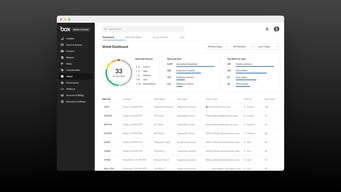
Compare Box with other popular tools in the same category.
Box is a tool that is being used wide across the organization.We are utilizing it as part of our document management tools. I love that box is easy to use. It has an intuitive interface that well understands its users. It provides us with storage services where we can store the files we are dealing with on a daily basis. Box allows for collaboration in document formation which helps save on time.
The search feature is slow and more filters are needed to make it fast.
Box is helping us in document management.It help us create, share and store documents
It's visually pleasant and incredibly easy to move files around.
My only issue with Box is not being able to use the preview pane to preview files when in Box drive view. This can be somewhat worked around by checking 'make available for offline use' on each folder.
I've realized that most other platforms are rather clunky in comparison.
Easy Online collaboration, interface both on web and App
Sync settings per folder is sometimes painful
Cloud benefits prevent loss of data and avoid large attached files in emails
My favorite thing about Box is the desktop app. It seamlessly integrates with my Windows file folders and allows me to access all my files from my computer, the company shared drive, and my Box folders in one location.
I find the Box.com online interface very clunky and not user friendly. Actions in a file on Box are very restrictive, and I don't want to download a file to use it every time I'm trying to access. As such, I rarely use the online portal.
I have been able to store files securely and grant permissions to specific viewers and editors in my company. I have also been able to set up automatic offline access, so I can access all my files even when offline without having to update or move files around.
It’s so easy to use, your files upload quickly and effortlessly, the organization and sharing features are great. Plus you’re able to search through and find files so easily! I like that the files load pretty quickly, and do not fill up your computer storage. I can have quick easy access to HUGE files and it won't bog down my computer at all. You can make a BOX icon on your desktop for even quicker, easier access to files/folders etc.
Sometimes there are pop ups to “login” to box even though I am already logged in. This is not a major issue, but it seems to be an ongoing problem so it gets kind of annoying. It also seems a bit hard to set up user sharing controls. Other than that, I really don't have any other complaints!
Sharing and maintain current files without having to think about it! This makes it easy for me to upload price sheets for the purchasing team, so if they have a question on price, they can just look it up for themselves instead of having to call or email me each time, which is a waste of both of our time/energy.
I like the best that you can have simultaneous editing with this program, and that you don't have to download a document and save it on your computer just to re-upload a new saved version.
I guess the downsides of using box is that it's separate from my email storage, since I use gmail, so I have to go to an external site to sign in. But really that's not difficult at all.
We are able to store information securely, and edit documents live in box with multiple users.
Love that it is additional storage space that I can access from different areas
You have to buy extra storage. Having to delete files to make room
Better use of my time by being able to access files rather than email them to myself
Box is a great platform to share documents within a group or serve as a back-up for your own device. People can be delegated to be in charge of folders, editing, etc. or it can be open to all. Box also syncs very quickly.
I dislike the upload protocol for documents. It would be ideal to drag- and-drop the files. Also, you cannot edit files within Box- they must be downloaded, edited, and the newer version uploaded again.
We are using Box to solve communication issue and consolidate data. This is much easier with a central system that can be used on multiple devices.
We love being able to set time limits on files shared.
people often don't look to box first and this leads to information stored in similar apps outside our ecosystem
sharing sensitive content outside our organization
Its great for sharing files, everyone can access the same files and you can control who can edit.
I dislike having to login to update a file instead of working directly on the file and it saving automatically when I make changes.
When you want to share files with a big group its easy. Also I love having my university emails attached to it so its easy to find people and groups to share it with.

Very easy to drag and drop files, easy to share with business partners
File size is sometimes an issue, and larger files take quite a while to load.
Allows us to upload marketing materials and sent directly to our partners for printing
Its good for daily usage, save files and so on but feels like is missing features compared to other cloud storages platforms.
Their plans are pricey, you can get better services and more capacity storage for less and it doesn't mean service will bad.
easy transfer of files outside the domain
I like that it is user friendly. It's very easy to learn to use box and to upload different files or share files with others inside and outside of our team. I like that you can organize all of your files by folders and that they have teams so that you can set permissions for who can view what documents.
The search feature can be difficult in that it doesn't always pull up the folder that is attributed to an account.
We are solving the problem of people on our team having access to client information and knowing where to find different information that has been decided on with that client. We are also solving the problem of confidentiality with the different permission settings for who has access to what.

This is the best application I have ever used. It is really simple and helpful. It made my life so easy. I really recommend it to everyone. Awsome app.
I find sometimes technical problems with the application. I believe that these problems have to be solved directly.
It mKes everything easy for me
Box keeps the information organized and very easy to access. The folders and search tool allow me to easily find what I am looking for. I work on multiple research projects and find it easy to share confidential patient information via Box.
The way my projects are organized, there are multiple sub folders for things which can make it difficult to find the file I am looking for. The difference between the “open in Microsoft Word” and “download” buttons is confusing, because they both accomplish the same thing even though the “open in Microsoft word” makes you install something else
I am able to effectively organize my work files and share information with a lot of different people collaboratively, which is a plus.
Box Cloud offers a solid cloud base system for business
One downside was the limits on the file size you can upload. Previews of documents can be a bit slow.
Ease of access to company files from anywhere. Ease of use and control over user access.

I like how you’re able to securely share documents with people outside of your company. It has version control so when you upload a new document, it replaces the previous one.
I don’t like how you’re not able to directly edit the document like google docs. It would be so much easier rather than having to download, edit, and re-upload the document.
Benefits include being able to share documents with outside vendors. It’s secured.
Once installed, the user is able to seemlessly work on different computers and see their documents by simply logging in to their account and incorporating Box into their PC.
Once incorporated to the PC, Box lacks certain customizability and troubleshooting options.
Seemless cloud storage for staff who uses different computers.
I appreciate that I can sort through my many recording and photo files in an organized way, and share them easily with colleagues.
I have not had any problems with Box. All has been easily accessible.
I benefit through Box my clearing up my computer and using this online system to store and share my files.
I like how easy it is to upload stuff and share with other people.
I don’t like when sometimes it gets a bit complicated to understand where we have access and not to some content
Sharing data with coworkers
I like the UI. It looks awesome for my style. I really like the fact i can send my presentations to my colleagues and they just pop up our cloud and you can have a quick look just in the spot. Love the digital signature i can make super fast and easy. Removes bureaucracy inside our business
I don't like the fact that sometimes box stops working. Occasionally i get an error that doesn't allow me upload any document and have to restart in order to make it work.
bureaucracy is kept at minimum in our organisation. You can send documents from on employ to the other with no issue super fast.
It's good bcz it saves your hardisk space
Unlike like Dropbox, I cannot link it to my computer
Storage, it's can be linked to differ accounts, like wepa printer, and all

It had an cloud storage which gives you 10GB of free cloud storage. It also has an feature to share any file in the cloud by sharing link of it. It has a very nice UI which keeps every important recent document.
I'm still exploring this application and yet I've nothing as con. But somehow I think that the capacity of the cloud should be increased further, so a user will get more chance to use it and explore it.
I'm using Box to keep my all the important documents of my industry safe, into the cloud storage. It has become very easy to send and receive files using box within the company. It is really a good cloud storage tool.

Can work with mobile , desktop and online platform.
I did not identify any disadvantages as yet.
We have solved file sharing issues with clients and suppliers in our company
The search-ability of cloud-based storage
The search feature is imperfect because sometimes the relevant document doesn’t appear
Teaching and preparing for teaching is much more efficient with box when you need to search for precious files used. Our entire language department keeps all files available to everyone on Box.
We used this prior to moving to Sharepoint as an organization and I miss it everyday. It's user interface is clear and intuitive, it's fast, and there are zero issues with syncing documents from the application. It's easily accessible by web browser.
On occasion, the application took a long time to load when booting the computer up.
Shared documents, version control, ease of centralized information.
Easy to use Unlimited storage options Office app integration
Inflexible synchronization 10GB file size limit
Box operates across a range of platforms, so almost irrespective of your particular needs it has you covered for Cloud storage.

I like that Box scales to accommodate our document demands as our business grows and we add more clients, projects and team members. I find it easy to search and locate the docs I need, to download or edit, to share and to review quickly in the app. The search is robust and it has all the features I need to upload, download, edit, review and share in a team environment.
At times I would like more simplicity in the functionality, less clicking around, a more intuitive and responsive interface.
We have hundreds of clients, each with one or more active projects, and this is our best solution for managing formal agreements, requirements, file assets and multimedia resources in one place that the entire company can access with appropriate security levels. It integrates well with our SSO (OneLogin) so that we can use a passthrough single login.
I like that you can decide what privileges people have when you share it with them. I the the ease of sharing.
If you have the same document in multiple folders and you update it, it doesn't update in the various folders. This would be a nice property as an option.
Ability to share information globally and access while mobile.
BOX is a comprehensive cloud storage platform that allows us to seamlessly collaborate and share files with internal and external users, while ensuring we stay compliant with security measures. One of the things I like best about this program is the ability to place security controls on all documents. Since we do a lot of sharing between vendors, it is imperative we have concise control over what can be shared and what cannot.
BOX natively syncs with your computer as its own folder, so you don't have to always open up a web browser to access and upload files. This capability works great on PCs but continuously crashes on Mac users (which is what I use). I do wish they would make some tweaks to this so Mac users could use BOX natively on their desktop. And I cannot speak directly to this, but I have heard from our IT team that this program is very expensive. While it is a great program, the cost could be a turn-off for some potential clients.
Our company needed an ultra-secure cloud storage platform, and BOX was the answer. As a personal user, I have realized the benefits of having a program you can edit a document directly in (once you make changes, BOX will auto-save them right back in the folder).