

Unclaimed: Are are working at Figma ?
Figma Reviews & Product Details
Figma is a feature-loaded design tool with tools designed to help users mockup, edit and design websites. The platform takes a more collaborative, cloud-based approach to design, which means it allows team members to design simultaneously and give each other continuous feedback as they work. This makes collaboration simpler and more effective. A free plan is available on Figma, however, premium plans offer more extensive tools and robust capabilities for web design and development as well as collaboration.
Figma is also often used as Wireframing of choice in UI/UX Design and Product Management tech stacks.

| Capabilities |
|
|---|---|
| Segment |
|
| Deployment | Cloud / SaaS / Web-Based, Desktop Mac, Desktop Windows, Mobile Android, Mobile iPad, Mobile iPhone |
| Training | Documentation |
| Languages | English |
Figma Pros and Cons
- A free plan is available.
- Premium plans are more affordable than the Creative Suite.
- Collaborative tools allow developers and designers to work together.
- Figma is a feature-rich platform with robust capabilities for mocking up websites.
- Figma only concerns itself with the design aspect; you’ll still need web developers to create and implement the necessary code using other software.
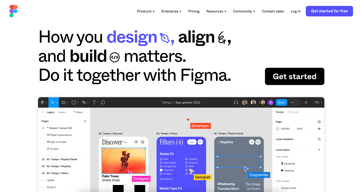
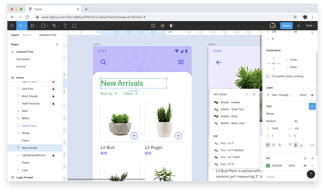
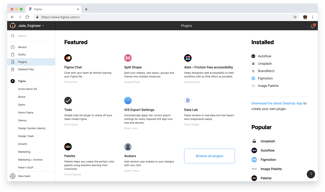
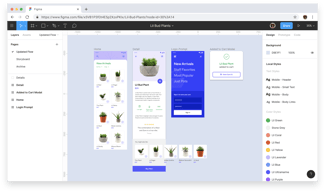



O Figma possui tudo o que um designer de produto precisa para dar andamento para os seus projetos. Ele auxilia desde a concepção de um produto digital até o momento da entrega do projeto para equipes de desenvolvimento.
Infelizmenente, o Figma não fornece de forma adequada ferramentas focadas em modifição e criação de bitmaps, algo que o Photoshop nos fornece, por exemplo. Além disso, a parte de vectorização do Figma ainda pode melhorar muito.
Anteriormente, utilizavamos outros métodos para conceber produtos digitais. Agora, com o Figma, nosso processo de construção tem sido cada dia melhor. Resolvemos também a falta de comunicação contínua com os times de desenvolvimento e construímos uma fonte da verdade do design.

Easy to create wireframes & prototype. These are quite helpful for user research.
Not having a small over view section like Miro board. Unable to view what was edited and by whom.
Collaboration with cross functional team is easy. Retrospective meetings goes better.
Smoothly real-time collaboration. Online sharing Observe others
A little bit difficult to arrange auto-layout
Easy to use for both designers and devs. sharing easy. Good for both web and app design
Figma is great for prototyping with others or collaborating on designs.
I think the only thing I dislike is the small differences in hotkeys from illustrator.
Collaborating with others remotely
It is straightforward to use for people unfamiliar with designing tools. My design team leaves all their high-quality designs in a figma, where I can freely edit them to my needs. In addition, I love it to design lifecycle flows freely in real-time with my team worldwide.
Some features are still for designers only and are hard to comprehend.
It helps us have a lot of editable creatives in high quality, free to use in real-time for my team around the world. My design team loves it because it simplifies their life!
collaboration with team in real-time is really helpful
Wish it was a bit more cost effective to have others as creators, but overall that's a minor complaint
Design tool for our software; allows our team to use the same components, quickly wireframe and prototype; share out tests to get feedback from external folks, etc

Figma helps to fascinate prototyping and wireframing with excellent results (visuals, textures, and responsiveness). Integration with Jira helps us to collaborate flawlessly on important & complex projects. The free version supports lots of features & functionalities which are almost enough to get a project done. The user interface is super clean and organized with all features well-annotated. Either version support device responsiveness with lots of media query options available. It's really an amazing tool for prototyping, animation, and wireframing-regardless of project type.
I have no other issue with Figma except that it's not easy to learn and I think it's for advanced developers. But it's very effective.
It helps to quickly brush up on awesome web templates and creative designs which helps to save time and resources.
It's simple enough that everyone from the team can use it but powerful enough to meet the needs of advanced technical and creative projects.
It can quickly become overwhelming for non-designers with all of the tools and options at their disposal.
Figma gives our team a collaborative space to brainstorm, prototype, refine, and archive all of our design work and then some. It's helped streamline our workflow, removing redundant tools and making our work more efficient.
Ease of use, cloud saves, plugins, animations, and so much more.
Honestly, there's not much not to like about figma. The only potential downside I can see is with the billing structure, what's free vs what isn't?
Being able to design easily and communicate that to my clients, designer, and collaborators.
The best thing about Figma is that it is super easy to learn, understand and use. The designing tools and features, along with the plugins, help make designs easily and smoothly.
One thing which is not feasible is that we cannot resolve multiple comments together in figma, or that along with the designs the comments do not get transferred to another page in the design file.
Figma helps me design the User Experience of my product easily. The Figjam board, its templates and the Figma Design file are much easier to use and learn. It is very convenient for me to make user flow, research documentation, user journey maps, competitive analysis, wireframes, prototyping, and high-fidelity designs in Figma compared to the other design tools.