
Unclaimed: Are you working at Figma?
Figma Reviews: 4.7/5 — Highly Rated
Figma is a feature-loaded design tool with tools designed to help users mockup, edit and design websites. The platform takes a more collaborative, cloud-based approach to design, which means it allows team members to design simultaneously and give each other continuous feedback as they work. This makes collaboration simpler and more effective. A free plan is available on Figma, however, premium plans offer more extensive tools and robust capabilities for web design and development as well as collaboration.
Figma is also often used as Wireframing of choice in UI/UX Design and Product Management tech stacks.

| Capabilities |
API
|
|---|---|
| Segment |
Small Business
Mid Market
Enterprise
|
| Deployment | Cloud / SaaS / Web-Based, Desktop Mac, Desktop Windows, Mobile Android, Mobile iPad, Mobile iPhone |
| Training | Documentation |
| Languages | English |
Figma Pros and Cons
- A free plan is available.
- Premium plans are more affordable than the Creative Suite.
- Collaborative tools allow developers and designers to work together.
- Figma is a feature-rich platform with robust capabilities for mocking up websites.
- Figma only concerns itself with the design aspect; you’ll still need web developers to create and implement the necessary code using other software.

Figma makes a person a good designer. It is easy to use and an opportunity for the freshers to be ahead in the designing department. While working with a team, it gets accessible and very supportive to make presentations.
It can only use offline. Components are not being with auto layout frame. Ranges of Figma in designing tools are limited.
Guidelines and tips should be provided through Figma to users to be more comfortable while using it. Many benefits are there of using Figma and itself an ample opportunity.
Extremely easy to use, especially if you are coming from using any of the adobe products, you will be comfortable sing Figma immediately.
I don't hate this, but the shortcuts are different from adobe which completely makes sense (since they are not the same company), but at first, you do have to learn the shortcuts. Again I don't hate this, just takes a couple of weeks to develop the muscle memory.
Figma is great for collaborating with your team and handing off quickly and painlessly to developers.
It's very easy to use even for a non-designer. It allows designers on our team to easily share designs and provides us with the ability to comment.
It's very heavy on your computer. My computer tends to slow down quite a bit when running it, so it's something I close if not actively using.
We're using Figma to create low & high-fidelity prototypes for our product to share with engineering, product, and management. It has been super quick to share and get feedback. The biggest business problem for us is aggregating designs in one place for all different functional team members to be able to see.
While working on the same project with your teammates, it provides real-time collaboration. This is the best tool for creating wireframes. It offers the ability to create multiple layers in a project.
It becomes challenging to manage multiple projects. With low internet connectivity, it's hard to save your work.
Figma is beneficial for design collaboraion. This tool is helping me to work with my team efficiently.
If you are working remotely within a team this is the best tool. It provides easy collaboration. During this pandemic, I have realized the value of Figma.Au
Sometimes it becomes to manage my projects. When the network is down, It does not work properly.
Figma is the one-step solution for me and my team. We use this on daily basis to dump our ideas onto this and this is how it becomes easier for everyone to access at the same time.
The intuitive toolset that reveals itself progressively is the best thing about Figma.
When exporting multi-page pdf documents, there's no option to export them as a single pdf file, each page gets exported separately.
I have worked on many UX design projects for fin-tech and ed-tech products with a multi-disciplinary team, and the best benefit of Figma is its real-time collaboration feature set.
The fast way to design layout and connect various screent and do presentation of the various screens connected
No built in support to convert design into html css (code)
Prototyping and iterating my product design without writing single line of code. Can propose a lot of design in short time
Great tool to collaborate with your design team.
It's hard to establish which "stage" the project is in.
Anyone in the company can review the design team's work = transparency!
I believe Figma is one of the most flexible prototyping tools for UX and UI. It allows you to create websites or apps wireframe and high definition testable mockups, including transitions, animations, buttons and video using certain extensions.
It's difficult for me to say that I dislike something about Figma. The only thing that I can remember that annoys me a little bit is the left layers and assets library. Sometimes is confusing for me and certain colleagues to organize assets and layers between different frames.
We created prototypes of websites and mobile apps that are now fully working and constant improvement. It helps me and my team through our design process and sprints.
Figma is amazing when it comes to wireframing and prototyping it has the best features and it is free. The most amazing part is it does not require any software and can be used over a web browser.
I do not dislike anything. But it should add more design to code extensions.
we have been working as a web-based solution provider and for us, we use Figma as the primary product in terms of prototyping and wireframing.
Figma helped me to create prototypes effortlessly. It has a straightforward interface that makes it easy to use but what I like the most about Figma is the way it works with the Figma Mirror app. It helps you visualize the product early and prove how the target market you aspire to serve is receiving it. I also like that you can have your projects organized by team. Also, it is great to have the content in layers and groups to have it more organized. Lastly I would like to mention that it is great to have templates because they save you time (specially designing).
I haven't found anything that bad yet, I would probably just say that some images pixelated when trying to adjust the size, that's it.
We used to take an IDEO course regarding human-centered design. We use it for prototyping activities and later implement it to present prototypes to our clients.
Almost everything. It's 99% perfect design app
Sometimes it's too slow, especially with big files.
Figma is my primary design tool
Figma allows individual design exploration, execution, and delivery- on top of giving way to collaboration for your whole team. The community feature is so helpful to discover new components and styles, and the plug-ins are beyond helpful for your work stream.
Seriously, the only thing I dislike about Figma is the fact that it doesn't have spell check- which can be challenging for making stakeholder-ready prototypes but other than that- nothing!
I'm currently using Figma to mend cross-department bridges and gaps in collaboration.
Figma is all of your design tools rolled into one. Figma allows you to create, edit, and preview your project in several different ways. The layout is straightforward, and the tools are easy to use. Figma can be used by experienced designers and beginners. I like all of the tools and options that Figma offers!
There is not a lot of things to dislike about Figma. The only thing that I personally struggle with is the side panel where the layers and assets are held. If you are working on a large project, the side panel can sometimes get crowded.
I use Figma for several different things, but the main reason I use Figma is for app design. With Figma, I can use a template for an app and customize the branding for different clients. One of the biggest benefits of Figma, compared to others, is the ability to share a clickable/working prototype of an app. This allows me to collaborate with clients and make changes before I start to build an app.
The fact that Figma is a viable solution to Sketch now, that there is a free use and that it has a great community that helps establish awesome plugins.
I dislike very few things about Figma. The most frustrating pain point I have encountered at the moment is version control. I haven't found out a way to manually save and edit them. As a head of product, this feature is vital to go back and forth between the different versions without the file getting messy.
I use Figma for creating visual interfaces, building design systems, sharing and optimizing designers' workflows as well as creating pdf documents. I think a few benefits of using Figma is that it is a swiss army knife. Easy to use, adaptable for many different kinds of requests and some powerful features under the hood if you need to use them. One key point that sets Figma out from its competitors must be collaborative work. I have made many meetings with my team using only that feature.
I like how fast and agile it is, allowing you to create designs instantly.
I think it gets a little complicated sometimes, but that's often out of necessity.
We're creating websites and a software app and it helps expose all of the required UX components that might have gone unnoticed otherwise.
- It has become the industry standard. - Enables collaborative work and live functionalities work without a hitch. - We can share the designs created with the engineers directly. - Its core functionalities are a blast - Figma has a live community that creates great templates and plugins to use.
- There could be more templates from the official Figma team. - Pages/sections area can be improved for usability since it gets quite messy as the number of files increases.
It's our one and only tool to design pages for web and mobile applications.
Figma is an affordable design tool that most designers in the industry use. The functionality is hard to beat in any other tool on the market and requires the least onboarding time to learn how to use. Having our teams switch to Figma from Miro was a positive change seen cross-functionally as it was easier for everyone to onboard to and share designs out of. The structural / organization ability of the files makes it a clean experience for when a non-design user needs to get in the details.
The new flow map feature still needs a little more thought and love, but I see a lot of potential in it.
We use it to design our product front-end experience before passing the work to our engineering team.
The ability to have one area where collaboration and actual design occur has become essential for working with a remote team. Unlike other products where the design is done and then shared for feedback which can get incorporated later - this product allows feedback to be immediately captured and design done.
Unlike Adobe XD where you have many toolkits from most big interface designers and OS developers - Figma is much smaller. Adobe XD is closer to a high-fidelity prototype. Figma doesn't have the same feel or polish and can be less impressive in giving a client an idea of what is being done.
Previously I was using Adobe XD - it was perfect for in-person design sessions with multiple team members. When the pandemic hit, the team had to transition to remote and Adobe XD didn't stack up as well as Figma did with the collaboration elements. It is like working with Google Docs where everything can be shared - even while it is a work in progress.
- How it's so light and simple but packs very powerful features. - Is almost free and you can access/use it through the web or windows/mac application - Lets you design, share, prototype, and export all assets from the same app. So no need to use different tools and plugins. - Easy to use and doesn't require you to spend weeks and months learning it. Just spend few hours and you'll be pro. Best tool for non-designers who just wants to make wireframes etc for developer or designers.
- Using images and icons are a bit complex. other than that I think I would be just neat picking here.
It's easy to make simple layouts and share them with developers and clients to take feedback and vice versa. My client is non-designer and he can easily make wireframes and share some assets that I need for further developments. Basically, we use it for all our UI/UX-related projects whether it's mobile or web.
Easy to learn, for even beginners like me who do not have experience with any design software. I liked the real-time collaboration abilities which this software has. The tools/components provided are fantastic for designing purposes. Prototyping functionalities are more loved, which helps save a lot of time to change different screens—also, I have seen continuous improvements and great features using them. The project creation and recent viewed tabs at the home dashboard also are reallly useful lastly.
Functionalities of monitoring of design systems statistics are only available for enterprise plans which should be available in trial plans also for use. It also takes many resources, which in a more big design document gets crashed or slows down the whole system, which can be pretty painful at times.
Not much except crashing or slowing down while working on a giant software, but it will be solved quite soon as when I tried contacting the team, they told me they would start working on it soon. Except that nothing is the problem. You learn while using it as the part of the organization.
The ability to have open and transparent communication about works in progress – as a designer, you can control the flow of information and provide insight into your work to your stakeholders and have them provide feedback or even sketch ideas out with you all within the same file. It has been a fantastic experience sharing my work with other designers, developers, product managers, and business teams. Giving them a direct line of sight into my work without the need of worrying about compatibility, exporting files, using external plugins, etc., has been phenomenal.
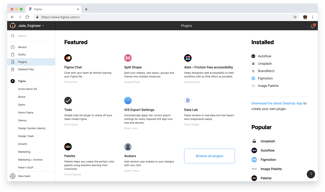
The core experience of working within the design tools in Figma has been relatively seamless. On the other hand, for more advanced or niche tooling, we have to rely on plugins, and the support for them within the application is occasionally frustrating to use. The available plugins are all created by the Figma community, so the quality of the plugins is hit or miss – nothing that we can do, as it's out of the control of Figma. Within the application, plugins feel like an afterthought – menus are a hassle to navigate, and there isn't dedicated UI for them outside the native menu bar.
Brainstorming on Figjam, building low fidelity wireframes and user flows for ideation, and designing high fidelity mockups for handing off to development. I find that it's an all-encompassing design tool that I can start and finish an end-to-end project without needing to rely on another program. This has been instrumental in speeding up the design process and bringing stakeholders and other designers up to speed with my work.
Easy to use as a non-designer so I can understand what my team members are meaning
Exporting entire screens vs. individual objects. Took a little getting used to
Rapid prototyping. We can get things over for the team much quicker
One of the best software used for wireframing the ideas
I cannot think of any at this time as it meets most of the needs.
Wireframing, converting ideas to desing in a quickway rather waiting for developing the pages.
Figma is a powerful prototyping tool that allows me to test mobile apps without coding them first.
Figma doesn't support embedded videos or animated experiences.
I am able to predict the value of a product idea without having to hire a dev team first.
Its ease of use and clever tools make it a breeze to create designs
Internet connection is required if not you have to preplan to work on a file
Its auto-layout tool is a game-changer, keep your spacing and layouts perfectly spaced no matter what you throw at it. Creating components and variances has also made designing at scale a breeze.
I was first introduced to Figma over six months ago for designing a web-based and mobile application. I was first turned on to the idea from my UX designer (I am in more of a product owner role) and was skeptical as I had never heard about it. After using it for the past six months, I grew to love it and was amazed by the robust functionality this tool offers. This tool can do it all, from wireframing to the full-on design of the application. In addition, collaborating, whether between the UX designer and me or with our dev team, has been straightforward.
There wasn't any feature that I disliked about Figma. It does everything I could imagine it doing and so much more.
The problems I am solving using Figma have been the complete design of web-based and mobile applications. The benefit to using Figma has been it is very feature-rich and straightforward to collaborate with many different users, whether they have a design background or development background.
As someone with practically no graphic design experience, it was pretty easy for me to pick up on how to navigate figma and use the various features. I also like the collaborative aspect, and how multiple members of the team can be actively working on the same project simultaneously. Lots of options for plugins help make customizable content as well.
Again, very little graphic design experience before this so I don't have much to compare to. It was definitely confusing at first, and i still have trouble exporting files.
Problems solved: creating cohesive content that aligns with brand image. Benefits: all in one place, collaborative space
I love the collaboration aspect of Figma. Comments within the designs themselves is a great feature + the ability to see a live-view of what other collaborators are doing.
The plug-ins leave some to be desired in the fact that not every plug-in is of high quality. It seems like there could be more requirements for the author of a plug-in before one gets published for public use.
Our entire product design team is on Figma, solving the biggest issues in our healthcare system today. We use the prototyping feature heavily to run user tests in hopes of validating/invalidating our assumptions.
I love the ease of use and ability to handle my end-to-end design processes within a single app. Real-time collaboration has been a lifesaver during these fully remote times. I can quickly review designs and concepts with our engineering team without exporting designs to another tool or app. Making prototypes is quick and effortless.
I would like to see better asset management for components in the near future, as well as some more advanced prototyping micro-interactions to convey motion to developers better.
Figma is a staple in our product design process, but the real-time collaboration and the newest feature, Figjam has been great during workshop sessions with product owners and developers. We have replaced Sketch, Invision, Abstract, and Miro, all with Figma and it's been so much better!