

Unclaimed: Are are working at Figma ?
Figma Reviews & Product Details
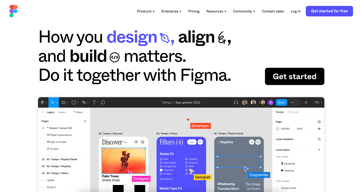
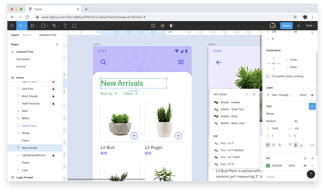
Figma is a feature-loaded design tool with tools designed to help users mockup, edit and design websites. The platform takes a more collaborative, cloud-based approach to design, which means it allows team members to design simultaneously and give each other continuous feedback as they work. This makes collaboration simpler and more effective. A free plan is available on Figma, however, premium plans offer more extensive tools and robust capabilities for web design and development as well as collaboration.
Figma is also often used as Wireframing of choice in UI/UX Design and Product Management tech stacks.

| Capabilities |
API
|
|---|---|
| Segment |
Small Business
Mid Market
Enterprise
|
| Deployment | Cloud / SaaS / Web-Based, Desktop Mac, Desktop Windows, Mobile Android, Mobile iPad, Mobile iPhone |
| Training | Documentation |
| Languages | English |
Figma Pros and Cons
- A free plan is available.
- Premium plans are more affordable than the Creative Suite.
- Collaborative tools allow developers and designers to work together.
- Figma is a feature-rich platform with robust capabilities for mocking up websites.
- Figma only concerns itself with the design aspect; you’ll still need web developers to create and implement the necessary code using other software.



The simplicity of using the tool rivals that of anything else I've ever used. I used to despise using things like MS Vizeo because it was so finicky. I started to watch my co-workers in different departments use figma and I decided to try it out. It's so easy that I picked it up without any instruction and I create workflow's and send them to my client's and subordinates frequently.
I don't think there is anything that I specifically dislike yet. While I haven't tried it in browsers beyond chrome I would hope that it is optimized for Safari and Edge.
It is helping me quickly visualize workflows and problems so that stakeholders can either confirm or respond with revisions. This has sped up the process of resolving certain issues tenfold.
Love the ability to view properties, shared components, and comment
A little difficult to navigate between projects or versions of designs
Designers being able to craft a design and successfully hand off to engineers. Figma allows for less unnecessary back and forth with design requirements while allowing an interface to have the back and forth dialogue when needed.

We love how figma makes it really easy for our team to create prototypes and pages and allows us all to collaborate on it and give immediate feedback.
We wish the settings for Figma were much easier to locate. It's hard to find the Billing page for example or the Profile section.
We can build high-fidelity designs in one-place instead of having it cluttered through different Drives or Dropboxes.

I think one of the most helpful part of Figma is the fact that it is web based and this often means that I can pickup any computer device and access my Figma design in a matter of seconds or even take part in collaborative product designs with team members spread around different locations. Being able to prototype and collect feedback from my colleagues in this way tops my list of things to love about this wonderful design software.
Because Figma is primarily web based, it often means that it is ineffective without internet connection. While I rarely have found myself needing to use Figma without internet connections , there have been situations where there was internet outages or I was in a location with poor internet connection and I basically couldn’t do much with Figam , despite its subtle offline capabilities.
Figma is the primary software that my team has relied upon for product designing and prototyping purposes. With Figma , our prototypes are closer to the main thing as possible. Once we get our designs right on Figma , we no longer need to worry about our designs not being compatible with specific screen sizes or reacting badly on mobile screens as Figma takes care of all of these potential hurdles.

Well, the most liked software by me till date is FIGMA. It is such a brilliant software every designer fall in love with. We can call it as a boon for design industry, figma built trust, guide new designers, easy to use, not a complex software, meet every requirements well. The team that built Figma software went above and beyond for every single need of a user to make it happen. Once if you start using figma you will not go for any other.
There is nothing that i dislike about figma, this is my favourite tool and i highly recommend to everyone who loves designing. Get figma, use it and grow. You are never gonna regret.
As a UI designer when i can came across figma, it doesn't took me too long to learn the software it is very easy to use and well built. No complexations. Now, after 2023 config it comes with more advanced options and get more relaxive for developers. You can create another level of prototyping and wireframing with it that blows everyones mind. Great tool till date.
Figma is great at enabling collaboration between designers and other team members. The new developer mode seems great for developer handoff at a first impression.
There is not much to dislike about Figma. According to some companies, using a cloud-based product might be a security risk. I also believe the recently introduced variabled are a bit overwhelming.
Figma is helping us collaborate among designers to design our digital product. It's great at organising visual mockups that represent our real life implementation.

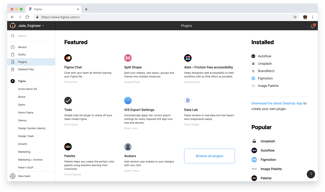
The best thing about Figma is that it runs on any browser, you will never have any compatibility issue. You can use it on any platform. And it has all the necessary tools for designer, also have community, plugins, collaboration features. And the best is AutoLayout. Figma is a lifesaver me.
To be honest, I don't really see any downside on figma. It works just like charm. I think they can add some more photo editing features so that even photo editing can be done there so we don't need to use other.
Figma is solving all of my design problems. Starting from Responsive design to prototype with live prototyping feature. Micro interaction & animation. High quality export. Auto Layout & Plugins which makes life more easier than ever for designers.
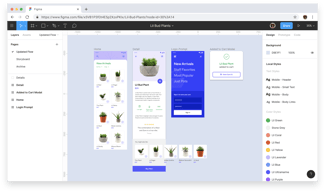
figma has allmost everytoll to make templates and wesite design posture and i like the most about figma is the frames android,iphone,teblates and much more so i can see the website or our design in diffrent phones and laptops
figma is not much responsive i can not make a website or app the redirect directly on page , i have to make another templates for all redirections.They have to add ready mate button or some pages.
I have make multipal website threw diffrent softwares but the main issue is that when i run them the website ,i can't see the phone or laptop or page so if i make website for laptop it does not work properly in phone but in figma it easy to explore the diffrent tool for see my website in laptop or phone or many more
Best to create design and easy to use , You have every tool and features a deisgner needs to create a best results and now that they have Android version features that's more helpful to create a mobile responsive design
There is nothing to dislike about figma you have everything a deisgner needs to deisgn.
Tools we need we get it in Figma from background blend to color blend to strokes to ux we have all in one.
Figma allows us to design user interface collaboratively and because it is cloud based we need not download or upload files, rather use it directly in remote computers.
Figma requires a good internet connection. Also, we cannot see co-designers design changes right away; we will have to refresh the page to see the changes reflected.
We can watch our team-mate working on the screen live with the help of pointers. We can set up as much as two editors for free in at a time and also we can have unlimited viewers for free