Unclaimed: Are you working at MeetGeek?
MeetGeek Reviews: 4.7/5 — Highly Rated
MeetGeek is an AI-powered meeting assistant that automatically joins scheduled meetings, records audio and (in paid tiers) video, transcribes conversations, generates summaries, action items, highlights and insights, and connects outputs to other tools via integrations, public APIs and no-code workflows. It supports live online meetings (bot/extension), in-person capture via mobile apps, browser-based captures, and uploaded recordings, with broad multi-language support and enterprise compliance features.
| Company | MeetGeek |
|---|---|
| Year founded | 2020 |
| Company size | 11-50 employees |
| Headquarters | Romania |

| Capabilities |
AI
API
|
|---|---|
| Segment |
Small Business
Mid Market
Freelancer
Enterprise
|
| Ease of use |
Beginner
|
| Deployment | Browser Extension, Cloud / SaaS / Web-Based, Desktop Mac, Mobile Android, Mobile iPhone |
| Support | Chat, Email/Help Desk, FAQs/Forum, Knowledge Base |
| Training | Documentation, Videos |
| Languages | English |
MeetGeek Pros and Cons
- Strong multi-language support (100+ languages) with automatic detection
- Full-featured: transcription, summaries, action items, integrations, and workflow automation
- Flexible capture modes (bot, browser extension, mobile, desktop, uploads)
- Competitive pricing with better annual rates
- Enterprise-grade compliance and security (SOC2, GDPR, HIPAA)
- Free tier has limited transcription hours and shortened storage
- Video recording only available in higher (Business+) tiers
- Desktop app confirmed only for macOS Apple Silicon (Windows support not verified)
- Some user reports of less responsive customer support and subscription/login issues
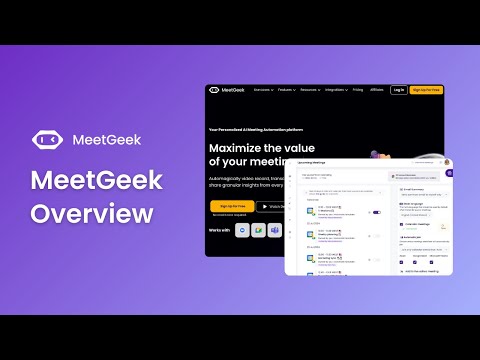
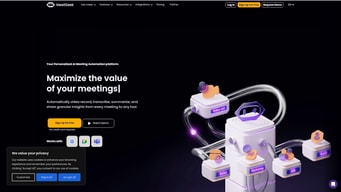

This is the perfect software for taking notes and transcripts when you're in a Zoom or Hangouts meeting. There's no need to worry about taking notes with this software because you can just highlight text from the meeting transcript.
In order to get the most out of your meeting robot, you will have make some changes in its default configuration. For example it can enter joints where we do not want him and perhaps an onboarding process is required when using for the first time.
Meetgeek has been a godsend for our business. Not only does it allow us to take notes and save them, but the automatic transcription feature saves us from missing any important conversations with clients or colleagues by simultaneously capturing everything that is said in an online meeting!
I love that both a video/voice recording and a transcript are automatically made. It's easy to share, and I love that I can also highlight or share just individual sections. There are so many features, and as I watched through the tutorial, I was very impressed that every helpful feature I was thinking of already exists. I can't believe I didn't know about this program until now!
I wish the video was featured larger at the top with the option to minimize, instead of small and at the bottom.
I'm honestly not really sure about this.
Once this is set up, it's hands-off simple. Links are easy to share, adding bots to scheduled and ad-hoc meetings are easy. What's more to say? This is what we bought it for!
We had some issues with the name that we gave our meetgeek bot. It took a while to sync with support to get this resolved. However, we did get it resolved, and it was linked to google meet, not meetgeek. Thanks for your support, Meetgeek.
This provides an easy way to review meetings internally with the notes and highlights, linked to the meeting recording. It also makes it easy to record and share meetings automatically without having to turn on, invite, enable, etc the software for each meeting. Very easy to passively use.
I've experimented with a few tools for recording and transcribing meetings, and Meetgeek is by far the best I've seen. Its AI transcription is excellent, and the way it interprets the conversation and then highlights sections for actions is very useful. I also find the playback mechanism handy, especially after coaching sessions, when I can send the link to clients for them to review their session and actions.
So far, I haven't come across anything I don't like!
Recording coaching/mentoring sessions with my clients, and giving them fast access to actions. Recording client meetings for my own reference.
I love Meetgeek. Keeping track of everything that is said during a meeting can be tough, so having a bot that is my trusty little sidekick is perfect. The meetings are then summarized and also recorded, so I always have history of each meeting I've had. Better yet, it's such a conversation starter! Fortunately, it's been let into just about every meeting I've had so far and everyone asks about it and wants to use it too.
Right now, the Meetgeek bot joins recurring meetings that I am trying to opt the bot out of, and there's no way to remove the bot from joining recurring meetings. But the team says this will be resolved soon.
It keeps track of meetings that I attend so that I don't have to take as many notes. I can also reference a recording if I need to check something later. It's perfect.
You forget it's there till you need it. My whole team has adopted this tool and they too find it extremely easy to use and useful in their daily work.
Nothing that I can think of. Make it unlimited for free, I guess?
It allows me to focus on my work without worrying about missing taking notes on some important point that may have been missed out during the call.
Meetgeek is pretty frictionless and does what I expect it to do by default. Meetgeek's Highlights feature is very accurate and I find myself using it to identify key moments in meetings. I also appreciate the accurate transcription.
Meetgeek's integration with Zoom and Google Calendar are a works-in-progress. I appreciate the improvements that have already been made. I wish there were an extremely simple way to manually add Meetgeek to an ongoing/live meeting quickly.
I need to record certain meetings and receive a transcription. I use Meetgeek to review the meeting highlights and create tasks once the meeting is complete. I also use it to review complicated sections of meetings after the fact.
The transcriptions are great and the recorded video are a really great combination to be sure. I needed something to show up to my Google meet meetings and just record them without me pushing buttons and whatnot. You'd be hard pressed to find a better solution out there...
There's not much not to like. If you're looking for hd video recording then this isn't the solution for you.
Recording client meetings automatically using Google meet.
I'd been looking for a way to get all my meeting calls transcribed for the longest time. I tried transcription services without much success and then turned to other tools that could automatically transcribe my meetings for me. But since I started using MeetGeek, everything got so much simpler for me: I no longer have to manually press record in Zoom. I don't have to upload the audio recording to get the transcript in Otter. And I don't have to spend time sorting through my notes trying to pick out what the meeting's highlights are. Everything is taken care of in the background for me, and each meeting lives in its own place inside my dashboard. The 6-month period until the recording gets deleted is incredibly helpful and generous. There are no pesky notifications that your's exceeding your limits. And it's also more than enough to keep a record of important calls. MeetGeek just helps me run my business with more ease by reducing the workload I had to do – or considered outsourcing.
I find it hard to point out any weaknesses or things that bug me. The team continuously works to improve the app and make it better with each update. And even if I'd found something to complain or to be less excited about, it's been fixed and addressed. As a solo freelance business owner, it's hard to find something to dislike about MeetGeek. It's my trusty VA I know won't leave me hanging in any conversation. And having to conduct interviews with my clients' customers, it's a tool I simply can't imagine running my business without.
It simplifies and streamlines my entire meeting workflow – from beginning to end. If it also included a built-in scheduling tool, I guess that would have been a dream. But I also appreciate every tool for the specific purpose it serves. And MeetGeek is perfect for me and my needs.
I love that MeetGeek joins my Zoom and Google Meet sessions without me having to think about it and then tags important items for me -- including with custom phrases to trigger tagging. We've used it to automatically tag items that need to go into a future proposal as well as all the integrated tags.
There have been very few downsides to MeetGeek. One issue is if multiple of us on the call have MeetGeek, we end up with one MeetGeek bot per user. When we have people on the call without cameras (so we can't just hide non-video participants), it can get a little crowded in the Zoom view.
Two problems MeetGeek has been addressing for us are note-taking and sharing meetings (& notes) with folks who didn't make the meeting. The transcript and tagged portions of the meeting have been useful for seeing the action items while also being able to go back to catch the overall context of that pull-out quote that was tagged. Having the recordings automatically shared with anyone on the calendar invite has been great because it eliminates the manual step of remembering to find the recording link and send it out afterward.
I think the best feature of it is the fact that once you set it up, you do not have to do anything else afterward. You do your meetings and it does everything in the background by itself. If you are like me and are super busy, awesome thing to have!
Nothing really. It does everything I need it to do.
Well having to worry about setting up recordings, doing the transcriptions, and then dealing with the management of yet another tool. Once it's set up, that's the last time you touch it.
I love being able to have an excellent transcription of the files I upload and having the ability to search the audio in order to find a certain section is just what I need to complete my audio tasks for podcasting.
I can't think of a way to improve MeetGeek at all. It is such a great product. I love that it does audio and video files and is easy to navigate. Can't really ask for anything more! 💜
I use Meetgeek for audio and video files and it's so easy to navigate. I love transcribing my podcast episode so I can easily skim and search the file to find exactly what I need. Then, I can pull out a clip quickly and easily. It's the perfect resource for podcasters.

Being able to pay attention in the meeting without focusing on writing the details of the meeting. Also, the fact that sessions can be held with Zoom, Google Meet or even Microsoft Team is terrific. There are also actionable words or areas which show where your focus should be and what was necessary.
That isn't anything really that comes to mind that I dislike about Meetgeek thus far. Like all recording software on the market today, words spoken at the virtual session are not always accurate.
Meetgeek allows me to prepare minutes of the meeting quickly and captures what was said by whom which allow accountability when projects and task are assigned to a specific person.

For me, the most helpful parts of Meetgeek.ai is their ease-of-use functionality aspects. With other meeting bots, to this day I've had issues with them working correctly - wondering if they will ever enter my meetings. With Meetgeek.ai, their meeting bot: - Enters my meetings exactly when I enter my meetings without me ever really doubting it will join - Sends the meetings audio text documentation to my email inbox in less than 30 minutes after my meetings end - The audio text documentation the Meetgeek.ai bot generates is super helpful for being able to go back & dive deeper into meeting discussion topics that you want to think about or remember in stronger detail. I'm so glad Meetgeek.ai is around - for people passionate about their constantly improving their career life - their technology is a game-changer. Thanks guys!
There really isn't much that I dislike about Meetgeek.ai currently. In my opinion, the only things they could do to make their technology a little better would be: - Display & provide more information on how their technology determines what meeting information should be highlighted - Make the highlighted meeting audio easier to identify & spot in the audio text documentation - Provide more upfront guidance on how Meetgeek.ai can integrate with software from third-parties
Meetgeek.ai is saving time in my business activity by eliminating the need to follow-up with meeting attendants in order to remember important details that were discussed in my meetings. It benefits me in the sense that it doesn't give the other party in my meetings the ability to make a false idea up in their minds that I may not be as interested in given meeting discussions because of having to re-ask via email what they said about a certain topic due to not being able to constantly retain meeting information after each & every meeting. It gives both meeting parties better peace of mind & can greatly enhance the given business relationship due being able to listen to & recall greater amounts of important meeting information - & thus be able to reference that information in more future discussions than had done before.
I like the abiltiy to schedule and its solid performance
The is a learning curve but that is a plus
It recorded meetings I was having attending meetings
So I often forget to hit "record" on my Zoom meetings with clients... but now Meetgeek automatically records, transcribes, and highlights key topics. I don't have to remember anything. And I look good in front of my clients, when I can quickly pull and reference important segments of our meetings. Love it.
Haven't run into anything I dislike so far.
Auto-recording and transcribing my meetings, hosting the recording, highlighting key snippets, searchable transcripts.

I love having my meetings automagically joined, notated and transcribed by MeetGeek. That gives me peace of mind. Then the fact that there are highlights filtered for easy review just makes things better. MeetGeek makes minutes easy to create, so I can be sure all of the pertinent info is included.
There's not much to dislike. Of course, it's artifical intelligence that sometimes makes a mistake here and there, but I think they have come up with the best way to do this sort of AI - since you can listen and edit errant results on the fly! And as the tech matures, MeetGeek should only get better.
With MeetGeek there is no need for a notes taker, or a minutes minder. All attention from all parties can be given to the meeting. In addition, to have a text transcript of every meeting is a jackpot. The benefits could be as varied as the number of MeetGeek users.

We do a lot of long technical requirements meetings with our clients and need a way to jump to the section without having to forward through the recordings. Meetgeek's search functionality helps us pinpoint the section that we want our developer team to focus on.
Something that I disliked about the product was it says "Livestreaming meeting" on Zoom which can be a little confusing during client and prospect calls. We don't want to give the wrong impression that our meeting is being "live-streamed" publicly -- even though it is just using that notification to show that the meeting is being transcribed by Meetgeek. If this is fixed, it is a perfect tool for us to transcribe our client and prospect meeting.
We do a lot of technical requirement calls with our clients. It requires us to share the recording and transcription with our development team. Meetgeek provides us with an easy solution for everyone on the team to go over the transcription. Plus I really like their search feature to focus on a certain part of the transcription.

I have been hooked on to meetgeek since the first day i decided to try it out. The software is well thought out and with the recent updates, its now possible to also have the bot join in on meetings by just using the link. What i love the best is the way it transcribes and is able to identify the issues and decisions by detecting keywords in the meetings. The report that gets sent out to the participants is amazing and does away with the need to create minutes of the meeting. everything in the meeting can be easily searched thanks to the transcription.
I used to dislike the fact that you needed a paid zoom account in order for the bot to join in when a meeting is requested or scheduled, but the team has taken care of this aspect in the last release and its now an amazing tool that lets you join in on any zoom/google meet with just the meeting invite url.
Meetgeek saves me a lot of time in documenting and sending out minutes of the meeting, most of my meetings are also requirement gathering sessions, so they tend to be quite minute heavy and essentially end up being a requirement document, meet geek now transcribes and shares the entire meeting, and i can classify items on the fly to get a neat list of todos.
I love how all my meetings are recorded; I can go back anytime to watch the recording if I miss some information. Very helpful, I always wait for the recording to be ready so I can review it, and it benefits me a lot.
It takes time for the recorded meetings to be ready when needed; some transcribed audio is not precisely the word.
Meetgeek capture theimportant details.It is perfect for internal and customer meetings. The ability to revert to the forum is very beneficial. You don't need to jot down notes; listen and focus on the discussion.

Easy to use. You have time to test before you pay.
nothing to matter. maybe too many emails
Helps us subtitle the videos from our clients which need translations.
I like the meetgeek can be automatically synced to my different accounts for meetings and it is very easy to use
nothing! I have no issues or dislikes about meetgeek
Meekgeek is helping to solve my missed meetings where when I am not available I still get the opportunity to review the meeting

Estremamente d'aiuto per sbobinare le lezioni dell'università. Precisione della trascrizione in italiano e bella interfaccia del sito. E si può fare molto più di questo. Extremely helpful for transcribing university lectures. Accuracy of Italian transcription and great site interface. And you can do much more than that.
Non saprei cosa scrivere di negativo. I don't really have any complaints about MeetGeek.
Mi aiuta a studiare, velocizzando di molto le sbobinate delle lezioni. It helps me study by speeding up the transcription of lectures.

Tracking what me or my students said on class and proofing subjects is great!! it is like reviewing a play on football. Thay can also go to the section of the class that they are interested on. The same with meetings.
I love it so far and they are improving the platform, so there is nothing I can say I don't like but that I wish I could afford it now!! you should use it!!
My students can watch the class and go straight to the part of the class they missed or didn't get. Also I can make proof to the University department what we did

The user Interface is very intuitive. Support ist always there to help if needed.
Login requires a Microsoft or Google account. I didn't like that for privacy reasons. Meetgeek then provided a special link for Login without Google or Microsoft credentials. That works fine for me. But when I share recordings with others, they need to provide Microsoft or Google credentials. Not quite ideal.
Recording and transcribing Seminars
MeetGeek goes into the calendars that I connect to it and automatically pulls the meetings and joins to record the meetings for me. Very easy to use. The convenience is high. I can go back and rewatch my meetings or just look at the transcription. As far as competitors, I'm not sure. This is the first meeting transcriber/recorder I've ever tested. I've seen others out there but can't make any comparisons.
It loves joining meetings that I tell it not to join (untick the box so that it doesn't join). It looks like there was an update yesterday that may have fixed this issue but I won't know until after giving it a try for a few weeks. If it is in fact fixed than it would be perfect.
It records and transcribes my meetings. If I miss a meeting since some are group meetings, it will have a recording for me that I can go back and view. It makes me never miss a meeting.
Meetgeek is so simple and effective that there is not a lot not to like about it. Having the app liked to my meetings means I don't have to remember to set it up - 'Meetgeek' just comes right on in! My clients are intrigued and not one has felt awkward when I explain that this is my admin assistant for the meeting! Having the formats that you can choose from means that yo can present the meeting as either a video, transcript or summary.
Sometimes it goes out of sync with who has said what, but that is only after a LONGGGG meeting and with people who sound very similar. It is getting better at guessing some of the colloquialisms too, and the jargon we marketers speak, although we still get one or two amusing phrases!
Recording meetings where people aren't present and offering a variety of options as to how you can use it. I hate taking minutes so it is a real asset.
I like that it automatically picks out highlights and moments worth marking from my calls. I love that there's one easy link I can share with clients. And I love I can download lots of formats including srt files.
It can be a little slow to analyse a video or uploaded video. But I'm sure this will get quicker in time. The other downside right now that I think will get better in time is that it draws from one calendar, but I have many calendars in my Google Calendar set up for different types of call. For now, I manually drop the invite link for calls not on the calendar list. I look forward when it auto-joins all meetings! :)
Meetgeek solves the problem of making my program content accessible easily and affordably. I love that I can now go back through my product suite and update content to add subtitles and make my work more accessible.
The people at meetgeek have been working hard to make it as easy as possible to record meetings and analyze their content. Their integration in Team, Zoom and Meets makes my life a whole lot easier. I can define certain phrases that will automatically highlight this point in time of the meeting. I can easily share highlights with colleagues via video or by sharing the transcript. I particularly appreciate the support of the meetgeek team. They are fast in their responses and super friendly. They continuously work on the improvement of their product and engage with their customers for input.
Nothing comes to mind at this point in time. I'm looking forward to getting more data in the "insights" section. But to be fair, it's still in beta and they are working on it.
Meetgeek allows me to analyse meetings that I cannot attend personally. I can watch them at a faster speed, while reading the transcript. I can highlight the sections of special interest and share them with others. There also is some automated identification of meeting highlights.
It sends you the meeting transcripts and video recordings, which is super helpful. It helps me to review all the points even after the meeting.
There should be an option if I don't want other team members to know that meetgeek bot has joined the meeting. I should be able to hide or unhide the same
It helps me to manage all my meetings and keep the transcripts and recordings for future reference. It helps me to complete my meeting quickly and then view them later incase of any confusions or clarity.