

Unclaimed: Are you working at Confluence?
Confluence Reviews: 4.1/5 — Solid Choice
Confluence is a collaboration and knowledge management platform. It is often used by teams to create, organize, and share content within organizations in a seamless and centralized way. Confluence offers tools such as knowledge base creation, document collaboration, as well as task management tools that allow teams to work together more efficiently. It also provides a central hub where users can share and collaborate with ease.



| Capabilities |
API
CLI
|
|---|---|
| Segment |
Small Business
Mid Market
Enterprise
|
| Deployment | Cloud / SaaS / Web-Based, Desktop Mac, Desktop Windows, On-Premise Linux, On-Premise Windows |
| Training | Documentation |
| Languages | English |


Compare Confluence with other popular tools in the same category.
Very easy to use and read, team members can access the confluence page easily.
Functionalities are limited, new features are lacking
Confluence helped me to document steps for executing some process related to my project's
I like how everything is organized by pages and spaces. This allows better access among team members to any knowledge-sharing documentation.
Not everyone is familiar with Confluence and it may take practice and time for users to get used to the program
Roadmaps can be laid out with Confluence with a clear display. JIRA tickets can be seen as they have been submitted, worked on and resolved to show the progress on tasks and projects.
Confluence has a very well-structured User Interface and I can quickly scroll to the topics which I want to read, this helps me better prepare myself before joining any meetings and asking the right questions after reading the complete workflow. We can also integrate third-party apps according to our needs as that data comes in handy while presenting.
When we integrate too many apps, data visualization becomes tough and the UI appears messy.
I use Confluence for documenting experiments and projects undertaken by the team and creating roadmaps, timelines, expected results, hypotheses etc. I also use it very often to read the documented work of other people, it might be regarding certain old events or workflows or user journeys. It is a great tool for knowledge sharing and just like excel, it saves different versions created by different people and we can set custom notifications for documents which are of importance to us.

Easy to navigate, option notify watchers is best to use and we can collbrate with internal teams and easy to create docs and spreadhseets
We are facing frequent technical problems, needs to improve in this aspect
Before this we used share point , with confluene it is user friendly and we are able to collbrate with teams in improved manner

I love the way i collaborate and share Knowledge efficiently with my internal teams. I really am able to document things and processes very well that can be shared across organizations. I am really able to note down project requirements and efficiently track the progess.
It would be great if we could have a higher level of integrations within Confluence to bring in data from different sources of CRM and marketing tools which are basics of our company's marketing team. Would be great if there are automation available at this end to automate few project requirement check.
We are solving the way how we collaborate within teams and across teams to have clear visibility of what we are up to and what are the requirements from another team. Sharing knowledge and processes with other team and sharing the TAT with another team to have clear visibility of bandwidth

I think the best part is that the documents are in Tree Knowledge format, and after taking the overview any person can directly move to the subheader they are interested in. Also, it saves a lot of time while giving KTs to new joiners, as they can easily go through the documentation and directly start working without much knowledge or time lapse. Confluence removes dependencies on certain people and helps in the easy flow of knowledge across team members.
Feature discoverability can be improved and feedback on existing documentation format is something that would help new beginners get over their writing blocks.
We use Confluence to write documentation of all the important projects, tag the participants, attach a goal tracker (which can be an excel sheet or google doc), list down priorities and roadmap execution strategies. The Co-founders or Project Managers can view and get a clear understanding of the team's work and understand where each resource's bandwidth is occupied.

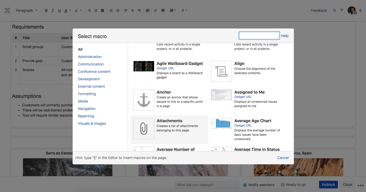
Using macros, you can transform any usual document with data to really powerful workspace for collaboration between several departments involved into creation of the same product. Lots of integrations possible is also a great deal. Sharing information across teammates wasn't ever so easy and convenient
Sometimes the layout isn't really optimal (in comparison with so common MS Word / Google Docs) Also in my opinion more calculation functions needed
At Checkaso we use Atlassian infrastructure (Jira + Confluence), so it's really of use to proceed with flexible methodology work processes, sharing documents and link sprint tasks with its technical requirements and results
The navigation is so easy even we can notify watchers about the updates we are doing to the pages
For now I didn't see anything that i dislike
To collaborate and share knowledge about projects we are working

Make a repository of training materials. This allows all employees to refer and learn the same material. It also allows multiple logins to edit the content. We can also enable alerts.
What I dislike is nothing. What can be improved is the look and feel and maybe the navigation page by page. Another suggestion would be e to give hyperlinks two other content are social media sites.
The major problems companies face are to give training and store the training specific documents in some repository. That is solved by confluence. Now there is no need to go behind a person to give training but just give access to confluence and the link to access it.
The features provided by confluence to document the features of a project A to Z using various texts fonts charts and other notations makes it easy for a new person to the understand the project better
Some more features can be added to make the documentation look more attractive and can have features to integrate the confluence tool with other softwares in project development process
Development Documentation Testing documentation Archiving Logging Flowcharts
Easy to use. Easy to create spaces, documents and share with team members
I had problems with page formatting on the confluence page.
Project documentation and Sprint Progress
Store Important information related to projects; integrate with various plugins; easy integration with JIRA and other Atlassian products. I feel this is an excellent tool for sharing information with different teams.
For beginners, they might feel a bit confusing, but once you get going, you will organize different information and collaborate with the team members easily. I wish the tool used AI to suggest the best practices.
We store all types of project documentation. It takes lesser time to find the exact information from the confluence platform. The search functionality is fantastic.
I like the ease of use and out-of-the-box features.
To use Single-sign-on, you need a professional license.
When we started a new IT project, we had to share knowledge and document the new product features and requirements.

So easy to create spaces and work collaboratively with your teammates to complete the design and documentation. Easy to share documentation around. The option to export pages as pdf documents to people who do not have direct access to the page is good.
Formatting of the documents when people are most used to Microsoft office type of formatting is challenging. It is sometimes difficult to find all the buttons and takes more time to understand because of different icons Nothing else I dislike of the product.
Collaboration with teams working on the same project Documentation of the entire project creating entire design workflows for the project in an agile framework Editing documents and making changes Storing documents for all projects in one place
The accessibility and user friendly design.
The name of the brand and a few of the features.
I use day to day business problems and troubleshooting. I have streamlined my day and tasks with this.

Confluence is easy to use and has templates for all our requirements, be it product requirements, meeting notes, design templates, or anything else you could think of. With each template, they offer a step-by-step guide and help in content writing by suggesting header, sub-headers, and the content. We can easily integrate any other app which we see fit, for example, Miro or Slack or anything other plugins or integrations. Confluence is a paradise for software developers because it offers seamless integration with Jira,, which coders already use for debugging.
There are no downsides to confluence in my opinion, it offers all the required features.
Confluence is an ideal space for documentation. These documents and spaces come in handy, especially when a person is no longer working with the company and a knowledge transfer has to be done. I use Confluence to read about other team members' work in detail, there is detailed documentation about different events in the app, and you can comment, like, or mention someone just like social media networks. We use Confluence for storing knowledge about various experiments so that the same experiments don't get repeated in the future. The page analytics tool shows how many people viewed your space; this helps you ensure all your team members read the document. Confluence is an efficient tool that makes collaboration easy and increases team productivity.
I like that we are able to edit information and update the latest news on any subject
keywords at the search bar are sometimes difficult to find- I wish it were more accurate when entering keywords.
keeping a log of any information pertaining any course we sell is a big step in keeping everyone within the company informed
it is very user friendly and also linked to JIRA which make things even better
a suggestion would be to allow more HTML control in the document creation
team coordination and document management for technical debts

I have been using confluence from the past four years. It is very useful for documentation and shows the information globally. With a single link, we can share the information with anyone. We can create multiple pages and document the information without fear of loss. Also, we can hide the info from other people if we don't want to share it with them.
Nothing is there to dislike the confluence.
I am documenting each and every steps which we folow to develope the software or whatever tool we use all those steps, so that any fresher or any other person can folow the same steps and get the result.
Confluence can be a complete dictionary for your company. It saves time and answers questions extremely efficiently.
I guess my only "dislike" is that I wish the search engine within confluence showed more specific results
everything! We make articles that help our whole company by saving question asking and retention time.
Confluence supports my company of 4000 employees by allowing all teams to maintain relevant information/docs within each page, which is also easily searchable.
The UI can be a bit more aligned to the current standards but again, that's not a showstopper at all. Apart from this, there are no negative points to Confluence.
1. Access to crucial information such as Compliance documents, training material, etc. within seconds 2. Smarter Search Engine that guides users to relevant pages 3. Maintaining private/public pages for all teams
Confluence is an easy and intuitive way to capture client notes or internal process documentation. It easily allows collaboration and privacy controls. It creates a 'living deliverable' that can be changed over time as needed.
The user interface leaves something to be desired. It indeed emphasizes function over form. As a result, sometimes created content can be buried in a sea of sub pages and things can be challenging to find (without searching).
Confluence has quickly become our hub to establish a clients' center of excellence. Confluence allows us to document easily business processes, roles, and timelines. It also allows us to share them with the client directly.
Whenever I have a question or need around company policy, ROE, or general knowledge I know I can go to Confluence to find it.
Sometimes the interface makes it hard to keep track of things or find them.
I have solved the need to ask a peer or rely on guessing when faced with uncertainty. I visit Confluence frequently to look something up before taking action.
It is pretty intuitive and easy to share with other steakholders.
Nothing specific, maybe some more modern design and backgrounds.
It is super transparent, I could have shared status and also minutes.
Confluence is the best repository i came across. All the items are kept in proper manner/ tabular format & can be accessible very easily. Accessible only to user who granted access. Create & edit pages using ideas is the main reason for Confluence.
Look & feel can be better for confluence. Swiching between tabs can be more innovative. Sometimes changes made to pages are lost. As there is one page many users are working on the same page.
For new ideas or SOP's or Knowledge sharing Confluence is the best application to have which can remotely access by anyone. Although it is accessible to anyone remotely access should be granted for user.
Confluence is a complete all in one digital word document. I love the ability to embed lucid charts, tables, and linking sections all in one place. There's a variety of what atlassian calls macros to organize the document.
I know there's many versions and the latest version does not allow nested tables.
I've used it for requirements gathering, procedures, and issue tracking using visuals.
Confluence is really easy to navigate and has a really low learning curve which is nice since it makes it a great tool to use to onboard new employees and to train existing employees on new features.
I don't have any one thing that I dislike about Confluence. I think it's only limited by the creativity of the user and otherwise it is an easy to use tool and it is very felxible.
We are using confluence as a knowledge center so that we can make sure that we minimize the number of gaps in information for new hires and existing hires going through a new feature.

All of the works and presentetions are stored at central locaiton. which makes it really useful tool that allows sharing information to another user easyly. Updating information is also easy.
It is a little costly, and features are similar to what google files can do for you. Making changes while another person is making changes is not supported.
I create all reports and documentation for new hire training docs, project tracker, and KPIs in confluence. It's a one-stop shop for sharing and keeping track of all information between the cross-functional team.
I enjoy that Confluence offers you an opportunity to have all your work in one place. I appreciate that it gives you a chance to organize your work and also allows you to create and also capture the information on any project that they are working on.
As much as Confluence offers a great range of pros, it also poses a few flaws. In rare cases, you do find that your work was saved successfully, but you don't seem to find it when you do need it.
Confluence is a fantastic workspace where you get to create, capture, and also share information on any idea that the team is working on. It is excellent as it allows visibility for each team member, allowing for the best work to be provided. The team gets to create pages for almost anything that needs to be completed. Furthermore, you can use various templates for the information.
It's really easy to use for creating detailed pages related to the project; it's fast, has many features to edit the page—so many options to import documents as external like excel tables.
Asking to login again and again. Sometimes imported tables failing.
We're solving the problem of the complexity of explaining the project to developers and other internals. Even the person not part of the teams, thanks to confluence pages, they can easily understand how the project process works.