

Unclaimed: Are you working at Confluence?
Confluence Reviews: 4.1/5 — Solid Choice
Confluence is a collaboration and knowledge management platform. It is often used by teams to create, organize, and share content within organizations in a seamless and centralized way. Confluence offers tools such as knowledge base creation, document collaboration, as well as task management tools that allow teams to work together more efficiently. It also provides a central hub where users can share and collaborate with ease.



| Capabilities |
API
CLI
|
|---|---|
| Segment |
Small Business
Mid Market
Enterprise
|
| Deployment | Cloud / SaaS / Web-Based, Desktop Mac, Desktop Windows, On-Premise Linux, On-Premise Windows |
| Training | Documentation |
| Languages | English |


Compare Confluence with other popular tools in the same category.
Our team used this tool as a one stop for all the contents related to the customers product. We could easily modify the content of this repository for knowledge sharing purposes and as and when there was an update on pages, everyone were notified. The tool is fairly easy to use and understand. The tool is UI friendly and the macros are a life saver.
The tool is very limited when it comes to customization of the data. It is difficult to format it in a fashion that we desire and the options provided by confluence itself is very limited. which is a bummer.
A good tool for data management. This can be used if you want a centralized repository for all your contents thus making sure that organisations have one pit stop for accessing all their data's..
its easy to share information within the company, everyone can add the information and make the information accessable for everyone else
the surface of the tool has not a very nice design and its not the easiest to handle, could be improved by making easier
getting information for the customer support if i cant remember something i need the very same moment
While Confluence on it's own is awesome, I adore it's integration with Jira. It's so seamless !
Creating and using templates can sometimes be a challenge.
Group collaboration is the number one benefit. ALso, being able to socialize and visualize project status, user stories and tasks in one place is amazing!
Confluence allows us to create great, searchable documentation that can be restricted by teams or projects. Easily allows us to search for information and check the most up to date documentation when investigating customer issues. Also, the integration with JIRA helps to create project plans and convert action items into JIRA issues.
The formatting and editing flexibility is most frustrating, the pages are not easily to edit and format as word documentation so there just seem to be limitations there.
Internal documentation and record keeping amongst departments, easily track down information on changes, project plans and general internal documentation.
The space allotted for many distinct pages. We've used Confluence as our "intranet" for a few years, housing documentation on projects, benefits descriptions, and "lessons learned" histories.
If we were able to set up reminders for lack of page updates, it would be very helpful. Without a complete audit of usage, pages become dated.
As a location to house our project documentation, it is very useful for searches during onboarding.
I like how simple you can make a page. Used most foe SoP's.
Not much really. I bet if we had more adoption we can get others more using it.
More collaboration and a place to store your SoP.
I appreciate how easy it is to create and contribute to pages. It's JIRA integration is super helpful also.
I think there could be some improvement around searching and sorting content. I feel like things that are most relevant don't always come up at the top. Could be user error, but I wish there was a way to quickly filter out pages that haven't been used in or contributed to in X-amount of time.
We are a global company with many different teams. Regardless of where you are, you know Confluence will have the answer you need. We use if for tracking progress ands wins, policies, employee/HR info and internal blogging. It solves an internal communication issues.
It's an easy system to learn. The intuitive navigation makes finding information about a topic very simple.
The search engine doesn't always pull the most relevant information.
Utilizing the system for company content management. Information is managed in a central repository making a very useful reference for any company related topic.
Its ability to free form of documenting information. Building pages that suite the need. The databse does not take alot of space.. Its cost & licensing
Lacks slick graphics to best represent the pages & data.
Simplification of sharing information within and outside the organization. The history and notification of the product.
We are using Confluence mostly for knowledge sharing and it is very easy to use. It takes only a coplu of clicks to create a new page or even copy an existing one.
Sometimes it is very slow, maybe it is just some network issue, but I really feel that it could perform better
Most of the time we are using Confluence for knowledge shareing

The ease of use from setup all the way to daily maintenance of pages is very straight forward, easy to see version history on pages for accountability. Watch pages and alerts are straightforward and easy to use. Setting up automated checklist for new pages is easy and improves accountability between team members.
Not much, a media wiki book is very helpful unless your a power user of previous wikki software. Depending on size of your org keeping up with unified styling and page hierarchy can be a little overwhelming.
The passing of tribal knownage down though the company. Easy to search pages help new employees to search for obscure problems and categorize one off solutions as found. Team collaboration and task checklists is very useful and the other primary function of the software.
The organisation of information on confluence is something that I really appreciate. You can put almost all of the information regarding your project over confluence and it makes it easier to update.
Nothing to dislike really but if we could have some way of integrating java docs to confluence that would be great.
It saves us a lot of time of organising project information for all types of users for our software production. From developers to Project Managers to customer care executives, all use confluence to solve their queries and update the information for each other.
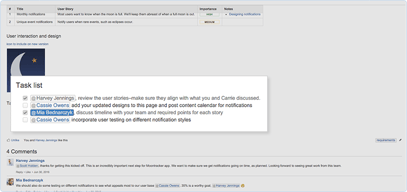
I like the ability to assign actions items to users within the page and visualize project status.
Not the most user friendly. Some of the text options are not as intuitive as other softwares.
I use confluence to document meeting notes, and also to plan out projects with target completion dates. The page can be shared with other users so everyone stays updated on the status of the project. Action items can be assigned and checked off as they are completed. Great for collaboration.
I like how the breakdown of each tab keeps the site looking clean and organized. The customer service is quick and very responsive if there are any issues that pop up.
I wish the settings aren't on the sidebar, rather it to be on top. The mobile layout can be a bit funky when going through the site
All of the documents for the company are all on one platform where everyone has access. Everyone can collaborate as well as bookmark and privatize the tabs.
It is an excellent system for finding answers within a large company where you are physically isolated from other departments.
Clunky navigation and UI can sometimes get in the way.
N/A
Confluence provides a shared collaboration space which is great for sharing documentation.
On occasion confluence will simply go haywire when formatting and it isn't always the most intuitive to find functionality.
Confluence allows all our users in the business to access important documentation, namely our requirements and anything else useful for their job.
I liked the employee reviews and the ease of use.
There were some glitches when we used this but everything got fixed quickly.
We were able to collaborate more as a team.
I like that it is used as a one center of truth for all types of definitions of metrics. It provides good options for organizing all types of documents and a lot of customization.
Sometimes it doesn't structure things the ideal way that you want it to with it's templates and they could be a little difficult to customize.
Mainly documentation for all of our products and releases. If you need to see what went out when, Confluence can be that place where you see all the specifications that went along with it. Storing data validation and defining metrics is also very helpful when providing clear pictures of our internal data.
Confluence is very efficient when it comes to aggregating sources, research, documentation, policy, across companies and best of all across the different teams within a company. What our previous method for aggregating documentation (Notion) lacks was for one the organization and online "filing cabinet for the different teams and the different categorization of documents/analysis. It is also more robust in being able to display analysis for the more analytical teams that would need to tie in other BI tools, graphs, charts, and etc for their documentation. Another added addition is because this is an Atlassian company, you are able to tie specific pages to Jira tickets that may be associated with the page. This increases the usability of the page and also helps the flow of navigation. It is great to have a centralized place to store all company information and documentation, without having to share a link in a slack channel anytime someone creates a new document.
Though the functionality is way above that of say google docs, I do find that the creativity side of confluence could use some improving. For example, the format is a very linear type of mobility of components. Meaning that at most you can have three columns of separation, they must all be aligned, and all of your charts and graphs must also fit into this category. It would be very helpful in telling a story if there are was more variation in the types of pages that could be created. And different settings depending on whether we would prefer documentation style or a more freeform style would be useful.
The business problem that Confluence is solving is our ability to have a single source of truth for all documentation. It has helped to centralize the source for onboarding as well as limit the "telephone" problem that can occur when looking for something that may have multiple owners. It is more organized and has made our ticket making to documentation process more streamline and agile.
Confluence has a straightforward design with the ability to easily find pages you visited recently
Can't think of any major issues with the platform
Confluence acts as an internal wiki space, which is helpful for storing and organizing internal documentation
That it keeps all of our company info in a way that is organized / easy to use & the collaboration tools
There is now a lot of info that we have on confluence... not necessarily the tools fault though, but perhaps there should be something on it to help ensure that docs get updated every so often? I don't particularly love the interface either
A good resource for training resources and docs for the company
I like how it is organized piece of data for all teams and I like how each section can be given permissions.
The dashboard can get a bit too crowded which can cause a lot of more confusion.
we get to share general information about products to all teams at once.
The best thing i that we can easily share information and others can also collaborate with that.
Just one feature of the real-time chat feature is missing .Other than that, all the other features are available.
With Confluence, we try to improve Team collaboration and Team building. We put in the common information on confluence. It was like the best practices of code were mentioned so that everybody could easily follow them.

We could collaborate across departments easily
It required java and it uses a large amount of resources on its server
Internal projects and non customer focused work
I like how Confluence is used to be a reference amongst the company. I also like the different macros you can use to customize the pages.
It seems a little outdated and editing could be more user-friendly.
It's a great reference.
It is a simple tool and extremely easy to use.
Confluence can be a bit confusing when you begin to use it.
We are using it as a PM tool. It easily allows us to track and update projects.
The integration of the different features such as JIRA and Service Desk.
Searching and querying is not always consistent and problematic when identifying reported issues.
We use Confluence for documentation and a knowledge repository.
We are using Confluence together with Jira for documenting / reporting / tracking projects
interface looks a bit old , the performnace of the tool is only average .
since it is so well integrated with Jira , we Use Confluence to build a summery page for each project , give high level view to the project status .
Easy Collaboration with entire team and a great space to ask questions and receive advice
Not the most intuitive to search, but this could be the way my company has structured it
Confluence allows for multiple “sites” to be nested under one organization making it easy to organize knowledge.
I like the editing tools and the richness that is available from the form-builders and other more advanced WYSIWYG tools.
Sometimes the linking and x-referencing capabilities of the product can be frustrating.
We keep lots of team process and also product documentation in Confluence.