

Unclaimed: Are you working at cPanel?






cPanel Reviews: 4.5/5 — Highly Rated
cPanel is a web hosting control panel designed to help users simplify website and server management for web hosting providers and website owners through file management, database management, email management, and security features.

| Capabilities |
API
CLI
|
|---|---|
| Segment |
Small Business
Mid Market
Enterprise
|
| Deployment | Cloud / SaaS / Web-Based, On-Premise Linux |
| Training | Documentation |
| Languages | English |




Compare cPanel with other popular tools in the same category.
best thing is that email ids specific to the domain can created for free with it.
Email doesnot provide other features like Gmail and Yahoo.
Domain specific Emails and website backend .
I basically use it for company email management and really it is amazing to use because of its interface and options available.
Doesnot support various things like gmail and other email providers.
I am using it for email management
The tool support various essential functionalities required in website server management along with that it also has a very simple User Interface.
Nothing as of now, because it currently has all the functionalities I require.
Website Management. Backend management of the website.
You can manage all the services of your VPS server by simply installing cPanel, database management through phpMyAdmin optmized version (by cpanel authors) is very powerful and permits long query without overloading your ssh client
Email security features such as DKIM keys are not present in cPanel, you have to manually add them to your mail server or mail exchanger
Manage and monitor all the microservices of a VPS hosted server with a single interface, cPanel also helps me in creating 250+ mail inboxes for employees and sharing them their password (auto generated by cpanel)
The organized layout and many hosting account tools in cPanel are great for us to quickly access and execute any given account task quickly. I like the graphic icons, which help us identify the sections and tools more easily. The icons are especially helpful for those who are newer to website management. Having a user-friendly interface like cPanel does makes it easier to manage things like FTP accounts, email accounts and several other accounts within the hosting account.
Though I'm okay with the general design and layout of cPanel, it would be nice to be able to move some of the grid elements around to better suit our organizational needs. It would be good if we could maybe delete certain sections or items within each section so that we can have less clutter in the main cPanel layout.
cPanel has been very helpful for me to navigate through all of the features in my web hosting account. I can understand what different features are based on where they're located and the other items grouped with them. I'm able to access different features in my web hosting account and then quickly go back to other features by going to the main cPanel portal. cPanel allows me to let someone else go in to manage the account without much confusion. I can just tell them which section to go to and then walk them through the basic steps pretty easily.

Cpanel is an excellent tool for the management of any hosting, security is incredibly good, and they always have many updates. I always recommend it for the company and for our customers. It has also helped us save a lot of time in managing emails and files on the servers. I love the graphical interface, I think it is incredibly good, very friendly and with the possibility of moving objects in the most convenient way. It does not require that system administrators are constantly connected checking the server, Cpanel takes care of this task. And finally, it has the Cron automated works, which is an excellent way to automate processes.
The software tends to be a bit heavy, but it's worth it for the great features it offers. Sometimes it is complicated to manage multiple domains with a master account, it can be a bit complicated. Although with WHM it is much easier, and WHM also belongs to the Cpanel platform. This WHM has worked for me to easily manage domains, DNS, NameServers among other features of the servers. Some security functions are complex and complicated to configure, although they have excellent support and community.
The mail manager seems incredibly good, it's easy and simple to use, besides being able to add email signatures to every email that is sent. cPanel is the best software that exists for the administration of web hosting, be it an account or a hostings reseller account. The integration of softaculous is incredibly good, that makes us very satisfied in the company
I love how c-panel can making managing your server very easy! They include everything from SSH access to managing a wordpress website without having to know about code.
I dislike the pricing on Cpanel, while it is reliable for a shared server, it is not reliable for dedicated server. At that point you should look for a VPS
With cpanel we are able to freely manage our server from making emails to uploading files without using an ftp application.

Web Host Manager is the very best solution to run a small web hosting business. It's interface is very simple and easy to use. It's documentation is organized into easy categories, making it simple to find instructions on how to do any of it's many features. The most common function you will probably use is the setting up a new web hosting account for a new customer, which it's just a matter of of few clicks, and then entering data into a few input fields. couple of clicks and then inputting a few form fields.
WHM isn't the greatest solution for medium or larger web hosting companies unless you also integrate a third party system like WHMCS. Smaller hosting or web design companies should also integrate third party backup solutions , because the backup functionality of cPanel accounts is not as modern in terms of "ease of use" as one might think. Otherwise, you have to go through each cPanel account,individually, and then download the backup or ftp it to a server.
WHM (Web Host Manager) is very good software, an ideal solution for small web development companies who might also want to start making an additional revenue source by selling hosting. The platform is easy to learn, find features in it's documentation, and navigate through the well-organized administrative panel. Creating a new web hosting account for a new customer can be achieved in a matter of just minutes.
I think it's great how to manage a hosting with this software, they really do everything very simple and is included in the vast majority of hostings. In addition to having a large number of tools such as database management, file management and FTP accounts, network disks and subdomain management. It allows a simple and fast administration thanks to its web interface very well maintained and modern.
There really are very few things that I do not like. As for example, the handling of SSL certificates is sometimes complicated. Creating a database and then linking it with users can be a bit tedious when many users must be linked. Unable to load complete folders through the file manager, first you must create the folder and then upload the files, something that can be complicated when dealing with many files, the fastest way is to upload a zip file and then decompress it on the server.
This software helped many problems of file management and databases for the company's own hosting. It has also contributed in giving greater security to the server and its internal management, and in giving comfort to the management of hosting servers, since managing everything directly from Apache and other programs is much more tedious because it is directly on the Linux console.
I like that cPanel is included with every goDaddy hosting, and offers a fully functional way to manage your website. From uploading files, to checking traffic, to creating emails that can be used to make your website look professional.
I dislike the the IDE that come with the code editor in the file search feature. It is a code editor, but it can be seen as a striped down version of Notepad++ in a web browser. It also doesn't allow multiple file uploads.
With cPanel, we are able to use it to create emails, handle simple file uploads without FTP, and check logs and visitors of our website.
It is easy to create email accounts. It is also very friendly to add domains and subdomains. I like that one can see the complete status of the website
There are functions that must be activated that do not come preconfigured as the statistics. So far I liked everything
Cpanel is the manager of the 46 accounts that we have of clients with websites. We have done very well we have never had a problem with the Cpanel
Nuestra empresa utiliza este software para almacenar varios servidores. Cuando éramos principiantes con cPanel, nuestra primera experiencia no podía ser más fácil de usar. La organización de los servicios del sitio web, los iconos relevantes y el flujo de pantalla hicieron que la experiencia de apertura tuviera una curva de aprendizaje nítida. Acceda a la configuración de su servidor de hosting, cuentas de correo electrónico y más con este software fácil de usar. Sin lugar a dudas, el Administrador de archivos resultó ser más útil cuando se interactúa con cPanel. Al realizar cualquier tipo de desarrollo web de nivel intermedio, casi siempre es necesario acceder a la estructura de archivos subyacente. Con cPanel, las pantallas de visualización, la jerarquía ampliable y la función FTP fácil de usar fueron una gran experiencia. ¡Aún mejor, podemos hacer ediciones de código directamente en el archivo y guardar los cambios! Esto es mejor que tener un FTP de terceros en el servidor, descargar el archivo, realizar los cambios y cargarlo.
Actualmente no hay nada que me disguste de CPanel, lo único su precio de licencia.
Gestión de servidores, gestión de archivos de alojamiento web y gestión de cuentas de correo electrónico. El claro beneficio es la usabilidad y una curva de aprendizaje nítida.
I like the file organizer and how its appearance resembles Window’s File Explorer.
The code editing windows can be annoying because they are separate windows instead of part of the page.
CPanel is very helpful for building and editing our website.
It gives easy GUI to manage the server instead of us going to CLI to type commands everytime. It integrates easily with WHM so that individual users can also have their own hosting space in the server. We can control almost all aspects of our Web server settings from cPanel.
The pricing is really very high for servers! Otherwise, it is a full and complete solution. No other issues
Whenever we want to manually change the files or fine tune our server configuration, we use cPanel. It includes all options so we dont need to remember commands for everything like DNS records, setting up nameserver, etc. It is all in one package for everything. Saves a lot of time. So, everytime we want to deploy an individual server, we use this.
cPanel for website owners provides the user interfaces to manage a more familiar website in the world. With cPanel, website owners can easily manage their email accounts, databases, applications, security, FTP and control every aspect of their websites.
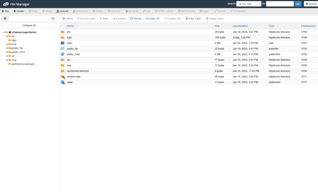
The File Manager tool allows website owners to change files, add new files and folders, move and many more powerful tools. All this is done in a simple graphical interface. So there's not much I do not like about him.
This tool removes the need to code the command line and the sometimes confusing complexities that come with the command line interfaces. These tools allow the owner of the website: Create new files Create new folders Copy files and folders Move files and folders Upload files from a local machine Download files to the local machine Delete files and folders Rename files and folders Edit files through: A simple text editor A color-coded graphic code editor A graphic HTML editor WYSIWYG Change file and folder permissions See files Extract and compress files Backups Backup copies allow website owners to create backup copies for different sections of your site.
Have used CPanel in my previous companies and i found clean and neat in access
I have no complaints as such so far i used this CPanel
I have used it for email access
C Panel is the place From where you can access all of your websites details. You can make appropriate changes as per your requirement like word press installation, domains addon, adding themes, plugins and all other websites required details. c panel act as back office for your website. If you want to learn all c panel features and how to use it, just go to YouTube and search for c panel tutorials. you will find plenty of YouTube videos explaining how to use c panel in brief. just follow all the video tutorials properly. You can easily become c panel expert within few weeks.
The major dislike is pricing, I have been using the cpanel since 2012 and then it was 20$ per server and for unlimited accounts. They keep changing the pricing of cpanel such that most of the customers are choosing the other panel instead of cpanel like plesk , cwp, directadmin
It was easy to install and run the application. like you can create the database name , username and etc with out any command line by just few click you can do it on your own
cPanel is a complete solution to manage your web host with ultimate security and ease of use; you can handle all the needs from creating email accounts for every employee at your company to managing CMS like WordPress and its components.
Most of us know that cPanel is not free, and its price is increasing from time to time, and it is not supported on Windows operating system hosts, so you will need to look for another solution if your project needs windows.
Creating and providing Email services for my clients, Domain Zone Records management, and uploading files and editing them online using its sophisticated file manager. You can count on cPanel for taking backups periodically for my website, separate each web host account from the others.

It is the most complete set of tools for your hosting on the market and par excellence the most used, it has a very wide work network, you can have mail and accessories to improve the creation of your website.
I have no complaints about cpanel, if it is a bit heavy at times and has so many tools that you sometimes get lost, but it is easy to work and get used to your graphic environment.
It helped me to improve my website in order to have a more polished work presentation, and it has a lot of useful tools such as hosting configuration, mailweb extensions, and extra applications to program the web.
Great for managing clients IT needs, especially email and website
Hacking is always a concern when dealing with IT
Issues regarding online management and IT needs
The statistics and web builder templates are sufficient, you can even use wordpress. The storage amounts and bandwidth is up to par. It is not too expensive. It is a sophisticated tool for managing domains. The cyber security / security features are good. Other hosting sites could not handle the high volume of traffic that cpanel could handle.
The webmail interface needs a huge makeover. The user interface on the e-mail client is terrible. Mobile interface and app needs help as well. Not super easy to use.
I am able to maintain a professional image through my websites and domains. I am more independent using Cpanel and have more control over all webmaster functions.
Very user friendly interface and cusotmer service
had difficulty transferring domain between accounts
helping us with hosting our website
Everything! I've been using cPanel based hosting for my whole career and, once you add a modern skin to it, it's ideal and easy to use. Hosting providers have found ways to customise it and features of their own, technology's like Let's Encrypt's free SSL solutions have been easily integrated. It's a wonderful catch all and expandable solution to manage everything from hosting - from quick software installs via Fantastico and Softaculous to managing more complex things like DNS/MX records or jumping into a SQL database for some manual alterations. cPanel has really managed it all over the years.
In 2019 cPanel was bought by an investment firm, Oakley Capital. They proceeded to massively increase the price that they charge hosting companies for each installation of cPanel - it can work out to a 1000% prise rise. So far the hosts I used have absorbed this cost but it's not sustainable. Other hosts like SiteGround have dumped cPanel are going to the effort of creating their own proprietary hosting dashboards from scratch - a noble goal but one that will create fragmentation and make it harder just to easily migrate hosting by moving a whole cPanel backup. Forget Plesk as an alternative, the same price gouging investment company owns them too. It would be great to see hosts worldwide pool their resources and move to a "Linus organisation style" free and open source alternative. Some already exist but the don't have sufficient weight behind them to take them to the next level.
I can't remember a time before cPanel! I'm quite sure that I've been using it for my whole career and I've always looked for web hosting that has cPanel support. Sadly that now has to change.
I like Cpanel's easy (for average users) interface, but I use it only for those clients that demand it, and are prepared to pay for it. I don't use it myself as I use a similar product which is free.
One major peeve I have with Cpanel is that average users cannot easily migrate servers because you need WHM access for that, which most average user's don't have. But I don't really mind as it gets me some side business of Cpanel server migration.
Cpanel is used by my clients and I can easily manage their servers.
Not sure if I like anything about CP. It literally aches me navigating the menus, and without technical knowledge you'll probably break something. The login is spunky, but that's just about it. Part of my job is managing "corporate" email accounts and cpanel doesn't make it fun, I feel like visiting a webpage to do X will break Y if you try to visit Y before completing a Z action. A big 'old roundabout. Eugh.
Can't login to cpanel from bluehost, have to visit my bluehost webmail URL directly to login. The options for mailbox types are only two, both look hideous and gives me an eye sore. You must have used another email service in the past for a long time to know where to find settings and set your custom options. Always ask for default inbox type even though mine is already set. Anti-spam is weak, MS Outlook is much better. I could literally roast this program all day. I get that it comes with cpanel/bluehost but there is NOTHING advanced about it. I've come to appreciate Gmail and Outlook more now after having to face cpanel and cpanel webmail.
Managing client site, checking webmail accounts. I avoid it for anything else.

There was very little I liked about cPanel. If there was something I would say positive about them is that they platform is price conservative which suits business owners who are on a budget.
cPanels usability, interface, scalability and functionality was extremely lacking and dated.
cPanel helped my client get started with having an online presence due to price however it was difficult to use and had a dated interface.
The Cpanel is the most usable Control Panel in the industry and it is mostly easy to use for our clients and it also provides us much convenient server management but it has no security feature and we have to buy cloudlinux separately for the cagefs services so I do not like why to pay for cpanel if no client isolation is available . Cpanel has builtin reseller panel for resellers so I can resell the servers to many clients.The client can start his own webhosting company from reseller and can do his own business without any fear or loss of investmenet and completely white labeled
The Cpanel increased the prices too much and started charging on basis of the number of account which is so painful and expensive to webhosting companies like us so it urged us to move from cpanel to anyother platform so I moved the CWP pro platform and cwppro only cost me $12 per year and give me same type of control panel
The cpanel was much easier to use for my users and webdevs so I liked that as it provides filemanges and other things
I appreciate that it makes web admin duties easy and automated for beginners
What I dislike is that it blocks everything you would do form the terminal. I can’t do my job anymore because cOanel and WHM are in control!
My boss was using it when he was the only person to work on his VPS because he is not really a tech person
Not much. This software is hard for me to use. Nothing is where I expect it to be and I waste a lot of time just looking for things.
Its customer service support isn't very good, either. Takes days to resolve the most mundane issues.
This is email software and I email through it. Being able to communicate is a benefit.