
Unclaimed: Are you working at Front?
Front Reviews: 4.7/5 — Highly Rated
Front is a customer communication hub that features a highly lauded modern interface inspired by email clients, which team members love because it’s familiar and easy to use. Front features powerful automation capabilities that eliminate manual workflows across systems, and provide essential analytics to boost team performance and the health of customer relationships.

| Capabilities |
API
|
|---|---|
| Segment |
Small Business
Mid Market
Enterprise
|
| Deployment | Cloud / SaaS / Web-Based, Desktop Mac, Desktop Windows, Mobile Android, Mobile iPad, Mobile iPhone |
| Support | 24/7 (Live rep), Chat, Email/Help Desk, FAQs/Forum, Knowledge Base, Phone Support |
| Training | Documentation |
| Languages | English |

Front’s Starter plan is capped at 10 seats, so hiring an eleventh person moves you to Professional and takes the bill from $250 a month to $715. That is not an upgrade you choose on features — it is a ceiling you hit on headcount, and it costs $465 a month for one hire. Anyone planning to grow past ten support or sales people should price Front from $65 a seat, not $25.
- What it is: A shared inbox and customer communication platform — email, SMS, social, and WhatsApp in one queue — sold as a help desk alternative.
- Best for: Teams who want conversations to feel like email rather than tickets, at moderate scale.
- Pricing: Starter $25, Professional $65, Enterprise $105 per seat monthly on annual billing. Verified July 2026.
- The honest catch: Starter supports a single channel type, so email-plus-chat already requires Professional.
What Is Front?
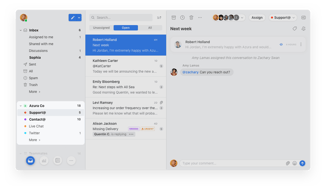
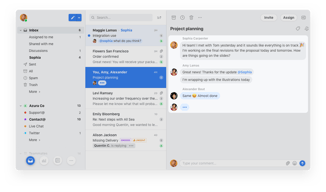
Front is a shared inbox that behaves like email rather than like a ticketing system. Customer messages land in a familiar threaded interface where a team can assign, comment internally, and reply — which suits businesses whose customer relationships are ongoing conversations rather than discrete tickets. Front cites more than 9,300 companies including Navan, Branch, Culture Amp, Uber Freight, and ClickUp.

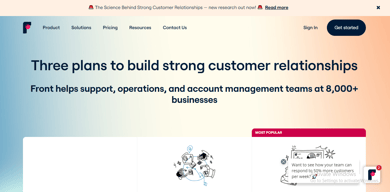
Two things about the plan structure are worth noticing before the features. The tiers carry seat ceilings — up to 10 on Starter, up to 50 on Professional — rather than seat minimums. And Enterprise, not the middle tier, is flagged “most popular”, which usually indicates that whatever sits only on the top plan is the thing people are actually buying.
Here, that is the AI bundle: Copilot, Smart QA, and Smart CSAT are add-ons on Starter and Professional, and included on Enterprise.
How Front Works
- Priced per seat, with a seat ceiling on each of the lower tiers.
- Starter is single-channel. Omnichannel requires Professional.
- Automation rules ladder — 10, then 20, then unlimited.
- Workspaces ladder — 1, up to 5, then unlimited.
- AI Copilot, Smart QA, and Smart CSAT are add-ons below Enterprise.
- AI Autopilot is an add-on on every tier, Enterprise included.
Front Pricing
Captured from Front’s pricing page in July 2026 in US dollars with annual billing, which is the page default.
| Plan | Per seat | Seat cap | Channels | Rules | Workspaces |
|---|---|---|---|---|---|
| Starter | $25 | Up to 10 | Single channel type | Up to 10 | 1 |
| Professional | $65 | Up to 50 | Omnichannel | Macros + up to 20 | Up to 5 |
| Enterprise | $105 | — | Omnichannel | Unlimited | Unlimited |

What actually decides your cost:
- The seat cap is the real pricing mechanism. Ten seats on Starter is $250 a month. Eleven seats means Professional at $65 each — $715. That is a 186% increase triggered by one hire, with no intermediate option. If your team is at eight or nine people and growing, model Professional now.
- Starter handles one channel type. The comparison table is explicit: “single channel type”, with messaging and live chat available only “if single channel type”. So a team wanting email and chat is on Professional regardless of headcount. For a product whose pitch is unifying customer communication, that is the most consequential gate on the page.
- The AI tools are add-ons until Enterprise. Copilot, Smart QA, and Smart CSAT all read “ADD-ON” on Starter and Professional and are included at $105. Given Enterprise is marked most popular, the AI bundle appears to be what pulls buyers up — so price the add-ons on Professional before assuming $65 is your number.
- AI Autopilot is an add-on everywhere. Including on Enterprise. It is the one AI feature no plan includes.
- Workspaces matter for multi-team use. One on Starter, up to five on Professional, unlimited on Enterprise. An agency or a company with separate support and sales queues will hit that before the rule limits.
- Automation is tightly capped low down. Ten rules on Starter and twenty on Professional; only Enterprise is unlimited.
Who Should Use Front
- Teams with ongoing customer relationships. The clearest case — Front’s email-like model suits account management and B2B service far better than ticketing.
- Small teams on one channel. Under ten people doing email-only support get a genuinely good product at $25.
- Companies needing omnichannel with internal collaboration. Comments and assignment inside the thread are Front’s real strength.
- Organisations wanting AI QA and CSAT. Bundled at Enterprise rather than assembled from separate tools.
It fits poorly for teams about to cross ten people, where the cliff is severe; for ecommerce support, where Gorgias charges by ticket rather than by seat; and for high-volume ticket deflection, where Freshdesk includes 500 AI sessions on a €17 plan.
Honest Pros and Cons
Strengths
- The best shared-inbox experience for teams who think in conversations, not tickets.
- Genuine omnichannel from Professional — email, SMS, social, and WhatsApp in one queue.
- Internal comments and assignment inside the thread, which competitors bolt on.
- AI QA and CSAT included at Enterprise, rather than sold separately.
- Strong customer roster — 9,300+ companies including well-known names.
- A free trial on Starter without a sales call.
Limitations
- A 10-seat cap on Starter, so growth forces a 2.6× per-seat increase.
- Single channel type on Starter, which undercuts the core proposition.
- AI Copilot, QA, and CSAT are add-ons below Enterprise.
- AI Autopilot costs extra on every plan, including the top one.
- Only 10 automation rules on Starter, 20 on Professional.
- Professional and Enterprise require a demo — no self-serve purchase.
Front Alternatives and How It Compares
- Gorgias prices by ticket rather than by seat and is built for ecommerce, which suits teams with many agents.
- Freshdesk is a conventional help desk at roughly a quarter of Front’s entry price, with AI sessions included.
- Zoho Desk covers similar ground inexpensively, with less polish on the shared-inbox model.
- HubSpot Service Hub suits teams already inside HubSpot’s CRM.
- Help Scout and Missive are the closest philosophical competitors — shared inboxes rather than ticketing systems — and generally cheaper.
- LiveChat covers the chat channel specifically rather than a unified inbox.
For a broader survey, browse our help desk directory.
The Verdict
Front is the best product available for teams whose customer communication is genuinely conversational. If your support or account management involves ongoing relationships rather than discrete tickets — B2B service, logistics, professional services — the email-like model is materially better than a ticketing queue, and the ability to comment internally inside a thread is the feature people stay for. The customer roster reflects that: these are not companies short of options.
The pricing needs modelling before you commit, because the tiers are capped by headcount rather than by capability. Starter allows up to ten seats. An eleventh hire moves you to Professional at $65 a seat, taking a $250 monthly bill to $715 — a 186% increase caused by one person joining, with nothing in between. If you are at eight or nine seats and hiring, Professional is your real price and you should plan around it now rather than discovering it in a renewal conversation.
The second gate arrives sooner for many teams. Starter supports a single channel type, so the moment you want email and live chat together — or email and SMS, or anything plus WhatsApp — you are on Professional regardless of team size. Since unifying channels is the reason to buy Front rather than a mailbox, that constraint reaches most buyers before the seat cap does. And check the AI line items too: Copilot, Smart QA, and Smart CSAT are add-ons on both lower tiers and included only at $105, which is likely why Enterprise rather than the middle plan carries the “most popular” badge. Price those add-ons on Professional before assuming the gap between $65 and $105 is real.
FAQ
How much does Front cost?
Captured in July 2026 in US dollars with annual billing: Starter $25 per seat per month for up to 10 seats, Professional $65 per seat for up to 50 seats, and Enterprise $105 per seat. Front advertises a 24% saving on annual billing. Starter can be started with a free trial; Professional and Enterprise both require a demo request rather than self-serve purchase.
Does Front have a seat limit?
Yes, and it works as a ceiling rather than a minimum. Starter supports up to 10 seats and Professional up to 50. That means growth forces an upgrade: a team of ten on Starter pays $250 a month, and adding an eleventh person moves them to Professional at $715 — an increase of $465 for one hire, since every seat reprices at $65.
What does Front’s Starter plan include?
Shared inbox and ticketing, AI Topics, up to 10 automation rules, basic analytics, a no-code public knowledge base, and one workspace — for a single channel type. Messaging and live chat are available only if that is your single channel. Omnichannel support across email, SMS, social, and WhatsApp requires Professional at $65 per seat.
Are Front’s AI features included?
Only on Enterprise. AI Copilot, Smart QA, and Smart CSAT are marked as add-ons on Starter and Professional and are included at $105 per seat. AI Autopilot is an add-on on all three tiers, including Enterprise. Since Enterprise carries the “most popular” label, the bundled AI appears to be the main reason buyers choose it over Professional.
Front or Gorgias?
They meter on opposite things. Front charges per seat with tiers capped by headcount, which suits smaller teams handling complex conversations. Gorgias charges by ticket volume and never per agent, which suits teams with many agents handling high volumes of simpler requests — and it is purpose-built for ecommerce. Choose Front for relationship-led communication, Gorgias for transactional support at scale.


I love the comments feature as well as the shared drafts feature. It's really easy to separate emails into teams, to include only who needs to be included, and to allow comments that only internal teams can see. It's so good for organisational purposes, and includes drafts that your team or subteams can see/edit together. It's also very intuitive to use. I would recommend this software.
Sometimes I think the multiple inboxes can be a little much and that part was confusing at first. Ultimately this is not a deal breaker.
Instant communication between team members about internal communications or questions on external communications. We also have shared templates across various departments that anyone can access to make sending out common emails much quicker.
To collaborate with team mates, writing emails together
Nothing that dislike about front, all features are great
to be able to read other people's emails and to write email together i9n reak time
It has been a great vehicle to do daily check-ins and calendar management. The @ feature, archive, delete.
It is a learning curve to become familiar with all the features. As far as I can tell all things are working well.
Front seems to be able to tailor to the needs of my employer which makes the system more effective for the needs of all.
It is most effective to communicate within the company and the diversity of things you are able to do with it.
A lot of things are ala carte. That in able to access more things you would have to upgrade.
The communication aspect is good. We are able to talk with eachother.
Everything! is easier than Gmail, easy to look at any important emails.
Nothing, everything is perfect. all is well
everything
I definitely enjoy the tagging and assigning feature in email threads, which makes it easy to work with a team!
Sometimes the search feature doesn't work well
Having 7 inboxes in 1 place is super helpful for me
Having the possibility of discussing with a colleague about emails with not necessity of doing it through any other app.
there is nothing to add. Basically, the interface is quite used-friendly.
communication with any other colleagues and customers

Easy to use, and the ability to create templates. Also, using tags and the ability to snooze emails is a very effective tool.
I wished it had a built-in grammar spell checker; however they now have a Grammarly addon
Effective team tool covering many facets of our company allows us to work better together. This allows us to respond to our customers more effectively with timely emails
Front has tags that help organize all of emails and archives them so that I can search easily and find them later.
I don't like the rules feature, it is hard to navigate and edit.
Searching for old emails, tracking work, and organizing accounts.

One of my favorite features about Front is the ability to archive items in my inbox. This is very helpful and saves me time of trying to sort into folders but also declutters my inbox. Also the ability to tag colleagues in email chains.
The only downside I've experienced so far is that my Front page freezes or lags in my typing anytime I have an email come in or a calendar notification.
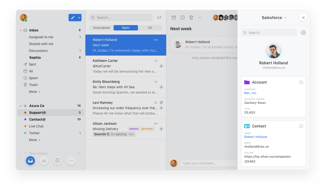
Front is helping me by having a shared inbox to collaborate and streamline communication for all teams. Also it's plugins for Salesforce help me stay organized and have everything in one place.
the software is super advance it helps keep things organized. Love the fact we can work on 1 email as a group
Nothing so far everything works as expected
A 1 stop solution for all email related chats
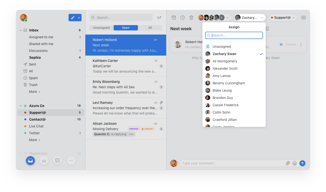
Front is an excellent platform to simplify day-to-day comms. Messages and emails use a simple tagging system to direct them to the correct colleague, and SLAs can be set so tasks don't get forgotten. Separate inboxes are easy to create for specific projects, so a good separation of tasks is achievable.
Sometimes it can be complicated to integrate external apps into Front but can be done with a little perseverance. There are guides in app but can be time consuming.
Tasks can be handed around to relevant team members with simple @ tagging, which streamlines processes, reducing dead time within those processes and making things generally more efficient.
Front is an incredible communication tool that I can't imagine my workday without. Its seamless collaboration features have significantly improved my team's efficiency. With a unified inbox, I can manage all my messages from different channels in one place, saving valuable time. The automation capabilities have eliminated repetitive tasks and allowed me to focus on more important work. Integration with other tools has streamlined our workflows, while the advanced collaboration tools ensure smooth teamwork. The insights provided by Front have been invaluable in optimizing our performance. Front is an indispensable tool that has truly transformed the way we communicate and collaborate.
While I highly appreciate Front, one aspect I find challenging is the learning curve when initially getting acquainted with its features and functionalities.
With its features like unified inboxes, automation, and collaboration tools, Front enables my team to work together seamlessly, respond to customer inquiries promptly, and improve overall productivity.
The ability to chat within e-mail threads with internal employees.
When not everyone in the organization uses it, it can get confusing.
The ability to have conversations within external threads with internal employees.
The transparency of all communications throughout the email threads.
The inability to provide notification sounds on the desktop.
We are now less likely to lose details, approvals, photos, etc etc, regarding service road calls. Technicians' times for dispatched, en route, arrival, and completion, are 100% documented, and within a time-line that is easily followed.
I really like the feature where you can tag other people in the emails if you want them to be aware of a conversation without having to cc them.
Sometimes the layout can look a little weird when it comes to having multiple responses in one email.
The ease of being able to communicate with other users
ease of managing calendar, tagging coworkers in email without forward, ability to see if email is seen
Would love to be able to open multiple windows and unsend an email if it hasn't been opened
Ease of "sharing" emails with team members and discussing them via comment/chat
It's such an easy product to use. While there were a couple of hiccups in the learning curve, once you learn those, the product is great; overall, it's been a seamless transition. I even contacted customer support once and heard back within minutes - amazing turnaround time!
Honestly, I can't think of anything right now. The one issue I did have was relating to how the time was displayed but that was such a simple fix as there are different options!
Front makes it so easy to share emails across a team, asking questions and getting help on drafts, etc. It's been a wonderful product thus far, I'm definitely a fan.
It's been extremely easy to use as a business email platform. We work with multiple teams and really value all being able to communicate within front.
I changed the view mode to dark mode. When I try and copy and paste anything from one email to another, it tends to make the font background strange. Not sure if its possible to fix that?
Its allowing mulitple users and it is extremely easy to navigate. We like to be able to forward certain emails and link outside email platforms to front.
I love how Front allows for internal communication with the company. The organization of inboxes, accounts, rules and templates makes it a great user experience - helping to keep emails sorted. It's also fantastic how they continue to develop new features to assist with productivity.
I have yet to find something about Front that I strongly dislike.
Front is helping to solve the problem of communication within a business team. It's great to keep conversations in one place and connected to the email it is referring to.

What I like best is the easy way to tag, archive and snooze emails. Front has definitely made my day to day work life easier. Also working with Templates and snipets helps a lot, as well as the function to send mails later
In comparison to Gmail I had more issues with setting my out of office replies, it was less intuitive, but nontheless I got great support from the team to figure it out.
Front is mostly helping me to solve the issue of handling a big client Portfolio and needing constant, efficient and fast communication with different stakeholders, internal and external ones.
I like the fact that I can organise all my emails better and also find them easier in the app.
I don't like the fact that sometimes I don't get notified when i receive an email, even though the app is not muted, but maybe is something from my laptop. This would be the minus of the app maybe
Organising emails and using tags to make a difference in your inbox is a big plus for Front, that's why I would recommend it to somebody else. It is also great for companies, because it has shared emails.
Front is an intuitive surface that makes it as easy as possible to access these appointments and emails.
I don't necessarily have things I don't like. The interface is simple, fast and useful. You have access to everything from the main platform which is a huge time saver.
To be able to manage everything at the same time from the same platform, which allowed me to be much more organised.
Being able to assign emails to team members and chat with specific team members about a particular email.
I don't get meeting notifications for meetings on my calendar.
Knowing who is handling emails. Instead of multiple people working on the same email we immediately know who it is assigned to and can archive that email.
Templates are great, team inboxes are fantastic and being able to overview others emails is a great help
Can't say I dislike anything, I would say that the snooze button is a little close to the trash button....
Being able to compile multiple messages from one person into a single email
The ease of communication with collegue in front is breathtaking. It helps a lot in minimizing the number of emails and lets you keep an eye on collegue work or issue easily. You can cross reference to multiple email chains in the comment sections and this is now an integral part of our operation process. Ease of use, ease of setting up new user. Rules are a godsend.
Nothing really as a e-mail manager it runs flawlesly. I think the only little caveat is that synching the google calendar with front doesnt work 100% as you cannot modify others people event from front.
Confusion from forwarding over message to team member and the ability to instantly take over a collegues email of add notes to align them with the company's goal straight in their e-mail manager.
Front integrates well with Active Campaign. Easy to tag other people to review emails before sending a response. Easy to tell when the email was opened and reviewed. Easy to add APPs like Calendly, Google Calendar, Contacts,ClickUp, etc.
I haven't mastered Zapier yet, as others in my organization have. Some of the integrations require Zapier. Sometimes I archive emails when I just meant them to be sent. However, they are not lost and are easy to retrieve.
An excellent email client for our organization. Easy to share emails and get feedback from others in our organization before sending email responses. Nice to be able to set rules for emails.
Front is extremely useful to me for work. I use it on the go from my phone, as well as mainly on my laptop. It allows me the opportunity to link all of my emails in one safe space, as well as organize my appointments and meetings.
I would like it to be a bit more user-friendly for mobile! While I do use it often I much prefer the desktop version, Which includes easier use of the calendar feature.
A great space to use multiple features including calendar, shared inbox, personal inbox, and organizing events and meetings within my organization and with outside clients as well.
Front is a modern user experience that helps teams share and collaborate on incoming emails. We love the ability to have internal conversations about email topics in line with the email thread, but not a million "reply all" that could potentially send sensitive information out to the customer. We love the ability to equally distribute emails to our team members, while senior sales staff can be @mentioned into a conversation to help with difficult technical questions. We love the reporting that gives us valuable insights into how busy each team member is, how fast our response time is to customer, and how busy our team is overall.
There is a learning curve coming from Outlook, mainly learning how to manage individual vs shared messages. But...once you get used to Front, Outlook feels old and outdated. We would never go back.
Front has given us the ability to provide our customers a single email address to interact with. It allows our team to seamlessly share responsibility for each conversation and have transparent accountability for those messages. Its inline conversation feature for internal comments allows our team the share knowledge and help new sales staff learn.
It's easy to use, and nicely layed out. I found the settings straightforward and intuitive. The collaboration elements such as chat and shared email draft are very nice. It was easy and important to setup SLAs, and tagging. Syncing contacts and accounts from Hubspot was very useful to us, and setting up mapping/tagging rules around this was straightforward as well.
Honestly it's near perfect. The only thing that annoys me is when contacts / accounts fail to sync from Hubspot we get an error email. We have no intention to tidy up the hundreds of 'broken' contacts / accounts, so ideally I'd like to turn off those sync error messages, unless the entire thing failed.
Hubspot sync gives us context about the customers we are supporting through email. We get SLAs which are a contractual requirement for us. The shared inbox with chat/drafting as well as assigning is important as a ticketing style system.