Unclaimed: Are you working at Front?
Front Reviews: 4.7/5 — Highly Rated
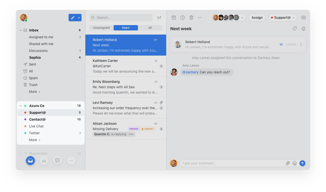
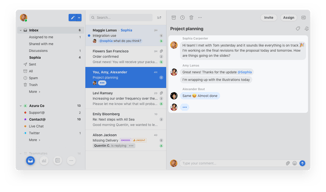
Front is a customer communication hub that features a highly lauded modern interface inspired by email clients, which team members love because it’s familiar and easy to use. Front features powerful automation capabilities that eliminate manual workflows across systems, and provide essential analytics to boost team performance and the health of customer relationships.

| Capabilities |
API
|
|---|---|
| Segment |
Small Business
Mid Market
Enterprise
|
| Deployment | Cloud / SaaS / Web-Based, Desktop Mac, Desktop Windows, Mobile Android, Mobile iPad, Mobile iPhone |
| Support | 24/7 (Live rep), Chat, Email/Help Desk, FAQs/Forum, Knowledge Base, Phone Support |
| Training | Documentation |
| Languages | English |

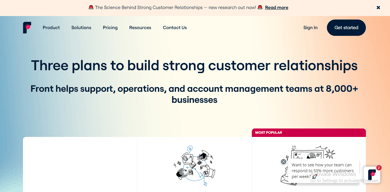
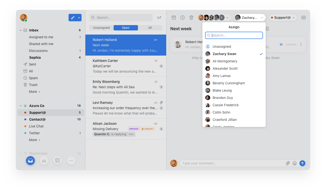
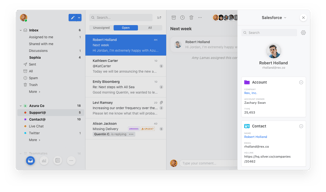
Front’s Starter plan is capped at 10 seats, so hiring an eleventh person moves you to Professional and takes the bill from $250 a month to $715. That is not an upgrade you choose on features — it is a ceiling you hit on headcount, and it costs $465 a month for one hire. Anyone planning to grow past ten support or sales people should price Front from $65 a seat, not $25.
- What it is: A shared inbox and customer communication platform — email, SMS, social, and WhatsApp in one queue — sold as a help desk alternative.
- Best for: Teams who want conversations to feel like email rather than tickets, at moderate scale.
- Pricing: Starter $25, Professional $65, Enterprise $105 per seat monthly on annual billing. Verified July 2026.
- The honest catch: Starter supports a single channel type, so email-plus-chat already requires Professional.
What Is Front?
Front is a shared inbox that behaves like email rather than like a ticketing system. Customer messages land in a familiar threaded interface where a team can assign, comment internally, and reply — which suits businesses whose customer relationships are ongoing conversations rather than discrete tickets. Front cites more than 9,300 companies including Navan, Branch, Culture Amp, Uber Freight, and ClickUp.

Two things about the plan structure are worth noticing before the features. The tiers carry seat ceilings — up to 10 on Starter, up to 50 on Professional — rather than seat minimums. And Enterprise, not the middle tier, is flagged “most popular”, which usually indicates that whatever sits only on the top plan is the thing people are actually buying.
Here, that is the AI bundle: Copilot, Smart QA, and Smart CSAT are add-ons on Starter and Professional, and included on Enterprise.
How Front Works
- Priced per seat, with a seat ceiling on each of the lower tiers.
- Starter is single-channel. Omnichannel requires Professional.
- Automation rules ladder — 10, then 20, then unlimited.
- Workspaces ladder — 1, up to 5, then unlimited.
- AI Copilot, Smart QA, and Smart CSAT are add-ons below Enterprise.
- AI Autopilot is an add-on on every tier, Enterprise included.
Front Pricing
Captured from Front’s pricing page in July 2026 in US dollars with annual billing, which is the page default.
| Plan | Per seat | Seat cap | Channels | Rules | Workspaces |
|---|---|---|---|---|---|
| Starter | $25 | Up to 10 | Single channel type | Up to 10 | 1 |
| Professional | $65 | Up to 50 | Omnichannel | Macros + up to 20 | Up to 5 |
| Enterprise | $105 | — | Omnichannel | Unlimited | Unlimited |

What actually decides your cost:
- The seat cap is the real pricing mechanism. Ten seats on Starter is $250 a month. Eleven seats means Professional at $65 each — $715. That is a 186% increase triggered by one hire, with no intermediate option. If your team is at eight or nine people and growing, model Professional now.
- Starter handles one channel type. The comparison table is explicit: “single channel type”, with messaging and live chat available only “if single channel type”. So a team wanting email and chat is on Professional regardless of headcount. For a product whose pitch is unifying customer communication, that is the most consequential gate on the page.
- The AI tools are add-ons until Enterprise. Copilot, Smart QA, and Smart CSAT all read “ADD-ON” on Starter and Professional and are included at $105. Given Enterprise is marked most popular, the AI bundle appears to be what pulls buyers up — so price the add-ons on Professional before assuming $65 is your number.
- AI Autopilot is an add-on everywhere. Including on Enterprise. It is the one AI feature no plan includes.
- Workspaces matter for multi-team use. One on Starter, up to five on Professional, unlimited on Enterprise. An agency or a company with separate support and sales queues will hit that before the rule limits.
- Automation is tightly capped low down. Ten rules on Starter and twenty on Professional; only Enterprise is unlimited.
Who Should Use Front
- Teams with ongoing customer relationships. The clearest case — Front’s email-like model suits account management and B2B service far better than ticketing.
- Small teams on one channel. Under ten people doing email-only support get a genuinely good product at $25.
- Companies needing omnichannel with internal collaboration. Comments and assignment inside the thread are Front’s real strength.
- Organisations wanting AI QA and CSAT. Bundled at Enterprise rather than assembled from separate tools.
It fits poorly for teams about to cross ten people, where the cliff is severe; for ecommerce support, where Gorgias charges by ticket rather than by seat; and for high-volume ticket deflection, where Freshdesk includes 500 AI sessions on a €17 plan.
Honest Pros and Cons
Strengths
- The best shared-inbox experience for teams who think in conversations, not tickets.
- Genuine omnichannel from Professional — email, SMS, social, and WhatsApp in one queue.
- Internal comments and assignment inside the thread, which competitors bolt on.
- AI QA and CSAT included at Enterprise, rather than sold separately.
- Strong customer roster — 9,300+ companies including well-known names.
- A free trial on Starter without a sales call.
Limitations
- A 10-seat cap on Starter, so growth forces a 2.6× per-seat increase.
- Single channel type on Starter, which undercuts the core proposition.
- AI Copilot, QA, and CSAT are add-ons below Enterprise.
- AI Autopilot costs extra on every plan, including the top one.
- Only 10 automation rules on Starter, 20 on Professional.
- Professional and Enterprise require a demo — no self-serve purchase.
Front Alternatives and How It Compares
- Gorgias prices by ticket rather than by seat and is built for ecommerce, which suits teams with many agents.
- Freshdesk is a conventional help desk at roughly a quarter of Front’s entry price, with AI sessions included.
- Zoho Desk covers similar ground inexpensively, with less polish on the shared-inbox model.
- HubSpot Service Hub suits teams already inside HubSpot’s CRM.
- Help Scout and Missive are the closest philosophical competitors — shared inboxes rather than ticketing systems — and generally cheaper.
- LiveChat covers the chat channel specifically rather than a unified inbox.
For a broader survey, browse our help desk directory.
The Verdict
Front is the best product available for teams whose customer communication is genuinely conversational. If your support or account management involves ongoing relationships rather than discrete tickets — B2B service, logistics, professional services — the email-like model is materially better than a ticketing queue, and the ability to comment internally inside a thread is the feature people stay for. The customer roster reflects that: these are not companies short of options.
The pricing needs modelling before you commit, because the tiers are capped by headcount rather than by capability. Starter allows up to ten seats. An eleventh hire moves you to Professional at $65 a seat, taking a $250 monthly bill to $715 — a 186% increase caused by one person joining, with nothing in between. If you are at eight or nine seats and hiring, Professional is your real price and you should plan around it now rather than discovering it in a renewal conversation.
The second gate arrives sooner for many teams. Starter supports a single channel type, so the moment you want email and live chat together — or email and SMS, or anything plus WhatsApp — you are on Professional regardless of team size. Since unifying channels is the reason to buy Front rather than a mailbox, that constraint reaches most buyers before the seat cap does. And check the AI line items too: Copilot, Smart QA, and Smart CSAT are add-ons on both lower tiers and included only at $105, which is likely why Enterprise rather than the middle plan carries the “most popular” badge. Price those add-ons on Professional before assuming the gap between $65 and $105 is real.
FAQ
How much does Front cost?
Captured in July 2026 in US dollars with annual billing: Starter $25 per seat per month for up to 10 seats, Professional $65 per seat for up to 50 seats, and Enterprise $105 per seat. Front advertises a 24% saving on annual billing. Starter can be started with a free trial; Professional and Enterprise both require a demo request rather than self-serve purchase.
Does Front have a seat limit?
Yes, and it works as a ceiling rather than a minimum. Starter supports up to 10 seats and Professional up to 50. That means growth forces an upgrade: a team of ten on Starter pays $250 a month, and adding an eleventh person moves them to Professional at $715 — an increase of $465 for one hire, since every seat reprices at $65.
What does Front’s Starter plan include?
Shared inbox and ticketing, AI Topics, up to 10 automation rules, basic analytics, a no-code public knowledge base, and one workspace — for a single channel type. Messaging and live chat are available only if that is your single channel. Omnichannel support across email, SMS, social, and WhatsApp requires Professional at $65 per seat.
Are Front’s AI features included?
Only on Enterprise. AI Copilot, Smart QA, and Smart CSAT are marked as add-ons on Starter and Professional and are included at $105 per seat. AI Autopilot is an add-on on all three tiers, including Enterprise. Since Enterprise carries the “most popular” label, the bundled AI appears to be the main reason buyers choose it over Professional.
Front or Gorgias?
They meter on opposite things. Front charges per seat with tiers capped by headcount, which suits smaller teams handling complex conversations. Gorgias charges by ticket volume and never per agent, which suits teams with many agents handling high volumes of simpler requests — and it is purpose-built for ecommerce. Choose Front for relationship-led communication, Gorgias for transactional support at scale.

The Tags are the best in Front, I guess.
All Emails in one is terrible. You won't find your email you need very fasten and you have to click and click and click It is very stressful
for me no problems will be solved with front. now i have more problems
The only thing nice about this software is having internal comment threads that employees can see on an email chain with customers and/or vendors.
EVERYTHING! This system is not built for logistics companies. If you want to sacrifice revenue because emails get lost or accidentally send the wrong carrier a rate confirmation because all bids get lumped into a single email chain, be my guest. There is also a lag time between outgoing and incoming emails (roughly 2-5 minutes). For one of our customers, we have 2 minutes to get a quote sent or the load is already gone. We haven't won a single load with that customer since implementing Front. After multiple denials from our operations manager, who was not interested in this product, their sales rep decided to reach out to our sales rep and he pushed it through to the owners. Front also does not have a customer service phone line (RED FLAG!!). Everything is done by email, which can hinder operations if something is faulty and needs to be resolved ASAP. If you are a logistics company, DO NOT USE THIS SOFTWARE!!!!! This software may apply to slower industries, but a fast-paced industry like logistics will only hinder your ability to quote customers in a timely manner and makes it difficult to track down old threads when issues arise. They will not give us a pro-rated refund (RED FLAG #2!!). This tells me they don't care about their customers and want your money. Our VP made a terrible mistake of pushing this through even after a 2-week trial where every employee who this system affects (operations) said they hated it and were missing stuff because of it. Ultimately, this falls on upper management for signing a contract when everyone told them not to do it, but the fact that Front won't reimburse us for the unused time is a sham. Avoid this company at all costs. There are much better resources to increase production effectively within the logistics sector and Front does the opposite.
Front has only created issues and solved nothing.

Nothing! Horrible! It doesn't work, or at least you can not try the software before you go buy it...
You can not use a Free Demo without a salesman. They only want to sell and not giving you the opportunity to try it first. You have to buy the car before you can try it...
Nothing. Absolute nothing!
Front is good for the team inbox functionality and notifications
I have been extremely happy with the billing practices of Front. I signed up for 30 users for a two year contract. When we went over in the number of users by mistake due to a new helpdesk person, Front said that I would have to pay for the extra users for the ENTIRE LENGTH of the contract. The "minimum" was adjusted. Right now I have 30 users and the are charging ne for 50 which I am disputing. They said it was under the "terms of service". Very unethical.
Inbox clutter and internal communication.

A very sophisticated communication manager that offers many features and customizations. A potentially very powerful program
I had could get no useful assistance (at my level, they offer no setup assistance or live help). I attended webinars, watched the online videos, and read the case studies so that I could try understand what the software could do. Unfortunately, none of this training really explains what level of access you need for the features you want. I started on the simple plan ($684 for three users for the year), then found out that the features I actually wanted were not available on my plan, and I could not get a refund. The cost to use the key features is high. For me, for three users, to get the features I needed, I would have to pay roughly $3,600 a year (no monthly plan, although they quote the fee by the month) with no refund once you set up. I spent many hours trying to make the software work and begging for support. Ultimately, I don't think they really want to service businesses as small as mine and are focusing are their bigger ticket clients.
Custome Management. Unfortunately, this landed up not being a good solution for me.

Being able to collaborate with teammates on an email without forwarding.
The email sequencing functionality is terrible.
Collaboration without having to forward emails
Ties the various channels (email, Twitter,Facebook, Intercom) together nicely. UI is pretty nice.
Just got hit me with this in an email: "Today, your Front account is on a custom plan. According to our records, your discounted pricing is set to expire on March 13, 2021, 00:00 UTC. At that time, you will be transitioned to our standard plan prices, and your monthly bill will change from $482 to $677." Been with them for about four years and they decide that they're going to up the price 40%? Just grandfather the plan! Don't know where they got "custom plan" from since we've just been buying the app normally. This kind of nasty pricing change doesn't bode well for an ongoing relationship with the company. They have some downtime from time to time. You have to adapt to their way of doing things.
We use Front to manage our various inboxes in one place. It saves us having to check/forgetting various channels.
It does some things reasonably well such as shared inboxes
The customer support they offer is rude and unhelpful
We wanted to improve our customer support infrastructure and were treated badly
ability to text within emails and assigne tasks to employees
Onboarding process stinks! We paid for consulting services which consistes of sending me an email from thjier website to read and figure out. What a wast e of my time and what a rip off. Sales person made commitments, the transition has been horrible. and customer service consists of just read or watch a help video.
None, it has created more