Unclaimed: Are you working at Front?
Front Reviews: 4.7/5 — Highly Rated
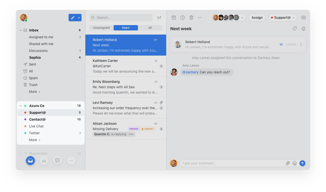
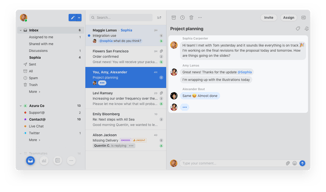
Front is a customer communication hub that features a highly lauded modern interface inspired by email clients, which team members love because it’s familiar and easy to use. Front features powerful automation capabilities that eliminate manual workflows across systems, and provide essential analytics to boost team performance and the health of customer relationships.

| Capabilities |
API
|
|---|---|
| Segment |
Small Business
Mid Market
Enterprise
|
| Deployment | Cloud / SaaS / Web-Based, Desktop Mac, Desktop Windows, Mobile Android, Mobile iPad, Mobile iPhone |
| Support | 24/7 (Live rep), Chat, Email/Help Desk, FAQs/Forum, Knowledge Base, Phone Support |
| Training | Documentation |
| Languages | English |

Front’s Starter plan is capped at 10 seats, so hiring an eleventh person moves you to Professional and takes the bill from $250 a month to $715. That is not an upgrade you choose on features — it is a ceiling you hit on headcount, and it costs $465 a month for one hire. Anyone planning to grow past ten support or sales people should price Front from $65 a seat, not $25.
- What it is: A shared inbox and customer communication platform — email, SMS, social, and WhatsApp in one queue — sold as a help desk alternative.
- Best for: Teams who want conversations to feel like email rather than tickets, at moderate scale.
- Pricing: Starter $25, Professional $65, Enterprise $105 per seat monthly on annual billing. Verified July 2026.
- The honest catch: Starter supports a single channel type, so email-plus-chat already requires Professional.
What Is Front?
Front is a shared inbox that behaves like email rather than like a ticketing system. Customer messages land in a familiar threaded interface where a team can assign, comment internally, and reply — which suits businesses whose customer relationships are ongoing conversations rather than discrete tickets. Front cites more than 9,300 companies including Navan, Branch, Culture Amp, Uber Freight, and ClickUp.

Two things about the plan structure are worth noticing before the features. The tiers carry seat ceilings — up to 10 on Starter, up to 50 on Professional — rather than seat minimums. And Enterprise, not the middle tier, is flagged “most popular”, which usually indicates that whatever sits only on the top plan is the thing people are actually buying.
Here, that is the AI bundle: Copilot, Smart QA, and Smart CSAT are add-ons on Starter and Professional, and included on Enterprise.
How Front Works
- Priced per seat, with a seat ceiling on each of the lower tiers.
- Starter is single-channel. Omnichannel requires Professional.
- Automation rules ladder — 10, then 20, then unlimited.
- Workspaces ladder — 1, up to 5, then unlimited.
- AI Copilot, Smart QA, and Smart CSAT are add-ons below Enterprise.
- AI Autopilot is an add-on on every tier, Enterprise included.
Front Pricing
Captured from Front’s pricing page in July 2026 in US dollars with annual billing, which is the page default.
| Plan | Per seat | Seat cap | Channels | Rules | Workspaces |
|---|---|---|---|---|---|
| Starter | $25 | Up to 10 | Single channel type | Up to 10 | 1 |
| Professional | $65 | Up to 50 | Omnichannel | Macros + up to 20 | Up to 5 |
| Enterprise | $105 | — | Omnichannel | Unlimited | Unlimited |

What actually decides your cost:
- The seat cap is the real pricing mechanism. Ten seats on Starter is $250 a month. Eleven seats means Professional at $65 each — $715. That is a 186% increase triggered by one hire, with no intermediate option. If your team is at eight or nine people and growing, model Professional now.
- Starter handles one channel type. The comparison table is explicit: “single channel type”, with messaging and live chat available only “if single channel type”. So a team wanting email and chat is on Professional regardless of headcount. For a product whose pitch is unifying customer communication, that is the most consequential gate on the page.
- The AI tools are add-ons until Enterprise. Copilot, Smart QA, and Smart CSAT all read “ADD-ON” on Starter and Professional and are included at $105. Given Enterprise is marked most popular, the AI bundle appears to be what pulls buyers up — so price the add-ons on Professional before assuming $65 is your number.
- AI Autopilot is an add-on everywhere. Including on Enterprise. It is the one AI feature no plan includes.
- Workspaces matter for multi-team use. One on Starter, up to five on Professional, unlimited on Enterprise. An agency or a company with separate support and sales queues will hit that before the rule limits.
- Automation is tightly capped low down. Ten rules on Starter and twenty on Professional; only Enterprise is unlimited.
Who Should Use Front
- Teams with ongoing customer relationships. The clearest case — Front’s email-like model suits account management and B2B service far better than ticketing.
- Small teams on one channel. Under ten people doing email-only support get a genuinely good product at $25.
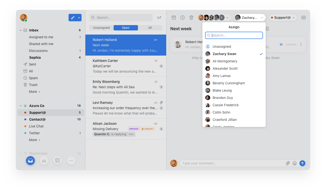
- Companies needing omnichannel with internal collaboration. Comments and assignment inside the thread are Front’s real strength.
- Organisations wanting AI QA and CSAT. Bundled at Enterprise rather than assembled from separate tools.
It fits poorly for teams about to cross ten people, where the cliff is severe; for ecommerce support, where Gorgias charges by ticket rather than by seat; and for high-volume ticket deflection, where Freshdesk includes 500 AI sessions on a €17 plan.
Honest Pros and Cons
Strengths
- The best shared-inbox experience for teams who think in conversations, not tickets.
- Genuine omnichannel from Professional — email, SMS, social, and WhatsApp in one queue.
- Internal comments and assignment inside the thread, which competitors bolt on.
- AI QA and CSAT included at Enterprise, rather than sold separately.
- Strong customer roster — 9,300+ companies including well-known names.
- A free trial on Starter without a sales call.
Limitations
- A 10-seat cap on Starter, so growth forces a 2.6× per-seat increase.
- Single channel type on Starter, which undercuts the core proposition.
- AI Copilot, QA, and CSAT are add-ons below Enterprise.
- AI Autopilot costs extra on every plan, including the top one.
- Only 10 automation rules on Starter, 20 on Professional.
- Professional and Enterprise require a demo — no self-serve purchase.
Front Alternatives and How It Compares
- Gorgias prices by ticket rather than by seat and is built for ecommerce, which suits teams with many agents.
- Freshdesk is a conventional help desk at roughly a quarter of Front’s entry price, with AI sessions included.
- Zoho Desk covers similar ground inexpensively, with less polish on the shared-inbox model.
- HubSpot Service Hub suits teams already inside HubSpot’s CRM.
- Help Scout and Missive are the closest philosophical competitors — shared inboxes rather than ticketing systems — and generally cheaper.
- LiveChat covers the chat channel specifically rather than a unified inbox.
For a broader survey, browse our help desk directory.
The Verdict
Front is the best product available for teams whose customer communication is genuinely conversational. If your support or account management involves ongoing relationships rather than discrete tickets — B2B service, logistics, professional services — the email-like model is materially better than a ticketing queue, and the ability to comment internally inside a thread is the feature people stay for. The customer roster reflects that: these are not companies short of options.
The pricing needs modelling before you commit, because the tiers are capped by headcount rather than by capability. Starter allows up to ten seats. An eleventh hire moves you to Professional at $65 a seat, taking a $250 monthly bill to $715 — a 186% increase caused by one person joining, with nothing in between. If you are at eight or nine seats and hiring, Professional is your real price and you should plan around it now rather than discovering it in a renewal conversation.
The second gate arrives sooner for many teams. Starter supports a single channel type, so the moment you want email and live chat together — or email and SMS, or anything plus WhatsApp — you are on Professional regardless of team size. Since unifying channels is the reason to buy Front rather than a mailbox, that constraint reaches most buyers before the seat cap does. And check the AI line items too: Copilot, Smart QA, and Smart CSAT are add-ons on both lower tiers and included only at $105, which is likely why Enterprise rather than the middle plan carries the “most popular” badge. Price those add-ons on Professional before assuming the gap between $65 and $105 is real.
FAQ
How much does Front cost?
Captured in July 2026 in US dollars with annual billing: Starter $25 per seat per month for up to 10 seats, Professional $65 per seat for up to 50 seats, and Enterprise $105 per seat. Front advertises a 24% saving on annual billing. Starter can be started with a free trial; Professional and Enterprise both require a demo request rather than self-serve purchase.
Does Front have a seat limit?
Yes, and it works as a ceiling rather than a minimum. Starter supports up to 10 seats and Professional up to 50. That means growth forces an upgrade: a team of ten on Starter pays $250 a month, and adding an eleventh person moves them to Professional at $715 — an increase of $465 for one hire, since every seat reprices at $65.
What does Front’s Starter plan include?
Shared inbox and ticketing, AI Topics, up to 10 automation rules, basic analytics, a no-code public knowledge base, and one workspace — for a single channel type. Messaging and live chat are available only if that is your single channel. Omnichannel support across email, SMS, social, and WhatsApp requires Professional at $65 per seat.
Are Front’s AI features included?
Only on Enterprise. AI Copilot, Smart QA, and Smart CSAT are marked as add-ons on Starter and Professional and are included at $105 per seat. AI Autopilot is an add-on on all three tiers, including Enterprise. Since Enterprise carries the “most popular” label, the bundled AI appears to be the main reason buyers choose it over Professional.
Front or Gorgias?
They meter on opposite things. Front charges per seat with tiers capped by headcount, which suits smaller teams handling complex conversations. Gorgias charges by ticket volume and never per agent, which suits teams with many agents handling high volumes of simpler requests — and it is purpose-built for ecommerce. Choose Front for relationship-led communication, Gorgias for transactional support at scale.

Fron help uniting multiple mailboxes, and facilitate cooperation by its fantastic tagging, discussion and assigning features. Also arrange the mailbox to be organised by on certain criteria make email handling much easier for users.
Sometimes I experience disconnectivity from Front, also some unknown reasons make the app becomes very slow to load and work. Do not have warnings for spam or phishing emails received.
Increase efficiency for email handling tasks by: - Eliminate email forwarding back and forth to others with tagging, shared draft and assigning system. - Reduce chances of missing emails with smart labelling and snoozing system. - We can see which team members involve in a specific emails/discussions and whether they have read the email, so no need for unecessary follow up.
I can easily track down emails from specific users. I can view multiple inboxes.
I would like the user interface to be iimproved.
Bringing all our messages into one location.
The features Front offers are really beneficial. Snoozing and scheduling emails help so much to keep a clean inbox.
Filters and folders could use some improvement. They are not as user friendly as other areas.
Organizing multiple email sources and cluttered email inbox
The part that I can check if any work is assigned to me.
I do not have to use the app that much since I can check my emails by checking Gmail, and I do most of our team communication through Basecamp.
I can use it for work emails and HR requests.
Seeing all emails as they come in. Template feature. Being able to assign tasks.
Not too much as of yet. Getting to the templating feature was a challenge at first, but not that I know where everything is, its been smooth sailing.
It's a one stop shop for a plethora of different softwares and services we had previously been using.
Front is a fantastic tool for managing your email and making better use of it. It also has a smartphone app that is simple to use. My most favorite feature has to be tagging as it allows us to collaborate with our teammates without having to forward messages.
Sometimes new users find it difficult to get accustomed to it. Maybe because of its advancement and in-depth navigation making it one of a kind. The more time you spend, the more used to you get.
We needed to send hundreds of emails every day, therefore managing email was a laborious process for every sales professional. Front enables us to track when emails are read by clients, allowing us to take appropriate action. As a result, my performance has significantly improved.
Sharing/at mentioning, adding comments (being able to highlight a section or part of an email you referring to).
Calendar integration requires office 365 despite having outlook/exchange as a company.
organizing information related to transportation reference numbers for the team to have visibility.
I absolutely love Front. Our team utilizes the email commenting and assigning functionality in our everyday business. It greatly reduced the time we spent forwarding emails back and forth, increased our efficiency, and eliminated duplicated efforts.
One shortcoming moving from Gmail to Front is the lack of a similar feature to Hangouts. While Front has the "Discussions" feature, I don't believe it is a substitute for a true IM chat feature.
We resolved issues with duplicated efforts and wasted time emailing and forwarding back and forth. We realized the benefits of having group accessible email templates, as well as a, centralized location for any incoming support emails.
Sharing with teammates, very helpful Analytics
Unfortunately no integration with merchandise management systems like JTL possible
Time sensitive customer communication
It's easy to form different groups in Front, allowing you to easily assign roles to different inboxes.
The UI could be a little bit better. There is so much text on the screen at all times.
A faster way to respond to support tickets. It's been highly beneficial creating templates to respond to tickets with.
It's super helpful that when communicating with a customer, my colleagues and I can chat in the comments and discuss strategy as well as leave comments as helpful reminders for future encounters.
The search bar feature on Front is not excellent. It would be ideal if you could input a customer's name into the search bar, and the results would display all conversations that have ever happened with that customer regardless of whether it was by text or email. Currently, when you put a name in the search bar, it forces you to choose either the email or the phone number associated with that person but cannot show you both simultaneously. When composing a new email, it automatically sets one e-mail address as the default. There does not seem to be a way to choose which email is the default in settings.
It holds tons of email templates, which is incredibly helpful! I love that it lets you organize the templates by category. It is also beneficial that my colleagues and I can leave notes to each other on specific conversations. The snooze feature is beneficial as well; if I want to remind myself to follow up with a customer, the notification will pop up on whichever day I set it to!
Front is sooooooo customizeable. You can really tailor the tool to meet your teams needs. Even more, you can tailor certain parts of the platform to an entire organization, just a team or even just an individual! Great platform
The analytics dashboard and search logic sometimes take a while to populate. Sometimes, it just doesn't load the info you are looking for at all. Overall, these two features work but I would say a good 10% of the time, there is some sort of lag or inconsitency. Still a great platform though!
Customer communication and storage of email templates! Having all customer communication-related data really saves our team time
The ability to easily share and tag colleagues as you're running into a possible issue and may need more insight.
How slow the system can be, as well as how difficult it is to search for emails/texts/etc - takes too much time.
I think I've most benefitted from the draft feature as a current LCA. It makes it easier to support your LCs and other teammates by staying in constant communication.
What I like best is emailing and being allowed to comment.
I love evething about it! All is good! Thanks
Integrating other solutions like Slack
Front enables people in customer facing roles to easily share access to multiple email and text threads simultaneously; draft, edit, and comment on threads with coworkers before responding; tag and assign function to easily categorize and organize threads; easily insert emojis and canned responses; and is intuitive and doesn't require a lot of training or expertise for non-technical people to use.
Speed seems to slow down as the number of users and threads increases, searching for old emails or texts which were not tagged takes a lot of time, limited ability to customize notifications or preferences, no drag-and-drop functionality, hard to distinguish between text and email, and the sheer volume of conversational threads can be overwhelming and difficult to follow especially when viewing Front on a small sized screen.
Front is a great tool to facilitate communication and collaboration across team members in customer-facing roles. It is a great way to keep in contact with colleagues in real-time, instantly see who is on and off line, and have side conversations on threads with coworkers before responding. I think Front is well suited for startups that need a scalable app to manage customer-facing communications.
I do like the shared drafts. The is very helpful for what we do and I like the integration of the texts which make it easier to have multiple forms of communication.
Front often has disconnection issues and gmail doesn't have that problem so often times I have to wait for Front to decide I'm worthy of using the service which often times takes up to 30 minutes or so for it to finish the review process letting me back online to continue our work.
I haven't solved any problems yet per say, but I will let you know if any show up.
The ability to manage/monitor Service Level Agreements. Front has great features over Outlook with the Chat function and ability to Assign emails to team members
However, the main drawback is the Editing capability and offline working ability. Editing should be improved to the same level as MS Word. You should be able to work offline - example whilst in flight and no internet connection should be able to reply to emails/ Compose emails Calendar functionality it below that of MS Outlook. Especially invites received and viewed on phone is very limited and difficult to accept a meeting on iPhone.
The ability to manage/monitor Service Level Agreements.
I like the ability to easily share inboxes and I like the ability to comment on Emails with my team members before or sending or responding to an Email.
Lack of integration with Gmail and limited search functions. Since we are a G-Suite company (and so many companies are now) I really need to be able to do things like access all of my teams contacts, schedule events in Google Calendar from an Email, drop files in the Google Shared drives, access my Google Task List and embed videos into an Email. While I like certain things about Front I also miss the functionality of Gmail and the integration with all of Googles tools
We are trying to track the quality of customer communication as well as to track response times with customers. Share inboxes are very helpful, Company rules are very helpful and Fronts metrics are also very helpful
The ability to tag people to continue ongoing conversations.
I've had a bad experience with searching for previous emails. Certain emails don't seem to appear when I know they have been sent.
Collaboration with team members. The ability to tag co workers allows for easy teamwork to tackle problems.
The notifications work well, it never freezes up on me. It is a easy way to communicate and have every thing in one place. Since the pandemic started this serves as not only a business tool and absolute necessity but as a social tool as well serving as "the water cooler". I also like having the option to emoji react to someone's message. This is really nice because I can show that I read something with a thumbs up emoji but I don't necessarily have to type out a full response , wasting everyone's time.
It can look a bit cluttered sometimes feels messy and a bit overwhelming. This gets easier the longer you use it but it all definitely seems a little busy and could benefit for a simpler and more stream lined type of design. The color scheme is a little bland, this makes it difficult while looking back to find a message you may have posted, why not make the conversations the user posted a different color than their co workers so it is easier to distinguish. I'm not sure how to make the number on the notification bar go away.
Keeping in contact with my team. I like being able to see whose online. Its nice you can easily send attachments.
How easy it is to collaborate The many integrations (especially Hubspot and Drift, very practical for us) The interface (UI) is very nice The support is really available to answer questions and solve bugs
The Analytics module and your API's schema The tags (I'd very much prefer custom fields instead) Bugs that sometimes occur
Having multiple people in the team, each with a different job and value to bring to our customer (support, tech, legal) We deal with recurring questions quickly (using canned responses)
We are currently using front mostly in our sales department to have all our potential customers that come from different sources organized, allowing several people on the team to have access to all the information in a synchronized way, even making collaborations or edits before sending the email without the need for everyone to have a copy or to send chains Another aspect that has helped us a lot from front is that it has given us the help of being able to integrate front with our native chat and thus be able to provide a better and more fluid experience
We would like front to have a better notification system since it is very easy for emails to get lost between emails from technical support and emails from the company, so I wish there were more notifications and thus keep up to date and thus not lose a single email
We use front in our sales team and we use it to have direct communication with all our clients and co-workers and it has helped us to have an easier and smooth communication.
I love how there is API integration. Need Calendly integration though.
I dislike the tags - sometimes they don't always work.
Communicating on emails.
I love the Send Later feature and how easy it is to choose when to send. I love how easy it is to discuss about a certain email with your colleagues - it is basically like a messenger or imessage UI. I like that you can tag people in emails and it actually works and bolds in the text.
Front doesn't carry over labels from Gmail so I can access some of those labeled emails on Front if they are set to skip the inbox - I don't do this often, but when I do, I have to go to the Gmail website. I don't like how Front's notification county is for every email in your inbox; I'd rather it be for just unread emails - I had to turn this number off because it was super distracting. When I send emails and CC or BCC someone, on Gmail, it shows up as though I send multiple emails which is incorrect and looks bad. Not sure why that has to be the representation or whether that's a limitation of the Gmail API. Feels like Front should be smart enough to recognize when I'm sending multiple of the same emails out and ask if I want to create a template on the spot.
Make it easier to compose emails with code snippets, hyperlinks and images - Gmail UX can be clunky sometimes. Discuss with team members about certain inbound emails. Both of these have definitely been solved for with Front.
Le fait de pouvoir partager les emails pour gérer une adresse mail générique. Le produit est facile à utiliser et il est ergonomique.
Les reports, je ne comprends pas bien comment ça marche. Même si j'ai cherché sur votre FAQ. Je trouve qu'il manque des données pour certaines équipes.
Interaction intra équipes : grâce aux commentaires sur les conversations nous pouvons communiquer entre les équipes sans devoir utiliser un autre outil.
Tagging co-workers in email threads for discussion, as well as tagging email threads to keep them organized.
Searching for specific phrases could be easier.
It allows me to keep my email threads and collaboration with other team members organized, as I can see the discussion all in one place and refer back to it if needed.
The Chat feature and the ability to read things but keep them as new.
Sorting through the archived/sent folders can be difficult. I wish I could keep email blasts from a third party email provider as separate from what I personally send from Front. I also wish there were more calendar features
Getting multiple colleagues to share and discuss one email. Scheduling emails and follow-ups. Tagging certain emails with a corresponding tag to keep them separate
Ability to @ colleagues for second opinions and text from my computer
The UI always looks busy to me, and it's tough to find specific conversations for which I'm searching
With the @ function, I can get feedback on specific situations without having to summarize them. I can text clients from the computer, which saves a ton of time. Both of these benefit my available time.
The ability to be able to centralise communications through a variation of channels, particularly Facebook pages, SMS, email & Aircall. It allows us to centralise all our comms into 1 place, set up teams, users and rules to allow the teams to work together and share information quickly.
There are some limitations to the tool, the reporting is not great, you cannot easily set up auto triggered reporting to be sent to your teams, you have to manually go in and update each time and share.
We are solving how to manage multiple conversation on channels with users of our platform. Allowing management and other team members to have visibility on all conversations, collaborating and ensuring queries are solved as quickly as possible. Analytics on the volume of specific queries using the tagging options.
I like how very well this tool works cross platforms whether web based or mobile based.
Implementation took a while but the technical team was very helpful in this process.
Communication through threads with co-workers. Help desk always at hand to assist.