Unclaimed: Are you working at Front?
Front Reviews: 4.7/5 — Highly Rated
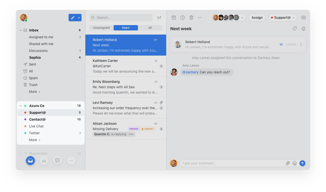
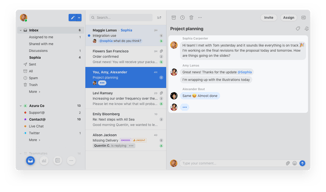
Front is a customer communication hub that features a highly lauded modern interface inspired by email clients, which team members love because it’s familiar and easy to use. Front features powerful automation capabilities that eliminate manual workflows across systems, and provide essential analytics to boost team performance and the health of customer relationships.

| Capabilities |
API
|
|---|---|
| Segment |
Small Business
Mid Market
Enterprise
|
| Deployment | Cloud / SaaS / Web-Based, Desktop Mac, Desktop Windows, Mobile Android, Mobile iPad, Mobile iPhone |
| Support | 24/7 (Live rep), Chat, Email/Help Desk, FAQs/Forum, Knowledge Base, Phone Support |
| Training | Documentation |
| Languages | English |

Front’s Starter plan is capped at 10 seats, so hiring an eleventh person moves you to Professional and takes the bill from $250 a month to $715. That is not an upgrade you choose on features — it is a ceiling you hit on headcount, and it costs $465 a month for one hire. Anyone planning to grow past ten support or sales people should price Front from $65 a seat, not $25.
- What it is: A shared inbox and customer communication platform — email, SMS, social, and WhatsApp in one queue — sold as a help desk alternative.
- Best for: Teams who want conversations to feel like email rather than tickets, at moderate scale.
- Pricing: Starter $25, Professional $65, Enterprise $105 per seat monthly on annual billing. Verified July 2026.
- The honest catch: Starter supports a single channel type, so email-plus-chat already requires Professional.
What Is Front?
Front is a shared inbox that behaves like email rather than like a ticketing system. Customer messages land in a familiar threaded interface where a team can assign, comment internally, and reply — which suits businesses whose customer relationships are ongoing conversations rather than discrete tickets. Front cites more than 9,300 companies including Navan, Branch, Culture Amp, Uber Freight, and ClickUp.

Two things about the plan structure are worth noticing before the features. The tiers carry seat ceilings — up to 10 on Starter, up to 50 on Professional — rather than seat minimums. And Enterprise, not the middle tier, is flagged “most popular”, which usually indicates that whatever sits only on the top plan is the thing people are actually buying.
Here, that is the AI bundle: Copilot, Smart QA, and Smart CSAT are add-ons on Starter and Professional, and included on Enterprise.
How Front Works
- Priced per seat, with a seat ceiling on each of the lower tiers.
- Starter is single-channel. Omnichannel requires Professional.
- Automation rules ladder — 10, then 20, then unlimited.
- Workspaces ladder — 1, up to 5, then unlimited.
- AI Copilot, Smart QA, and Smart CSAT are add-ons below Enterprise.
- AI Autopilot is an add-on on every tier, Enterprise included.
Front Pricing
Captured from Front’s pricing page in July 2026 in US dollars with annual billing, which is the page default.
| Plan | Per seat | Seat cap | Channels | Rules | Workspaces |
|---|---|---|---|---|---|
| Starter | $25 | Up to 10 | Single channel type | Up to 10 | 1 |
| Professional | $65 | Up to 50 | Omnichannel | Macros + up to 20 | Up to 5 |
| Enterprise | $105 | — | Omnichannel | Unlimited | Unlimited |

What actually decides your cost:
- The seat cap is the real pricing mechanism. Ten seats on Starter is $250 a month. Eleven seats means Professional at $65 each — $715. That is a 186% increase triggered by one hire, with no intermediate option. If your team is at eight or nine people and growing, model Professional now.
- Starter handles one channel type. The comparison table is explicit: “single channel type”, with messaging and live chat available only “if single channel type”. So a team wanting email and chat is on Professional regardless of headcount. For a product whose pitch is unifying customer communication, that is the most consequential gate on the page.
- The AI tools are add-ons until Enterprise. Copilot, Smart QA, and Smart CSAT all read “ADD-ON” on Starter and Professional and are included at $105. Given Enterprise is marked most popular, the AI bundle appears to be what pulls buyers up — so price the add-ons on Professional before assuming $65 is your number.
- AI Autopilot is an add-on everywhere. Including on Enterprise. It is the one AI feature no plan includes.
- Workspaces matter for multi-team use. One on Starter, up to five on Professional, unlimited on Enterprise. An agency or a company with separate support and sales queues will hit that before the rule limits.
- Automation is tightly capped low down. Ten rules on Starter and twenty on Professional; only Enterprise is unlimited.
Who Should Use Front
- Teams with ongoing customer relationships. The clearest case — Front’s email-like model suits account management and B2B service far better than ticketing.
- Small teams on one channel. Under ten people doing email-only support get a genuinely good product at $25.
- Companies needing omnichannel with internal collaboration. Comments and assignment inside the thread are Front’s real strength.
- Organisations wanting AI QA and CSAT. Bundled at Enterprise rather than assembled from separate tools.
It fits poorly for teams about to cross ten people, where the cliff is severe; for ecommerce support, where Gorgias charges by ticket rather than by seat; and for high-volume ticket deflection, where Freshdesk includes 500 AI sessions on a €17 plan.
Honest Pros and Cons
Strengths
- The best shared-inbox experience for teams who think in conversations, not tickets.
- Genuine omnichannel from Professional — email, SMS, social, and WhatsApp in one queue.
- Internal comments and assignment inside the thread, which competitors bolt on.
- AI QA and CSAT included at Enterprise, rather than sold separately.
- Strong customer roster — 9,300+ companies including well-known names.
- A free trial on Starter without a sales call.
Limitations
- A 10-seat cap on Starter, so growth forces a 2.6× per-seat increase.
- Single channel type on Starter, which undercuts the core proposition.
- AI Copilot, QA, and CSAT are add-ons below Enterprise.
- AI Autopilot costs extra on every plan, including the top one.
- Only 10 automation rules on Starter, 20 on Professional.
- Professional and Enterprise require a demo — no self-serve purchase.
Front Alternatives and How It Compares
- Gorgias prices by ticket rather than by seat and is built for ecommerce, which suits teams with many agents.
- Freshdesk is a conventional help desk at roughly a quarter of Front’s entry price, with AI sessions included.
- Zoho Desk covers similar ground inexpensively, with less polish on the shared-inbox model.
- HubSpot Service Hub suits teams already inside HubSpot’s CRM.
- Help Scout and Missive are the closest philosophical competitors — shared inboxes rather than ticketing systems — and generally cheaper.
- LiveChat covers the chat channel specifically rather than a unified inbox.
For a broader survey, browse our help desk directory.
The Verdict
Front is the best product available for teams whose customer communication is genuinely conversational. If your support or account management involves ongoing relationships rather than discrete tickets — B2B service, logistics, professional services — the email-like model is materially better than a ticketing queue, and the ability to comment internally inside a thread is the feature people stay for. The customer roster reflects that: these are not companies short of options.
The pricing needs modelling before you commit, because the tiers are capped by headcount rather than by capability. Starter allows up to ten seats. An eleventh hire moves you to Professional at $65 a seat, taking a $250 monthly bill to $715 — a 186% increase caused by one person joining, with nothing in between. If you are at eight or nine seats and hiring, Professional is your real price and you should plan around it now rather than discovering it in a renewal conversation.
The second gate arrives sooner for many teams. Starter supports a single channel type, so the moment you want email and live chat together — or email and SMS, or anything plus WhatsApp — you are on Professional regardless of team size. Since unifying channels is the reason to buy Front rather than a mailbox, that constraint reaches most buyers before the seat cap does. And check the AI line items too: Copilot, Smart QA, and Smart CSAT are add-ons on both lower tiers and included only at $105, which is likely why Enterprise rather than the middle plan carries the “most popular” badge. Price those add-ons on Professional before assuming the gap between $65 and $105 is real.
FAQ
How much does Front cost?
Captured in July 2026 in US dollars with annual billing: Starter $25 per seat per month for up to 10 seats, Professional $65 per seat for up to 50 seats, and Enterprise $105 per seat. Front advertises a 24% saving on annual billing. Starter can be started with a free trial; Professional and Enterprise both require a demo request rather than self-serve purchase.
Does Front have a seat limit?
Yes, and it works as a ceiling rather than a minimum. Starter supports up to 10 seats and Professional up to 50. That means growth forces an upgrade: a team of ten on Starter pays $250 a month, and adding an eleventh person moves them to Professional at $715 — an increase of $465 for one hire, since every seat reprices at $65.
What does Front’s Starter plan include?
Shared inbox and ticketing, AI Topics, up to 10 automation rules, basic analytics, a no-code public knowledge base, and one workspace — for a single channel type. Messaging and live chat are available only if that is your single channel. Omnichannel support across email, SMS, social, and WhatsApp requires Professional at $65 per seat.
Are Front’s AI features included?
Only on Enterprise. AI Copilot, Smart QA, and Smart CSAT are marked as add-ons on Starter and Professional and are included at $105 per seat. AI Autopilot is an add-on on all three tiers, including Enterprise. Since Enterprise carries the “most popular” label, the bundled AI appears to be the main reason buyers choose it over Professional.
Front or Gorgias?
They meter on opposite things. Front charges per seat with tiers capped by headcount, which suits smaller teams handling complex conversations. Gorgias charges by ticket volume and never per agent, which suits teams with many agents handling high volumes of simpler requests — and it is purpose-built for ecommerce. Choose Front for relationship-led communication, Gorgias for transactional support at scale.


Mir gefällt, wie Sie den Papierkorb eines jeden sehen und wie Sie Kommentare hinterlassen und eine andere Person markieren können, ohne für den Kunden sichtbar zu sein. Die Möglichkeit, Notizen in Dosen schnell einzurichten, trägt zur Effizienz des Teams bei. Die Round-Robin-Art der Ticketvergabe sichert jedem einen fairen Anteil.
Die Berichterstattung ist in Front wirklich begrenzt und verwirrend. Für das verfügbare Reporting werden unterschiedliche Daten als dasselbe bezeichnet, jedoch mit unterschiedlichen Nummern dargestellt. Es gibt keine Definitionen darüber, was Dinge bedeuten, die beim Versuch, Metriken für das Team zu erstellen, viel Verwirrung stiften.
Unsere Kunden würden unseren Kundendienstmitarbeitern individuell eine E-Mail senden, und infolgedessen würden die anderen die Fälle des jeweils anderen nicht kennen, insbesondere wenn sie in Urlaub sind. Ein kombinierter Posteingang ermöglichte es dem gesamten Team, über aktuelle Fälle und Vorgänge auf dem Laufenden zu bleiben. Wir haben dies auch auf unseren Posteingang für Mitgliedschaftsanfragen angewendet, sodass wir der Anfrage den am besten geeigneten Verkäufer zuweisen konnten.
Great native apps on Mac and iPhone Fast integration with Pipedrive Canned responses comments instead of sending emails Notification panel
for now no issues really had a bug and the team fixed it really quick Lack of free tiers Front Chat is subpar compared to intercom Lack of dark themes
Answering emails as a team and commenting on emails before sending them is key. Mobile apps are powerful and that's important

Managing several accounts and switching between this
Lack of support. Sometimes the messages remain as unread
Company email management
As our company was growing, we received a lot of Emails, messages on social media and our phone. It became very difficult to manage them. After some research we found Front. It has helped us a lot to manage all of our messages at one place. You can also select which employees will read which SMS’s which in my opinion is super cool.
Front is limited in terms of features. Fonts are very limited and the most important thing that artistic people like me will notice that the customization is very limited. For Example you cannot even change whether you see your emails in full view or collapsed view
We have been using front to manage our Emails.
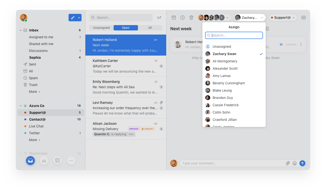
I like how you can see everyone's bin and the ability to leave comments and tag another person without being visible to the customer. The ability to quickly set up canned notes helps with the team's efficiency. The round robin style of assigning tickets ensures everyone gets a fair share.
It's like an expanded version of Gmail to me. I think it would be great to incorporate and easier way to manage tags and pull reports based off multiple tags. Also it would be nice to be able to set up a specific view of an organization or person and show the previously submitted tickets of that person/organization to help us become a lot efficient when backtracking conversations.
We'd like to have a separate system to handle Corporate tickets vs regular tickets. Down the line we realized we can build this function over to the same system we're using for regular ticketing.
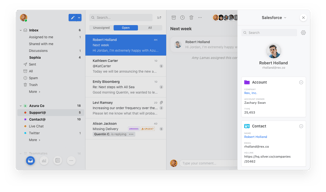
I like that front can be programmed with other apps to do a particular task. For example, front works with salesforce to bring up a clients file when front receives the call.
I do not like the email format. It is cumbersome to use and sometimes hard to understand among team members. They could have a cleaner interface that is much more user friendly.
We are resolving inbound calls with front. We are managing Client customer relationships with front and also resolving emails.
I’ve just started using front, basically front is an e-mail client where you can work with your personal or common email accounts at same place.i actually like the interface, though it is somewhat messy. I like the idea of getting every messaging platforms at one place. Also it allows the real time chatting thing that avoids duplication between two users. The team collobaration and working on same plate form is useful. The assignment feature keep the track of assignments quite good. Overall, from my little experience, it’s a good app.It is certainly a better choice than outlook.
The importing of your email history or chat is somewhat difficult, needs to work on that. Also the labels ain’t seamlessly synced. The conversation assignment, in missive we could assign to a group while here only one person so far! Not working .. Needs some improvement to stay in the race.
Till now not too many working has been done using this. But the app is rapidly making its way among the team and the people. I think it is changing the email client thing fairly.
smart mail system, good organized, nice features
sometimes not a good overview about all the mails
Categorize mails
What I like best is that I can comment on emails and communicate with my team without having to open a new thread.
Emails that do not belong together are currently merged. This means that special care must be taken to ensure that no information or emails get lost. Another disadvantage is that when you come back from vacation, your inbox is filled with emails that have already been processed.
It solves the problem that emails can be assigned and so it is clear who is responsible.
The ease in which you could assign email
Archiving causes lost emails unable to find
Inbox sharing and delegation to who will respond to the email
Front is a user-friendly tool that helps in managing my emails easily, effectively, and smoothly. It is an efficient tool for handling customers' requests. Front is also a great tool that helps in team collaboration and I like that we can tag our team internally to get updates without forwarding the same email to them.
There are some issues where the assigning of emails is not balanced (one teammate has more emails than the other teammate). There are also some issues when trying to locate archived emails because the keyword search doesn't work great in some situations. I also don't like when you use Front in your mobile phone because it's not good to use it on mobile devices.
At our organization, every team member has a Front access, which keeps everyone in the loop. Front had been a game-changing tool for us to connect with the team efficiently and stay updated while working remotely with certain peers residing in different time zones and varied work hours. Our team appreciates the ability to tag each other in the email thread to discuss the problem and give comments or suggestions, allowing us to interact with our clients more effectively.
Al auto-archivado, las menciones y la interfaz
De momento no puedo indicar al respecto.
De momento lo indicado en "Que es lo que mas te gusta"
smooth email assigning, and the ability to create tags to organize emails
it is not the best program to manage notifications
the fact that my team and i share only one inbox and with FRont we can assign each our own and keep receiving answers on our own assigned emails
Having my team in all of one location for all communication is great.
They are EXTREMELY overpriced for what they offer and in some cases what they offer to the client is something Google can do with no extra cost. Additionally the bugs in their software, which they want me to report, for the price, I shouldnt be a beta tester
I wanted to have all my employees in one area. This was helpful to have all communications (mostly) in one spot.
Possibility to snooze or archive emails easily, possibilities of commenting an email!!! this is the best
Interface is not clear compared to gmail. I can´t see the label´s colors, also it is not very well visible at first glance which emails are read or not read.
being able to comment is a plus - saves endless email forwarding and makes the work more organized
Ease of communicating with others on my team/office in order to quickly reference, respond, and address incoming customer requests and messages
Personally, keeping up to date with how notifications occur in Front is more challenging than typical email providers. I have noticed a delay (0.5-1.5 hrs) in when someone tags me in something/shares something with me and when it actually appears in my view. It's not a consistent thing, so I don't know enough to report what behavior is occurring to result in that.
Achieving a quick resolution to customer issues is definitely made easier with Front, and particularly for our team where individuals might be focusing on different aspects of addressing customer problems/concerns/requests
Easy to reply to end-users. Integrating with our website. Integrating with third-party apps. It makes it easy to monitor conversations/chats/emails. Easy to assign to the team internally. You can also comment/tag a team member and discuss the inbound issue as and when you reply to the end-user. Seamless for the end-user. Never had a complain so far about the chat/email/communication while using front from the end-user
1. Archive - Where does that go. 2. Send/Send and Archive buttons for chat are bad. 3. Adding a third party like Asana. We have to go to Tags to create an asana ticket based on the conversation. Tags???? 4. The notification for every mail is annoying. Compared with Gmail notification, it's bad.
Support, end-user communication. It's really smooth. Everything is recorded, you can connect it with Slack and ping anyone even on Front. For a startup, managing end-user expectations, delivery, and constant communication have been really easy. Takes away the hassle of doing all of that ourself

I'm able to monitor an inbox with my colleagues with ease. I can see who the messages are assigned to and have internal chats with my team outside of the email if necessary.
Templates & rules leave a lot to be desired. I cannot have dynamic fields that I choose from or that I pre-fill before I insert a template. I cannot cc' a specific person in a template. I cannot have a rule that automatically replies all. If I want to do anything non-basic it's not easy.
Shared inbox with my team- mostly from a customer service standpoint.
To include someone in the email's cc, only tagging and possibility of adding draft templates.
Sometimes is difficult to find an email. AI doesn´t work .
It has tools that makes the day easier (draft,insert link)
It's very good to use and the implementation was easy.
many mails after holidays or replacement stay in the inbox
As a user with many mails every day, the "send and archive" possibility is very good to keep the inbox clean
Front is by far the best tool in terms of email rules and integrations - however, we are changing apps due to the pricing and contract structure - we need flexibility as a small business.
We are moving off of Front because aside from being extremely expensive (it's more per seat than our CRM), they only allow 1 year contracts. For a SaaS company that believes in their product, this is ridiculous - there's virtually no set-up support so it's not like they are having to recoup that cost. I was so excited about this product but they are way too proud of it.
Shared inboxes
not appropriate for my work , but i have to use it since the company installed it
sometimes we do not see IMPORTANT replies, it is as if they sneak in the thread of emails , example when several people are copied in the email sometimes one person replies before the other and the reply is not seen
I still use gmail to search the replies...
Being able to mention or comment to a colleague on a draft or email chain
The lack of seamless sync with gmail and gcal
No problems have currently been solved an the email cancel/opportunity to collaborate are the top benefits for me

It is easy snippet to plug into javascript. It's easy to integrate into slack. It's easy to communicate with live chat users.
It is hard to dismiss notifications, it is confusing to make a comment on a conversation vs responding, and it automatically moves conversations to assigned and archived in confusing ways. I dislike the way that the website redirects to the app. I like that it does it, but it feels clunky, and it leaves my webpage open to the connection.
We want to get customer feedback and requests via chat and email.
That you can see when an email has been read and threads stay together.
I have used outlook for years so it is a huge adjustment.
We use it to assign orders. It helps to be able to see what is being worked on by a glance.
I love the visibility the tool gives and it's really intuitive to use
It seems that their customer service is only focused on selling and care very little about having satisfied customers
Better collaboration throughout our team. It makes working with a distributed team a lot easier.
Nothing really, they need much more capability in all areas(ticketing, chats, reporting)
Not much to say here. Lot's of dislikes..
They did not solve anything
Sharing emails with internal comments is great. Shared inbox management works well on the whole. Analytics is good, with room for further improvement.
Overall, we don't feel like we're getting value for money. It's a very expensive system, which has the potential to create more issues than it resolves, due to the complexity of rules and staff not understanding how archiving works etc. Calendar functionality is greatly lacking. The onboarding process delivered by Front was a waste of time, we ended up taking it over internally. Setup / configuration and training of staff is much more involved than anticipated. Front has taken a lot of internal resource in administration and training, and has not turned out to be the "gamechanger" it was sold as.
Shared inbox allocation

Front is great for quick communication between team members and easily answering all written inquiries across the org from one central platform.
The biggest issue I've found with Front has been personal inboxes. General inboxes are great but personal don't always function as would be expected. They also aren't transparent about the rewards they offer in exchange for reviews.
Front makes it clear which client inquiries have been addressed and, when they haven't, the reasons why they haven't been yet.
Clean interface that consolidates numerous contact channels, including email, SMS, Facebook Messenger (I have 15 of these inboxes), live chat, and help desk tickets. It does this VERY well.
Buggy software. Their dev resources are all focused on new features, not fixing bugs like the CTRL+arrow key shortcut to skip words. The contact functionality is virtually non-existent. I had to create custom fields for things such as email, phone number, and so forth. It also does not sync contact data, so you can enter it, but it will not sync it to Pipedrive, Intercom, or any other tool. This means all that data is siloed.
Simple tool to manage customer interaction, which means it is simpler to implement across my business.