

Unclaimed: Are you working at Instapage?
Instapage Reviews: 4.3/5 — Solid Choice
Instapage is one of the leading landing page builders among marketers with its promise of a 400% increase in return on ad spend. Highly conversions-focused, it features a comprehensive list of optimization functionalities such as A/B and multivariate testing, detailed analytics, and heat mapping. It offers a proprietary solution called AdMap which allows businesses to deliver tailor-fit and relevant landing page experiences to their audiences post-ad click. Its user-friendly interface, long list of native integrations, and hundreds of drag-and-drop design templates enable marketers to launch, test, and optimize landing pages at scale within a quick turnaround time without the need for time-consuming coding on the backend. This makes Instapage an ideal landing page builder solution for lean organizations and startups, while bigger enterprises can benefit from its market-leading and customizable conversion services.

| Capabilities |
API
|
|---|---|
| Segment |
Small Business
Mid Market
Enterprise
|
| Deployment | Cloud / SaaS / Web-Based |
| Support | 24/7 (Live rep), Chat, Email/Help Desk, FAQs/Forum, Knowledge Base, Phone Support |
| Training | Documentation |
| Languages | English |
Instapage Pros and Cons
- You get a ton of customizable templates
- You get to use a drag-and-drop builder
- You can set up an account very quickly
- Instapage pricing gets expensive quick
- It’s hard to do custom code
- The mobile responsiveness of landing pages is hit-or-miss


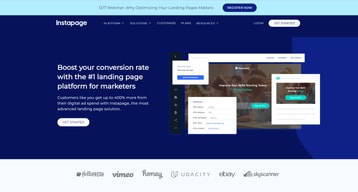

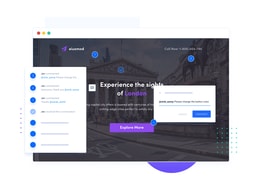
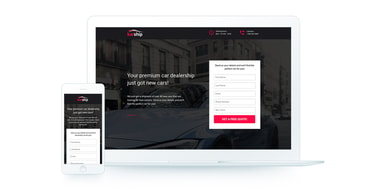
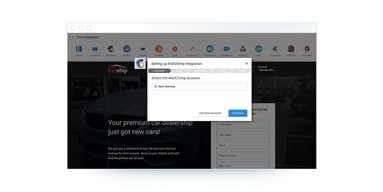




Instapage is a landing page platform built for paid-traffic teams, and its distinguishing feature is server-side A/B testing plus ad-to-page personalization rather than page building alone. If you are spending real money on ads and want the post-click experience to match the ad that produced the click, that is the problem Instapage is designed around. If you just need pages built, it is one of the most expensive ways to do it.
- What it is: A conversion rate optimization platform combining a drag-and-drop landing page builder, 250+ templates, experimentation, and ad-to-page personalization.
- Best for: Performance marketing teams and agencies running paid campaigns at enough volume that a lift in conversion rate outweighs a three-figure monthly subscription.
- Pricing: Create $79/month and Optimize $159/month on annual billing ($99 and $199 monthly), Convert is custom. 14-day free trial, no free plan. Verified on Instapage’s pricing page in July 2026.
- The honest catch: Plans are metered on unique monthly visitors, not pages, and several features people associate with Instapage, including heatmaps and ad-to-page personalization, sit on the custom-priced Convert tier.
What Is Instapage?

Instapage launched in 2012 and has spent most of its life positioned at the expensive, conversion-serious end of the landing page market. Where cheaper builders compete on templates and ease of use, Instapage competes on what happens after the page is built: testing it, personalizing it to the ad that drove the visit, and measuring the result.
In 2026 the positioning has broadened. The homepage now describes an “all-in-one digital marketing” platform, and the Create plan bundles email marketing, popups, sticky bars, and programmatic pages alongside the builder. That is a genuine expansion of scope, though the experimentation and personalization layer is still where Instapage earns its price relative to alternatives.
The independent ratings are good rather than exceptional, and the split between them is informative: 4.5 out of 5 on Capterra across 365 reviews, and roughly 4.3 out of 5 on G2 across 519 reviews. Reviewers are consistently positive about the builder and the templates, and consistently critical about the cost. You should read Instapage’s own “400% increase in return on ad spend” claim as marketing rather than a benchmark.
How Instapage Works
Four capabilities matter, and they map closely onto the pricing tiers, so understanding them tells you what you will actually pay.
- The builder. A drag-and-drop editor with pixel-level positioning, 250+ templates, reusable blocks, and real-time collaboration with commenting. The collaboration feature is genuinely useful for agencies routing pages through client approval.
- Experimentation. Server-side A/B testing, hypothesis setting, customizable traffic splitting, scheduling, and experimentation history. Server-side testing matters because client-side tests can introduce a flicker that costs you conversions on the exact page you are trying to improve.
- Personalization. AdMap visually connects ad campaigns to their destination pages, and dynamic text replacement swaps page copy to match the keyword or ad that produced the click. This is the core argument for Instapage over a general page builder.
- Measurement. Conversion analytics on every page, plus heatmaps showing scroll depth and click behaviour.
The important structural detail is where these sit. Experimentation and dynamic text replacement start at Optimize. Full ad-to-page personalization, global elements, root domain publishing, and heatmaps are on the custom-priced Convert plan. If a specific feature is why you are considering Instapage, confirm which tier carries it before you budget.
Instapage Pricing
Instapage meters on unique monthly visitors. Pages, conversions, and contacts are unlimited on every plan, which is unusual and genuinely good, but traffic is the ceiling. Figures verified on Instapage’s pricing page in July 2026.

| Plan | Annual (per mo) | Monthly | Unique monthly visitors | Key additions |
|---|---|---|---|---|
| Create | $79 | $99 | 15,000 | Builder, 250+ templates, popups and sticky bars, AI content, contacts and email, programmatic pages |
| Optimize | $159 | $199 | 30,000 (or 50,000) | Server-side A/B testing, traffic splitting, scheduling, multi-step forms, dynamic text replacement |
| Convert | Custom | Custom | Custom | Ad-to-page personalization, global elements, root domain publishing, heatmaps, direct lead bypass, CSM |
What the table does not show, and what matters most:
- Visitor caps are the real pricing lever. 15,000 unique monthly visitors on Create is modest for a team running paid traffic at scale. Estimate your actual monthly ad-driven sessions before choosing a tier, because overage, not the sticker price, is where budgets break.
- Unlimited conversions and contacts is a real advantage. Many competitors charge by leads collected or contacts stored. Instapage does not, which can make it cheaper than it looks for high-converting, low-traffic campaigns.
- Annual billing saves up to 20%. Create drops from $99 to $79 and Optimize from $199 to $159, so a year’s commitment saves roughly $240 to $480.
- Heatmaps are an enterprise feature. Several third-party summaries place heatmaps on Optimize. Instapage’s current plan page lists them under Convert. If heatmaps are a requirement, verify this in writing with sales.
- Watch the renewal. The most specific pricing complaint in Capterra reviews is unexpected increases at renewal, including one reviewer reporting an escalation from $25 to $250 per month. Confirm renewal terms before committing.
There is a 14-day free trial capped at 2,500 unique monthly visitors, and no permanent free plan.
Who Should Use Instapage
The economics decide this more cleanly than the feature list does. At $159/month on Optimize, Instapage costs roughly $1,900 a year. If a two-point lift in conversion rate on your paid traffic is worth more than that, it pays for itself easily. If your ad spend is small, it will not.
- Performance marketing teams running meaningful paid budgets. This is the intended buyer, and the server-side testing plus dynamic text replacement combination is hard to match at a lower price.
- Agencies managing campaigns for multiple clients. Real-time collaboration, commenting, and AdMap were built for this workflow, and the cost spreads across billable accounts.
- Enterprise teams needing governance. Global elements, root domain publishing, and SSO are on Convert for a reason.
It is a poor fit for solo founders, bootstrapped startups, and anyone who needs a handful of pages without an experimentation programme. At that stage the honest recommendation is a cheaper builder, or free options, since you will not use the features that justify the price. Our guide to the best free landing page builders is the better starting point.
Honest Pros and Cons
Strengths
- Server-side A/B testing. Avoiding the flicker of client-side testing is a real technical advantage on pages whose entire job is conversion.
- Ad-to-page personalization. AdMap and dynamic text replacement close the gap between ad copy and landing page copy, which is the single most common cause of wasted ad spend.
- Unlimited pages, conversions, and contacts. No penalty for succeeding, which is a meaningful difference from lead-metered competitors.
- A genuinely good builder. Pixel-level control, 250+ templates, and real-time collaboration draw consistent praise from reviewers.
- Support is well regarded at the top end. Multiple Capterra reviewers describe it as the best they have used, though see the caveat below.
Limitations
- It is expensive, and that is the dominant complaint. $79/month is the floor and $159 is the realistic tier for anyone who wants the testing features. Reviewers describe the cost as hard to justify below a certain ad spend.
- Renewal pricing has surprised customers. Unexpected increases are the most specific and repeated pricing criticism in reviews. Get renewal terms in writing.
- Key features are gated to custom pricing. Heatmaps, ad-to-page personalization, global elements, and root domain publishing all sit on Convert, which has no published price.
- Support quality is inconsistent by tier. Alongside the praise, reviewers on lower plans report slow replies and difficulty escalating complex technical issues.
- Mobile editing is weaker than desktop. Reviewers repeatedly note the mobile view is harder to customize, which matters when most paid traffic is mobile.
- Visitor caps require forecasting. Being metered on traffic means a successful campaign can push you into a higher tier mid-quarter.
Instapage Alternatives and How It Compares
- Unbounce is the closest direct competitor and the sharpest comparison. It starts lower, and its Smart Traffic feature routes visitors to the best-performing variant automatically instead of running a conventional split test. Choose Unbounce for automated optimization, Instapage for controlled experimentation and ad-to-page matching.
- Leadpages is substantially cheaper and aimed at small businesses and creators. It is the sensible choice if you want pages and basic testing without an experimentation programme.
- Swipe Pages competes on speed, with AMP-based pages and a much lower price. Worth a look if mobile page speed is your bottleneck.
- Landingi sits between Leadpages and Instapage on both price and capability, with a strong template library.
- Webflow is the alternative if you want full design control and a real website rather than a campaign-page tool, at the cost of a steeper learning curve and no built-in conversion testing.
For a broader survey, see our guide to the best landing page software.
The Verdict
Instapage is a strong product aimed at a specific buyer, and the review comes down to whether you are that buyer. If you run paid campaigns at volume and the post-click experience is a lever you actively pull, the combination of server-side testing, dynamic text replacement, and unlimited conversions is worth the money, and the 4.5/5 Capterra rating reflects that it delivers for the people it is built for.
If you are not that buyer, this is an expensive way to publish landing pages. The features that justify $159/month are the experimentation and personalization layers, and if you will not use them, Leadpages or Swipe Pages will do the job for a fraction of the cost without meaningful compromise.
Two things to settle before you commit. Forecast your unique monthly visitors honestly, because that is what you are actually buying and the tier boundaries are unforgiving. And confirm renewal pricing in writing, since unexpected increases are the single most repeated complaint in independent reviews. Handle both and Instapage is a defensible purchase for a performance marketing team.
FAQ
Does Instapage have a free plan?
No. Instapage offers a 14-day free trial limited to 2,500 unique monthly visitors, with no credit card obligation, but there is no permanent free tier. Paid plans start at $79/month on annual billing, or $99 billed monthly. If a free plan is a requirement, look at the free tiers offered by other landing page builders instead.
How much does Instapage cost in 2026?
Create is $79/month billed annually or $99 billed monthly, and includes 15,000 unique monthly visitors. Optimize is $159/month annually or $199 monthly, and includes 30,000 unique monthly visitors, with a 50,000-visitor option available. Convert is custom priced. All plans include unlimited pages, conversions, and contacts.
Is Instapage better than Unbounce?
They solve the same problem differently. Unbounce’s Smart Traffic automatically routes visitors to the variant most likely to convert for them, which suits teams that want optimization handled for them. Instapage gives you server-side A/B testing, hypothesis setting, and experimentation history, which suits teams that want to run and learn from controlled experiments. Unbounce generally starts cheaper; Instapage generally goes deeper on ad-to-page matching.
Does Instapage include heatmaps?
Instapage’s current plan page lists heatmaps under the custom-priced Convert tier, not on Create or Optimize. Some third-party comparisons still place them on Optimize, so if heatmaps are a requirement, confirm directly with Instapage which plan includes them before you buy.
What is Instapage best for?
Performance marketing teams and agencies running paid campaigns at enough volume that improving post-click conversion rate is worth a three-figure monthly subscription. Its distinguishing strengths are server-side A/B testing and matching landing page content to the specific ad that produced the click.

Compare Instapage with other popular tools in the same category.
I first came across Instapage when finding the landing page in the marketing automation tool we use (Pardot) was difficult and inflexible. After trialing a number of solutions I ended up choosing Instapage. Some things I found that Instapage did far better than competitors included: - Easy to use builder with drag and drop elements and sections (inserting images, videos, html etc.) - Ability to implement custom HTML (we use forms from our marketing automation on Instapage and it works fantastic) - Web and mobile friendly including a previewer while you build (once you have built your landing page you can view both how it would look on a desktop and mobile - having this responsive display is fantastic) - Integrates with Wordpress so you can publish it with ease (they also have a number of other publishing options available) Since adding Instapage to our marketing automation kit we have been able to deploy campaigns far quicker and more effectively. I have since recommended Instapage to a number of other clients and have started using it as part of my marketing company which I run on the side. I find it far superior to other options available and works far better than directing people to just any other web page.
Pricing could be a bit more SaaS friendly
Biggest thing Instapage has solved is the role it plays in our marketing automation which has increased lead capture and progressing these leads through to opportunities and sales
I've been using Instapage for a little over a year now and a huge fan. Using Instapage, I'm able to quickly and easily spin up custom landing pages, test, and run variations all without having to rely on a developer. I not only use it myself (and for all of my companies), but have also recommended it to others that are now Instapage users and are converts themselves. It's a bit pricey, but worth it in my opinion.
A bit pricey, but worth it considering how much it saves vs. other platforms and/or custom development.
Landing page building, optimization, testing, etc.

Flexibility Freedom of design drag and drop templates
Pricing has increased significantly since 2016
As growth marketers, we A/B test everything on a landing page for maximal conversion. This is a very daunting task, but Instapage makes this easy
Super easy to use. Robust. I built my first page today in about an hour. Can’t wait to launch!
I really don’t have anything negative yet.
Creating multiple quality landing pages quickly and efficiently. Allows for AB split testing and pivoting.

Instapage is literally a blessing when we have to build pages and test them against specific segments of users. The editor is easy to use. With all the ready templates that are available, one can come up with new variants of a page in literally 20-30 mins. Instapage offers clear analytics on the performance of each landing page. You can group the pages into folders and analyze the data in whatever way you like. The dynamic text replacement is a game changer Their account managers and support team is very knowledgable and probably one of the best in offering solutions to you.
Instapage doesn't give you time trended data. We also use Instapage to host standalone content pages. It would have been amazing if it allowed us to include a robots.txt file for the page The heatmaps could be more detailed with information on % of users who scrolled a certain depth so we could inform testing strategy better Could be better, if there was an option to select primary and secondary conversion event in a page
Understanding what landing pages work with which audiences. We improved conversions by 8% when we tested a customized landing page for a high engagement user group.

As a Growth Designer, I have used many tools to create landings pages. Instapage is the most expensive, and for me it is the best. The speed of the platform, as well as the pages created, is undoubtedly one of its best features. The support is also fantastic, having a chat available to me is very valuable. As a tool for creating landing pages, for me it is the one with the best design templates, mainly I use them as inspiration, and it is very helpful
What I don't like about Instapage is that you don't have the possibility to create global scripts, I think it is a major flaw. I think they should work on providing more tools when it comes to design, such as being able to 'play' a little more with the CSS and the animations of the elements.
The problems I solve with Instapage, is that it does not depend on the developer team to launch new user acquisition pages. With Instapage I can create quality pages at impressive speed and perform a / b testing to constantly improve the conversion of campaigns. If I depended on the developer team every time I want to make an adjustment on a page to test whether it improves the conversion, it would be too slow a process, which, for me, would kill any startup. Recently, we improved the conversion rate by 40% with Instapage. We did a / b testing with Google Optimize of a page designed by the UI / UX team, then implemented by the development team. We created the experiment comparing this page vs. the page created in Instapage and the result was impressive. The Instapage page that took much less resources, converted 40% more. So Instapage is expensive? You tell me.
Easy to use landing pages with analitycs and ads personalization features
The recommandations of optimization are sometime not relevant
The fact that instapage allow you to design and build landing page with out having technical skills
easy to use, design and integrate with other platforms
pricing is expensive and has gone up significantly.
sign up pages, landing pages, webinar pages etc.

How quickly you can build pages. This is good for our clients.
The gallery pic is a mess Some people of my team doesn't speak english
We do campaigns so quiclky, it's really good for our clients.

Instapage is the most comprehensive and easy to use landing page builder available. The ability to create and customize "blocks" across different landing pages allows us to replicate effective landing pages quickly, across many client accounts. There's also a great Dynamic Text Replacement tool that allows us to target a bunch of keywords/ad groups/locations without having to create an entirely new landing page. Plus, there's great integrations and the builder itself is incredibly easy to use. Simply put, Instapage is the best option out there for agencies like us... and we've tried them all!
Instapage's cost is definitely geared more toward enterprise users and/or agencies who serve large-businesses. They've raised the cost substantially a couple of times over the last few years, but they've also added a lot of new features. Feature-wise, I'd love to see more customization put toward improving the forms.
We love Instapage because it allows us to get quick, effective, conversion-optimized landing pages up for our clients, literally in minutes... and the best part is that they can be created by team members who aren't web design specialists. Instead of taking days or weeks for website updates, just about anyone on our team can create, test, and iterate landing pages for our paid search campaigns in just a few minutes.
Easy to handle, drag and drop, landing page creator. Possibility to customize and insert custom JavaScript.
Not so much user friendly, sometimes I miss the stuffs and paths to functions.
Marketing landing page.
I use Instapage for all y landing pages for Google-Ads campaigns. They always have lightening quick speed scores if you remember to compress your images. Simplicity and clean look.
Notifications are sometimes a bit slow. Also the notification page set up is sometimes glitchy. I use Zapier instead of that now, so there is no problems with them.
Quick landing pages to improve conversion on Google-Ads and other advertising platforms.
One does not have to be a designer to leverage the power of this software. However designers can take this to the next level. Regardless this allows you to roll out countless landing pages with tracking and SEO at scale. The personalization is also great, a simple URL change can create a unique experience all from one page.
The downsides of Instapage is that it's template based. Because of this there can be some limitations on some of the things you can do. Another downside of instapage is the reporting. To receive complete information one has to integrate a lot of other products. If you don't integrate these initially then all of the data is lost.
Users expect a unique experience and it can be hard to deliver it. This platform literally lets you personalize a page to a user with a simple utm parameter.
Instapage gives us flexibility on a team where development bandwidth is at a premium. Our marketing team members with fewer technical skills are able to make landing pages on their own while our developers can stay focused on bigger projects.
The only time I've been disappointed by Instapage was when we wanted functionality for landing page viewers to upload a file on the page.
Instapage has allowed us to have less technical members of our marketing team create landing pages for their individual marketing channels without involving the development team. This has positively impacted conversion rates on campaigns across channels.
Super easy to update landing pages for our marketing team without having to have design, product or engineering involved. We can launch tests very quickly and get quick feedback on our tests.
Sometimes the reporting is a little buggy. We put our own tracking on the page to ensure the data quality is tight.
We use Instapage for multiple experiences from marketing, shopping and general info/copy pages for our website. Super easy to setup new pages without needing help from tech team.

The format is easy to use and easy to design on. It makes it easy to quickly create and develop landing pages.
It somewhat lacks in integrations. There are workarounds needed at times to connect with certain CRM's with your forms.
I work for an agency and have limited design skills. It's easier for me to create a campaign and landing pages all at once. Instapage gives me the tools to do just that.
Global blocks are the best thing about Instapage
Script management- it’s not based on a domain but rather landing page specific and that’s somewhat irritating
With global blocks I am solving a time issue of when a change needs to be made on every page we can do it once for all.
The interface is easy, the drag and drop of modules make creating easy and the detailed reporting to track conversions is what we were looking for.
So far, I haven't found anything that I didn't like except maybe I clicked on A/B testing and can't figure out how to go back to just one version so there keep being comparisons made in the dashboard.
Tracking conversions with an attractive page was the goal and our first trial was a success. Leads and registrations are flowing in and we can connect them directly to page views in our funnel
I love that it's super customizable and you can easily drag and drop things into your page
Maybe more features such as Gallery for photo displaying
We have been trying to come up with Landing page project using Mailchimp but Mailchimp doesn't support landing page design elements very well so we switched to Instapage and loved it
This platform is very good, very useful, it allows you to create landing pages in a very simple way but having a high quality result, it has a drag system that allows you to add or delete something that you do not like on your landing page , I've used it around 10 times, besides it allows me to measure the performance of each landing page to understand what I like more to each user that has visited my landing pages that I normally use them to make next sales and to expand my list of prospects to then offer them my produc
I have not had a problem with this tool, I was even researching it before using it and I concluded that it is the best one on the market, which I confirmed after using it
The problem that solves me is that my job is to sell, and I have had to learn to sell also online, which I understood that one of the basic things to achieve that is to have data of your potential customers, which I can achieve with this tool, I can design landing pages without knowing programming, I just do it to my liking quickly and easily and I'm testing it. It saves me a lot of time and money.
It is the most intuitive software I have ever used. It works exactly like you need it to.
Some of the navigation for making changes is a little clunky but that is a nit pick.
Spinning up professional landing pages in minutes compared to using our CMS. The ease in publishing pages to WordPress.
It's super easy to use the drag-and-drop page builder, and they have a large set of integrations.
The pricing is a little more expensive than the competition, and you only get unlimited landing pages on the enterprise plan.
Landing page creation
I can go from design to deployment in no time to test a new landing page.
Forms with 3rd party tools could be easier to build and navigate.
Remove time and money needed to test landing page ideas.
The drag and drop editor for landing pages is just phenomenal.
I dislike the company's pricing. With so many alternatives out there at much lower pricing, I don't see the need to price so high.
Setting up landing pages for any event has helped us do quick, professional event pages without spending hours setting it up.

Instapage is a tool that allows simple landing pages to look good while being built quickly -- and has enough features and customization to make a complex landing page fantastic. Very low barrier of entry allows for easy effectiveness.
Some of the publishing options can be a little clunky, especially with first-time setup. The preview views on mobile sometimes feign blank space, but it looks fine when published.
Instapage allows us to build more attractive landing pages that drive conversions as marketers with basic to moderate knowledge of design and HTML without involving web development resources or wasting time.
I've used plenty of WYSIWYG Creative tools for websites and landing pages over the years. Instapage wins my vote for being the most effective and user friendly.
I don't like the way they put together the different package features. It was going to cost quite a bit extra for one feature I really wanted/needed. I contacted support and they helped me with a work around that instantly overcame my issue.
We needed a solution that provided easy landing page design with the ability to manually edit the mobile version and auto send lead notifications to specific recipients for specific promotions. We have been breaking lead volume records month after month since using Instapage!
As part of our overall digital marketing platform, Instapage is a critical component. The ability to quickly develop pages and then run A/B split tests is awesome. Integration to our CRM is also one of the must have features.
I would love to access some of the additional features, but can't justify the additional spend.
Lead generation and capture off the back of our inbound marketing and digital social spend.
The workflow makes it easy to create pages.
I would like more integrations to other platforms, like google spreadsheets
Easy process to show my clients prototypes and launch fast.
creating a landing page is very easy and fast. I already have 75 landing pages.
I would like an app for my mobile to receive lead notification
Creating sale leads for my clients
It's easy to use. Integrates great with 3rd party apps. We switched from Clickfunnels because its design was so "Sales focused". We wanted to be able to create landing pages that converted but also looked great.
My major concern is that the forms are not able to go horizontally without major coding additions. Being able to go side-side with form fields makes it easier when you're collecting a lot of data and don't want to make your page a mile long.
Conversions, UX, content flow. The ability to analyze and select different conversions within the page has been great. Since we create so many pages with different end points it really helps us to personalize each experience.