

Unclaimed: Are you working at Loom?
Loom Reviews: 4.7/5 — Highly Rated
Loom is a video-making platform that is designed to help businesses facilitate better and more efficient workplace communication through video and screen recording. It empowers users to use a web-based interface that supports screen recording and screen capture, shared via a link for easy viewing.

| Segment |
Small Business
Mid Market
Enterprise
|
|---|---|
| Deployment | Cloud / SaaS / Web-Based, Desktop Mac, Desktop Windows, Mobile Android, Mobile iPhone |
| Support | 24/7 (Live rep), Chat, Email/Help Desk, FAQs/Forum, Knowledge Base, Phone Support |
| Training | Documentation |
| Languages | English |
Loom Pros and Cons
- Dedicated mobile apps for Android and iOS
- Quick screen recording with handy webcam overlay
- UI is clean and easy to navigate
- Loom Chrome extension has multiple recording options
- Transcripts aren’t always accurate
- The free version restricts videos to five minutes


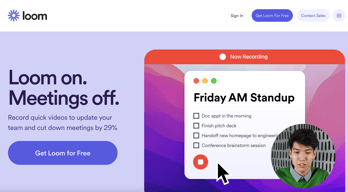
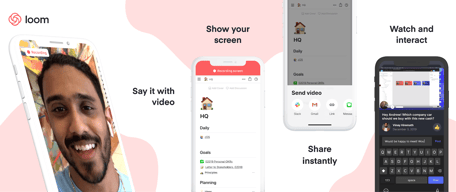
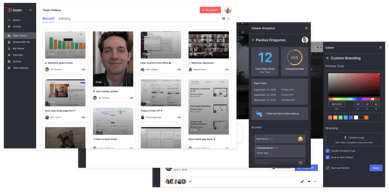

With remote and hybrid work now standard across industries, the way teams communicate has fundamentally shifted.
The distributed nature of the workplace today means companies need to invest in new tools to keep their staff aligned and connected. Whether you’re sharing messages in Slack, or video conferencing in Microsoft Teams, you’re probably already investing in tools that will support the change landscape of work.
Loom is quickly emerging as one of the most valuable platforms in remote and asynchronous work. It focuses on allowing users to capture video content, screenshots, and other information for recipients to watch whenever they choose. This can be a lot easier for teams looking to communicate when other staff members aren’t available for a real-time video call.
Today’s Loom review will explore everything you need to know about leveraging this video and screen-capture tool for the age of asynchronous and remote work.
Loom Pros and Cons
Loom Features
Loom is the leading video communication platform for asynchronous work. In October 2023, Loom was acquired by Atlassian, expanding its integration with tools like Jira and Confluence. Designed for speed and simplicity, the solution allows you to record, share, and interact with videos. Millions of users across hundreds of thousands of companies use Loom to work more collaboratively.
The primary features of Loom include:
- Screen recording: Record your camera, screen, or both simultaneously to share useful insights with your colleagues wherever they are.
- Chrome extension and desktop app: You can record videos with up to 4k quality with a desktop app, or leverage 1080p recording with the Chrome extension.
- Video stitching: If you need to record multiple videos for a tutorial or guidance for another employee, you can stitch them together into a full video.
- Screenshot: If videos aren’t necessary to share contextual information with a co-worker, you can take a simple screenshot and share that through the cloud instead.
- Automatic transcriptions: Using AI technology, Loom can transcribe your video, making it easier to access to a wider range of viewers.
- Filler word removal: If you’re worried about the number of “uhs” and “umms” included in your video content when sharing with a manager or supervisor, remove them with one click.
- Video hosting: Cloud-based video hosting is included with Loom, so you can store your content in an easily-searchable place. This is ideal for sharing the same video with more people, or checking back over previous videos.
- Backgrounds and frames: Add some personality and branding to your looms with custom backgrounds and designs. This can be a great way to make your videos more fun.
- Comments and reactions: Your colleagues can react to your looms with emojis, or leave comments and annotations to keep the conversation going.
How to Get Started with Loom
One of the things that makes Loom so compelling to modern workforces is how easy it is to use. It only takes a few seconds to sign up with Loom using your Google, Slack, or Apple ID. You can also create an account with an email address or SSO.
Once you’ve created an account, you can simply install your application onto your device. Downloads are available for Windows and Mac, and you can get the iOS or Android app directly from respective app stores. There’s also a Chrome extension for Loom.
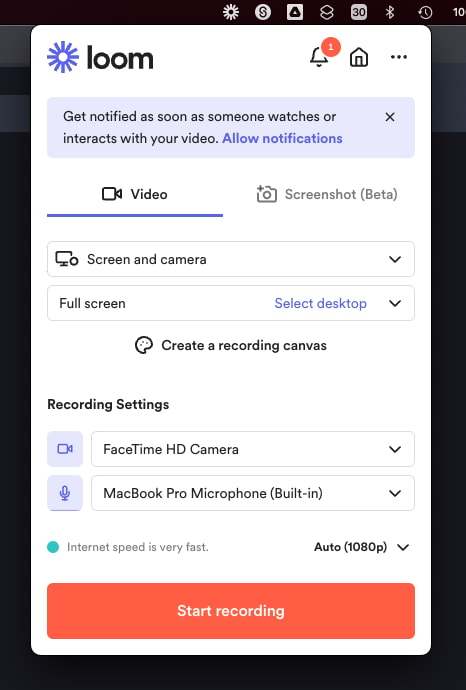
Mac OS app allows to record videos straight from the menu bar
After installing the application, you’ll have to make sure you enable permissions for recording from your microphone, webcam, and screen. The desktop application will appear in your system tray or menu bar, so you can start recording with one click. There’s also the option to set up keyboard shortcuts.
When you’re fully setup, you can start recording your videos instantly. By default, the app records your screen with a webcam overlay, but you can also choose to record your face or screen individually. The iOS version of Loom does not allow for recording both your webcam and your screen at once, however.
Before you begin recording, you’ll be able to reposition and resize the webcam overlay, and choose whether you want to capture a portion of your screen or the whole thing. You can also decide whether to record system audio alongside your voice.
When you’re done recording, the entire video will automatically upload to the Loom cloud environment, and be accessible through your account. Here, you can edit the video in various basic ways, such as stitching different pieces of content together, cutting out the parts you don’t need, and adding “call to action” buttons which popup for users after the video finishes.
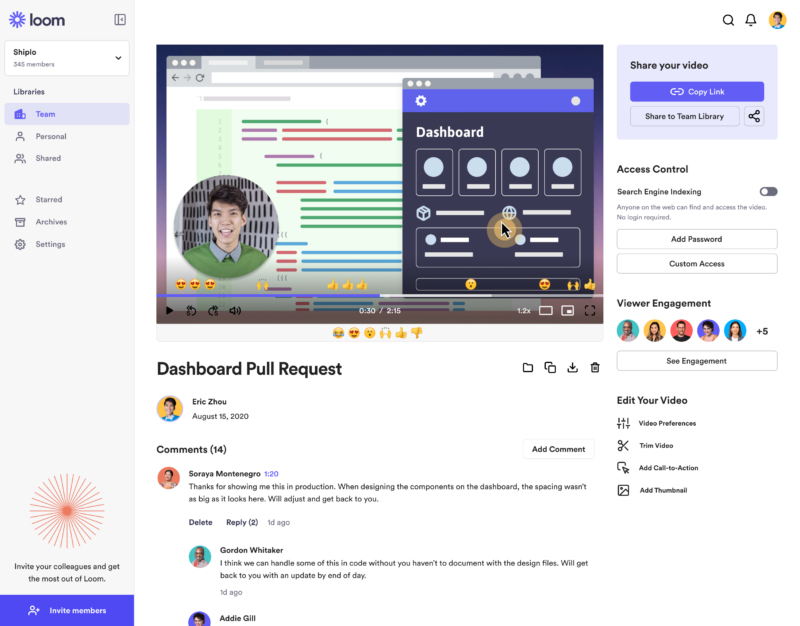
‘Looms’ are stored in the cloud making them easily available for your team
Notably, every video created with Loom is automatically made “public”. You can share the link to anyone, and they’ll be able to watch it without signing up for an account. The share button also offers one-click sharing for social media, and access to code for embedding videos on a website. The Chrome Extension will also automatically convert videos into embedded content for Google Doc, JIRA, Gmail, and GitLab.
Users viewing your video can speed up playback, react with emojis throughout the viewing process, see an automatic transcript, and leave comments.
Get started with Loom for free
Loom Pricing
Loom’s pricing structure is relatively straightforward. There are multiple plans to choose from, starting with an attractive free package. Visit Loom’s pricing page for current rates.
Starter
Loom offers a free plan with basic recording capabilities, including screen recording, cam bubbles, privacy controls, viewer insights, and unlimited transcriptions.
Business
The Business plan comes with all the free features of Loom plus unlimited creators and recording lengths. You also get high-def recording up to 4k, drawing tools, custom branding, filler word removal, engagement insights, closed captions, and security features.
Enterprise
Designed for companies with specific recording needs and privacy requirements, the Enterprise plan gives you more advanced admin and security settings, including SSO, SCIM, custom data retention policies, activity log reports, and priority dedicated support.
Loom for Education
If you’re a teacher in the digital world, you can access a specialist plan specifically for education. Loom offers qualified educators access to premium features and unlimited recordings for free.
Loom Alternatives: Your Other Options
Loom is an excellent tool for rapidly creating and sharing video content and screens with your colleagues. It’s easy-to-use, packed full of useful features, and relatively affordable compared to some other options. However, there are other solutions out there.
Some of the most compelling alternatives include:
Slack Clips
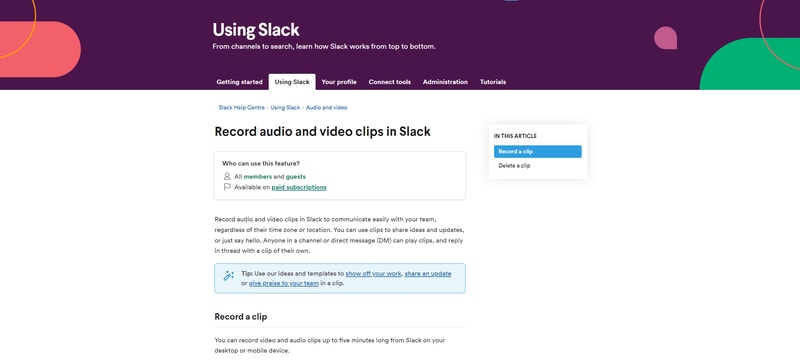
Slack Clips is the native screen recording feature built into Slack. If you’re already using the Slack service for asynchronous collaboration, it might make sense to choose this product over Loom. With Clips, you can not only capture screen information, but also add voice overs to something, and implement your webcam too.
The Slack Clips feature doesn’t work outside of Slack, so you will need an account to start using the service. Clips can also only be shared in channels or through Slack direct messages. There’s also a five minute limit with no way to increase your recording options.
You’ll also need a paid account with Slack to access this service. Clips is not included as part of the Slack free package.
Dropbox Capture
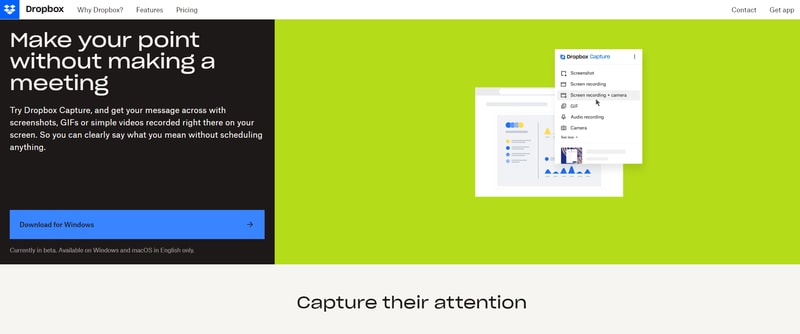
If you’re using Dropbox for storing and managing files in the remote working world, you can also tap into one of the most recent features introduced by Dropbox. “Dropbox Capture” automatically uploads the videos you create directly into your Dropbox folder, which makes it ideal for sharing with distributed team members.
Though still relatively new to Dropbox, the Capture function offers many of the same features as Loom, including the option to take a screenshot, record your screen, or combine your screen recording with a view of your webcam. You can also record audio, or make a gif this way.
All of the content you produce will be saved to the Capture folder in your Dropbox account. You’ll also be able to hover over the capture to collect an URL to share with colleagues. The “Markup” feature allows you to draw on your content and add annotations.
Asana
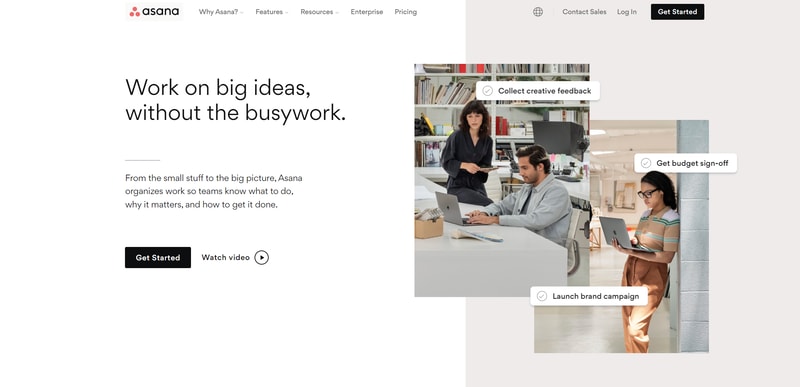
Another option for those who already have a dedicated productivity and collaboration tool in place with their team, Asana comes with a range of “add-on” features for screen recording and video. One of the most common options is the “Coview” service, which allows you to create detailed videos and screen recordings with a couple of clicks.
You can also use Coview as part of your customer service strategy, allowing customers to capture information and code-level insights into any problem they’re having. All of the content is stored to your Asana account, where you can export screenshots and recordings as Asana tasks.
While the features aren’t exactly the same as the ones you’ll get from Loom, they’re pretty straightforward, and ideal for customer service teams.
Mac and Windows Screen Recording Tools
If you want to avoid adding any more apps to your workplace, or you need to keep your budget as low as possible, Mac and Windows devices also have some of their own screen capturing options. You can capture an entire screen, window, or portion of a screen on a Mac by pressing shift, command, and 3 together on your device.
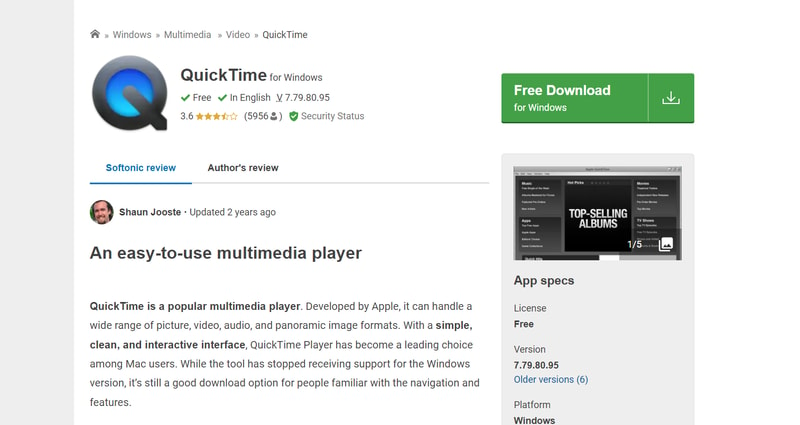
The QuickTime player on Mac also allows you to capture video recordings of your computer screen. Simply open the QuickTime player, then click on “File”, then “New Screen Recording”. You’ll be able to control exactly which portion of the screen you want to record, and decide whether you want to include your pointer in the recording.
On Windows, the best way to capture screen recordings is with the “Game Bar”, built for Xbox consoles. You can access this feature by going into “Settings > Gaming > Xbox Bar”. From there, enable the Xbox Game Bar, and you’ll be able to start recording videos or taking a screenshot with the click of a button. You can also trigger the game bar with shortcuts.
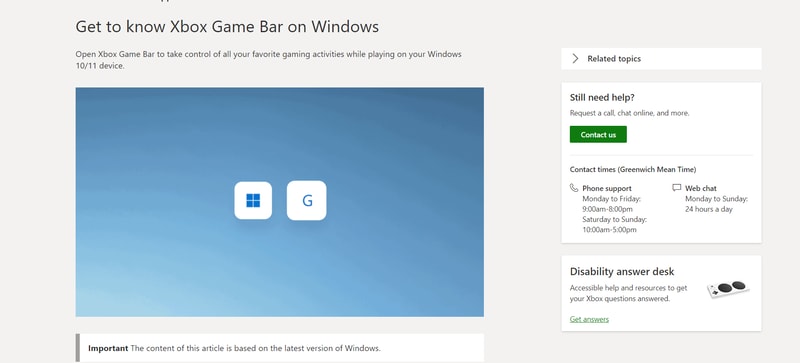
You should be able to record activity in most windows and applications with Game Bar, and there are various tools for allowing you to adjust your recordings, adding audio, and reducing the size of your screen.
Loom Review: Finishing Thoughts
For capturing asynchronous video messages, screenshots, and screen recordings, Loom is one of the simplest tools on the market. It’s ideal for beginners who want to be able to capture quick videos to share with colleagues in an instant. The fact that other people don’t need an account to watch your videos can make it much easier to collaborate with Loom.
Share your experiences with the Loom app in the comments below, and let us know if you prefer any of the alternative options available today.

It is very easy to use and share content you've recorded.
Getting to my links to share content is cumbersome. I wish they were more accessible from the moment of capture.
It has been really handy for me to show coworkers what I'm seeing, struggling with, or explain concepts in a few minutes versus a lengthy phone call or video meeting.
I love the ease of use. all the prompts and tutorials are so helpful withouth bogging down a first time user. Sharing my videos is simple. add on to the browswer makes this so easy and useful. view notifications are also super useful
That its not free lol but serioulsy this is so useful I use this product every day
I work at a tech startup that also handles real estate. Our CRM is custom, and in todays day and age who hasnt been asked by IT support or by a dev "can you send me an example of what you are seeing?" Boom there's a Loom!! (youre welcome for the slogan) a quick video demo is so much faster then having to take screen shots and copying an pasting (thats soooo 2010)
It is super easy to use for both my consumers and me, and I deal with the senior population, which loves to tell me they are not techy! Everyone I send videos to has been impressed and likes the video along with my emails. The videos have cut down my back, and forth emails and they also keep me from being on the phone to explain simple tasks or items.
I honestly do not have anything to complain about, especially for the price! Loom is super low cost and effective.
Loom Saves me time on multiple emails. Loom It saves me from having to make extra phone calls. I use with clients and team members to provide better detail instructions that can not be misinterpreted when a video demonstration is included
everything about it. i love it! the summary, transcript, caption, edit function.
the 25 limit of the videos and the 5 min cut off. can you make it 10 mins and 50 videos free lol ALSO, Can you update the feature which I can record the whole screen and calls using the same settings. It doesn't let me do that unfortunately. I have to click some other settings to record, like the current tab can only be recorded in the screen while on calls.
too many meetings. I love that we can just record loom and don't have any meetings.
Very useful and has good features. They don't try to force you to buy it when you don't need it yet. I switched to this from Screencastify because Screencastify decided to try to strongarm everyone into paying even for the basic free stuff by putting a lifetime limit of 10 free videos instead of 10 concurrent videos. Loom has better features and they have a very robust free tier for those who only need to do an occasional screen recording and their premium services look like they would be extremely useful for those who need to do screen recordings regularly for work or business!
I haven't found anything I dislike about their services yet.
I've primarily used it for screen capture for submitting customer service requests for other software that I use as it allows me to easily record what is happening and walk through a glitch or bug so the development team can see exactly what the problem is and correct it without trying to guess what I'm talking about
It is just so easy to use and has a lot of free features
The chrome extension is a buggy, have to resort to the website a lot
I generally use it for making product walkthroughs for clients, have been also thinking about using it as a training video
It's so easy to use, the Chrome attachment makes everything really simple and quick! I love how simple it is to share the video afterwards and that you know when someone has watched it.
Sometimes it's a little confusing to switch between screens and make sure that it's still recording but overall it works super well and I don't have any issues with it.
Loom makes it super easy to share videos of bugs, problems, or issues that I'm having. It's so much simpler to send a link to a Loom video than try to explain my problems in an email. It's also really easy to upload the video to other platforms like Wistia and to share it further.
It helps me to create short videos about our UI in case a customer has some issues / questions. As well I can use it for a better customer onboarding.
No negative points so far. Just started to use it.
It helps me to ease customer onboarding and communication.
So easy to use and the result is polished. Plus it edits the information for you, summarizes the content, names it and it is really fast.
I dislike that this question forces me to say something when I have no dislikes.
Client service, Once I record a loom I can resend that to as many clients that need it.
As a developer, it's so much easier to showcase a new feature or give information while showing exactly what you are talking about.
Nothing, really, everything is ok to me.
Showing exactly what I'm talking about as a developer.
It is very fast to use. It takes about a minuto to share contents with your team or clients.
New categroy, still learning how it can be used.
Share insights fast. Skip meetings.
Ability for me and others to share their screens and themselves while saving time on the re-watch.
Only thing I dislike is some of the promotional content. I'm just here to grey the job done and communicate. Really don't care about my most watched videos, etc.
Ability to communicate in a way that words either simply cannot do, or cannot do as efficiently.
In the age of remote work, Loom makes it easy to quickly communicate complex ideas in minutes rather than slacking a novel to a colleague.
I haven't found a downside. It's not free if I have to find one.
Easy to show everyone what you are looking at and why it is important.
Screen sharing and quality video. Easy to use and ease of integration. The app is avialable in free for users and and customer support service is integrated as well
Time limit for free app. There is great attention for primium users only.
Yuo can train collegues from distance and report presentation as wel.

I love love love the trimming feature! It allows be to go on recording even when I make mistakes knowing that I can go back and cut those clips off. I love that customers can easily install loom and record videos showing whatever issues they have on their end.
The screenshot feature needs improvement.I know it's in Beta though and there is a lot in store. Looking forward to when it's out of Beta and we can fully utilize it like the recording features.
Quality videos for less. Ability to add team members to fit your business needs to one account. Increases productivity and makes it easy to support customers from all over the world virtually.
Easy to use. The recording is simple. The ability to split and then remove those "pregnant pauses" helps.
I don't find the speaker notes any use. Therefore I use PowerPoint in Presenter mode on the screen in front of the camera and record the other screen. This is a bit clumsy, and I know I could pay and have the ability to record an area of the screen. I'm working up to that.
I think a video makes it easier to explain topics. It combines the presentation and the spoken word.

friendly user, everything is there, and in the next use you can easily familiar how to record properly
on firsthand I don't know how to use it, but its better now
I cannot see any problem
It's an effective visual communication and collaborative tool.
In some cases, taking a bit longer to communicate is more effective than sending a quick email.
One effective way to communicate instructions is through visual aids, which are easier to follow than written emails.
I love being able to very quickly walk a customer through a complicated issue without having to type out a lengthy, overly wordy email that might not be fully read or comprehended.
There really isn't anything that I dislike. I know some members of my team use this in a more advanced way than I do. For how I use it, Loom is a great tool that I can leverage with almost every customer interaction that I have.
Loom makes it easier to communicate with and train my clients. I also use it internaly to provide feedback and guidance to my peers and direct reports. It makes it so easy to get the point across and impart some more humanity.
I can demonstrate a new feature or illustrate a user flow sticking point without having to write a long and laborious description in a ticket. It's quick and easy to record and editing before sharing it means I can cut out any flubs or muck ups. With a team in different time zones, it's invaluable to be able to communicate this way. It's so easy to integrate in to the browser and then you're set!
The only downside is that I wish more of my team were using it.
Removing all doubt between time zones and language barriers about what the issue is that we are tackling. It also means we have a resource we can reflect upon too without to re visit documentation or talk about again to a new starter.
Overall it's been amazing, I started on the free account then when I realized how much time it was saving me (with making tutorials for a remote team) it was an easy decision to start paying for it. They also roll out new features so I feel they really listen to feedback. I love how easy it is to use, even if you are not tech-savvy it's easy to use. It's easy to organize my recordings with folders and share them with team members and clients. It saves me so much time by creating short screen recordings versus having to have a meeting. It's also low-cost compared to other software solutions. I use it daily and have created 100's of tutorials using it. The ease of use and integration is great too.
I have no cons for it, I think it's great. Even the free account offers a lot.
Need to teach ohter team members how to do something (tutorials) or them asking me questions and then doing a video versus setting up a meeting. So it's saving me LOTS of time, hours really.
It saves time hands down. I work in Customer Success and lot of times my customers can ask questions whose answers can be very detailed or difficult to comprehend over email. Who wants to read a research paper right? With loom I just record myself explaining my answer and the customer gets it immediately. Not just customers, if I have to share some findings or a product issue internally loom is very handy.
It does what it says it does. Haven't used the AI capabilities much. Not sure if it's part of my current plan or not.
Saves time by helping me record answers to questions whose answers can be quite technical/detailed and not easy to comprehend over email.
Our whole team uses this program to make explainer videos for our own team, for our clients as well as our coding team to show them when something on our website is not working correctly.
Nothing. I cannot say enough good stuff about this program!
We create tons of help articles for our clients on our blog and this is a great final touch for the walkthroughs to add a full video walkthrough for them that they can use and reference when needed.
The UX is simple, and easy to understand. It also has playback options at variable speed so I am able to view others videos at speeds of my own choosing. Also very clear when voice is added in terms of both quality and context.
Only thing I would change is to ensure loom is able to retain context about my usage. For example if I choose microphone off, it should persist that until I change it myself.
I work a lot with customers on demos and so on. Whenever there are product enhancements, I make sure to share those via loom as short form content to ensure I do not need to coordinate another meeting.
I like that it's so easy to use. I love the browser extension. One click and it'll show the options to start screen recording.
Not that I can think of (maybe sometimes it glitches, but that seldom happens tho)
It helps us get instructions ready for our teammates. With the videos saved in the Loom library, we have sprt of a database of our How-To videos which we can revisit.
Best screen recording service/software for businesses and freelancers incorporating Ai and professional editing steps with just button toggles is a huge asset.
It's not a dislike or a downside but 5 mins limitation on free plans can sometimes become not enough. Maybe set the limitations on quality but not recording duration. But for most cases 5 mins is more than enough that's why I don't think it's a dislike or a downside.
Having a place where my screen recordings are automatically saved for team sharing and with insanely accurate captions is the best benefit of using Loom. I only wish the auto captions are that accurate with other languages such as Arabic for example. Since I deal with teams in Canada, Bulgaria and Egypt, sometimes I make them videos in arabic and the auto captions is 0% accurate in this case. Didn't try the Ai feature on it though so I'm just referring to the auto-captions service that applies automatically on the videos.

One of the standout features I appreciate about Loom is its user-friendly interface. It's incredibly intuitive and straightforward to use, making it a breeze to create and share videos. Additionally, the speed at which Loom allows me to record and share information is impressive, saving me valuable time in my commercial real estate work. Overall, its simplicity and efficiency in conveying information make it a valuable tool in my professional toolkit.
One aspect I find less favorable about Loom is the somewhat limited editing options available for videos. While it excels in quick and easy recording and sharing, the editing capabilities are somewhat basic. It would be helpful to have more advanced editing features to refine and customize videos further, especially when creating content for commercial real estate purposes.
Loom solves the problem of efficient video communication in commercial real estate, benefiting me by enabling remote collaboration, simplifying documentation, aiding in training, and saving time.
Loom has helped me with my tasks more than ever, especially when providing feedback to colleagues about design alterations. I also appreciate the ability to store meeting recordings and organize files. I can record a response to someone's Loom video, edit the Loom video, add links to files that have been discussed in the video, and a transcript is also available. These features are definite pluses for me
It takes a while to upload a meeting recording, especially if it's lengthy. Currently, I can only add one document, but it would be nice if we could add at least 1-3.
Communication efficiency and file organization.
Loom makes it incredibly easy to create tutorials for clients that look and sound professional
Nothing - it has been an awesome prodtuct
Instead of writing lengthy and possibly complicated instructions - I can easily show clients a video and talkthrough using Loom
The ease of using the chrome plugin and hitting record to do a quick demo video for clients
Nothing really. Everything works well, it's super easy to use.
The ability to do quick how to videos, especially for clients who aren't super tech savvy