

Unclaimed: Are you working at Miro?
Miro Reviews: 4.8/5 — Highly Rated
Miro is a whiteboarding platform online that facilitates collaboration in real-time. The platform allows teams to work together seamlessly and gives them access to customizable templates and supports integrations with tools such as Slack.

| Capabilities |
API
|
|---|---|
| Segment |
Small Business
Mid Market
Enterprise
|
| Deployment | Cloud / SaaS / Web-Based, Desktop Mac, Desktop Windows, Mobile Android, Mobile iPad, Mobile iPhone |
| Training | Documentation |
| Languages | English |
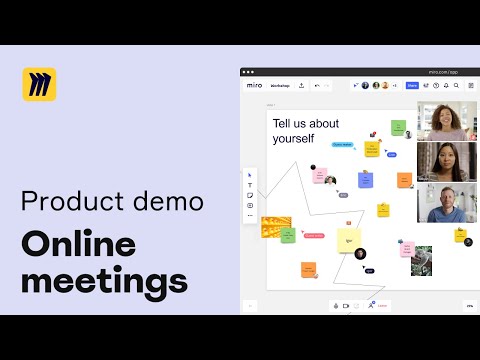

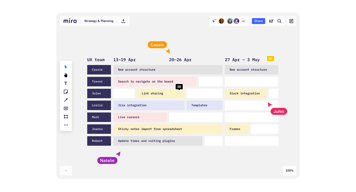

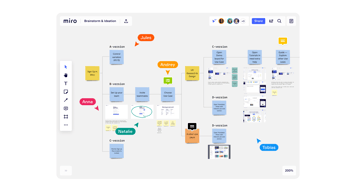
Live collaboration, remote, with features such as timer, sticker notes with tags identifying author, flows, and templates.
Not able to insert our music on sessions.
Our team works completely remotely and we need to collaborate in sessions.
I like that everyone can work in it at the same time. Its a live document and you do not have to wait for someone to save and sign out before you can go in and see live updates
Sometimes it takes a bit of time to load up. Also I find multiple post it notes confusing and easy to miss a note.
For me, it is acting as a catalog for all design history to be found in the same place. It is a one stop shop for all of my coworkers and I to view the same information with live updates that everyone can see at all times

As a Scrum Master deeply entrenched in the financial sector, I've found Miro to be a game-changer in fostering agile collaboration within my teams. This virtual whiteboarding platform seamlessly integrates with our workflow, offering a plethora of advantages tailored to the unique needs of financial professionals.
While Miro's interface is user-friendly, mastering its full potential requires time and effort. Some team members, particularly those less familiar with digital collaboration tools, may initially struggle to navigate its features effectively.
Miro's intuitive interface allows us to effortlessly map out complex financial strategies, visualize data, and brainstorm solutions in real-time. This visual approach enhances communication and fosters a deeper understanding among team members. Also, it offers a diverse range of templates, including SWOT analysis, Kanban boards, and user story mapping, tailored to agile methodologies like Scrum and Kanban. These customizable frameworks empower financial teams to adapt quickly to changing market conditions and regulatory requirements.

I love that it's simple to use. Upgrades don't impact on usability, they integrate seemlessly into the applications. The custom templates are useful and there are loads of them. And the help area is great too - with a community of users all sharing solutions and feedback. As a business user the customer support was excellent and I was often contacted about thoughts / updgrades.
Umm, if I was thinking real hard...it would be that it's missing some key functionality in some of the templates. But that's being really picky.
Its a place where everyone can come together in an online session and we can all be on the same page (or board rather :-)) I've scoped out technical projects, created strategies and scoped out detailed business processes in the tool - and then worked through them with colleagues. It's really easy to adapt the boards based on real time feedback.
I love how it offers the option of collaboration of projects simultaneously without hitches. Miro is readily available with a supportive and responsive customer support team. The interface is pretty much straightforward and attractive with makes the ability to create wireframes and prototypes a smooth process.
As a user who has interacted with Miro, I can honestly say that I have no dislikes at all concerning Miro. I highly recommend it to non-users.
Miro was the realible platform that was effective when I was creating a wireframe of a project app I was working on and is still reliable for projects that need collaboration.

I am using Miro for more than 2 years regularly. Miro is easy and has a good UI for planning and mind mapping. I recommended Miro for my organisation and our team is also using the same. the board are easy to create and share with the team. The sticky notes are my favorite which I mostly used for brainstroming. The recording feature is nice which helps to explain it. Also have engagement options like voting, reactions (( with funny emojis )))) and chat for teams. Had contacted couple of time with customer support and got instant replies. Miro can be used by integrating with zoom, gmeet and slack.
I am using this for a good time now and I am satisfied with the product and will recommend for others. Nothing to dislike
As we are a complete remote oragnisation. We need a something to imporve our productivity especially for brainstroming session . Started using miro and now people are more engaging to the brainstroming activity at our company. I have used it for myself and had experience with collaborating brainstroming with my team. For me I always use miro to prepare my marketing plan. Its easy and anyone can understand how it works. Recommended miro for my colleagues and they also have positive experience.
Living in the remote world, I haven't found an easier way to do whiteboarding the way that we used to do in the office but with Mirro it's super easy and intuitive
Honestly, I don't dislike anything about Miro
It's such a massive whiteboard that we can use it as a repository for data and notes and anyone can access it at any time
Ease of use, compared to previous similar tools I have used
So far, I did not face any misfunction or missing feature.
It allows for establishing model maps without using visual edition tools (which I am pretty bad at)
I really appreciate Miro's intuitive interface and the ease with which it allows for real-time collaboration. The ability to simultaneously work with team members on a shared canvas, regardless of our physical locations, is incredibly valuable. Additionally, the vast array of templates saves a lot of time, especially for brainstorming and project planning sessions.
One aspect that can be frustrating is the learning curve for new users, particularly those not familiar with digital whiteboard tools. While Miro is feature-rich, it can initially be overwhelming. Also, in situations with poor internet connectivity, the platform can become sluggish, which hampers the real-time collaboration experience.
When focusing on how Miro benefits developers specifically: Facilitates Agile and Scrum Processes: Miro supports agile methodologies, making it ideal for sprint planning, retrospectives, and stand-ups, which are crucial for software development workflows. Improves Technical Brainstorming: It's a powerful tool for visualizing complex software architectures, user flow diagrams, and database schemas, enhancing clarity and team understanding. Enhances Remote Development Collaboration: Miro offers a shared space where remote development teams can collaborate in real-time, discussing code, design, and project progress visually. Streamlines Project Management: The platform aids in organizing and tracking development tasks, milestones, and dependencies, crucial for keeping software projects on track. Integrates with Development Tools: Miro integrates with popular developer tools like Jira and GitHub, ensuring seamless workflow integration and enhancing productivity. In summary, Miro is particularly beneficial for developers by supporting agile development processes, facilitating complex technical discussions, enhancing remote collaboration, streamlining project management, and integrating seamlessly with other development tools.
Am always wowed by Miro's feature-set which i find absolutely inspiring! Its Virtual Whiteboard that allows me and everyone within its collaboration window to dream, brainstorm, create. Miro allows for idea exploration, visualization, conceptualization, execution and sharing superbly. In a user-friendly platform that's easy-to-navigate, with endless possibilities. We implemented the system to empower us, to enable better collaboration, creativity and engagement. Pleasantly got more than we bargained for!
Where there's been need to deliver better, Miro has been allowing very useful integration with relevant technology tools. Its also been backed by a user support system that helps us achieve what we want. Hardly nothing to complain or dislike this far.
In our Marketing undertaking, Miro allows our team to virtually collaborate, brainstorm, conceptualize, share ideas that help us achieve as a team. Making for productive campaign management, mind mapping and faster turn around.


