

Unclaimed: Are you working at Retool?






Retool Reviews: 4.6/5 — Highly Rated
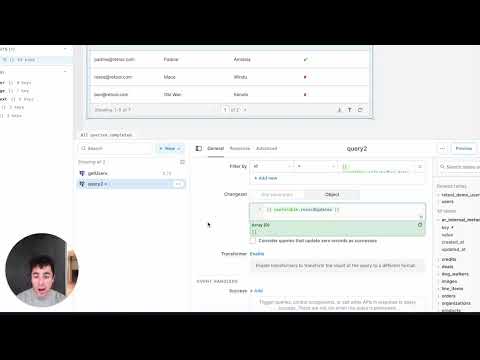
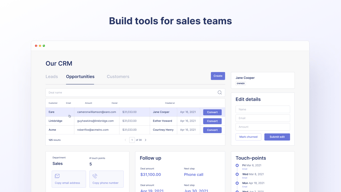
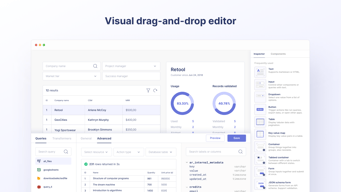
Retool is a low-code platform that allows users to seamlessly build internal tools in a short period of time. Users can create and customize tools using a drag-and-drop building platform that makes use of visual blocks that can be easily connected to their database.

| Capabilities |
API
|
|---|---|
| Segment |
Small Business
Mid Market
Enterprise
|
| Deployment | Cloud / SaaS / Web-Based, On-Premise Linux, On-Premise Windows |
| Support | 24/7 (Live rep), Chat, Email/Help Desk, FAQs/Forum, Knowledge Base, Phone Support |
| Training | Documentation |
| Languages | English |
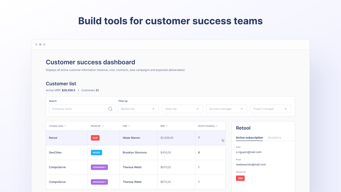
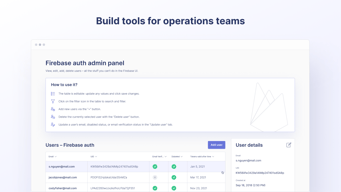
Compare Retool with other popular tools in the same category.
Retool is extremely customizable which allows for a backend or front-end engineer to implement his ideas and make it work. We use it every day at our company to monitor our App and to solve customers' issues.
I only dislike that it looks dull, however, that's also a benefit as there is no reason to get distracted!
It solves the issue of having too many apps to use for different features
It makes creating dashboards very easy. You do not need to write any code which is very helpful.
There is no support for collaborative editing. Changes don't reflect for all the editors at the same time.
It is helping the non-tech staff use the database efficiently.

Awesome and easy to configure, anyone with basic knowledge or foundations in CS can use it, but also it is a really useful framework for anyone at the company to create and design tools for processes. Also I like a lot the fast response Retool has in retool community, I find the community really helpful and I hope it continues to grow.
Sometimes it can be slow, when uploading the retools.And also I think it would be helpful to have more tutorials on integrations with Stripe, etc.
Standardize all processes and make changes fast enough to make more efficient and autonomous processes.
All the capabilities and ease of use. It was very easy to implant the first app.
The pricing doesn't fit for small-medium size companies mainly because feature that makes growth easier are only available in the enterprise plan such as SSO
Allowing lower support tiers access to tools for managing customers environments. And allowing managing large scale technical operations.
Coding support, Let me avoid writing boilerplate code and accelerate building software.
Expensive to incorporate any developer plugin, such as an authentication and secret management
Allow me to build prototypes and software fast without writing boilerplate code.
Retool has made it very easy to build web apps quickly. It takes a few days to get started, but once you become comfortable with their interface, building anything will be very intuitive. It's very easy to embed JS and integrate any kind of database in Retool.
It wasn't very clear how I could deploy the app I built with retool and how to add authentication and custom domain to my app.
It is very easy to build software fast for a person who is not a software developer. It's easy to solve business problems with Retool
It's really helpful and it has a lot of tools that help me with my work and is easy to use, I use it on a daily basis, and it helps me get all the needed info to know more about my customer to support their inquiry.
it doesn't always ask about the authentication which leads to some errors sometimes.
Retool allows me to apply codes and provides me with the needed info to proceed with some necessary actions.
La agilidad y facilidad de la herramienta para hacer el desarrollo y consumo de servicios.
Algunas limitaciones en su capa gratuita.
Apoyaron a resolver aplicaciones simples para entrega a usuarios.
reduces time to develop tool helps the team to operate good and be productive makes the work be organised and easy to assign for easy track records and data storage
for the first beginner it can be some how complicated but it need proper training .there is need for the system to provide a proper traing guidance for new user
we use retool to access pos codes annd store data for images and prices for products .this is benefiting us in a way that each and every user has access and edit access to his / her data
I just wanted to pass along my gratitude for this amazing tool! It has been an absolute lifesaver for me, as a non-tech user. It's so user-friendly and has helped me create some truly amazing things. Plus, it's been a huge help in resolving issues quickly. Thank you so much for such a valuable resource!
To be honest, I can't think of anything to dislike about it. When something is truly great, there's simply no room for complaints or criticisms. It's just an all-around positive experience that leaves me feeling fulfilled and content.
Retool is solving the problem of connecting non-technical individuals with the changes made by developers. This is benefiting us by allowing us to provide better support to our customers. With Retool, we can quickly create things without waiting for DQA, which saves us time and resources. Overall, Retool streamlines our workflow and allows us to be more efficient in our day-to-day operations.
Retool makes it easy to develop industry-grade applications without having to develop a React app.
I really wish they expanded their API past just Resources and Environments to access Users, Roles, and Groups.
Retool is allowing me to build a scholarship application management system which will save a lot of time that normally would be spent building a React application.
Very fast, very powerful, very complete, cutting-edge technology.
Sometimes the documentation is not as complete as needed, but the support team is very helpful to get you going.
Develop a new front end to a new complex data model that is fed from our webbased order and client registration system
Retool is one of the best low-code platforms for creating web applications, custom/internal tools, dashboards etc. It is so easy to use with workflows, drag-and-drop features and Java Script & SQL support
There are some challenges in creating visulizations and data formats in comparison to other platforms; the rest all the features are top-notch and best in class
Retool has solved the problems of data ingestion and extraction from cloud databases by different users very efficiently, and real-time collaborations help in tracking and monitoring the flow through custom-built tools
The diverse insights we obtain from Retool and its seamless integration into our backend processes are truly astounding! Moreover, the nearly effortless automation it offers greatly enhances its efficiency and functionality.
In reality, there wasn't much to address. The only challenge I encountered was the necessity of purchasing a new laptop, as my previous one proved too sluggish to handle this system. However, since acquiring my new laptop, everything has been running smoothly without any issues.
The operational tool we utilize is essential for ensuring the seamless functioning of our entire platform, accommodating various user stories and the inclusion of different types, such as master users and matches. Its significance in maintaining smooth operations cannot be overstated.
The diffrent overview we can get from Retool and how it works in our back end is really amazing! Also that almost everytthing is automatic is very good working.
Not much actually, Only thing was that i needed to buy a new laptop because my old laptop really was to slow to opperate this system. Now i have a new lapatop it works fine
It's really our opperation tool to make sure our whole platform is running smoothly and for user stories and also the diffrent types we need to have in there like matches master user etc.
As a coding newbie and budding Product Manager with a non-technical background, I built a retool app from scratch. I have basic knowledge of SQL but never worked with Javascript before; believe me, I could write Javascript with the help of Retool community. I got help whenever I needed it from the community - Amazing.
I love everything about Retool, so this is not a downside, just a suggestion that it would be nice to come up with the top 20 apps being built with Retool and make them as templates for use by stark beginners.
I have been able to use Retool to build forms for customers to use, and unlike other generic forms, I can customize the conditions of my input fields as it pleases me.
I like the fact that an app can be built through me. This company created the perfect software and tools. For any person or it's business to establish an app. The Retool staff are available 24/7.
There's nothing I dislike about Retool. I highly recommend the Retool company to other developers, administrators or other professionals. During their experience, it will be evidence of nothing disliked.
Rettol software is resolving the issue in my store finally having. An app that consumers can shop from. In addition, having an app finally for my self-satisfaction.
I like Retool due to the fact that is such a great tool to work with and to be honest, it has made my life. Without Retool, my job would be impossible and I would not be able to provide excellent customer service based on the customers' inquiries. I have never thought that such a well-designed tool would be so easy to understand and will be the pinnacle of managing my work, such as upgrading subscriptions and managing the subscription members as well.
Even if I would try to find a down sight of this amazing tool, that would be impossible. The first time I worked with Retool I was so relieved that my work would be a lot easier with it.
As difficult as I thought it will be, managing subscriptions with Retool, and all the other uses, such as upgrading, being able to find the Serial Number of the product we are selling, and knowing it a subscription is active or not appears to be a piece of cake, and everything is very well-designed.
It is very effective when it comes to results, also it is very easy to use with many tools as well.
The interface is not cool, I would recommend to have a better interface
Finding my work results when it is related to the customers such as their workout history, etc.
One of the things I appreciate most about Retool is its ease of use. The platform is intuitive and user-friendly, even for those with limited coding experience. The drag-and-drop interface makes creating new applications and customizing existing ones simple. Plus, the extensive library of pre-built components and integrations means that I can quickly build complex applications without starting from scratch.
One potential drawback of Retool is that it can be a bit expensive for smaller organizations or individual developers.
Retool helps me connect to virtually any data source or API, and it has a massive help in solving customers' request
You can take a lot of actions from Retool, from taking control of some user's pages or information, also responding to processes that need a hand by the support team
It's not that well organized so you have to learn the pathways to go to the necessary tools, also sometimes the tools that need to be used it get blocked and you can't use it
To block drivers for the stores that require it, or to request a particular assignment for a driver or a customer, it's simple and easy to make this assignment or tasks
I love everything, but mostly, the ability to run AWS lambda functions directly from the tool help me to develop and operate my platform with great comfort and ease
nothing, I really like the toolit's a great tool
helping me to reduce the amount of time our team spends on internal tools developments
I appreciate the fact if you can do it in javascript retool will let you report on it. Substantially cheaper than competition.
Not as executive friendly in that if the C-Suite wants data it isn't easy for them to self serve it as in other platforms.
Allows us to provide the business team with clear reporting in a very affordable way.
Versioning, debugging tools and live preview are great addition
Limitations in workflows. I know it is still in beta but need more features like external dependencies and versioning
Internal process automation and standardization
As a (mostly) backend engineer, I find Retool to be one of the best tools to quickly implement an internal tool that business users can use. I've never seen a similar tool before, and it blew my mind the first time I saw a demo! The best feature would be the easy switch between staging and prod environments.
Since the initial learning curve is so low, your first Retools will be inefficient. Take the time and learn the Version Control features and how to debug queries.
Retool lets non-front-end people create functional websites.

Retools is very easy to get started with, and at the same time, it is highly customisable, which makes it a very productive tool for creating a Proof of Concept (PoC) of any idea or overall to make any tool or experiment with ideas.
There wasn't anything in particular that I disliked. Some things could have even additional functionality and flexibility points, but Retool is continuously working on the product/platform and improving it with more features and functionality, like the recent Retool Workflows which added a whole new dimension of possibilities!
Experimenting with software development can sometimes be a bit costly because there are frontend concerns, backend concerns, system architecture, infrastructure, technology-specific matters, etc. Retool provides a comprehensive, streamlined and customisable development environment to visually create ready-to-use proofs of concepts and products, focusing on productivity and functionality. This saves a lot of time, costs and risk and allows for better software and a much friendlier and more accessible way to a broader audience.
I like that retool is easy to use to create whatever data capture tool you may need. Once its created the forms populate quick easily into a data table that is visible for all users.
I dislike that the Ui is not as friendly, but that is something that can be worked on.
Its solving us from using a data sheet to capture bonus for the end of the month, its also saving us from having to use just another google spread sheet.
It's straightforward, and I can instantly pull up a customer's device identification! I like that it doesn't consume much RAM and provides several features to adjust user permissions for every customer.
Nothing so far! It's convenient and super fun to use!
We use Retool daily to pull up and track our customers' device data. It provides clear insights on workouts and the ability to modify user permissions. Retool makes those daily tasks very simple!
The drag and drop UI components, easy to setup data connections, customizability just to name a few
No real downsides. The product is excellent. We have not yet tested several aspects of the product.
Developing internal tools is a painful process. Retool has made this so much easier. We have increased the productivity of our ops and engineering team significantly.
The way data is organised in retool is great.. multiple queries, customisable queries etc.
Its slow sometimes. I am not sure its due to internal or external dependency
Its a order management tool for us.. all backend activities are done here.