

Unclaimed: Are are working at Riverside ?
Riverside Reviews & Product Details
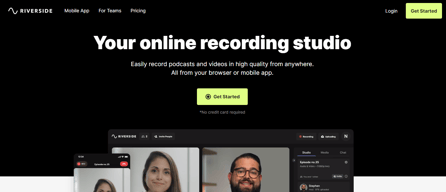
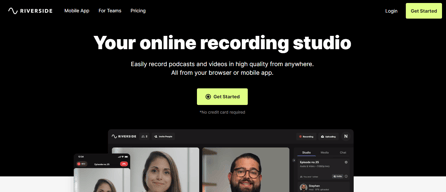
Riverside is an online audio and video recording platform that allows users to run and record webinars in 4K video quality, straight from their browser. It’s ideal for users who want to create studio-quality webinars and remote interviews, regardless of where they’re recording them from. Riverside also supports tools that let users separate audio and video trackers, Livestream Twitter, YouTube, and Facebook. Transcription is also available on higher tiers and collaboration is easier on the platform’s shared work environment.

| Capabilities |
AI
|
|---|---|
| Segment |
Small Business
Mid Market
Enterprise
|
| Deployment | Cloud / SaaS / Web-Based |
| Training | Documentation |
| Languages | English |
Riverside Pros and Cons
- Lets you record your webinar in full HD
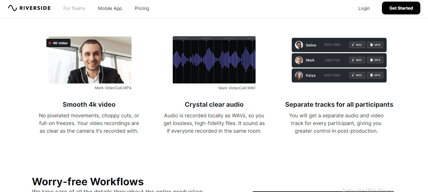
- Helps you save time by automatically recording each participant on individual tracks
- Provides a call-in feature that helps boost audience engagement
- Mobile app available only for iOS
- Uploading complaints have been reported, especially for progressive uploads.
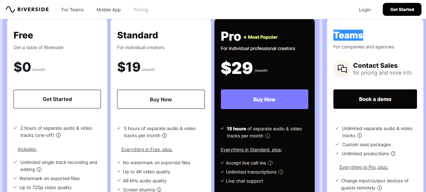
- It can be costly for heavy users as it follows hourly pricing


Compare Riverside with other popular tools in the same category.

Riverside is a no-brainer for podcasters! The audio quality is so much better thant the traditioinal video conferencing platforms. Further, the features are easy to use and fun. Finally, Riverside has done an outstanding job of building real community. An absolute pleasure
Only thing missing is virtual backgrounds
Much better sound and video production. Being able to create clips and easily share them to social channels is extremely helpful. Further, being able to share with my guests is a game changer.
The upside of using Riverside is that you are guarenteed high quality audio and video. It also auto creates transcripts and social media video content!
It's not intuitive and the onbarding took longer than expected.
All my recorded content in one place!
I own a video production business in Colorado and took an assignment to do interviews with some high level people around the world. The client did not want to or have time to interview each interviewee in person on location, so I was tasked with finding an alternative option. I came across Riverside.fm. I was a little intimidated and skeptical at first to try to record a video online and have any sort of decent quality. After the first recording I was blown away at how easy it was. None of the people that i have done inteviews with are technical types and so far nobody has had a problem loging in. My client has had some feedback from the board and they are saying that the video interviews are going better than any in the past. I love that it records locally and then uploads the video to the cloud. I don't have to worry if the connection is poor or grainy. I know the recorded segment will be fine. The ability to download the file for Adobe Premiere is great. I simply download the file drop it in my bin and open the timeline. I can then choose to cut out my audio and video and edit down the interviewee. There is an edit timeline built into Riverside which is nice to use if you want to cut it down and remove the silent gaps in the project. I used it on the first interview and it works great. I can cut quick in Premiere so I am doing it there now but if you needed to edit in Riverside it is a great tool. I am sure as I continue to use it I will find even more value in it. I had one interviewee log off to quick and the video had not finished uploading but it notified me immidiatly and sent me a link to send him for uploading it. I think it may have even sent him a link as well. I give it an A+ and great support if you need it.
I have to make sure that all the people I invite to the studio are on Edge or Chrome. I typically do not use either browser, but maybe the rest of the world does.
It allows me to do video interviews remotely.

Efficient and easy to use. can spend more time preparing content rather than the equipment and technology to record.
That guests tend to leave before their video uploads, this is inconvenient. Hopefully there's a way to workaround this or avoid this in the future.
Video recording quality, ease of interviewing, hosting the recordings in one place without taking up storage.
The automatic sound leveling is super cool! And also the SOME-ready video bites that the AI pulls out are quite good.
Editing options are limited - I use CapCut for that.
With Riverside it's easy for me to host podcasts / webinars with remote participants. The audio and video quality are good. RIverside helps me make small bites for sharing on SOME as well. That's a cool feature.
Riverside is getting closer and closer to a one stop shop for podcast video/audio recording AND post-production. It makes interviews so easy for both hosts and guests, and as a producer, it has so many helpful features to export the audio, create social media clips and content, and the editor is getting better and better. This is an excellent choice for podcasters.
Editing from the transcript is still an improving feature but does continue to improve!
Riverside makes it doable to record high quality audio and video podcasts remotely and to create content to promote the show as well.
It's so easy to use. You set up the studio and hit record. The tools during recording are simple and the ability to download video and audio separately is super useful. It makes editing so much easier, whether you're using the built in editor or a third party solution. I honestly wouldn't use anything else.
I can't think of anything. For my needs it's perfect. My only concern, if it can be called that, is the jump in monthly subscription if I need to use it more. But that's it.
It's giving me a really straight forward way of recording my content without the need for any prior knowledge or technical ability. I just set up and go, which is awesome.
We at Curiosity Continuum home grew our podcast from humble beginnings, figuring out how to make it work in bootstrap fashion. Riverside is the first platform we decided to pay for to help us at the recommendation of a trusted colleague who had used Riverside for years. What a difference. We have cut our post production time dramatically and recording and syncing is easy. Transcriptions are strong. You get a lot of creative leverage out of this platfom. We have been podcasting for years, and this elevated our production game.
Not a downside per se, but more of something Riverside should warn you about. We get charged foreign transaction fees for our payment, which after I was told that the company uses a place in the Netherlands (I think!) for their processing worldwide, that made sense. However, I wasn't expecting the charge. Some more overt messages and warnings about this would be helpful to the customer.
Eficiencies in post prodution dramatic, cutting out at least 60% edit time. Great at syncing audio over wonky internet connections, which saved sync in post production. Guests can easily join and it makes it more turnkey ready for such things. We are experienced podcasters and this made our workflow much easier.
I love that you can easily mark clips as you are recording and then easily turn those into social media clips. They make it really easy to record, put quotes and video clips and download a transcript.
I have not found any features yet I would like added. They are pretty on top of what podcasters need!
Riverside is helping our business create podcasts by making it easy for us as podcast newbies to do everything we need in one place. No need to have a seperate transcription or video service.
I'm new to podcasting and felt excited and overwhelmed about the entire process. Once I found Riverside.fm and learned about all the awesome features and how easy it is to use, that overwhelming feeling reduced significantly. Plus the Facebook group is super helpful and responsive.
I'm not sure yet, but I will keep you posted as I continue to use it.
It allows me to interview the guest for my podcast, create clips with the text, and do a lot of the podcast stuff, like editing all in one place.