Unclaimed: Are you working at Salesforce Platform?
Salesforce Platform Reviews: 4.5/5 — Highly Rated
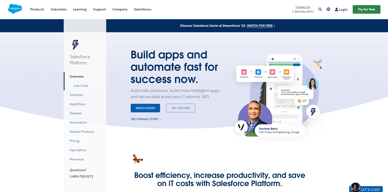
Salesforce is a cloud-based software designed to help businesses find more prospects, close more deals, and provide customer satisfaction. It is a complete suite of products, that unites sales, service, marketing, commerce, and IT teams with a single, shared view of customer information, helping the business grow relationships with customers and employees alike.
| Company | Salesforce |
|---|---|
| Year founded | 1999 |
| Company size | 10,001+ employees |
| Headquarters | San Francisco, California |
| Social Media |

| Capabilities |
AI
API
|
|---|---|
| Segment |
Small Business
Mid Market
Enterprise
|
| Deployment | Cloud / SaaS / Web-Based, Mobile Android, Mobile iPad, Mobile iPhone |
| Support | 24/7 (Live rep), Chat, Email/Help Desk, FAQs/Forum, Knowledge Base, Phone Support |
| Training | Documentation |
| Languages | English |







Compare Salesforce Platform with other popular tools in the same category.
An amazing platform that helps to organize and structure your clientele, funnel management, and directory of contacts. It helps to be more discipline and gives remainders of tasks that need to be completed
The platform sometimes it takes some time to reload the page
It helps sales agents, managers, and directors to have a detailed view or the current funnel and sales that will be closing in month and year.
Keeps all my leads and contacts organized and allows me to stay on top of my sales activity. It's great for building accounts and having all my information on the account page. It gives great insight into sales for upper leadership. I love how easy it is to integrate with other sales tools I'm using to make things easier. I use salesforce everyday and wouldn't know what to do without it
I do not like how you don't have the flexibility to cusotmize lead lists. I understand salesforce is a database and in order to find things you need to search with filters, but it would be nice to be able to manually create lead lists.
Gives our company an easy way to view what is going on in sales. Also allows me to keep track of my activity and accounts I'm responsible for.
I personally leverage Salesforce for Support, Customer Success and account management. If configured and set up the way you want, you can have so much information at your fingertips about accounts, activity, status of relationship, health of an account, and the revenue.
It can be intimidating to learn more in depth configurations, flows, etc., but the Trailheads do their best at being easy to understand. I do wish reporting was more robust.
Visibility into accounts, product, associated contacts, ownership, and process alignment
Salesforce has so many amazing features that are easy to use. They allow for organizations to have seemless sales processes and visibility among the organization. This platform also connects to many other useful tools we use at our organization which allows them to integrate without issue.
Salesforce is a massive platform. This can be daunting for new users due to the many features it provides. However, once a user has been immersed in the platform, they will learn quickly and be able to take advantage of the tool.
We use this tool as the database for all things sales and marketing. This will help the sales team prospect, track deal progress, and organize the workflow. This is also where a lot of our marketing materials are located for the sales team to quickly access them and prospect/sell accordingly. It is also a great way to separate territories and ensure each sales team member can easily track their leads/customers.

Its easy to use and clear cut. It isn't clunky or hard to find data. Everything is laid out in a concise manner.
There really isn't much that I don't like but its plain is the only thing that I can come up with.
It allows me to keep my contacts, opportunities, and outreach efforts organized for everyone to see. I'm able to keep track of what I've done, what I need to do and where I'm at in my sales deal with ease. It allows management to review my opps with ease, as well.
How customizable it is and the amount of features it comes with
not a dislike but more of a disclaimer: salesforce is as good as the amount of data you already have and put in
mitigating the amount of tools we were using (reduction of redudancy with different platforms) centralized location for majority of our work
Salesforce helps us in terms of locating a customer's record. The features of this platform are well organized. Organized enough for us to check the type of information we are looking for immediately.
There are times that we experience latency, but it is tolerable. A glitch may occur that leads us to close and open the platform again; sometimes, we must restart our device.
Solved our problem in storing every customer's information, including their products ordered from us.

Good platform to manage leads and create a sales pipeline
The views can be managed in a better way
It is helping me to manage my tasks efficiently
Salesforce destaca por su robusto sistema CRM basado en la nube, permitiendo una gestión integral de clientes. Ofrece una personalización extensa con Apex y Lightning, facilitando la adaptación a necesidades empresariales específicas. Su arquitectura centrada en eventos y la inteligencia artificial de Einstein mejoran la automatización y análisis de datos. Salesforce se destaca por su escalabilidad, flexibilidad en la implementación de soluciones y una vasta AppExchange con aplicaciones de terceros que amplían sus capacidades nativas.
Salesforce puede presentar desafíos: Costos Elevados: La implementación a gran escala puede resultar costosa debido a tarifas de licencia y servicios adicionales. Personalización Compleja: Aunque potente, la extensa personalización puede requerir habilidades técnicas avanzadas para su implementación eficaz.
Salesforce ayuda a resolver diversos problemas empresariales: Gestión de Clientes: Optimiza la gestión de relaciones con clientes, consolidando datos y mejorando la interacción. Marketing Eficiente: Permite estrategias de marketing más eficientes mediante campañas personalizadas y análisis de datos. Servicio al Cliente: Mejora la atención al cliente con herramientas para seguimiento y resolución de problemas. Colaboración Empresarial: Facilita la colaboración interna con herramientas de comunicación y gestión de documentos.
creating oppurtunities is easier and saving customer and ease of integration.
creating contacts on same account is very time consuming.
crm helps in keeping customer data intactand acces is vey easy.
The gold standard for any company that is looking for the ultimate tool to manage and optimize their work.
Can be complex to use but ultimately in the same breathe, powerful.
Manages the workflow and data of our entire team.
I like the user friendly interface and customizations we can do with the reports and data.
There is nothing to dislike this platform as of now!
It helps to maintain and record data and tasks we do in real time.
Contacts, accounts everything in one place makes it very simple to find details and information.
I would like dark mode. Duplicates can be confusing and tedious.
Helping with collating data into one software. Finding specific people from organisations to reach out to. Search bar is very handy
I like the best about salesforce is it can help it in our daily work and locate the record or information of the customer
As of now i dont have any dislike about salesforce platform
The problems is salesforce platform solving is to locate the information of the customer to discuss as well their concerns
I've been using Salesforce for quite some time now and I can say that it is the easiest CRM that I've used so far. There were few that I've used in the past but Salesforce has been the most user-friendly of all.
Currently, I am only using Salesforce for Data Entry and does not navigate all the available features. So I cannot say anything I dislike about it for the feature that I am using.
Keeping all of our clients records and contact information including it they have been engaged by our Vendor Analysts.
I like the ease of use and the intuitiveness of the platform. I also like the integration with ZoomInfo, SalesLoft and LinkedIn Sales Navigator
I dislike the font because the i's look like 'l' and it's confusing when researching an unfamiliar company - which is most accounts.
The Salesforce Platform solves the problem of tracking contacts' up-to-date information which saves me time and effort by allowing me to reach out to correct info. It also allows me to bulk-update information or missing information such as an email address, which also saves me time and effort. It allows me to export my contacts to SalesLoft so I can add to cadences for outreach. This saves me time and effort because I don't have to do it manually.

Automation & time saving Concept & easily integrate
mobile app need to be smooth for every divce
In COVID it's helps alot to run their Bussiness online

Salesforce helped me and my yteam in day to day tasks in sales, like sales planning, tracking, recording and maintaing data.
The cost is a bit rough on pocket rest everything looks smooth and fine.
Salesforce is solving problems for us like pipeline building, maintaining data records and day to day tasks.

I use this platform to log all of my opportunities I am working on.
Nothing to complain about. This is a very user friendly platform.
This platform allows me to log what I am working on and keeping track of my number of dials or meetings.
We have the Front End, Back End, and all integrations in one place which is Salesforce. Customer Suppor and Ease of Use
Nothing to mention because we have all the features
We built our ATS solution on the Salesforce Platform
being able to store all our company information into one platform. We work virtually so it helps everyone in our company keep informed of day to day activity. customer support is great
I feel like there are not many dislikes. I feel like salesforce works hard to keep everything updated and working smoothly.
Salesforce has allowed us to be an almost paperless company. We can store all our customer data in one location all employees can access easily.
The integration between Salesforce and tools like Outreach helps us to optimize our work efficiency.
I dislike that it is so capable and I feel limited and overwhelmed by all that it can do.
We use Salesforce Platform to consolidate many services in one concise customer database. This includes marketing, sales, and customer support.
SFDC has been in the business for quite a while and I have been using it since 2015 even during the classic days. This product is very helpful in managing client records, creating reports and doing a lot of stuff for me in sales.
If you're pretty new with SFDC the tool might be a little complex. There is a lot of things you can do and sometimes you need your organization's salesforce admin or sales operations to help you navigate some of the tasks and reports inside the system.
Salesforce Platform has been a very efficient tool for me in sales, helping me achieve a more cohesive reports especially in working with my pool of clients. Also it helps in managing my day to day operations ensuring that every records is there to help me in my sales task.
SF has helped me tremendously managing sales and account management teams - stay on top of activity, pipleine, and opporutntities. I cannto imagine not having Salesforce.
There is no real marketing platform. Used Pardot in the past and was not happy.
Salesforce allows me to have either a birds-eye view or a detailed view of the sales team and progress.
When it comes to Salesforce, there are many things that I like - but I will point out the possibility of designing the system per user requirements and needs, and the fact that we can easily unite the whole data gathered from B2B2C and analyze it. The platform is easy to use, regardless if you need it for creating reports and analyzing the data, or as an Omni Supervisor. It integrates with other applications seamlessly and is a great tool you use daily.
The mobile app was hard to implement and personalize - so I skipped using it.
Helps create a complete overview of Customers' life circle, allowing teams to easily access needed data and also provide exemplary service.

i can manage all my clients, i can email them forward information to my colleges, create cases , schedule with my client and get notifications.
the user interface should be re-designed to something more modern
the user interface design and more themes is needed
We like the ease of use, accessibility, automation.
Not much, we look forward to all of the projects we would like to roll out using salesforce.
Scaling the company, automation, flow, accessibility, reporting
The ability to streamline, data gather and reporting
The need to add and integrate more 3rd party applications
Tracking leads to opportunities to projects
I love the easy-to-use dashboards, reports, and UI that make sales lifecycle way too easy
None to dislike this software, all good so far
Helps in getting all things at one place, I love the way of simplicity of Salesforce

Salesforce has become the backbone of business operations in a lot of companies, offering a comprehensive CRM solution that stands out for its versatility and effectiveness. The platform's robust features, coupled with its user-friendly interface, make it a game-changer for managing customer relationships and driving sales. The customizable dashboards, automation capabilities, and seamless integration with various apps streamline my workflow, allowing us to focus on what matters most – building meaningful connections with clients and boosting sales. I'm using sales force on a daily basis to generate reports and check customer feedbacks.
While Salesforce offers a plethora of features, navigating its extensive capabilities can pose a challenge for newcomers and implementing salesforce needs skills and Salesforce knowledge and it's not easy. The learning curve might be a bit steep, especially for those unfamiliar with CRM systems. However, the investment in time and effort pays off, as the platform's depth of functionality becomes a powerful asset once mastered. Sales force doesn't have the best UI/UX specially when it comes to storefront and customer facing features
Salesforce addresses the core challenge of managing customer relationships and sales processes efficiently. Its CRM solutions enable us to organize, automate, and synchronize business processes, leading to improved customer satisfaction and increased revenue. The platform's real-time analytics and reporting empower me to make informed decisions, turning potential obstacles into strategic opportunities. In a competitive business landscape, Salesforce proves invaluable in staying ahead of the curve and fostering sustainable growth.