


The Best VPS for Open WebUI of 2026




Open WebUI needs 1 CPU core and 1GB of RAM. That’s the whole requirement. It’s a chat interface — it renders conversations, manages users and documents, and forwards requests to whatever model you point it at.
Almost every “Open WebUI needs 8GB” claim you’ll read is really a claim about Ollama, which is a different piece of software that happens to be the thing people usually run behind it. Separating those two is the entire sizing decision:
- Open WebUI + a hosted API (OpenAI, Anthropic, or any compatible endpoint): the cheapest VPS on this page is genuinely enough. 1–2GB.
- Open WebUI + Ollama on the same box: now you’re sizing for Ollama. 8–16GB+, and CPU inference will be slow. Our Ollama install guide covers the RAM floors per model and the one-line command that measures your own throughput before you commit to a plan.
- Open WebUI + Ollama on a GPU server: fastest, and the split architecture is usually cheaper than one large box.
Get that right and you can spend $4/month instead of $40.
Quick comparison
| Provider | From | GPU | Best for |
|---|---|---|---|
| Hostinger | ~$5.84/mo | ❌ No | Best overall, one-click template |
| DigitalOcean | ~$4/mo | ✅ Yes | Developer ecosystem |
| Vultr | ~$6/mo | ✅ Yes | Scalable cloud GPUs |
| Hetzner | ~$23/mo (4GB) | ❌ No | Value for money |
| Linode (Akamai) | ~$12/mo | ✅ Yes | High-memory stacks |
| Scaleway | ~$5/mo | ✅ Yes | European private GPU |
| IONOS | $4/mo → $11 | ❌ No | European, unlimited traffic |
| Contabo | ~$5/mo | ❌ No | High RAM per pound |
One thing worth settling first: a self-hosted front end calling an API isn’t private — your prompts go to that provider instead of OpenAI. Self-hosted ChatGPT alternatives separates the two paths and prices both against a $20 Plus seat.
What Open WebUI actually needs
| Setup | vCPU | RAM | Notes |
|---|---|---|---|
| Open WebUI alone, API-backed | 1 | 1–2GB | The genuine requirement |
| + document RAG at modest scale | 2 | 4GB | Extraction and embedding storage |
| + Ollama, small quantised model | 4 | 8–16GB | Ollama sets the floor, not the UI |
| + Ollama, larger models | 8+ | 16GB+ / GPU | GPU strongly recommended |
The reason the low figure surprises people is that Open WebUI feels like the AI. It’s where you type, where documents get uploaded, where the responses appear. But it doesn’t do the inference — it hands that to a model endpoint and renders the result. Pointed at an external API, it’s a fairly ordinary web application with a database.
RAG changes the numbers modestly, not dramatically. Document extraction and embedding storage want more headroom than a bare chat interface, so 4GB is sensible once you’re uploading files in volume — but this is still nowhere near the Ollama tier.
Do you need a GPU server?
This is the fork that decides your bill, and the honest answer is: most people don’t.
If Open WebUI connects to an external model API, a normal CPU VPS is not just adequate, it’s the cost-effective choice — you’re paying for a web application, not an inference engine. That covers most self-hosted setups, because most people self-host the interface for privacy, multi-user access and control, while still using a hosted model.
You need a GPU when the model runs on your hardware. Small quantised models do run on CPU, just slowly — fine for background work, frustrating for a chat interface where you’re watching tokens appear one at a time. Since Open WebUI is by definition an interactive interface, CPU inference behind it is a worse experience than it would be behind a batch job.
The pattern worth copying: run Open WebUI on a cheap always-on VPS and put Ollama on a separate GPU machine — or skip local inference entirely and point at an API. Splitting them means the interface stays responsive and cheap, and you only pay for GPU when you actually need one.
Building a full self-hosted AI stack
Open WebUI is usually one component. Here’s what the common companions actually need:
| Tool | Role | External API? | GPU? | Requirement |
|---|---|---|---|---|
| Open WebUI | Chat interface | ✅ Yes | ❌ No | 1 core, 1GB |
| n8n | Workflow automation | ✅ Yes | ❌ No | 1 core, 2GB |
| Flowise | Visual AI app builder | ✅ Yes | ❌ No | 1–2 cores, 2GB |
| Langflow | Multi-step pipelines | ✅ Yes | ❌ No | 2 cores, 4GB |
| AnythingLLM | Document chat workspace | ✅ Yes | ❌ No | 2 cores, 4GB |
| Qdrant | Vector database | ✅ Yes | ❌ No | 2–4 cores, 4GB+ |
| Dify | AI app framework | ✅ Yes | ❌ No | 4 cores, 8GB+ |
| Ollama | Local model engine | ❌ No | Optional | 8–16GB+ |
| ComfyUI / Stable Diffusion | Image generation | Optional | ✅ Yes | 8GB+ VRAM, 16GB RAM |
Two things stand out. Almost everything in that list runs happily without a GPU as long as it calls an external model. And Dify is heavier than it looks — it ships Postgres, Redis and worker processes in a multi-container Compose setup, so it needs memory for its own infrastructure before it does anything useful.
Running several on one server works well for personal use: Open WebUI as the interface, n8n for automation, Qdrant for vectors, all on one modest box. Just remember they share the hardware — if Ollama is holding a model in memory, it will crowd out everything else. Once usage grows, split the interfaces from the heavy workloads.
The 8 best VPS providers for Open WebUI
1. Hostinger — best overall
Hostinger has a dedicated one-click Open WebUI deployment as part of its VPS Docker offering, which is unusual — most providers leave you to write the Compose file. You get the interface running in minutes with RAG support and multi-model connections configured, and full root access afterwards.
For the common API-backed setup, the entry tier is far more than enough. What the extra headroom buys you is the option to add Ollama, n8n or a vector database later without moving servers — 8GB at the tier most people buy comfortably runs Open WebUI plus several companions.
NVMe storage helps with document handling and embedding storage, and free weekly backups matter once you’ve accumulated conversation history and uploaded files worth keeping.
Pros: one-click Open WebUI template; 8GB at the practical tier; NVMe; free weekly backups; firewall and DDoS protection; room to grow a full stack; 30-day money-back guarantee.
Cons: no GPU plans, so local inference at speed is out; promotional pricing needs a long prepay term.
Who it’s for: most people, especially anyone running Open WebUI against an external API or planning a small self-hosted stack.
Check Hostinger’s current VPS pricing →
2. DigitalOcean — best developer ecosystem
DigitalOcean’s strength for this workload is what sits around the instance: excellent documentation, a marketplace with prebuilt images, an API that makes the deployment reproducible, and — relevant here — GPU Droplets if you later want local inference on the same platform.
That last point is worth weighing. Being able to run Open WebUI on a small Droplet and Ollama on a GPU Droplet, inside one account and one private network, is a clean version of the split architecture described above.
Value per gigabyte is the weakest here, though for a 1–2GB interface that matters far less than it does for a memory-hungry workload.
Pros: best documentation; GPU Droplets for the split setup; strong API and snapshots; private networking; 99.99% SLA; global regions.
Cons: priciest per gigabyte; backups add ~20%; no money-back guarantee.
Who it’s for: developers who want reproducible infrastructure and a path to GPU on the same platform.
Check DigitalOcean’s current pricing →
3. Vultr — best for scalable cloud GPUs
Vultr’s relevance here is the GPU path. If you’re confident local inference is where you’re heading, starting on Vultr means the eventual move is a plan change rather than a migration — cheap CPU instances for the interface now, GPU instances for Ollama later, same provider and network.
High Frequency instances are also a reasonable middle ground: faster cores make CPU inference on small quantised models less painful, though they don’t close the gap to a GPU.
No template, no money-back guarantee, and the console assumes you know what you want.
Pros: wide GPU selection; High Frequency CPU option; very broad region list; competitive entry pricing.
Cons: no Open WebUI template; no money-back guarantee; utilitarian tooling.
Who it’s for: setups heading towards local inference that want one provider throughout.
4. Hetzner — best value for money
Hetzner is the cost answer for the API-backed case, and it’s a strong one: €19.99 for 4GB on the CPX line is more headroom than Open WebUI needs, leaving room for n8n and a vector database on the same box. Check availability before planning around it — Hetzner repriced its shared CPX line upward in June 2026 and its cheaper cost-optimized tier has been showing as “currently not available.”
For a self-hosted AI stack on a budget, it’s hard to beat — you can run the interface, an automation tool and a vector store on a single Hetzner instance for less than the cost of one small Droplet elsewhere. Attachable volumes help as document storage grows.
No GPU plans at all, so local inference is CPU-only and slow. No template, backups extra, and no published SLA.
Pros: best RAM per pound; enough headroom for a multi-tool stack cheaply; volumes for growing storage; hourly billing with a spend cap.
Cons: no GPU; no template; backups extra; no published SLA; signup verification friction.
Who it’s for: budget-conscious API-backed stacks, especially multi-tool setups.
Check Hetzner’s current pricing →
5. Linode (Akamai) — best for high-memory stacks
Linode’s draw is the high-memory plan range. If you’re running Open WebUI alongside Ollama, a vector database and several other services on one machine, the larger instances give you room without jumping providers, and Akamai’s network sits behind them.
GPU instances are available for local inference, and the platform’s Linux tooling — CLI, API, documentation — is mature and pleasant.
Pricing sits nearer DigitalOcean than the budget end, which for a 1GB interface is hard to justify unless you’re consolidating a larger stack.
Pros: high-memory plans; GPU instances; mature Linux tooling; strong network.
Cons: expensive for a lightweight interface; no template; no money-back guarantee.
Who it’s for: consolidated multi-service AI stacks on one large machine.
6. Scaleway — best European private GPU
Scaleway is the European answer when local inference and data residency both matter. It offers GPU instances within EU data centres, which is the combination you need if the reason you’re self-hosting is that the data can’t leave the region.
That’s a genuine niche and a common one — privacy is one of the main reasons people self-host Open WebUI rather than using a hosted chat product. If that’s your motivation, running the model in-region too is the logical conclusion.
Smaller platform than the majors, with correspondingly less documentation and community material.
Pros: EU-based GPU instances; good for data residency; competitive pricing; solid API.
Cons: smaller ecosystem and documentation; no template; less community material.
Who it’s for: European deployments where the data genuinely cannot leave the region.
7. IONOS — cheapest entry point
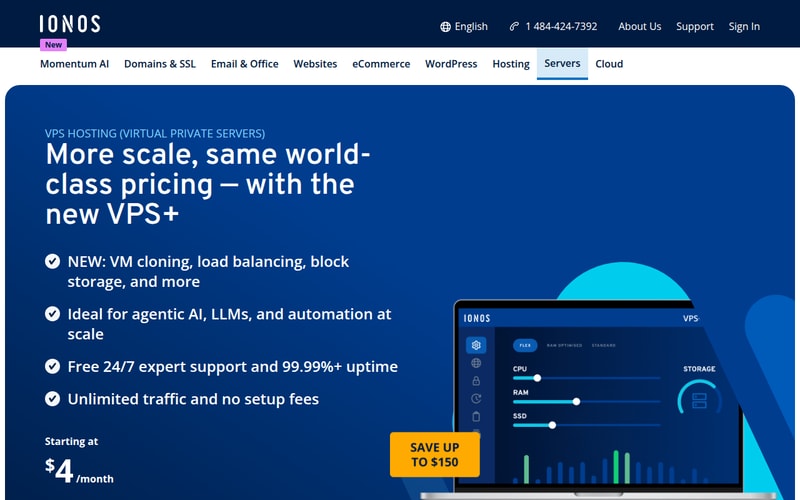
IONOS is no longer the budget floor it was: its entry plan is $4/month for three months, then $11, the flat-rate $2 VPS XS having been discontinued. Given that Open WebUI genuinely runs in 1–2GB, the 4GB you now get is comfortable rather than tight — but at $11 it’s no longer the cheapest way to get there. That $11/month gets you a machine that runs the interface without complaint.
Unlimited traffic is useful for a chat interface with several users, and European data centres cover the residency case for API-backed setups.
No GPU, no template, and backups are extra. The entry tier leaves no room for adding Ollama later.
Pros: cheapest genuine entry; unlimited traffic; European data centres; approachable panel; 24/7 phone support; 30-day money-back guarantee.
Cons: no GPU; no template; backups extra; no headroom for a larger stack.
Who it’s for: a single-purpose, API-backed Open WebUI instance on the tightest budget.
Check IONOS’s current pricing →
8. Contabo — best high RAM per pound
Contabo’s proposition is memory volume at low prices, which becomes relevant precisely when you stop running Open WebUI alone and start adding Ollama, Qdrant and everything else to the same box.
For CPU-based local inference — a small quantised model behind Open WebUI — the RAM-per-pound advantage is the thing that makes it viable at all on a budget.
The trade is shared CPU that can throttle under sustained load, which matters more for inference than for a web interface. Support is thinner than the majors and provisioning can be slow.
Pros: the most RAM per pound available; makes CPU inference affordable; large storage allocations.
Cons: shared CPU throttling under sustained load; thinner support; slower provisioning; no GPU.
Who it’s for: budget multi-tool stacks and CPU-based local inference where memory volume matters most.
How we picked
We ranked on what determines the experience for this specific workload: memory at realistic price points, whether a GPU path exists for local inference, storage speed for document handling and embeddings, and whether any deployment template exists. Because Open WebUI itself is lightweight, we weighted headroom for the companion services more heavily than the interface’s own requirements.
The per-tool requirements table reflects published guidance for each project rather than our own benchmarks. Pricing and specifications are the providers’ figures at the time of writing. Four of the eight providers here earn us nothing.
How to choose
- Where does the model run? External API means 1–2GB and the cheapest tier works. Local means you’re sizing for Ollama, not Open WebUI.
- Will you add more tools? n8n, Qdrant and the rest are individually small but add up. Buy headroom if a stack is the plan.
- Do you need a GPU? Only for local inference at usable speed. Most people don’t.
- Does the data have to stay in-region? That’s often the reason for self-hosting at all — Scaleway or IONOS for Europe.
- Consider splitting. A cheap always-on box for the interface plus a GPU instance for inference usually beats one expensive server.
For most people it’s Hostinger — a one-click template for the interface and enough headroom to grow a stack around it. Hetzner or IONOS if cost dominates and you’re API-backed, DigitalOcean or Vultr if a GPU is in your future, Scaleway for EU data residency with local inference, Linode for a consolidated large stack, and Contabo if you want maximum memory for the money.
FAQ
How much RAM does Open WebUI need?
1GB and a single CPU core. It’s a chat interface: it renders conversations, manages users and documents, and forwards requests to a model endpoint. Add headroom to around 4GB if you’re doing document RAG at volume. The 8–16GB figures you’ll see quoted are requirements for Ollama running behind it, not for Open WebUI itself.
Do I need a GPU to run Open WebUI?
No, not for Open WebUI. You need one only if you’re running the language model on the same server. Connected to an external API — OpenAI, Anthropic, or any compatible endpoint — a normal CPU VPS is both sufficient and the cost-effective choice. Small quantised models will run on CPU, but slowly, which is a poor fit for an interactive chat interface.
Can I run Open WebUI and Ollama on the same VPS?
Yes, and it’s a common setup — but size for Ollama, since it sets the floor. Budget 8–16GB or more depending on model size, and expect slow generation without a GPU. A better pattern once you’re past experimenting is to run Open WebUI on a small always-on VPS and put Ollama on a separate GPU machine, which keeps the interface responsive and the cost down.
What else can I run alongside Open WebUI?
Most self-hosted AI tools are lightweight when connected to external APIs: n8n needs about 2GB, Flowise 2GB, Langflow and AnythingLLM 4GB each, and Qdrant 4GB+. Dify is the heavy one at 8GB+ because it runs Postgres, Redis and workers in its own Compose stack. They share hardware, so add up the requirements — and remember that a local model will crowd out everything else.
Related Blog Posts
