

Airbase Reviews: 4.8/5 — Highly Rated
Airbase is a modern finance and expense management platform that automates and streamlines financial processes. It offers a suite of features that include virtual cards, spend management, and real-time expense tracking. Additionally, Airbase integrates with various other business tools such as payroll, accounting, and invoicing systems, making it a one-stop-shop for all finance needs.

| Capabilities |
API
|
|---|---|
| Segment |
Small Business
Mid Market
Enterprise
|
| Deployment | Cloud / SaaS / Web-Based, Mobile Android, Mobile iPad, Mobile iPhone |
| Training | Documentation |
| Languages | English |


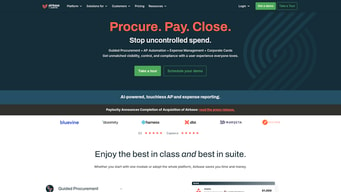



Airbase is now Airbase by Paylocity, and airbase.com/pricing redirects to Paylocity’s pricing page. Paylocity completed the $325 million acquisition on 1 October 2024, and the product has been absorbed into its HCM platform. That single fact matters more than any feature comparison, because virtually every review you will find describes a standalone company that no longer sells to you on its own terms.
- What it is: A spend management platform covering corporate cards, bill pay, expense management, and procurement, now part of Paylocity.
- Best for: Mid-market companies that also want Paylocity’s payroll and HR, so spend and payroll sit on one platform.
- Pricing: No longer published separately. Airbase’s pricing page now serves Paylocity’s, which is quote-only via a demo request form.
- The honest catch: Older reviews, comparisons, and pricing guides describe pre-acquisition Airbase and should not be relied on.
What Happened to Airbase
Paylocity announced its agreement to acquire Airbase on 4 September 2024 and completed the deal on 1 October 2024 for approximately $325 million, funded through its revolving credit facility. Both companies confirmed the completion publicly.
The strategic logic was explicit: Paylocity sells HR and payroll, Airbase sold spend management, and the combination lets a company manage payroll and non-payroll spend on one platform. Paylocity described the goal as a single pane of glass across all company spending, with real-time visibility and a faster financial close.
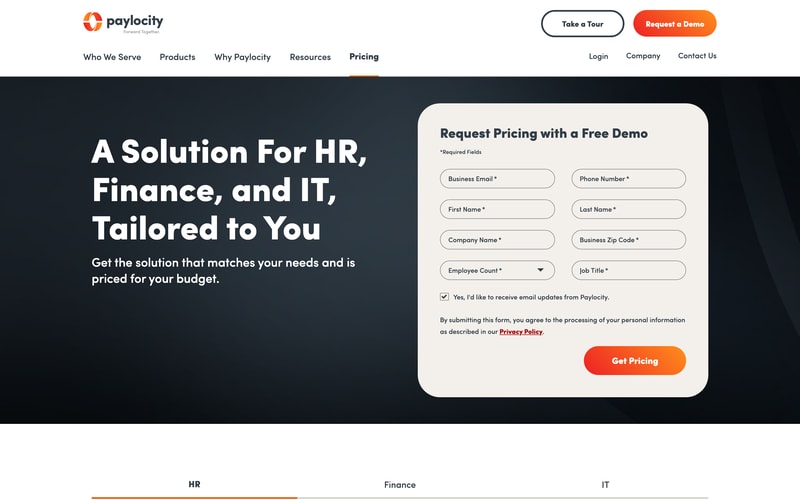
The practical consequences for a buyer in 2026 are concrete. The airbase.com homepage now identifies the product as “Airbase by Paylocity”. The pricing page redirects to paylocity.com. And Paylocity does not publish prices — its pricing page is a demo request form asking for your employee count, job title, and business zip code.
The product has not been discontinued. But it is no longer a standalone purchase in the way it was, and the evaluation you run should be an evaluation of Paylocity.
What Airbase Does
The underlying capability is well regarded and was the reason for the acquisition price:
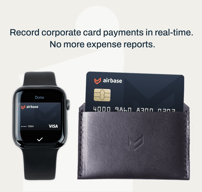
- Corporate cards with policy controls applied at the point of purchase.
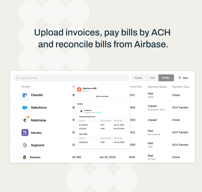
- Bill pay and AP automation, which was Airbase’s strongest area and a genuine differentiator against card-first competitors.
- Expense management with receipt capture, coding, and reimbursement.
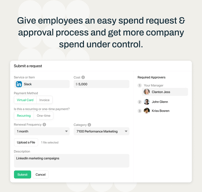
- Procurement and intake, covering purchase requests and approvals before spend happens.
- Approval workflows across all of the above, which is what distinguished it from simpler card products.
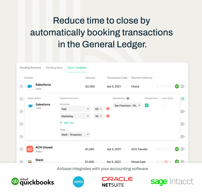
- Accounting integration for close automation.
That combination — cards plus AP plus procurement in one approval framework — is what mid-market finance teams valued, and it remains the substance of what Paylocity now sells under the Airbase name.
Airbase Pricing
There is no published Airbase pricing to report. Its pricing URL serves Paylocity’s page, which offers “Request Pricing with a Free Demo” and collects your details rather than displaying rates.
This is a meaningful downgrade in transparency for evaluation purposes. Pre-acquisition, Airbase published tiered plans. Now:
- Every price is quoted. You cannot compare Airbase against Ramp or Brex without a sales conversation, and both of those publish or offer free entry tiers.
- Pricing is likely bundled with Paylocity. The commercial logic of the acquisition is cross-selling into HCM customers, so quotes may be structured around the wider platform rather than spend management alone.
- Your negotiating position is weaker. With no list price and no comparable public figures, you have no anchor.
- Ask directly whether Airbase can be bought standalone, and on what terms, before investing time in a demo. That is the question the website no longer answers.
Who Should Use Airbase Now
- Existing Paylocity customers. The clearest case by a distance. If your payroll and HR already run on Paylocity, adding spend management on the same platform is exactly the integration the acquisition was built to deliver.
- Companies evaluating Paylocity anyway. Bundling spend management into that decision may produce a better commercial outcome than buying separately.
- Mid-market finance teams needing AP depth. Airbase’s bill pay and procurement capability genuinely exceeds what card-first competitors offer.
It fits poorly for companies that want spend management alone, where Ramp and Brex are simpler to buy and publish more; for startups, where both of those have free entry tiers; and for anyone unwilling to enter a sales process to learn a price.
Honest Pros and Cons
Strengths
- Genuinely strong AP and procurement. The deepest part of the product and the reason it commanded $325 million.
- Unified approval workflows. Cards, bills, and purchase requests under one policy framework.
- Now integrated with payroll. A real advantage if you run Paylocity, and the whole point of the deal.
- Backed by a larger company. Paylocity brings scale and stability a standalone spend startup could not.
- Mid-market fit. Built for companies with real finance processes rather than a founder with a card.
Limitations
- No published pricing at all. Quote-only through Paylocity’s demo form.
- No longer straightforward to buy standalone. The commercial model now points toward the HCM platform.
- Existing reviews are out of date. Almost everything written about Airbase predates the acquisition.
- Competitors are free at entry. Ramp and Brex both offer $0 tiers; Airbase does not.
- Integration is still settling. Product direction under new ownership takes time to become clear.
Airbase Alternatives and How It Compares
- Ramp is the leading independent alternative, free at entry, with strong AP capability and a savings-oriented positioning.
- Brex is free at entry too, though it was itself acquired by Capital One in April 2026 — worth knowing that both major alternatives now sit inside larger financial institutions.
- Bill.com focuses specifically on accounts payable, which was Airbase’s strongest area, and is often the closest functional match.
- SAP Concur is the enterprise incumbent for expense and travel, heavier and more expensive.
- Zoho Expense is dramatically cheaper for expense reporting alone, with published pricing.
- Rippling offers a comparable payroll-plus-spend combination if the unified platform is what appeals.
For a broader survey, browse our expense management directory.
The Verdict
Airbase was a good product and remains one, but in 2026 the question is not whether Airbase is worth buying — it is whether Paylocity is. The acquisition completed on 1 October 2024, the pricing page now belongs to Paylocity, and the commercial model has shifted from a standalone spend management purchase to a module within an HCM platform. Evaluate it on that basis and you will not be surprised later.
For existing Paylocity customers this is straightforwardly good news. Spend management on the same platform as payroll is a genuine operational advantage, the AP and procurement capability is stronger than most card-first competitors offer, and the integration is precisely what the $325 million was spent to achieve. If Paylocity already runs your payroll, this should be on your shortlist and may well win.
For everyone else, be deliberate. Ramp and Brex are both free at entry and considerably easier to evaluate, and Bill.com covers the AP strength that was Airbase’s best feature. The absence of any published pricing means you cannot compare without a sales process, which is a real cost in itself. Before booking a demo, ask directly whether Airbase can still be purchased standalone and on what terms — that is the question the website no longer answers, and the answer determines whether this is a shortlist candidate or a Paylocity upsell.
One practical caution that applies to research rather than the product: treat any Airbase review, comparison, or pricing guide that does not mention Paylocity as out of date. A great deal of what is published still describes the independent company and its former published plans, and none of that is what you would be buying.
FAQ
Was Airbase acquired?
Yes. Paylocity announced a definitive agreement on 4 September 2024 and completed the acquisition on 1 October 2024 for approximately $325 million, funded through its revolving credit facility. Both companies confirmed completion publicly. The product now trades as “Airbase by Paylocity” and its pricing page redirects to Paylocity’s website.
How much does Airbase cost?
There is no published price. Airbase’s pricing URL now serves Paylocity’s pricing page, which is a demo request form collecting your business email, employee count, and job title rather than displaying rates. Pre-acquisition Airbase published tiered plans, but those figures no longer reflect what is on offer, and any current cost has to be obtained through a sales conversation.
Is Airbase still available as a standalone product?
It has not been discontinued, and the capability still exists under the Airbase name. But the commercial model now runs through Paylocity, whose strategic rationale for the purchase was combining payroll and non-payroll spend on one platform. Whether a standalone purchase remains straightforward is a question worth asking Paylocity directly before beginning an evaluation.
What are the best alternatives to Airbase?
Ramp and Brex are the leading independent alternatives, both free at entry and much easier to evaluate without a sales process — though Brex was itself acquired by Capital One in April 2026. Bill.com is the closest match for Airbase’s accounts payable strength. Zoho Expense is far cheaper for expense reporting alone, and SAP Concur is the enterprise option.
Should I trust older Airbase reviews?
Treat them with caution. Most published reviews, comparisons, and pricing guides describe the independent company as it operated before October 2024, including plan structures and prices that no longer apply. If a review does not mention Paylocity, it predates the acquisition and does not describe what you would actually be buying today.

Compare Airbase with other popular tools in the same category.
Airbase is a simple and user-friendly spending report. I love that you can submit expense reports quickly and in a seamless manner, without having to flip through different pages and sections. The dashboard is clean and user-friendly and provides all the information you need to promptly identify the status of your requests and the workflow. Having worked for many big corporations, with well-established similar software, I can say that Airbase is the simplest and quickest tool I've ever used.
From a user standpoint, there is nothing I dislike about the tool. From a corporate point of view, I would love to see an improvement in the APIs and integrations with ERPs.
Airbase helps the business to keep track of expense reports and the simplicity of the tool works as an incentive for the employee to submit the request as soon as they can as it won't take much time of their busy day.
The interface is straightforward to use and read, which is very helpful, especially when new. It is effortless to send reimbursements as well.
I think the background of the actual website and application is plain.
Airbase easily allows employees to send their reimbursements, which benefits them, knowing that they will get their money back in a timely manner. They also have it on record now as well.
I like that I have the option to upload or email receipts. I appreciate that I can add tags and comments to my expenses. I can easily edit request details as well.
I don't have any complaints about Airbase at this time. I use Airbase for expense management and can complete these tasks quickly and efficiently. Since I am only using basic features, perhaps Airbase could use in-app education to show me additional features I might want to explore over time.
The primary problem Airbase solves for me is expense management. I can request reimbursements, notify different approvers and see the status of my requests. I don't have to spend time thinking about expenses.
Easy to keep track of budget and spending as an employee as well as useful data about historical spending
Can't search old receipts/transactions as effectively as I would like AND not a quick easy way to upload a large number of receipts efficiently
Great tool for tracking spending on a corporate card and making sure the employees are accountable for their transactions
The ease of uploading receipts on the go using the mobile app.
I don't have any downsides to using the airbase card
It makes tracking spending and receipt management easy
It's an easy reimbursement tool for Classy, I would highly recommend it to colleagues
I do not have any complaints, but it would be nice to have the metrics on how much this reimbursement tool has helped employees save
It is how our company's process for repaying workers for personal money spent on business more efficient and accessible.
The support, any issues are resolved almost immediately. Separately, the visbility on our SaaS spend is beautiful. Reimbursment approval for my team is flawless, I personally love the Slack integration to approve items on the fly.
Tough to say, there is a limit to spend on physical cards. The airbase team is aware and working to solve this. Simple fix, put on a virtual card, the days of physical cards are kinda dead.
We've been able to consolidate our spending and have a single-pane of view when reviewing invoices for specific services and Vendors as a whole. We've been able to clean up our spending and mark owners for specific products.
* Simple integrations for GL (we use NetSuite), user administration (we use Okta and BambooHR), and bank accounts for payments * User administration is automated via sync to Okta and BambooHR (they have other options, too) * Both my AP team and the general employee user base find it easy -- and even fun -- to use * It is great to have one system for both reimbursements (expense reports) and vendor bills (invoices) -- in my past experience, these are usually separate systems * The account management team, support team, and product team are helpful and responsive
The only challenge for us is that features for non-US entities are not fully built out, and there seems to be some confusion within Airbase about what exists vs. what does not.
Airbase has centralized and automated our reimbursements (expense reports) and vendor bills (invoices).
I appreciate the ability to use virtual cards to streamline purchasing software subscriptions and tools.
It would be nice to be able to have a single platform rather than also use Expensify, Gusto, etc.
It has sped the payables process and empowered individual employees like me to make credit card purchases without relying on the finance team to do it or requiring a vendor to bill us.
I love airbase because it is so simple and intuitive. I've used platforms in the past that were much more confusing and intricate and airbase makes things easy.
there's not anything particular that stands out to me at this time.
Airbase is perfect to keep track of receipts and for spend management. I like how simple it is to upload a receipt so that I do not lose it or have to hold on to it.
Ease of use and not difficult to see the status of my expense report.
Sometimes when I send an email of a receipt, it takes some time to parse the data from the receipt and isn't always 100% correct.
Streamlining managing spending for myself and my team to easily track and approve expenses that relate to travel or any additional purchases. It is a very simple and fast approval process as well.
Ability to get virtual dollar cards for transactions.
Inability to get virtual cards in other currencies, also failure to extend reimbursement offering to accounts outside the US.
Ability to request for virtual cards.
Airbase is an excellent software for companies looking to improve their procurement/spending process. We began using Airbase for their virtual card program, which has been amazing. It has allowed us to reduce reimbursements for our employees and have a better approval process on the front end of spending requests. In addition to their excellent virtual card program, we have grown to use more of their products (Purchase Orders/Workflow Builder/Bill Payments/etc.) and have also enjoyed those products. Finally, my favorite part of Airbase is their commitment to taking our needs/comments/issues to improve their product. Their team is quick to respond and is constantly improving their product for the future. They care a lot about their customers, which shows in their end product!
Airbase does a lot of great things and is constantly improving its product. Our only problem with Airbase is the interaction between SVB, Airbase, and issuing in foreign currencies. We have to do the manual translation into USD before issuing cards. We are currently super happy with Airbase, and this is a minor issue for us.
Airbase solves many of our spending process needs and continues to add to their product (taking our feedback for improvements). We are growing along with Airbase, and we love that they are helping improve our procurement process. We are continuing to take advantage of more of Airbase's capabilities!
It's easy to use and no extra help is needed
The timeline to upload invoices is very short
The easy upload helps me to not loose invoice since I can upload them immidiately
Airbase is by far the easiest expense tool I have utilized to date. Airbase automatically scans my receipts and pre-fills the information for me. The automation makes me so happy.
There's nothing I dislike so far. I initially had trouble connecting to my bank, but that was sorted out fairly quickly.
Airbase makes it easy for me to submit expenses and see the reimbursements directly in my bank account.
I love how easy it is to pay with virtual cards wherever you are. Also you can ask for a physical card and upload receipts for approval! That makes everything easier when travelling.
It has no place to ask for a physical card, you have to make the request out of Airbase and then once it's approved it'll show up in the correct part of the app.
Airbase helps to manage spends from the employees and make trips much easier for the employees. It's especially useful for when you travel abroad so that you don't need to take care of currency exchanges.
There is an app which makes it easy to submit from my phone, and it direct deposits!
There are sometimes glitches with the scanning of receipts
expense reimbursement problems, it makes it easy because I don't have to manually fill in any forms and submit to payroll. I just have to put it in the app!
Quick and efficient tool to use when on the go and have receipts to expense/input.
Sometimes there are more steps to complete than what I think is needed.
Expensing - makes life easier when traveling for business.

I use Airbase every week in my work doing special projects and marketing, and it is super simple from an end-user experience. There are so many apps that miss on the little things that ops people really benefit from, like insta-copying the card # to your clipboard and not having to manually scroll through drop down menus. I love how organized the layout is and it's also very easy to find your spend history.
Sometimes Airbase doesn't seem to differentiate between the user of a given card. I get pinged with an email to upload receipts that weren't specifically tied to purchases I made, just a card I have access to. This may be by design though!- it's just slightly tedious for my experience. Not a major issue and don't have many complaints.
Working with a ton of different vendors to supply our swag demands, Airbase makes it easy to establish a big variety of recurring spend cards in addition to one-off cards for any purpose. It even feels secure to share card information with others who are initiating the spend because of how quickly you can generate new card information.
Payroll used to seem like a headache. The User Interface for Airbase makes managing expenses, communicating with my direct reports, and tracking approvals into a seamless process. It took me no time at all to get comfortable with using and having used other software to track my expenses in the past, this is by far the best.
I would love to see an integration that allows the upload of receipts and reads the information and translates those receipts into events but honestly it already works so well it's hard to see room for improvement.
Airbase removes hours of administrative work from our schedules and allows me and my team to focus on our work, knowing that our payroll and expenses are handled not just for the day, but for the foreseeable future.
It's so easy to use. I'm brand new at my company and new to Airbase. It's intuitive and super user-friendly. It cuts out all of the hassle of reimbursements or getting expenses approved. It's easy to track my expenses and uploading receipts is a breeze.
It's been great for me! I haven't tried the mobile app yet, and a few of my international colleagues aren't able to use it - but what I've heard is that it's on their roadmap.
As a fully remote worker, Airbase streamlined the process for me to get reimbursed for all of my work expenses. It's saved me time, helped me get my money back, and eliminated any awkward conversations with our finance department about how/when I'd be receiving my expense reimbursements.
Airbase makes it very easy to request a reimbursement or a virtual card for my purchases. The interface makes it super clear when there's an action I need to take, such as adding a receipt and seeing where a payment is in the process. The metrics and reports make seeing how much I'm spending over a given period with a vendor a breeze. Lastly, if I'm using a virtual card, all I have to do is click on the card number to copy it to my clipboard and then paste the information into the payment area of a vendor. It's such a minor thing but being able to click to copy a long string of numbers is a simple example of how they think about making their UX easy for their customers.
I honestly can't think of any downsides; it does exactly what I need, the UI/UX is intuitive and pleasant, and their support team is responsive.
1. Simple interface for requesting money for purchases and reimbursements. I'm a researcher and often request Airbase virtual cards for expenses with recruiting vendors. At my previous company, I would have had to message my boss a quote, get email approval, use the company card or my personal card, FAX THE RECEIPTS to a company-wide expense team and hope that they don't have any questions about it, and wait up to 2 weeks for reimbursement if it was approved. Airbase is just a couple of clicks 2. Visibility into spend - the reports make seeing how much I'm spending with a vendor very easy 3. When I'm requesting a reimbursement, it gives me peace of mind being able to see the status of the request Airbase likely solves additional AP and vendor management problems for our company admins, but those are my primary benefits as an individual contributor.
I live in Europe, Bulgaria. Things get stuck in customs really often but that wasn't the case with my airbase card. I really like the fact that I don't need to spend my own money when I go to the company offsite. My experience using the product has been quite seamless so far. Additionally, it's quite easy to manage vendors, subscriptions, etc.
In general, I don't have much besides one time when a vendor didn't accept my airbase card for payment at the airport. I am not sure if it was on Airbase or the shop because I went to the next one and the payment went through. I would say it was a super minor inconvenience and best.
Before using Airbase we had two options. Ask internally for anything that we needed. Or buy it on our own and expense its letter. Both of these took a lot longer than just using airbase and the second option where you use your own money is far from ideal.
The simplicity in getting virtual cards for expenses has been amazing. I really enjoy the experience compared to manually having to expense products, with the approval process being all digital it makes life a ton easier.
The only major downside is that since I'm a Canadian, I'm limited on what I can expense on Airbase. If that was something that could be viable for a Canadian employee like myself it'd make the experience even better.
We normally do have to expense plane tickets and other products consistently for work trips so it's made that process fairly simplistic compared to manually having to submit receipts.
I like the ease of use and how quick it is to do expenses. It's the least amount of clicks and effort I've seen across multiple platforms to expense
Scanning of receipt uploads is not bad but could improve
Expensing
Airbase saves so much time and energy and best of all, the headache of putting in expenses. I am no longer spending hours putting in expenses and can do it all on the fly!
I havent found a downside to Airbase yet.
Airbase makes it easy to click a picture of the receipt and will fill out almost everything without having to manually put it in. You can submit your expense the moment you take it without wasting time later.

Convenient way for me to get company card spend without manual approval. Helps us stay much more on track of spend while enabling more users to self serve.
Seeing "you have X missing receipts in your spend/dept/team" on the home page, and not seeing a direct link to them when you click on it. I see stuff I don't need
Don't have to maintain my own company card but also don't have to ask whenever I want to buy something. I spend often and this saves me a lot of time and hassle
I like that I can create a virtual card for large purchases such as corporate travel without worrying about it hitting my own card. I've used other expense/reimbursement platforms in the past that never offered this feature.
I dislike the slight hassle of needing to request a virtual card. Although it helpful for those larger purchases, I wish I automatically had a corporate Airbase card.
Airbase is solving the issue of needing to use my personal card for large purchases such as corporate travel. Although I can expense something, the last thing I want to do is go through the hassle of paying for a business trip flight and waiting for the reimbursement.
I love the prepaid credit card option. I was able to book travel with a travel card and not have to worry about the reimbursement.
Sometimes it is confusing to navigate, but with training I am now able to work the site with ease.
It solves the problem of having to put up my own money when making major purchases for work.
The UI is super easy to navigate to submit reimbursements, upload receipts, etc. Reimbursements hit your bank account directly! The approval process is easy to track and transparent. It's also straightforward in helping you see how much of your budget is still available and generate virtual CC's if you need a CC for a 1-time purchase.
Not much, I wish reimbursements were quicker after approval, but I am not sure how much of that is related to Airbase's transaction speed vs. banking regulations vs. personal company processes. Everything else is intuitive and well laid out!
For users, Airbase helps us set spending budgets for everyone in the company. They also help us manage the reimbursement process. They make it super easy to follow the process.