

Unclaimed: Are you working at Calendly?
Calendly Reviews: 4.7/5 — Highly Rated
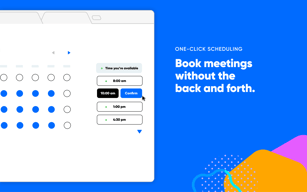
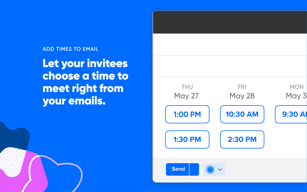
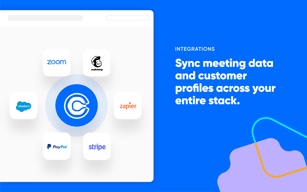
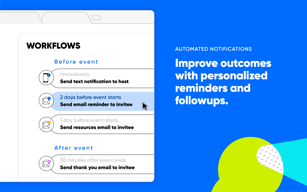
Calendly is a scheduling software that is used to automate the scheduling of appointments. Typically used for businesses to help reduce no-shows, Calendly’s customizable appointment types, automated email notification features, as well as convenient integrations with useful business applications.
Calendly is also often used as Business Scheduling of choice in Venture Capital and Personal Productivity tech stacks.


| Capabilities |
API
|
|---|---|
| Segment |
Small Business
Mid Market
Enterprise
|
| Deployment | Cloud / SaaS / Web-Based, Mobile Android, Mobile iPad, Mobile iPhone |
| Training | Documentation |
| Languages | English |

Compare Calendly with other popular tools in the same category.
The ability for customers to book appointments on their own time. Very easy to make adjustments to our schedule and to integrate with Google Calendar.
Analytics could be improved, but they are still helpful. Would be great to get more features.
Removes the manual process of booking appointments for people.
Calendly has been helpful in organizing events, scheduling and registration.
The updates have been harder to work with and it is difficult to make edits to registrations once they have been submitted.
The ease of integrating the availability based on my Calendar and real-time sign ups.
My favorite thing about calendly is the ease that customers have to book directly on my calendar. Specifically, the integration with google calendar to help me stay organized.
I wish that there was an ability to add colleagues to my meetings without the additional cost.
Time management is the main problem being solved by Calendly.
I am able to use it to schedule multiple folks at once into meetings I have already set. And, as I use it just part of the year, the flexibility to go between the paid plan and the free plan really helps.
Just getting folks to read and sign up correctly.
I can schedule multiple people into the same meeting and Calendly automatically sends the invite with the Teams link.
It is an easy way for clients to see when I am available without them seeing confidential information.
Some clients get frustrated when they look at my calendar and then after making sure others can attend they go to book and that time is gone. I am not sure that is a Calendly issue or something that can be helped.
Just having a place where clients can schedule meetings and see my availability.
Scheduling meetings with ease. I'm able to use it as requently as needed.
I'm not utilizing all the features, so I could use a tutorial maybe
Scheduling meeting with my staff and other stakeholders like parents and venders
It streamlines the process for our sales reps to provide a convenient way for prospective clients to schedule demos.
An update was performed recently and I had to manually re-enter all availability as it was erased with the update.
Streamlines a process to provide each of our reps with the same availability for demo scheduling.
I use calendly regularly to set up demo calls with clients. With a global customer base, it's great that I can rely on calendly's google calendar integration to block off time and set my availability ahead of time.
I wish there was a way to summarize meeting notes after a call. AI would be great.
The feature I find most effective for my use case, is the ability to prevent spur of the moment calls. I can set my meetings to only schedule 18 hrs in advance.

ease of use and its always there just a few clicks of a mouse and appointments are always saved.
I cant say that I dont like anything from the software, its pretty easy touse I like it.
I always keep my appointments and always reminded as I am a forgetfull person at times.
I recently integrated Calendly into my sales and prospecting workflow, and I must say, it has been a game-changer. As a seasoned marketer, I understand the importance of efficient appointment scheduling, and Calendly has exceeded my expectations in this regard. One of the standout features of Calendly is its seamless and user-friendly interface. Setting up my availability and preferences was a breeze, and I was able to customize my booking page to align with my brand effortlessly. The platform offers a range of customization options, allowing me to create a professional and personalized experience for my leads and clients.
I was genuinely hoping for more flexibility in terms of pricing plans and a clear breakdown of the features included in each, allowing me to make an informed decision. Unfortunately, this lack of flexibility and transparency has left me disappointed and questioning the true value of upgrading to a premium plan.
Setting appointments with personal prospects on fb and other social media sites
Integrates nicely with ATS - easy to customize and easy to use
Would love to see it a little more automated
Scheduling phone interviews with candidates and easily integrating with my calendar and our ATS system
I like the lead priority and customization of events.
Making changes without breaking automations. Would like to add different label or category of events and have custom availability. Ex : add breaks to schedule without it counting towards number of appointments.
Easy use for B to C selling.
Calendly is great for scheduling and managing appointments and events. It's easy to use, straightforward, and allows a lot of customization.
You cannot change the amount of user sign-ups to more than one at a given time. Therefore appointments and events can only be 1-on-1.
I use calendly not only in my professional life for my job, but also in my personal life when I sign up for appointments with other companies. It is so easy to use and very straightforward.
Calendly is easy to use and set up. You are able to add branding to fit your company and customize the links to provide all the info for clients to book specific meetings with you.
We had some integration issues in the beginning but was able to work through them. The only thing I wish was possible would be adding a domain to the booking link to look like it is from your website or company
Calendly allows us to send a link to a lead or team member and they can pick what time works best based on our calendar. It reduces the time to figure out a time that works best for all parties involved.
Calendly has an affordable payment option vs other sites like squarespace. You can navigate calendly on your phone. Payment integration is good, using stripe and PayPal. Also easy scheduling options.
What I dislike about calendly is it only uses stripe and paypal. Sometimes I would want to use another payment option like quick books and waves. They're fees are a little more affordable.
So... I'm not sure what problems they are solving as I didn't have any problems with them. The only issue is if I wanted to schedule a class every second Monday, it doesn't give me that option. It shows up as every Monday.
I like most about Calendly that it´s super easy to book meetings directly from our clients. Thats you can add a description and a time and place for the meeting.
It´s not so easy to manage this tool after a long time of not using it. I need to rethink how to activate an event.
It´s an easy tool to manage client meetings for events. Mostly we use it for special events to book meetings directly through the clients and prospects. Also I can add the exact place and time, which is good for the meeting spot.
I like that calendly allows me to schedule different types of appointments and meetings. It was excellent for recruiting!
I cant think of anything off the top of my head!
Calendly allows me to send out invites to many different interviewees and effeciently schedule calls.
It's convenient, efficient, and omits duplication and back and forth.
I don't have any dislikes. It runs well.
It keeps me from sending blocks of time to clients, not getting a response, and then having to resend availability at a later date because the slots offered had been taken.

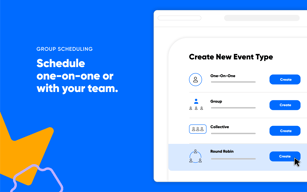
Setup and implementation to get going is super easy! Whether using it individually or within a company, it's super straightforward to create different events for single team members, round robins, or shared calendars.
Would be super helpful to have some reporting and analytics around meetings scheduled - especially for specific round-robin events. Also wish the Salesforce account matching feature was available without needing an Enterprise Calendly account. Seems like their other paid Business plan should have access to it too.
Instant scheduling on our website and sales prospecting.

How easy it is to schedule interviews and appointments. It also have a very friendly interface and it is very intuitive. Settings are simple to use and personalize
It happened to me that a few candidates had dificulties to schedule the interviews, but other than that I do not have anything bad to say about it. Overall is a pretty good tool.
When I reach out to a candidate I don't have to follow up to schedule and interview, so it saves a lot of time, since I do not have to do this back and forth with them.
I love the ease of meetings being put on my calendar, logging in for the day and seeing who I talk to that day. There are rarely glitches.
Sometimes, however, I will notice the wrong people were given the ability to book time on my calendar.
People directed from our website can book time with me and prequalify themselves

It is very simple for our CSM and Sales team to setup meetings with customers , easy and friendly user interface and seamless integration with Outlook 365
Not many - mostly issue with meetings that happen repeatedly - I was not able to find the capability to setup weekly meeting with the customer to happen regularly and send him all the options in a click to approve like recurring event
Adhoc meetings with prospects and customers and providing easy choices for customer based on my calendar

Es una herramienta muy facil de implementar y permite sinfronizarse con Google Calendario, y ademas en su versión gratis es completamente funcional, practico y sin problemas se puede integrar en una página web
La verdad nada negativo que decir de calendly, es una herramienta practica y para aquellos que necesiten más funciones la versión de pago sigue siendo una excelente inversión.
El poder agendar reuniones de manera sicronizada con mi agenda ayuda mucho en cualquier flujo de trabajo para ser más eficiente con la gestión del tiempo, algo que valoro muchisimo
how easy our clients can schedule either 1on1 meeting or our group meetings
some bug like whenever a new client signs up for a meeting, calendly changes the subject line on the google calendar to the default subject line which is kinda of annoying but doable
Easier access for our clients to schedule meetings with us
La posibilidad de configurar distintos calendarios de acuerdo a mi necesidad. Asi puedo tener distintas opciones de disponibilidaf de la acueyal caso
Nada en particular, de pronto podria comentar que no da para que puedas personalizar demasiado la pantalla de inicio
Me permite tener varios calendarios, de esa forma puedo configurar distintas duraciones de reunion de acuerdo al caso
You can get set up quickly, in a matter of minutes for a basic scheduling page/link to send out. The free options are great and paid opions (like routing, workflows) are even better. You can create teams, individual links, round robins and much more, with features and settings that are fairly intuitive. You can presonalize the user experience to a fair degree and it's really easy to use (especially for new technology users).
Options for setting up "teams" or call types is limiting and a little confusing. There isn't a clear dashboard or a place where you can see all of one team's call links. When you need to make a settings change to a group of calls under a team (like edit a name, setting or feature), you need to make individual changes for each call and this can be an arduous process; there is no way to make a change across a team unless you clone a call but then you still need to go in and edit items one by one... (which in some ways makes sense but in other ways a little bit cumbersome, especially if the changes needs to be made across the entire team). Basically, there isn't a way to select multiple calls at once to make a change. Most of the features/settings are intuitive but some aren't so and you have to do a little digging to understand them better (like workflows/routing, creating new links/call types).
Easy to use online scheduler for individuals who are not very tech-savvy, it's easy to use and an effective solution. We can customize our user experience to the degree we need and appreciate the features/settings currently available to continue to improve the experience.
I like that Calendenly allows those outside of my organization to book space on my calendar at a time that works best for them without me having to take time away from what I am doing.
I think the least helpful is not being about to temporarily put in when I am unavailable or out of the office. It would be convenient if it would automatically reset after the specified dates have passed.
Calendly makes it easier for customers to choose a time that works best for them rather than having to take time out of my day to discuss what works best for that customer. I like that it also sends an automatic reminder to the customer once their appointment gets closer.
It allows me to easily manage my day-to-day diary as you can put booking rules in place. I love that clients can also manage the booking with the capability to reschedule/cancel the meeting - My customers use the reschedule link a lot which is very helpful. I also like that you can link it to Zoom.
I wish that you could have exceptions to the booking rules you have set (A manual override option would be amazing).
It allows me to manage my day-to-day diary which saves a lot of time. It's also great as colleagues use my Calendly link to book clients in so the rules I have in place ensure calls are always scheduled at a convenient time.