

Unclaimed: Are you working at DigitalOcean?



DigitalOcean Reviews: 4.6/5 — Highly Rated
DigitalOcean is a cloud hosting platform built to serve the needs of startups and established businesses. The software gives developers access to building, deployment, and scaling applications. The platform is best known for its flexible pricing structure and global data centers, as well as an easy-to-use, intuitive control panel.
| Company | DigitalOcean Holdings |
|---|---|
| Year founded | 2012 |
| Company size | 1001-5000 employees |
| Headquarters | New York, NY |
| Social Media |

| Capabilities |
API
CLI
|
|---|---|
| Segment |
Small Business
Mid Market
Enterprise
|
| Deployment | Cloud / SaaS / Web-Based |
| Training | Documentation |
| Languages | English |

A DigitalOcean Basic Droplet with 8 GB of RAM costs $48 a month. The same 8 GB costs about $7 at Contabo and roughly €8.49 at Hetzner. On price per gigabyte, DigitalOcean is around six times the cheapest credible option — and it remains the right choice for a large number of teams, because the gigabytes are not what you are buying.
- What it is: A developer cloud — Droplets (VMs) alongside managed databases, object storage, load balancers and Kubernetes, tied together by an unusually good API and documentation.
- Best for: Teams managing infrastructure as code, and anyone who will genuinely use more of the platform than the virtual machine.
- Pricing: Basic Droplets from $4 a month; 4 GB / 2 vCPU at $20; 8 GB at $48. Dedicated-CPU families from $63. Verified August 2026.
- The honest catch: Backups are off by default and cost 20–30% extra, and if your Droplet is the whole infrastructure you are paying a large premium for capability you will never open.
What Is DigitalOcean?
DigitalOcean is a cloud provider built for developers rather than enterprises. Its core product is the Droplet — a straightforward Linux virtual machine — but the reason people stay is everything arranged around it: managed PostgreSQL, MySQL and Redis, Spaces object storage, load balancers, managed Kubernetes, a first-class REST API, a mature Terraform provider, and a documentation library that has taught a meaningful share of the industry how to administer Linux.
That documentation is not a side benefit. Search almost any server-administration question and a DigitalOcean tutorial is near the top, usually correct, and usually dated. The company also dates its documentation pages — “Last verified 13 Jul 2026” appears on the recovery-console guide — which is rarer than it should be and worth something when you are following instructions at 2am.
DigitalOcean also owns Cloudways, which now brands itself “Cloudways by DigitalOcean” — relevant if you are comparing the two, because you are choosing between a raw cloud and a managed layer from the same parent.
How DigitalOcean Works
The Droplet families matter more than most people realise, and DigitalOcean is unusually clear about them.
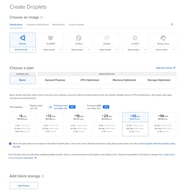
Basic Droplets share vCPUs with other Basic Droplets. General Purpose, CPU-Optimized and Memory-Optimized are dedicated — no noisy neighbours, no contention. The company documents this distinction under a heading called “Shared CPU vs. Dedicated CPU” rather than burying it, which is more than most of the market manages. The dedicated families differ only in memory ratio: CPU-Optimized gives 2 GB per vCPU, General Purpose 4 GB.
Billing is hourly against a monthly cap, so a Droplet that runs three days costs three days and one that runs all month costs the advertised monthly figure. That only pays off if you create and destroy servers programmatically — and note that stopping a Droplet does not stop the bill, since reserved resources continue to charge until it is destroyed.
Storage comes in two forms. Droplets include local SSD; Volumes are network block storage sold separately. Volumes are capped at 10,000 IOPS (bursting to 15,000) and 450 MB/s, and — importantly — that performance does not scale with volume size. Buy Volumes for data that must outlive the Droplet, not for speed.
The Marketplace carries 409 solutions at the time of writing, including a dedicated AI Agents category, with n8n, Coolify and Ollama with Open WebUI all available as 1-Click Apps. Each has its own documentation page explaining what the image installs, which is the part competitors usually omit.
DigitalOcean Pricing
Verified August 2026, in US dollars:
| Plan family | Example | Price/mo |
|---|---|---|
| Basic (shared) | Entry Droplet | $4 |
| Basic (shared) | 4 GiB / 2 vCPU | $24 |
| Basic (shared) | 8 GB | $48 |
| General Purpose (dedicated) | from | $63 |
| CPU-Optimized (dedicated) | 4 GiB / 2 vCPU | $42 |
| Memory-Optimized (dedicated) | 16 GB / 2 vCPU | $84 |
| Backups | add-on | +20% weekly / +30% daily |
Two things to sit with. The dedicated premium is about 1.75× — a CPU-Optimized Droplet at 4 GiB / 2 vCPU is $42 against $24 for the equivalent Basic. And backups are not included. On a $4 Droplet the surcharge is about a dollar; skipping it is nonetheless how people lose projects, because the default is off and nothing prompts you.
Measured as cost per gigabyte of RAM, Basic Droplets land at roughly $6.00/GB — the most expensive tier in our cheapest VPS index, where budget European hosts sit under $1.
Who Should Use DigitalOcean
Buy it if you manage infrastructure as code and will use the API, Terraform provider and managed services; if your Droplet is one node in a larger system rather than the system itself; if you want managed Postgres or Redis without operating them; or if you are learning Linux and want the best free teaching resource in hosting attached to your account.
Don’t buy it if your VPS is a single box running a single stack. At that point you are paying roughly six times the per-gigabyte rate of Hetzner or Contabo for a platform you will not open, and the honest advice is to take the cheaper server.
It is also not the best first VPS for a non-technical beginner, despite the documentation. A Droplet is a bare Ubuntu box with no control panel, so your first task is a shell session rather than a form — and backups being off by default is the wrong default for someone who does not yet know what they do not know.
Honest Pros and Cons
Pros
- Documentation and tutorials that are genuinely best in class, and dated so you can judge staleness
- Excellent API, CLI and Terraform provider — the reason hourly billing is actually usable
- Clear, documented distinction between shared and dedicated CPU families
- A deep Marketplace (409 solutions) with per-app documentation
- Out-of-band Recovery Console plus a Recovery ISO, so a firewall mistake is recoverable without a support ticket
- Managed databases, Spaces, load balancers and Kubernetes on the same bill
Cons
- Roughly 6× the cost per gigabyte of the cheapest credible European hosts
- Backups off by default at 20–30% extra
- No control panel on Droplets, so it is a poor fit for panel-oriented users
- Volumes capped at 10,000 IOPS regardless of size, which surprises people expecting NVMe speeds
- The Recovery Console can itself be blocked by an aggressive firewall rule, needing a temporary allow-all inbound rule to reach
DigitalOcean Alternatives and How It Compares
Against Hetzner — Hetzner is dramatically cheaper per gigabyte and its shared plans give more cores at the same memory. DigitalOcean answers with documentation, API maturity, managed services and a US-centric footprint. If you only need the VM, Hetzner wins on arithmetic; if you need the platform, it is not close in the other direction.
Against Cloudways — same parent company, and the specs line up exactly against the Basic Droplet ladder, so the markup is a near-constant ~2.2× (we break it down tier by tier in Cloudways vs DigitalOcean). Cloudways is the managed layer: you deploy an application and it provisions the server, with staging and backups included, from $14 a month for unlimited sites. Choose Cloudways if you want managed hosting and DigitalOcean if you want root and an API.
Against Hostinger — Hostinger is far cheaper on introductory pricing, includes a control panel and weekly backups, and is the easier first server. It has no comparable platform around the VM, and its advertised rates require long prepaid terms.
Against Liquid Web — Liquid Web sells managed infrastructure with a support organisation that will administer the server. DigitalOcean’s support covers the platform, not your stack. If you want someone accountable at 3am, that is a different product.
The Verdict
DigitalOcean is the most expensive way to rent a gigabyte of RAM in this comparison, and that framing is only damning if RAM is what you came for.
What you are actually buying is the surrounding platform — the API and Terraform provider that make hourly billing usable, the managed databases and object storage that mean you are not operating Postgres yourself, the recovery tooling that makes a firewall mistake survivable, and documentation that is better than everyone else’s combined. For a team managing infrastructure as code, that saves more engineering hours than the price difference costs, and the comparison against Hetzner’s arithmetic simply does not describe the decision being made.
For everyone else, the arithmetic is the decision. If your server is one box running one stack, and you will never call the API or attach a managed database, you are paying about six times the per-gigabyte rate for tooling that will sit untouched. Take the cheaper server and spend the difference on backups.
Whichever you conclude, turn backups on the day you create the Droplet. They are off by default, they cost 20–30%, and the moment you want them is the moment it is too late.
FAQ
How much does DigitalOcean cost?
Verified August 2026: Basic Droplets start at $4 a month, with 4 GB / 2 vCPU at $20 and 8 GB at $48. Dedicated-CPU families start at $63 for General Purpose and $84 for CPU-Optimized. Backups are an additional 20% of the Droplet price for weekly or 30% for daily.
Is DigitalOcean expensive?
Per gigabyte of RAM, yes — around $6.00/GB against under $1 at Contabo and Hetzner, roughly a 6× difference. Whether that is expensive depends on whether you use the managed databases, object storage, load balancers, API and Terraform provider that the price includes. If your Droplet is your entire infrastructure, you are paying for capability you will not use.
Does DigitalOcean include backups?
No. Backups are disabled by default and cost 20% of the Droplet price for weekly snapshots or 30% for daily. This is a reasonable default for teams who manage backups externally and a poor one for individuals, so enable them at creation time.
What is the difference between Basic and CPU-Optimized Droplets?
Basic Droplets share vCPUs with other Basic Droplets; CPU-Optimized, General Purpose and Memory-Optimized all have dedicated vCPUs with no contention. The premium is about 1.75× at equivalent specs — $42 versus $24 for 4 GiB / 2 vCPU. Dedicated cores are worth it for sustained load and wasted on bursty workloads.
Can I recover a Droplet if I lock myself out?
Yes. The Recovery Console provides out-of-band access that works regardless of your network settings, and a Recovery ISO lets you boot into a rescue environment to run fsck or chroot into a broken system. One caveat: an aggressive inbound firewall rule can block the console itself, in which case you temporarily allow all inbound TCP, fix the rules, and remove the temporary rule.
Does stopping a Droplet stop the billing?
No. Powering off a Droplet does not suspend charges, because the reserved compute, storage and IP allocation are still held for you. Only destroying it stops billing — and reserved IPs, Volumes and snapshots continue to charge separately until they are deleted too.

Compare DigitalOcean with other popular tools in the same category.
Cost, service, king of product and good Price
I no dislike any thing, may be for latin america, we meed to translations in Spanish
For my customers, the cost when initial process or testing some performace with any server

I have not been able to beat their pricing for what you get. A full VPS for $5/month? Not easy to find. Having a VPS is beneficial since you can basically install and configure everything exactly as you like. This requires technical expertise of course, but if you have or hire it, then any limits you would have with shared hosting (which could cost you more than DigitalOcean) are removed.
Really not much at all. Here are a few very minor things, just to have something to say: - Not necessarily good for beginners. However, their documentation is great, so if you are willing to put in some work, you can easily figure it out - Speed - some operations are a bit slow, but they are the types of things you would expect - imaging, provisioning, etc.
Running my own hosting for various sites and services. Cheaper hosting than if I were running on many popular shared hosts, and much higher ability to customize and play around with things.
The affordable pricing, ease of use, quick time in adding new servers, reliable backup service, pre-built server images with LAMP software among many other software combinations of pre-built servers. I also appreciate the nice library of tutorials they have built up for installing many different software on there servers and configuring them. I cannot forget to mention they have a great API which will allow you to write software to automate any of the services they provide!
Currently there is nothing I dislike about Digital Ocean services!
A large majority of my web clients need a web hosting company and I am able to get them cheap affordable, reliable web hosting in an up an running server in a matter of minutes! Most of the competition cannot check off all those boxes! I cannot think of a much easier solution other than automating the process with code...but they have that covered as well since they have an API which will allow you to write software to automate any of the process!
The amount of freedom, and speed with which I can boot up a new server. Their customer support is also excellent.
They should have the ability to allow me to customize the capabilities of the servers that are available. Right now you can only provision from a pre-configured list. Also, they should add real private networking between droplets of the same account, kind of like Amazon VPC.
At work, our main product is a couple of web applications. Our infrastructure runs on Digital Oceans. We have fast deployment times, increased scaleability and high availability because of the way we use Digital Ocean. But to be fair, DO is just a VPS provider. The same can be achieved with other providers as well. We just prefer DO for their simplicity and speed of provisioning.

Digital Ocean's pricing is perfect for developers who want to run machine in the cloud but don't need all the frills of someone like Amazon.
There's nothing to dislike. I've been a customer for a couple years and whenever I've had questions -- raising the limit on the number of virtual machines I could create, for example -- their support staff were responsive and helpful.
I'm able to create and access a virtual machine within minutes, whenever I had the need, and I've also been able to create custom images for specific use, such as a private VPN/proxy when I'm connected to a restricted/untrusted network. Being able to do this quickly, repeatably, and via an easy to use API, makes this a no-brainer.
Its simple and easy to get a vps setup. The one click applications are a great time saver for dev environments. Performance is nice, they don't overallocate their vm's like other vps providers
Its not as configurable as AWS, the networking component is very simple. Which is fine for a small app or dev box, but not appropriate for a large multitiered application
By using the API, you can easiky spin up droplets at the drop of a hat and get them configured and running in a matter of minutes. Which allows you to configure an autoscaling group or for automated deployments
Love the speed in which one can spin up a fresh machine, it literally takes only a few seconds. Why bother with virtual machines when you can just as easily do it in the cloud? The community is particularly responsive and helpful. I really like the improvement they've made to their administrative dashboard. While the selection of OS images is pretty good, their one-click apps are awesome though I haven't used them in production yet.
There were some concerns about data security after deleting a virtual machine (droplet) but those were quickly addressed by the DigitalOcean team. I do not like the user flow for restoring from backups - while it is ostensibly *easy* I had trouble the last time I did it, though that was a while ago! I was also unable to use the in-browser desktop terminal but that my have been the result of a network misconfiguration on my side (workplace firewall)
I needed a server in a datacenter to power my hosting business. Shared hosting didn't cut it anymore and I found Digital Ocean did a better job of letting me control my servers. I hope to use the Digital Ocean API to further automate my business.
That you can get a good VPS server running in seconds and for only $5 a month.
Nothing, i've been using DigitalOcean since 2012 and have no complains.
I was using linode and other providers, and the cost was very high.

I like the control panel and the ability to create droplets with a few clicks.
There is nothing to dislike, the service is very good.
I used droplets as VPS for my company. The benefits are good servers and good connectivity at a very good price.
- Well designed and very easy to use. - Pricing is transparent and its easy to predict my monthly bill. No surprises at the end of the month. - Fast server provisioning allows me to scale different services when my load goes up or down. - Well documented API and lots of client libraries.
I've experienced a disk failure in the past.
- Hosting Ruby on Rails web apps
1. Easy to start - You can start a DigitalOcean (DO) VPS, at any time with very little knowledge about system configuration and tear them down when not needed. The default options are very good, but you still have some control over choosing Unix-based OS and also memory and HDD space. If AWS seems confusing to you, welcome to simple choices. Boot time is also less than a minute. 2. Hourly pricing with monthly cap - Price for each machine is calculated hourly and the basic machines are dirt cheap. But wait for the best part - they instantly show the maximum monthly charges for every plan, which is about 25 days of hourly rate and it starts at $5/mo for a 20GB SSD VPS. 3. Very extensive tutorials - DigitalOcean (DO) is very welcoming and helpful to newbie users who might never have owned/maintained a VPS earlier. Its documentation is very extensive, right from securing your server with ssh to installing Wordpress to running your own mail servers. A lot of articles are written by the community in a detailed step-by-step manner and frankly, I use them a lot even while setting up something on my local machine. This is DigitalOcean's most prized IP, I would say - everyone offers low-cost VPS, but who cares to educate the buyer so that they can utilize the potential of those machines? 4. Control stuff from admin panel - This is also something designed for new users, where you can extensively control your machine like boot, shutdown, destroy, see usage statistics, create backup/snapshots, reset password with few clicks. For eg. if you feel you have misconfigured the system beyond something you can fix, you can just "Power cycle" it, which would effectively flush everything and re-install the OS to give a fresh start. 5. Online Shell - The standard way to interact with your remote linux box is through SSH but setting it up is too much for simple tasks. So, they provide a online shell for every machine so that you can have a web-based shell which works just like SSH from local machine. It is incredibly useful when you just want to tweak simple things while not at home. 6. Snapshot - You can take snapshot of the whole machine after shutting it down, destroy the machine and resume from the snapshot later like nothing happened. This also helps you make some boilerplate changes, from where you can create new machines (although cloud-init is more suited for this use-case).
1. No user-provided system ISO - Although you can choose from some Linux flavours while creating a machine, you cant provide ISO for some other flavour which is not in their list. 2. Pay while off - Even while your machine is in shutdown state, you are paying for it, as they clarify that your resources are still allotted for you exclusively. Only way is to destroy the machine, meaning you cant bootup that machine with previous data. 3. Slow to resume Snapshots - Snapshots are nice, but because they archive the whole HDD it takes about 5 minutes to re-create machines from snapshots even for small machines. 4. Can crash/fail - While not that frequent, reports of DigitalOcean (DO) machines crashing due to hard disk failures have been reported sometimes on the internet. This is "not unlike" AWS or every other provider and you should backup your important stuff in some non-DO services for reliability. 5. Low HDD space because of SSD - Since DO switched to SSDs instead of normal Hard Disks, disk capacity of lower-end plans have been cut drastically, and you cant add just more disk space for a small price - only way is to switch to higher-end plans with more of everything. 6. Requires Card even for trial - DO provides $10 credit for new users, but you cant activate your account without Credit Cards. This is again nothing unheard of, but a bit of a downer for new users.
I am hosting my private OwnCloud service on DO machines. Also at day job, we use it as deployment machine for some financial services. DO VPS machines cost as low as shared machines, but packs quite good performance with great network speed and bandwidth. It has been useful for offloading some task from local dev machines to a common DO machine.
Often while talking with my colleagues about D.O. the top feature in our heads is always about simplicity. I'm talking about a simplicity level which in a couple of clicks you are ready to recover from a application outage A simplicity level which any developer from Junior to Senior will understand and integrate DigitalOcean API in their day to day workflow with no headaches with a capable team ready to help you over tickets or forum answers. And what to say about the awesome developers community around DigitalOcean. A community passionate about a service it's really difficult to conquer but not for DO community, I bet if you search about any old or new technologies there is already a high level detailed tutorial written for the community to the community in the DigitalOcean forums-land. The 30 seconds ready to use VPS is the reason I felt in love with DigitalOcean from day one. I bet you will as well
Even they are doing their best in almost each area of their business, the lake on data centers in developing countries can be a really boner. Even wth their top notch data centers on the north hemisphere can't not always handle critical business application that require low latency between the server and the client.
Being solving a wide variety of types of problems in the past decade, from financial to telecommunication.

The speed, uptime, and reliability is amazing. Many other hosts are dropping prices, so the cost is less of an issue today, but when they started, delivering everything they did at prices as low as $5/month was unheard of. Overall the experience is fantastic though. The control panel is great, easy to use, and understand. Managing many droplets is simple and have never had a problem with it.
I wish I could personally download and backup droplets. They host backups, but I would like to keep a personal copy, just in case.
We've used them as a host on a variety of projects, mostly software we had deployed on Heroku but had become expensive. We found that setups that were $200/month on Heroku run great on $10/month DO servers easily.
I've been a DigitalOcean customer since they started out. Their low price is what initially enticed me to give it a shot, but they've done a great job of keeping me as a happy customer. It's evident that the company culture is super conducive to a happy work environment, and it really shows in their product. Their support team is responsive and friendly. The user interface is easy to use and cheerful. As an added value, they have a fantastic set of tutorials and blog posts detailing just about everything you can do with their products.
There's not a lot you could dislike about this company. The only improvement I'd like want is the option for more one click apps.
I initially started using DigitalOcean as a kind of "playground". I would spin up a server and test a few things out for a couple of days, then destroy it. Now, I've actually migrated my entire infrastructure to DO, in some cases using their one-click applications, in other cases deploying my own custom solution.
DigitalOcean has a great API, but that is just the tip of the iceberg. Their management interface is a breeze to use, and there are always improvements coming up. They have the best customer support of all the hosts I've ever used. They not only do what should be done, but go one step further.
The inability to use my own ISO images, and needing to shut down the instance for taking a snapshot is not favourable.
Needing scalable compute on demand is a problem that DigitalOcean has solved in a manner with great ease for us. Easy to understand and predictable pricing across regions, a good network, and fast friendly support are all benefits that have made DO our go-to provider.
Creating a new Host (droplet) with custom configuration is really easy and takes no longer than 1 minute. Also, built-in images are awesome to install packages like magento, gitlab, wordpress, etc.
It can be more expensive than other normal hosting if you don't use their special features (images, API, replication, backup, etc).
I use digital ocean with forge, and deployment is really straight forward now, so continue deployment is really made easy.

- Easy to open new VPS - Reasonable price - API support - Self provisioning
- Not as much features as Amazon Web Service - No CDN hosting yet - Not many regions to choose yet
Our product is a knowledge sharing platform.
Everything, the ability to create a new "droplet", or VPS, is so easy. Snapshots of droplets, web-based terminal for those who need it. Good referral program and there are so many other companies that integrate perfectly with DigitalOcean. ServerPilot and Docker Cloud are two very good examples. Being able to have multiple droplets on the same LAN (essentially) is also extremely easy and the networking (floating IP's specifically) are awesome.
Nothing, absolutely nothing at all. Could use a few more datacenters maybe?
Affordable hosting that's powerful and easy to manage by myself.

Cheaper than Heroku. Awesome UI/UX. Fantastic pricing.
Wish there was a better way to temporarily turn off a droplet without having to still pay monthly for usage. Wish there was an easier way of pointing to sub domains.
Easy deployments at a reasonable cost.
- The User Experience on DigitalOcean is amazing. everything is clear and friendly. - The Pricing model is fair and simple to understand, no hidden fees. - Simplicity, there is no overload of different services and consideration to make. just start a server and work.
I would unable more flexibility on droplets setup. i have a few use cases where i do need a lot of RAM for data processing automation but I don't really need a lot of hard drive space and i end up paying for a larger droplet. I wish DigitalOcean offered a static file hosting service (like S3) for 80% of the use cases where all you need is a simple file server for a static website.
DigitalOcean enables me to build a lot of websites on a limited amount of financial resources. unlike the competition it is very very clear how much you will pay at the end of the month and there are no extra fees for the trivial stuff like attaching domains to your servers.
DigitalOcean is an incredible mix of flexibility and intuitiveness. Often, when cloud providers give many options for creating servers, it translates into very clunky, ugly, and difficult UI's. Not DigitalOcean! The UI is incredible and is still powerful.
Nothing really. Originally, I was sad there were no options for setting up private networks for clusters to communicate over, but now they have that to. Maybe it could be a little more powerful (e.g. AWS VPCs). In that vein, I would love a blessed and integrated solutions for Load Balancing and Auto-Scaling a la AWS Elastic Load Balancers and Auto-Scaling Groups. Those are hard problems, that keep me going back to AWS for certain big-scale jobs.
Deploying Software-as-a-Service applications to meet customer needs.
The pricing is very sharp. Also the ease of use to setup new droplets is a big plus!
The thing that i'm currently missing is plans with big data storage capacity, or some kind of dynamic plans. Because when you need to build a fairly simple application which just has a huge database, you can't realy find a solution within DigitalOcean
Previously we had managed shared hosting. This was extremely expensive for the assets that you were receiving. With digitalocean we get really nice plans for a great price.
I really enjoy how quickly I can get a server up and running. In less than a few minutes I have a server that uses a key to login (or a password if you prefer) ready to go. DNS is very easy to setup as well. They offer a variety of OS's, pricing is fair, and the server's are scalable.
Nothing. Digital Ocean is a great service to use for those comfortable with a command line.
Hosting a variety of server-based applications (such as APIs, front ends, databases, etc).
- The prices are very attractive without compromise the quality. - Easy and fast setup. - Several OS images to choose and start using without any complication. - "One click apps" has many option and is a function very useful and easy to start with.
Until now just the need to request to unlock new slots for more then 3 virtual machines in case you need.
Running web app of many kinds like web portals, e-commerce or manager systems. Easy to initiate and expande when needed.
It's easy to activate and deactivate your droplet, the price is good for the amount of space and ram you get. Makes you want to try it out.
Some of the tutorials on how to do things are not very concise. It's also difficult to know if you have the same setup after you've already configured a whole bunch of things. However with a little perseverance you get there... Does take time.
Hosting multiple Node.js applications on a server.
Provisioning a server takes 60 seconds. Fast servers and excellent uptime at a reasonable cost sounds too good to be true, but DigitalOcean nails it. Their user interface is my far the best I've used.
Statistics on general server operation would be nice. Something like Linode's Longview service.
Utilizing an offsite hosting service ensures fast, reliable servers for clients with multiple redundancies that we're unable to compete with if we were to host on-site.

Droplets are easily managed either over the webinterface or by using the provided API. The machines are very fast in nearly any aspect: Disk i/o is nice, memory and cpu are quite fast and even the network speed and latency are really good. It feels really good using those machines. If you at some point notice that you require more memory or more cpu power you can easily upgrade your existing machine. The process is really quick and allows you to do these changes without a big interruption of your services.
There are some operations i'd like to perform while my machine is running, which I know are technically possible, but aren't on their platform.
At the moment I'm mostly using DigitalOcean machines as test machines and servers for smaller stuff, but in the past I experimented with automatic creation of droplets from snapshots and/or with boot-scripts for automatically spawning new servers behind a load balancer, which was easily done and was working really nice.
I never feel like Digital Ocean is trying to upsell me. From the first day I signed up (I've hosted on DO for a year and a half) it's been about what I needed as a developer and not what they wanted to sell me. I've had fantastic uptime, and they're very communicative about any coming changes or maintenance that may affect me.
It can sometimes be hard to see when support is coming from the community or the staff, though the community team curates community-generated content very well. While it's very easy to find helpful information, contributing in any way is very intimidating and asking questions in the community is completely out of the question unless you already have a handle on your problem.
I use DO's droplets for learning and testing. I've spun up many droplets for only a few hours just to test a new web server or content platform. I'm never penalized for this and never mind paying the tiny fee sometimes associated. If something works well, DO makes it simple to increase my droplet size and keep rolling.
The pricing structure for DigitalOcean allows me to host almost anything I want—be it a test site for a week or two, a development environment, some Continuous Integration tooling, etc—on one of the low-end servers. Additionally, after having used DigitalOcean for the past couple years, I have experienced very little unplanned downtime, and all service notifications and customer support tickets have been handled very quickly and professionally. The API and control panel are both very robust and simple, so I can automate certain processes and always see a great overview of my DigitalOcean infrastructure in the simple UI.
Some features, like private networking and IPv6, have taken a while to roll out to all data centers.
Cost is one of my main business concerns, and DigitalOcean consistently provides great performance, memory, and storage for the price—better than any other reliable cloud provider I've worked with.
For 5$ a month, you get a popular linux distribution with 1 core, 512MB RAM, 20GB SSD drive and 1TB bandwidth. Its pretty crazy that you can run an Ubuntu instance for a year and only pay 60$. I'm currently using this to host multiple small brochure/wp sites on a nginx/php/mysql stack and it has great performance. Here is my referral link if you are reading this and decide to sign up, save 10$: https://www.digitalocean.com/?refcode=41b6ce4a115b
Ubuntu login should be hardened a bit more, they use certs to login which is great, but root should still be disabled and replaced with an account to sudo with (similar to AWS Ubuntu base image). The cert gives you a huge boost in security, so it isn't such an issue as it use to be... Shared Private Network isn't a true private network (like AWS VPC), you are on the same internal network as everyone else at DigitalOcean. This means you have to go through extra steps to protect your data: e.g. say if you are transporting mysql from one machine to a webserver on another, you should create a secure pipe between the two, on a true private network you can have this information transferred cleartext if you can validate your network is securely utilized..
Lowered hosting costs, good performance compared to previous VPS (Superb.net).